


-
Posts
544 -
Joined
-
Last visited
-
Days Won
21
Content Type
Profiles
Warranty Claims
Downloads
Forums
Store
Services
Downloads Plus Support
DOWNLOADS EXTRA
Everything posted by DeutscherRitterPlatz
-

Version 1.0.2
88 downloads
EasyVoteDataConverter is the plugin that will make your heart race if you're still using the old free version of Umod that hasn't been updated for years! Perhaps you've decided to purchase the paid version, EasyVotePro, from developer BippyMiester. Or maybe you're still using the EasyVoteLite version. But then you encounter the problem: How do you transfer the cherished votes from the old EasyVote.json of Umod of your players into the new format for EasyVotePro or EasyVoteLite? We faced the exact same problem, which is why we developed this converter! Using the command "/evliteconvert" will convert the old EasyVote.json into the correct format for EasyVoteLite.json. Using the command "/evproconvert" will convert the old EasyVote.json into the correct format for EasyVotePro.json. Using the command "/bevproconvert" will convert the EasyVotePro.json into the correct format for EasyVote.json. Using the command "/bevliteconvert" will convert the EasyVoteLite.json into the correct format for EasyVote.json. In this guide, we'll explain how to best utilize this plugin! But before you dive into executing commands, make sure to confirm which version you're actually using. We recommend EasyVotePro since support for EasyVoteLite will end on April 4, 2024! Here's a step-by-step guide: Unload the EasyVotePro or EasyVoteLite plugin in the directory oxide/plugins/ or Carbon/plugins. Navigate to the "Data" folder and locate EasyVotePro.json or EasyVoteLite.json. Rename or delete them if you no longer need them. Place the EasyVoteDataConverter plugin in the plugins folder. Join your server and ensure you're assigned to the admin group. Without this, you won't be able to execute the command! Enter the appropriate command to convert the old EasyVote.json for the desired plugin. After entering the command, the file EasyVotePro.json or EasyVoteLite.json will be created, depending on which command you executed. We recommend restarting the server once. Once the server is offline, you can delete the "EasyVoteDataConverter" plugin from the plugin folder and then reinsert your EasyVotePro or EasyVoteLite plugin. Restart the Server and check for any errors that may occur. Why the server restart? In our tests, we found that the EasyVotePro.json data was reset by the EasyVotePro.cs plugin. Hence, we recommend a restart so that the new .json file is accepted by the plugin! Why should I rename my EasyVotePro.json / EasyVotePro.json? This serves as a backup in case you already have votes. You'll then need to manually add the players. Make sure not to add duplicate players. If you need to make such a setting change, it's best to take the server offline! P.S.: Always make a backup, as it allows you to revert everything in case of mistakes. The old format EasyVote.json on Umod. { "Players": { "765611980931000": { "voted": 715, "lastTime_Voted": "2024-03-10T06:46:00.2425923Z" } } } The new format EasyVotePro.json or EasyVoteLIte.json on Codefling. { "765611980931000": 715 } We've tested this plugin on Oxide & Carbon, and it works perfectly! If you have any questions or suggestions, feel free to PM me or submit a support ticket.Free-
- 1
-

-
- #easyvote
- #converter
- (and 4 more)
-
 This plugin is a must-have if you've purchased the "Static Lootables" plugin. The price is unbeatable, with a very user-friendly GUI that's self-explanatory. Simply put, it's a top-notch plugin.
 -
.thumb.png.144bf0e8de79ab4c3f2404ebe745437b.png) On April 10, 2021, we acquired this plugin and immediately put it to the test. Unfortunately, it heavily burdened our server and exhibited several bugs, forcing us to deactivate it. After several years, we have now decided to give the plugin another chance, and we are impressed by the 1000-fold improvement. Even with over 70 players, we have encountered no issues related to the plugin. All previous bugs have been addressed. This plugin takes the loot system to a whole new level, whether it's for RP, PvE, or PvP. If you're seeking a plugin that allows you to customize where and what users find, then this plugin is perfect for you! And don't forget to add the "Lootables.Ext" plugin for even more options. This investment has been worth every penny. We give the plugin 10 stars, even though only 5 are possible.
On April 10, 2021, we acquired this plugin and immediately put it to the test. Unfortunately, it heavily burdened our server and exhibited several bugs, forcing us to deactivate it. After several years, we have now decided to give the plugin another chance, and we are impressed by the 1000-fold improvement. Even with over 70 players, we have encountered no issues related to the plugin. All previous bugs have been addressed. This plugin takes the loot system to a whole new level, whether it's for RP, PvE, or PvP. If you're seeking a plugin that allows you to customize where and what users find, then this plugin is perfect for you! And don't forget to add the "Lootables.Ext" plugin for even more options. This investment has been worth every penny. We give the plugin 10 stars, even though only 5 are possible. -
 A highly useful plugin that allows you to achieve a lot. We are truly grateful for this plugin as it enables us to implement concepts that might otherwise not be feasible or only through indirect means. The configuration is self-explanatory, and so far, I haven't encountered any issues. Thank you very much for this wonderful plugin!
- 61 comments
-
- 1
-

-
- #custom item
- #command item
- (and 4 more)
-
 We've now also use this plugin. We've been using a free plugin from Umod for a very long time, but we've realized that this plugin has a lot of potential to take RP to a new level. The plugin works as described, with great features, and we're confident that the support will be good as well. We've already had dealings with the developer, who was quite polite and accommodating. Therefore, this plugin will receive 5 stars from us.
- 6 comments
-
- 1
-
-
- #whitelist
- #gui
- (and 1 more)
-

FoodSpoil for PVE/RP [*works with Raidable Bases]
DeutscherRitterPlatz reviewed RustFlash's file in Plugins
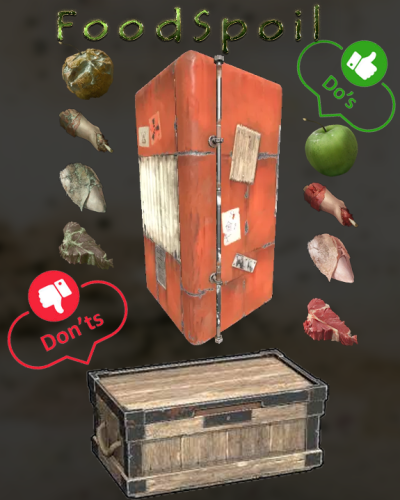 I would say, a must-have for any RP server. We've been using the plugin for several weeks now and haven't encountered any issues. It fulfills its tasks to our fullest satisfaction. The developer is also very friendly, responds to questions, and certainly handles problems professionally. While there are free plugins available, this one is far superior, which is why we chose it. It also gets 5 stars from us.
 -
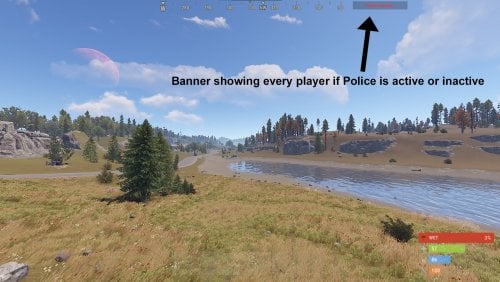 Ah, the Police Plugin! This plugin has brought a wonderful touch of RP to our RP city. The developer is extremely helpful and was able to support us in our endeavor. While it may not be an elaborate police system, you can still create something beautiful with it. The configuration file is clear and easy to understand, and we haven't encountered any issues. In our opinion, the few euros spent were worth it. Thank you for this fantastic little RP plugin!
 -
 About two years ago, we decided to go with this plugin, and if I'm not mistaken, it was even the first of its kind. Since then, our entire concept has been built around this skill system, and so far, we haven't been disappointed. The support for this plugin is adequate; issues are addressed and fixed, and once you get familiar with the configuration file, navigation becomes quite straightforward. @Mevent is a respected developer among us, and we enjoy using his plugins. However, we weren't particularly impressed with the GUI, so we customized this plugin entirely to suit our needs. However, this meant that we had to forego future updates from the developer, as we now use a private version of this plugin or we still can't get problems fixed. I believe that this plugin is still a very good choice for future projects. Who knows what new features the plugin will bring in the future. This plugin also receives 5 stars from us! Thank you, @Mevent, you contribute a significant part to our success. Without you, we wouldn't be where we are now!
 -
 This plugin deserves praise for its simplicity and clarity. It's perfect for quick work on the server. Despite having tried several plugins, I personally consider this permissions plugin to be the best option if you're willing to invest some money. The developer is extremely friendly and implements improvements promptly. I'm currently enjoying working with this system. Thank you for the outstanding work! For this reason, we give this plugin five stars.
- 2 comments
-
- 1
-
-
- #permissions
- #admin
- (and 13 more)
-
 We have tested numerous plugins, both paid and free, in order to meet the demands of our community. We recently came across BetterTc and were not disappointed. It offers everything one could desire: a flawless plugin without the hassle of command inputs. While there are minor issues with other plugins such as "EnhancedHammer", where users may need to temporarily disable the function, I believe that openly communicating this with the developer will lead to a resolution. In our opinion, it is an extremely successful plugin.
- 417 comments
-
- 1
-
-
- #builder
- #automation
- (and 9 more)
-
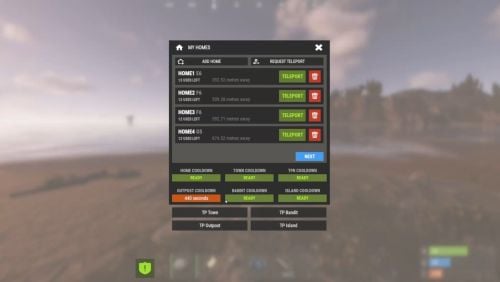 No more tedious manual command input - instead, there's a user-friendly menu navigation and an extremely clear GUI. The support is also handled in an extremely friendly manner. In our opinion, this is an outstanding plugin. Thank you for the fantastic work!
 -
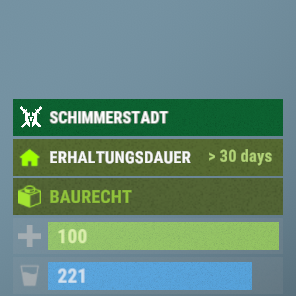 A highly user-friendly plugin with reliable and fast support. It complements Simple Status perfectly, and we have not encountered any issues so far.
 -
 We encountered an issue with the Cargo Ship that resulted in players losing their bases. As a result, we had to temporarily deactivate the Cargo feature. A day later, this new plugin was released, and we are buying this. The players' reaction was overwhelming when they suddenly saw the Cargo appearing in the sky. For us, it's undoubtedly the best plugin of March 2024. The plugin supports all essential features, and we couldn't identify any issues except that HUDs with Cargo retrieval plugins were also executed. It might be beneficial to assign a unique identifier to the Cargo so that other developers can exclude it from their plugins. Overall, the plugin does an excellent job. The configuration is clear and easy to understand, and the support responds quickly. The developer also addresses users' wishes and issues. We can confidently say, "We recommend this plugin to you; it's an outstanding event." Thank you for the fantastic work! @The_Kiiiing
- 66 comments
-
- 2
-
-
-
- #cargo
- #cargo ship
- (and 4 more)
-
 You have to work with SkinId, ItemName, Shortname. Provided the item has also been stored in the "Place Anything” plugin! { "Item name [required]": "Gambling Wheel", "Enable crafting of this item?": true, "Item permission [required]": "gamblingWheel", "Register this permission?": false, "Item description": "Gambling Wheel", "Item properties": "Gambling Wheel\nGambling Wheel", "Item shortname": "spinner.wheel", "Item skinId": 2682493718, "Is this a blueprint? ": false, "Create an item with the default name (true) or the above name (false)?": true, "Item image [optional]": "", "Console commands executed after crafting (%steamid%, %username%, %amount%) [optional]": "", "Amount per craft": 1, "Max craft multiplier": 1, "Crafting time [sec]": 5.2, "Show notification in game status (if they are enabled)?": true, "Workbench level [0 - not needed]": 0, "Crafting cost in the economy plugin [0 - disable]": 0, "Item variations": [], "Crafting ingredients": [ { "Resource name [required]": "Metal Fragments", "Use this resource in ingredients?": true, "Resource shortname [required]": "metal.fragments", "Resource skinId": 0, "Required quantity for crafting": 75, "Return an item with the default name (true) or the above name (false)?": true } ] }
 -
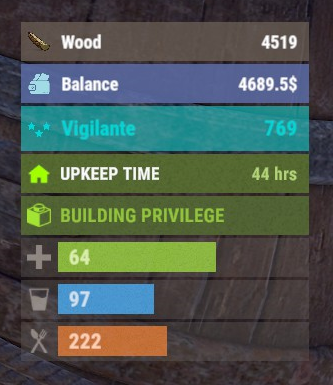 Can you please support the "BankSystem” plugin?
 -
 install:
 -
Hello, I have another improvement for your plugin. According to the config you only support "Short name": "scrap", "Min amount": 10, "Max amount": 100, "Chance (1 = 100%)": 1.0, "Skin ID": 0, "Item Name": "" It would be interesting if you supported ItemName, if you leave it empty the standard name is displayed, if you fill it the custom name is displayed. In addition, it would be cool if you could set the prefix yourself and give the vending machine markers a name, because currently they are only displayed on the map with "A Vending Machine".
- 66 comments
-
- 1
-
-
- #cargo
- #cargo ship
- (and 4 more)
-
Teleport sleepers from assigned zones to set coordinates.
DeutscherRitterPlatz replied to Larek's topic in Requests
Hi, I have a potential solution for your issue, but it requires modifying the code in the ZoneManager plugin. Please open the .cs file and look for the code section if (HasFlag(zone, ZoneFlags.EjectSleepers)). Replace this section with the code I've provided. Old code if (HasFlag(zone, ZoneFlags.EjectSleepers)) { if (!CanBypass(player, ZoneFlags.EjectSleepers) && !IsAdmin(player)) { EjectPlayer(player, zone); return; } } New Code if (HasFlag(zone, ZoneFlags.EjectSleepers)) { //if (!CanBypass(player, ZoneFlags.EjectSleepers) && !IsAdmin(player)) if (!CanBypass(player, ZoneFlags.EjectSleepers)) { //EjectPlayer(player, zone); TeleportPlayer(player, new Vector3(-1155.07f, 16.65f, -1327.94f)); //return; } return; } Additionally, you should add a specific code enhancement above the method private void OnPlayerExitZone(BasePlayer player, Zone zone). private void TeleportPlayer(BasePlayer player, Vector3 destination) { if (player != null) { player.Teleport(destination); } } If you're not familiar with this kind of editing, I can gladly send you the modified version of the plugin. It's important that you insert your desired position in the TeleportPlayer(player, new Vector3(-1155.07f, 16.65f, -1327.94f)); function. --> (-1155.07f, 16.65f, -1327.94f) To determine the exact position, you can use my "MyPosi" plugin. Whether this is the ultimate solution might be better judged by an experienced developer, but it works exactly as you want it to. -
 For those who choose to add additional biomes, these biomes would be available. Arctic Arid Temperate Tundra "List of biomes for the appearance of the event": [ "Arctic", "Arid", "Temperate", "Tundra" ],
 -
German translation "Not a support request" This is not a support request but rather a community announcement! Here is a customized German translation, "Based on the Vanilla translation." There are two ways to use this: Either replace the content with the English version or create a new folder "de" under "oxide/lang/" and place the file "CraftingPanel.json" there. We opt for the first option to ensure that German players do not have to select /lang de first. Certainly, you are free to customize the language file according to your personal preferences! { "SEARCH": "Suche...", "CRAFTING_QUEUE": "WARTESCHLANGE", "BACK": "ZURÜCK", "NEXT": "NäCHSTE", "FAVORITE": "FAVORIT", "PERMISSION": "<size=8>BERECHTIGUNG</size>", "NO_PERMISSION": "KEINE\nBERECHTIGUNG", "INFORMATION": "INFORMATION", "VARIATIONS": "VARIATIONEN", "AMOUNT": "MENGE", "ITEM_TYPE": "GEGENSTAND-TYP", "TOTAL": "TOTAL", "HAVE": "HABEN", "CRAFT": "HERSTELLEN", "BUY": "KAUFEN", "ECONOMY": "KONTOSTAND:\nKOSTEN:", "CURRENCY": "{0}\n{1} $", "CRAFT_ADMIN": "SELBST GEBEN", "WB_TIER": "STUFE {0} WERKBANK ERFORDERLICH", "UNAVAILABLE": "NICHT VERFÜGBAR", "TIMER": "{0}s", "SS_AMOUNT": "{0} Stck", "QUEUE_BUSY": "Die Warteschlange ist voll!", "WB_LEVEL": "Unzureichende Werkbank Stufe!", "NO_PERM": "Fehlende erforderliche Berechtigung!", "NO_INGREDIENT": "Unzureichende Items zum Herstellen vorhanden!", "NO_MONEY": "Unzureichendes Guthaben, Kauf kann nicht abgeschlossen werden!" } CraftingPanel.json
-
We eagerly awaited such a plugin, and suddenly it appeared. When we discovered it, we could hardly believe our luck! ^^ Initially, we pondered whether the purchase would be worthwhile, as the price is quite significant and one is often disappointed. However, this plugin is worth every single penny. It supports everything one could desire. The configuration file is easily understandable – a truly perfect plugin. We will now equip our servers with it! In our eyes, this plugin is the clear winner of the month of February! Thank you for this fantastic plugin.
- 144 comments
-
- 3
-
-
-
- #craft
- #craft menu
- (and 17 more)
-
 We are also proud owners of the plugin and are simply thrilled. The detailed explanation, the multitude of features, and the numerous pre-defined settings make it an outstanding plugin. The response to questions is extremely fast and friendly, and it supports a variety of other plugins. In my opinion, the configuration is very clear, making it quickly understandable. However, I recommend reading the description thoroughly first to fully grasp the plugin. Alternatively, you can also watch the top videos from the developer. We can wholeheartedly recommend the plugin. The developer understands their craft and takes their work very seriously.
 -
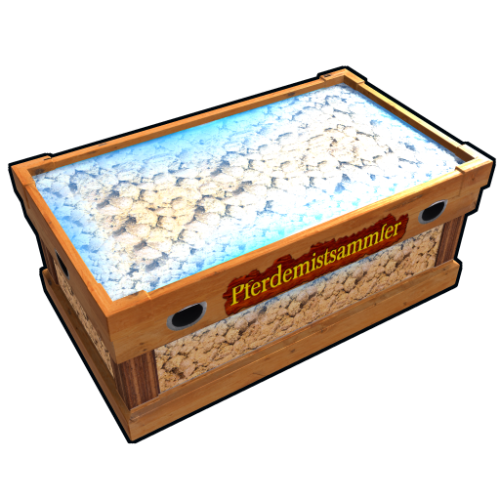 You can temporarily ignore this error; it likely only occurs when the server is restarted, and I haven't had time to address it yet. The AutoDungCollector 1.0.1 plugin is working perfectly fine; we are using this version ourselves. The user placing the AutoDungCollector crate also needs the AutoDungCollector.use permission. If a user places the crate without having the AutoDungCollector.use permission, nothing will happen, and the dung will remain on the ground. Therefore, please assign the AutoDungCollector.use permission to the default group if you want every player on the server to be able to use the box. Oxide command: oxide.grant group default AutoDungCollector.use Carbon command: c.grant group default AutoDungCollector.use However, if you want only a specific player to use the AutoDungCollector crate, you need to assign the permission to that player. Oxide command: oxide.grant user STEAMID AutoDungCollector.use Carbon command: c.grant user SteamID AutoDungCollector.use It's important to emphasize that dung already on the ground will not be collected. However, I will revisit the issue and, if needed, release an update accordingly.
 -
 Could you make it compatible with Carbon? I am aware that you have already responded to several related questions. The application works perfectly for Oxide, but when using Carbon, this message appears. NullReferenceException: Object reference not set to an instance of an object at BaseGameMode.DeleteEntities () [0x00000] in <d104bd9431fb46e3a23ef8d5f90cd4ac>:0 at BaseGameMode.OnCreated_Vanilla () [0x00045] in <d104bd9431fb46e3a23ef8d5f90cd4ac>:0 at BaseGameMode.OnCreated () [0x00000] in <d104bd9431fb46e3a23ef8d5f90cd4ac>:0 at BaseGameMode.InitShared () [0x00072] in <d104bd9431fb46e3a23ef8d5f90cd4ac>:0 at (wrapper dynamic-method) BaseNetworkable.BaseNetworkable.Spawn_Patch0(BaseNetworkable) at BaseEntity.Spawn () [0x00000] in <d104bd9431fb46e3a23ef8d5f90cd4ac>:0 at BaseGameMode.CreateGameMode (System.String overrideMode) [0x00096] in <d104bd9431fb46e3a23ef8d5f90cd4ac>:0 at DMD<>?-2016537484.Bootstrap+<StartServer>d__21.MoveNext_Patch0 (Bootstrap+<StartServer>d__21 this) [0x00406] in <2fe777815e964e948e595f483d0ecbdf>:0 at UnityEngine.SetupCoroutine.InvokeMoveNext (System.Collections.IEnumerator enumerator, System.IntPtr returnValueAddress) [0x00026] in <fcaf289839f24125a059795f150fce14>:0
- 42 comments
-
- 3
-
-
- #optimize
- #optimization
- (and 19 more)
-
Version 1.0.0
189 downloads
This is an extension of the Magic Panel plugin that shows an icon for the Supermarket Event plugin. The icon's color and position can be set individually in the configuration file. Please note: The Magic Supermarket Event Panel only works in conjunction with the "MagicPanel" and "SupermarketEvent" plugins. Make sure you have installed these plugins before using the Event Panel. The plugin also automatically checks if any of the required plugins are missing. If this is the case, the "Supermarket Event" plugin will be automatically unloaded. #Configuration The settings and options can be configured in the MagicSupermarketEventPanel file under the config directory. The use of an editor and validator is recommended to avoid formatting issues and syntax errors. { "Active Color": "#00FF00FF", "Inactive Color": "#FFFFFF1A", "Panel Settings": { "Dock": "center", "Width": 0.02, "Order": 1, "BackgroundColor": "#FFF2DF08" }, "Panel Layout": { "Image": { "Url": "https://www.dropbox.com/scl/fi/z5u2110vdl96wfgehdet2/MagicSupermarketEventPanelIcon.png?rlkey=1ols5dhijdcgiozdcdbxesrm6&dl=1", "Enabled": true, "Color": "#FFFFFFFF", "Order": 0, "Width": 1.0, "Padding": { "Left": 0.1, "Right": 0.1, "Top": 0.05, "Bottom": 0.05 } } } } #Credits Thanks to MJSU for the Magic Panel plugin. We reworked one of the plugin extensions so that MagicPanel now also supports the Supermarket Event plugin. #Supermarket Event Trailer #Buy Supermarket EventFree