


About Whitelist
Plugin Description:
Whitelist plugin for Rust servers with a GUI for adding players to the whitelist and removing them, as long as they have been on your server before. The plugin can also send a notification to your Discord server when a player is added to or removed from the whitelist.
Key Features:
- Intuitive GUI: Add or remove players with one button press.
- Whitelist by SteamID: Add users to the whitelist directly from the GUI.
- Toggle On/Off: Enable or disable the whitelist with one click in the UI.
- Automatic Activation/Deactivation: The whitelist can turn on and off by itself at the times you set.
- Discord Notifications: Get a notification on your Discord server whenever a player is added to or removed from the whitelist. You turn this on or off in the plugin's configuration.
- Configurable Whitelist Messages:
You can change the whitelist messages in the plugin's configuration.
Permissions:
whitelist.add: Add players to the whitelist.
whitelist.remove: Remove players from the whitelist.
whitelist.admin: Full access to whitelist management.
whitelist.enable: Activates the whitelist.
whitelist.disable: Deactivates the whitelist.
whitelist.ui: Use the graphical user interface (UI).
Commands:
Chat Commands:
/whitelist: Opens the graphical user interface (GUI). The whitelist.ui permission is required.
Manage your player list from the GUI, enable or disable the whitelist when you need to, and turn on Discord notifications if you want them.
{
  "Enable 'add' discord message?": true,
  "Enable 'remove' discord message?": true,
  "Discord webhook (for added to whitelist players)": "webhook",
  "Discord webhook (for removed from whitelist players)": "webhook",
  "Kick message": "You are not on this server's whitelist"
}
 Web Config Editor
Manage the Whitelist settings in our web config editor. You change the config in a browser form instead of editing files on the server by hand.
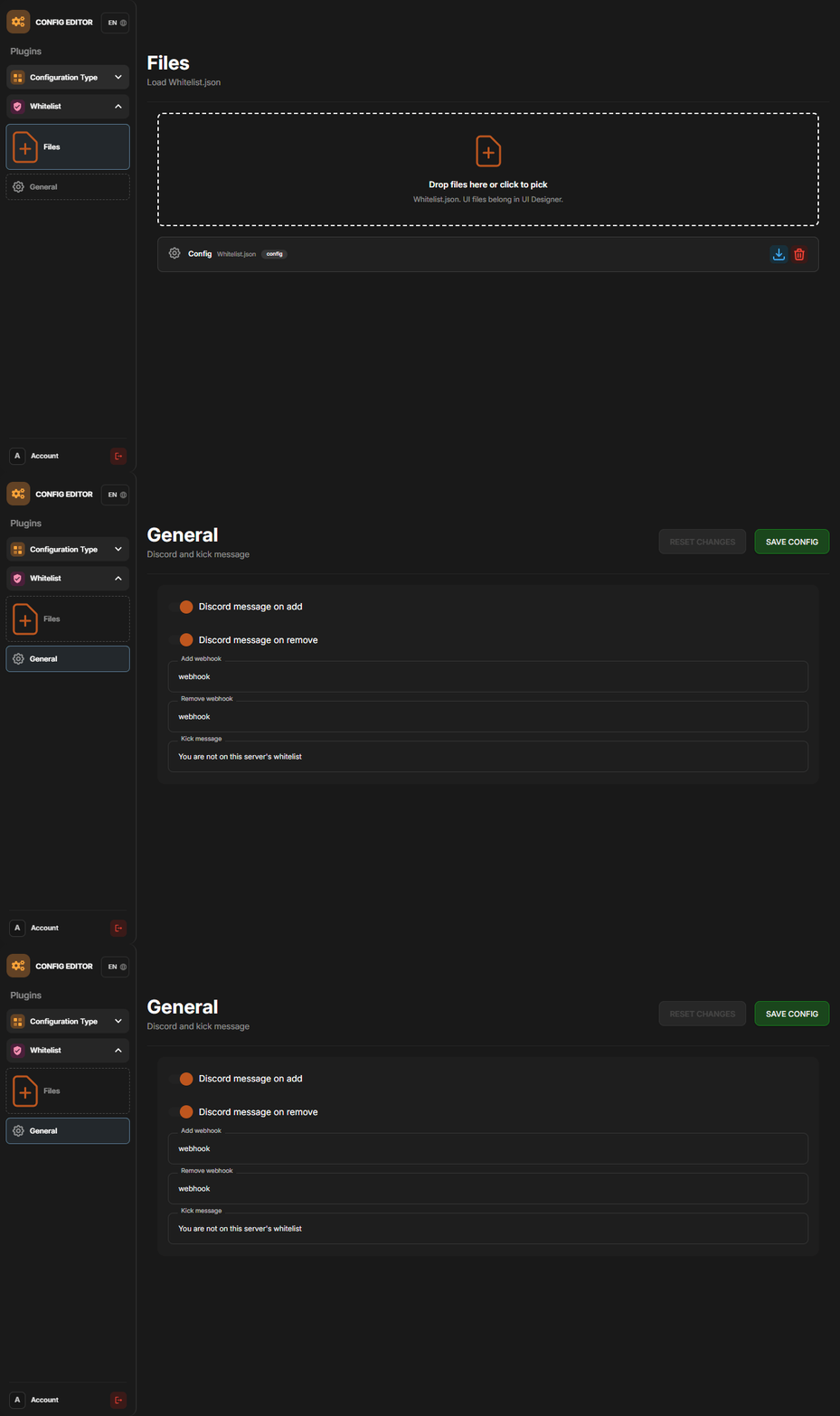
P.S. The web config editor is open to members of the "Whitelist" group in our Discord server. Join at https://discord.gg/mevent and ask for the group.