




About Vehicle Buy
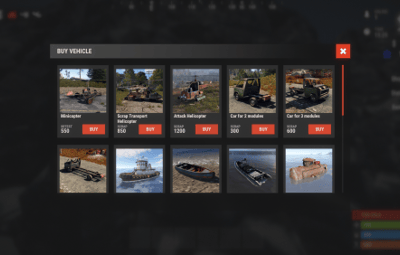
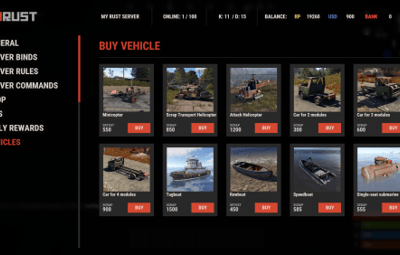
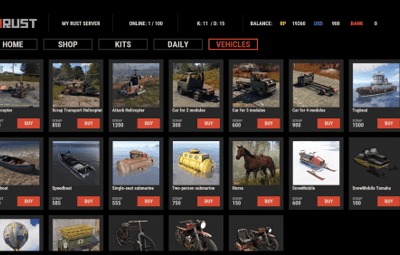
Immerse yourself in the world of Rust with the VehicleBuy plugin! This powerful tool allows authorized players to easily access the /vehiclebuy command, which opens an intuitive interface for purchasing a variety of vehicles. With multiple payment options, including Items, Economics, and Server Rewards, you can enjoy a smooth gaming experience. Additionally, the Buy Cooldown feature helps maintain balance in the game.
Upon purchasing a vehicle, players receive a unique gift: a skinned crate for land vehicles or a lifebuoy for water vehicles, which can be conveniently stored in their inventory.

 Features of VehicleBuy
- User-Friendly Interface: Access vehicle purchases through an easy-to-navigate GUI.
- Flexible Payment Methods: Choose from various payment options to suit your preferences.
- Customizable Settings: Administrators can adjust prices and fees as needed.
- Convenient Vehicle Recall: Use the /callback command to quickly retrieve your vehicle.
- Easy Re-packaging: Re-package vehicles using the /pickup command or by hitting them with a hammer.
 Commands
- /vehiclebuy: Open the vehicle purchase interface (for players)
- /callback "VehicleName": Retrieve your purchased vehicle
- /pickup: Re-package your vehicle or hit it three times with a hammer
- Admin Command: (VehicleName.add SteamID): Spawn vehicles directly into players' inventories
- vehiclebuy.template [fullscreen/inmenu]: Customize your UI templates with options for fullscreen or in-menu displays (only server console)
 Permissions
- vehiclebuy.use: Allows players to use the /vehiclebuy command and access the vehicle purchase interface.
- vehiclebuy.free: Grants players the ability to acquire vehicles for free, bypassing the payment requirements.
- vehiclebuy.pickup: Permits players to use the /pickup command to re-package their vehicles.
- vehiclebuy.recall: Allows players to use the /callback command to retrieve their vehicles.
 Video Overview
old overview:
 Test Server
Join our test server to experience all our unique features firsthand!
Copy the IP address below to start playing!
connect 155.103.86.38:28015
 FAQ
FAQ
Q: Where can I see an example of a config?
A: Config
Q: How do I add VehicleBuy to the ServerPanel menu?
A: Follow these simple steps:
1. Open ServerPanel menu in-game and click "+ADD CATEGORY" button
2. Set these exact parameters:
- Type: Plugin
- Plugin Name: VehicleBuy
- Plugin Hook: API_OpenPlugin
3. Click "SAVE" button to create the category
Note: If VehicleBuy doesn't appear in ServerPanel menu, make sure both plugins are loaded and you typed the parameters exactly as shown above.
Q: I'm using the KazuraVehicles plugin and VehicleBuy doesn't work / throws errors. What should I do?
A: IMPORTANT: if you're using KazuraVehicles, you MUST enable a special dependency inside VehicleBuy, otherwise it simply will NOT work.
1) Open the plugin file Plugins/VehicleBuy/VehicleBuy.cs (or oxide/plugins/VehicleBuy.cs on your server).
2) At the very top of the file, find this line:
// #Requires: KaruzaVehiclesCommon
3) Change it EXACTLY to this (just remove the # after //
// Requires: KaruzaVehiclesCommon
4) Save the file and reload the plugin with o.reload VehicleBuy (Oxide) or c.reload VehicleBuy (Carbon).
If you skip ANY of these 4 steps, VehicleBuy + KazuraVehicles will NOT work correctly. Do all 4.










(1).thumb.png.d56d18605bed9090caa8ebd3d3539349.png)
.thumb.gif.4707aef13cba7c3b9ad410f5f982b71c.gif)

.thumb.png.bcb832e22f0a48b6833fee517e444bff.png)