hid333
-
Posts
1,263 -
Joined
-
Last visited
-
Days Won
2
Content Type
Profiles
Warranty Claims
Downloads
Forums
Store
Services
Downloads Plus Support
DOWNLOADS EXTRA
Reels
Everything posted by hid333
-
We have confirmed that a similar issue occurred during the recent Oxide update. There were no changes to the MAP; it appears that the Oxide update triggered the wiping of Scrap Keeper data.
-
 If the rankings won’t change depending on whether we use size or weight, could we revise the message as follows? Ranked #1 in server size ranking! Ranked #1 in server weight ranking! ↓ Ranked #1 in server! Alternatively, could we change it to: Ranked #1 in server! (123 cm / 45 kg).
 -
Do fish of the same species and size stack by default? My concern is that there are buffs that increase the number of fish you can catch (through skill trees and item perks), but when I sell two or more fish that are stacked together, they are counted as one fish. If I separate them one by one in my inventory before selling them, they are counted correctly. I'd like to determine if this problem occurs if fish of the same size stack by default, or if it's caused by another plugin.
-
Setting the draw distance to the default (MAX) of 2500 causes issues such as the UI remaining open. I initially thought this was only happening in my environment, but other players have experienced the same problem, and lowering the draw distance resolved it. I will monitor the situation to determine the complete causal relationship, but for now, I'm just describing the symptoms. Please check if you have any idea what might be causing this.
-
2. was a problem with the cooking plugin; my apologies.
-
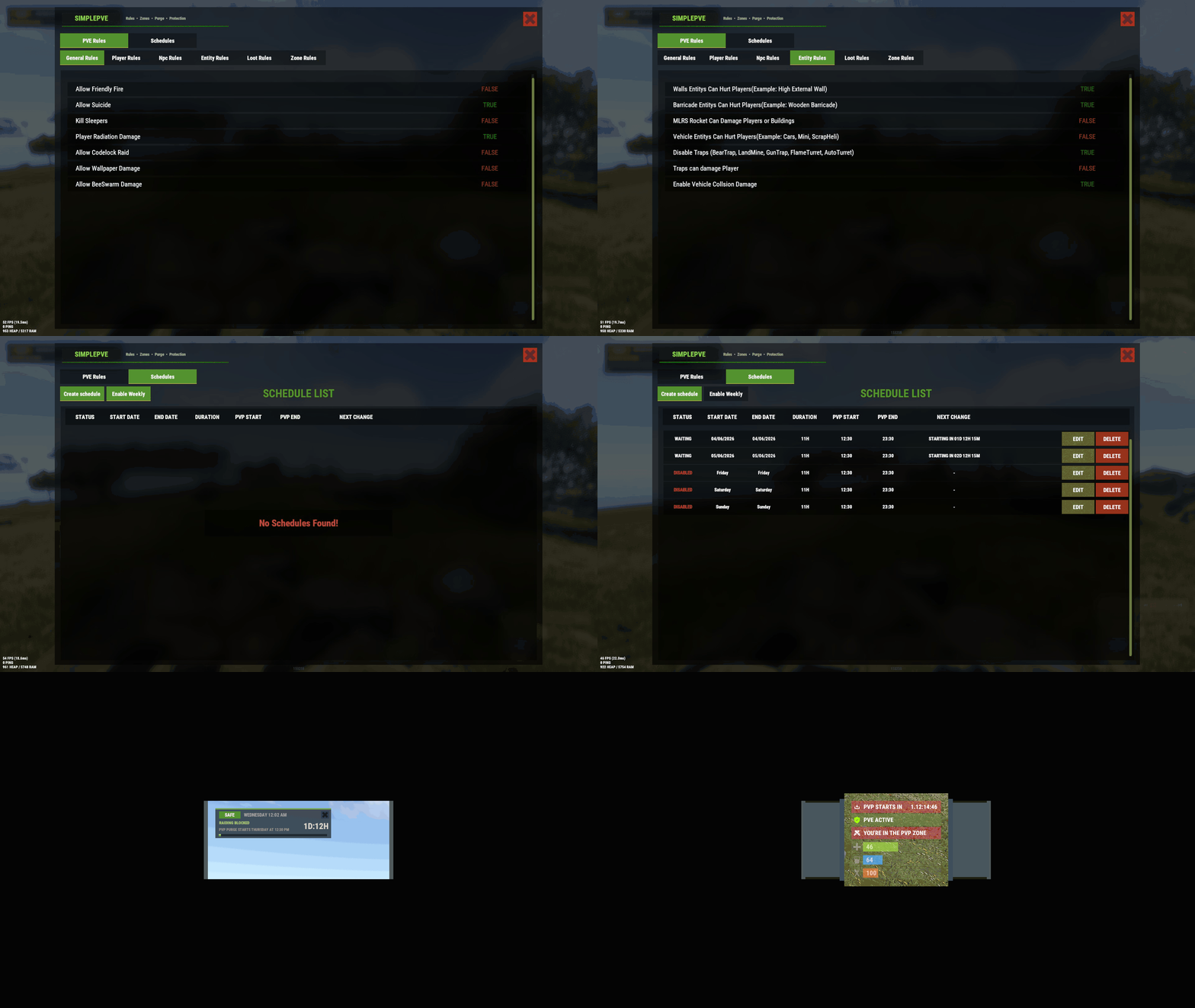 However, I’ve already switched over to a free PvE plugin. That said, this plugin was excellent—its UI was clean and simple, and the configuration was very easy to understand. However, there are a few smaller issues where it doesn’t behave correctly, and I’m hoping there might be a way to resolve them. For example, fall damage (such as from pogo-type situations) ends up being removed, bleeding damage no longer applies, and damage from common hazards in custom maps—like traps or magma—gets disabled unexpectedly. Since no additional plugins are involved, I believe this should be something that can be fixed. When I remove this plugin, everything works normally again. (And to be clear, there are no settings in the plugin to intentionally block those types of damage.) The free PvE plugin does not have this kind of unintended behavior, so I had no choice but to switch to the free option for now. I’m hoping that when you have time, you might be able to address these issues. (I’ve already checked whether switching to a debug mode—or otherwise tracing the cause—would be possible, but it doesn’t appear to be feasible.)
 -
I have a few questions I’d like to confirm. You are currently displaying the rankings for size and weight separately. Is it possible for the order to differ between size and weight? (For example, if someone catches a bluefin tuna measuring 100 cm, could the weight vary—such as 200 kg for one catch and 190 kg for another?) Because the size and weight rankings are shown independently, I was wondering whether the weight can change even when the size is exactly the same. The ingredients used in cooking are not being consumed. When the target fish is supposed to be an ingredient, it is not treated as a cooking ingredient by the cooking plugin, and players are still able to obtain the cooked item without using up the fish. Is there any way to avoid this issue? Would it be necessary to modify the cooking plugin itself? Would it be possible to add a few additional rewards? For example, rewards (such as items, permissions, or adding the player to a group) for: the player who has unlocked the largest number of fish species (i.e., has caught them at least once), the player who has unlocked all fish species, the player who has earned the most 1st-place finishes in the size category, and the player who has earned the most 1st-place finishes in the weight category. At the moment, I have created an app that reads /data/ExtraFishing_Records.json and generates a points-based ranking system (3 points for 1st place, 2 points for 2nd place, and 1 point for 3rd place). I then manually grant rewards based on that ranking, but I would like to streamline this process if possible.
-
The version is 1.0.13. I've only checked it once so far, but the player said they were experiencing an overfish state. Please check it just in case. I'll try participating when it's held again.
-
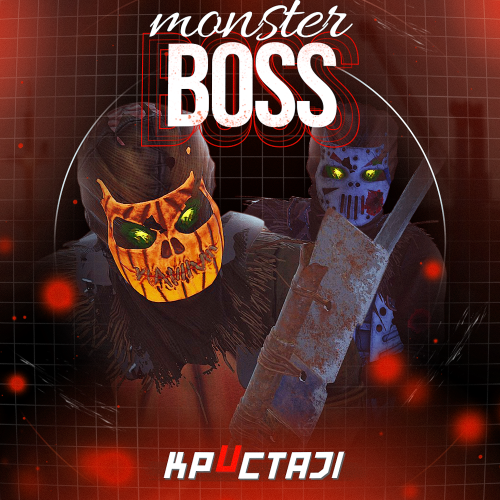 I'm using the default settings for the boss. The player tries to lure the boss to the edge of its range or get close to it, finding a point where it stops moving, and basically trapping it until it's immobile and unable to attack, then defeating it with simple attacks. This tendency is especially strong with BOSS that only use melee attacks. I'd like some good settings to avoid this. For example, settings for Chase range and Sense range.
 -
The problem is that the boss just stands there doing nothing and doesn't attack. Even if we set it to teleport, players focus on repeatedly luring it in and then moving away to trap it, and it's rare for multiple players to cooperate to defeat it, which is what many server administrators want. If we could somehow prevent it from being trapped, and if it stopped becoming completely inactive, that alone would solve the problem. We've tried adjusting it with grenades and skills, but so far it hasn't worked.
-
In my environment, it's still showing as overfishing...
-
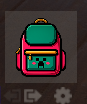
I was able to successfully place it under my backpack. Thank you.

-
Deleting the configuration file and reloading the plugin seems to have resolved the issue. I'll monitor the situation. Thank you for the advice.
-
I'll try deleting the settings and see if that helps.
-
Failed to call hook 'OnActiveItemChanged' on plugin 'CustomMedics v1.0.41' (NullReferenceException: Object reference not set to an instance of an object) at Oxide.Plugins.CustomMedics.OnActiveItemChanged (BasePlayer player, Item oldItem, Item newItem) [0x00053] in <9fff19e086184213b7a1c99a6929a7c0>:0 at Oxide.Plugins.CustomMedics.DirectCallHook (System.String name, System.Object& ret, System.Object[] args) [0x00668] in <9fff19e086184213b7a1c99a6929a7c0>:0 at Oxide.Plugins.CSharpPlugin.InvokeMethod (Oxide.Core.Plugins.HookMethod method, System.Object[] args) [0x00079] in <42f9bedc659b4f4786eb778d3cd58968>:0 at Oxide.Core.Plugins.CSPlugin.OnCallHook (System.String name, System.Object[] args) [0x000de] in <15f61ddda771464d8246ebdce8ff4811>:0 at Oxide.Core.Plugins.Plugin.CallHook (System.String hook, System.Object[] args) [0x00060] in <15f61ddda771464d8246ebdce8ff4811>:0
-
Where can I configure the optional Hide-UncaughtFish? The configuration file doesn't have a setting for it. >Optional Hide-Uncaught-Fish mode (HideUncaughtFish config toggle):
-
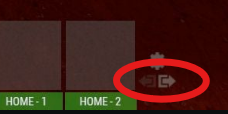
I want to move the icons that display the next and previous button groups, as shown in the diagram, because they overlap with the default backpack icon. Where should I make the necessary changes? Also, is it possible to add this to the config?
-
Failed to call hook 'OnItemAction' on plugin 'ExtraFishing v2.4.2' (NullReferenceException: Object reference not set to an instance of an object) at Oxide.Plugins.ExtraFishing.OnItemAction (Item item, System.String action, BasePlayer player) [0x000c2] in <6d6d2d9681354d8487d23db233b430c9>:0 at Oxide.Plugins.ExtraFishing.DirectCallHook (System.String name, System.Object& ret, System.Object[] args) [0x030a5] in <6d6d2d9681354d8487d23db233b430c9>:0 at Oxide.Plugins.CSharpPlugin.InvokeMethod (Oxide.Core.Plugins.HookMethod method, System.Object[] args) [0x00079] in <42f9bedc659b4f4786eb778d3cd58968>:0 at Oxide.Core.Plugins.CSPlugin.OnCallHook (System.String name, System.Object[] args) [0x000de] in <15f61ddda771464d8246ebdce8ff4811>:0 at Oxide.Core.Plugins.Plugin.CallHook (System.String hook, System.Object[] args) [0x00060] in <15f61ddda771464d8246ebdce8ff4811>:0 The above error message appears. Does it affect the operation? What is the cause and how can it be resolved?
-
The update history says that overfishing has been fixed, but I still get overfished during fishing contests and only catch trash.
-
[StaticLootables] Error: System.NullReferenceException: Object reference not set to an instance of an object at Oxide.Plugins.StaticLootables+<DoPlayerInputCoroutine>d__59.MoveNext () [0x00dd7] in <449bd03c14f94faeb193f6b989d51aa2>:0
-
After deleting the configuration file, I installed ScrollFix. The result was the same; nothing was displayed the first time after logging in. Even on subsequent visits, the scrollbar is still at the bottom. I don't have any other plugins installed that manipulate the mixing table. I tried setting up a test server and removing unnecessary plugins.
-
I tried installing ScrollFix.cs, but still, the items don't appear when I open the mixing table for the first time. Even when the items do appear on subsequent visits, the scrollbar is still at the bottom.
-
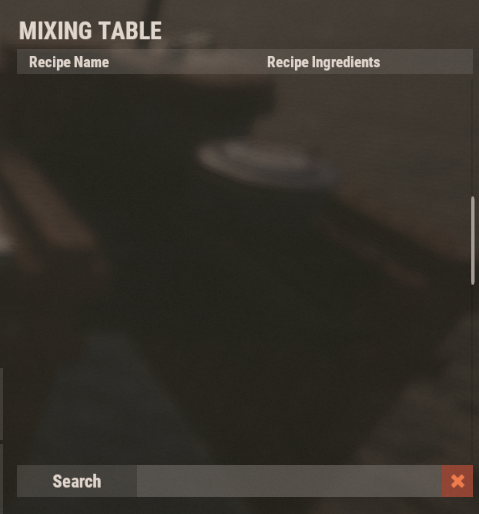
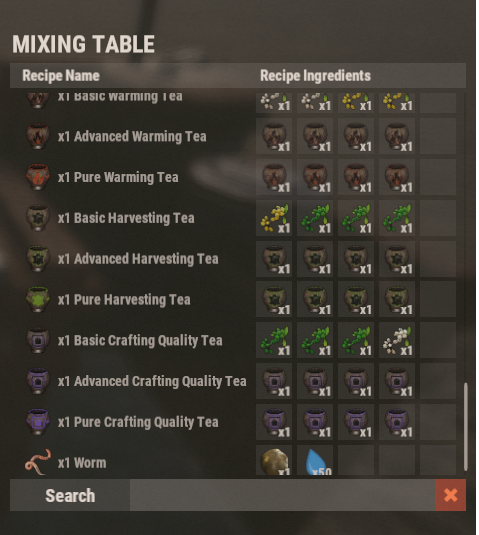
When I open the mixing table after logging in, the first time I do, it's empty with no items registered. However, when I open the mixing table again, the registered items appear. This same phenomenon occurs every time I log in. Could you please tell me the cause and how to resolve it? Also, when I open the mixing table, the registered items are always displayed at the very bottom. I can just scroll up, but... if possible, I'd like the top items to be displayed when I open the mixing table.
-
It's unclear if this is related to the latest update, but the server fails to start. The error message is: SqliteException: Could not open database file: server/my_server_identity/sv.files.284.db (error 14) While this appears to be a database error, removing only this plugin allows the server to start normally. Reinstalling it results in the same error. This issue also occurs on other physical servers, cloud servers, and when changing MAPs, suggesting it may occur with this plugin alone or in combination with other plugins. We have tried repairing the database, checking for file locks, and restoring from previous backups, but none of these have been effective. This issue can be resolved simply by removing this plugin, so please check the cause and solution.
-
The idea of automatically accumulating teleportation points upon login is innovative and good, but it could confuse users, and an explanation is needed that these are points specific to this plugin. Is it possible to change the currency to economics or scrap?