hid333
-
Posts
1,321 -
Joined
-
Last visited
-
Days Won
2
Content Type
Profiles
Warranty Claims
Downloads
Forums
Store
Services
Downloads Plus Support
DOWNLOADS EXTRA
Reels
Everything posted by hid333
-
Regarding the exchange of keys for items: Currently, the system only allows for exchange settings where the number of keys is equal to or less than the number of items. I would like to request that it be made possible to exchange a single item for multiple keys. Since multiple keys are required for gacha pulls—yet the current system necessitates an even greater number of items—it would be very helpful if the settings allowed for the input of decimal values.
-
Is it possible to set the exchange rate with keys to a value less than 1? I would like to allow players to exchange one of the special items available on my server (e.g., a Bitcoin or a coin) for 10 keys. Example: "Base Exchange Rate (currency per key)": 0.1,
-
Even after the version update, this still hasn't been addressed... I have gone ahead and created a corrected .cs file; would you like me to send it to you? I have already verified that all the necessary fixes are included.
-
example "ID": 439901046, "Chance (0-100%)": 60.0, "Type": "Item", "Title": "card_Cloth", "Command (%steamid%)": "giveto %steamid% Cloth 333", "DisplayName (empty - default)": "card_Cloth",
-
Please let me confirm the specifications. Regarding the "case" settings: Is it correct that "Type" must be either "Item" or "Command"? Is it not possible to configure both? I found that if I add an item while keeping the "Type" set to "Item" and also include the "Command (%steamid%)" setting, I do receive the item, but the achievement does not unlock in the collection log. We added original weapon and resource cards to the product, intending for the actual weapons to be obtainable alongside the cards; however, upon including both, we noticed this issue.
-
I am using Oxide. sending the file.
-
 I bought this map a while back, so I got curious and opened it up; it ran without any particular issues. It got a bit sluggish when I had all the prefabs selected, but not to the point where it was unworkable. There was also a note about that in the readme.
 -
Request: It would be great if Discord notifications could be customized for each case. It would be great if I could change just the colored parts of the images. Also, it would be nice if the notifications were easier to read—for example, by changing the text color based on the rarity of the gacha item.

-
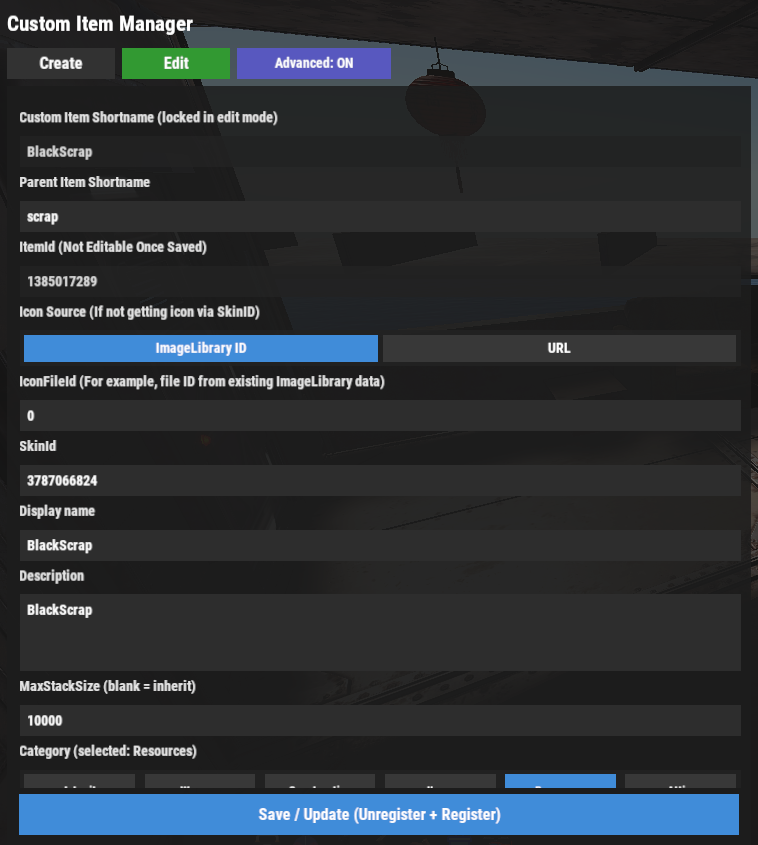
I just created a new one and checked it. The icon source made no difference; the name wasn't reflected in either case. However, when I changed the parent item to "rhib" and checked, the item name became "rhib." It appears that the display name has not been reflected. Can you think of any possible cause?
-
It would be great to have a command that allows unlocking achievements for a specific player, to handle cases where an obtained item fails to register for some reason. Since the record data is stored in a data file, it cannot be modified directly, so a command-based solution would be very helpful. Example: A command to set the status for "player1" to "AK Rifle obtained" (unlocking the achievement) within the Collection "T3 WEAPON" category.
-
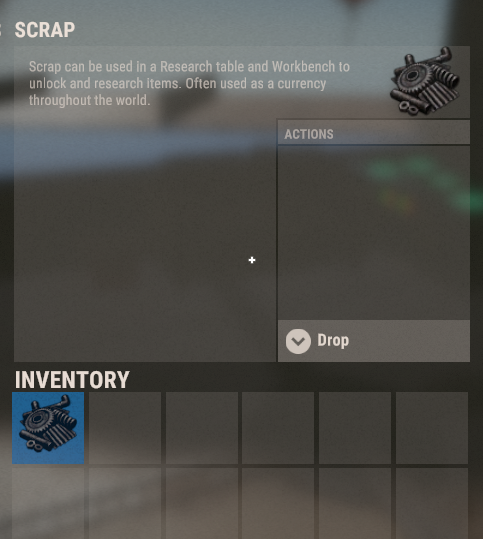
Items created using scrap as a base sometimes retain "Scrap" as their display name. I created several similar items: Items where the icon source was set via URL correctly adopted the specified name; However, items created by modifying the skin ID remained named "Scrap," even though I had changed the display name. I verified this by creating the items using the "Create x1" function within this plugin.
-
Notifications sent using Notify appear in red and display the default title "Error," so I would like to use the blue notification style instead. Is it possible to change this in the settings? "Work with Notify?": true,
-
This issue resembles a problem I encountered previously with Gun Game or Arena modes: the moment I join, I fall through the floor instead of remaining in the lobby. If the game starts in this state, I get stuck in a loop of repeatedly dying and respawning, causing the screen to flicker (an endless cycle of death → respawn → death). Please look into this. I tried resetting the center coordinates, but that did not resolve the issue.
-
oxide
-
This issue is affecting everyone—including players who have been logged in since the official wipe for this season—and the behavior appears identical to what occurred during the wipe itself. I didn't observe it personally, but it is possible this didn't happen in the previous version. While multiple official updates have already been applied this season, I have only verified the situation following today's update. Of course, the server has not been wiped, so players' bases and items remain intact.
-
After a Rust server update, the "NEW PLAYER JOINED" message is sometimes triggered again. This occurs even for players who were already connected prior to the update. Please ensure that this message is displayed only at the appropriate time for a wipe—such as when the map changes—rather than immediately following an update.
-
Please add the fridge-related items to the plugin's target list. This includes DLC items as well. fridge mini fridge gamesroom.minifridge electric.wallcabinet These are the ones. Adding them to "Allow Prefabs" in the config had no effect. There was no change even when I tried entering the specific prefab name: "assets/prefabs/deployable/fridge/fridge.deployed.prefab"
-
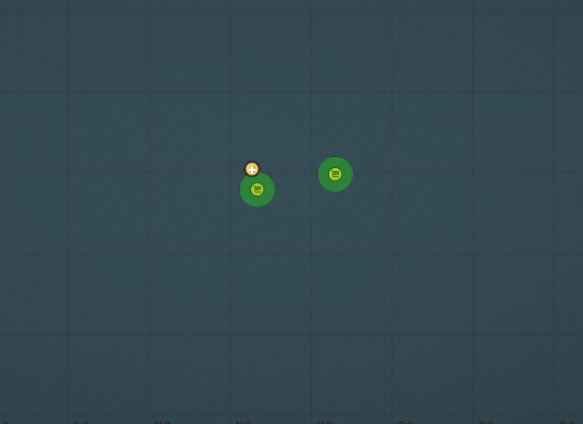
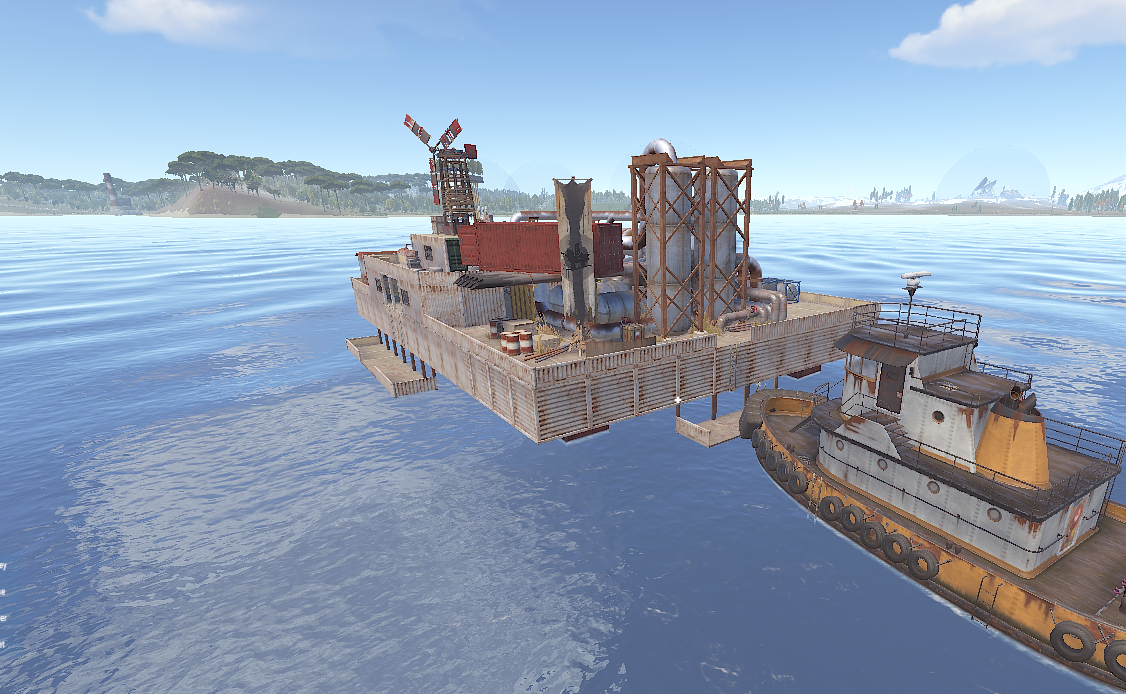
Recently—especially in ocean areas—multiple dynamic monuments have been spawning in close proximity, allowing a single player to monopolize them. I would like a feature that allows setting a minimum distance between dynamic monuments. Additionally, I would like them to be prevented from spawning when a tugboat or player boat is nearby. They sometimes spawn in the exact same location; since players tend to leave tugboats parked for immediate reuse, dynamic monuments can end up spawning right next to them (as shown in the photo). I currently have the setting below configured to 100, but I believe it would be beneficial to also have configurable settings for the minimum distance from dynamic monuments and from player boats. Please consider this request. "Minimum distance from a TC at which a monument can spawn (0 – do not use this parameter)": 100.0,
-
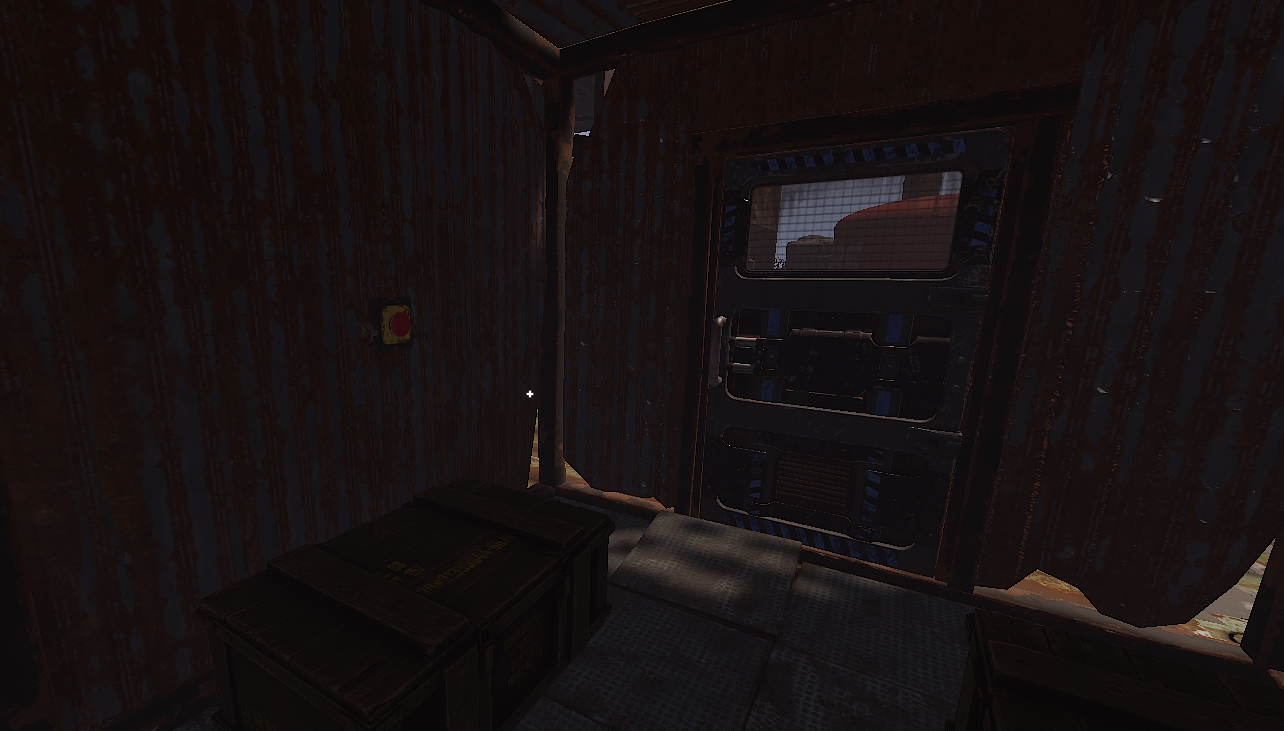
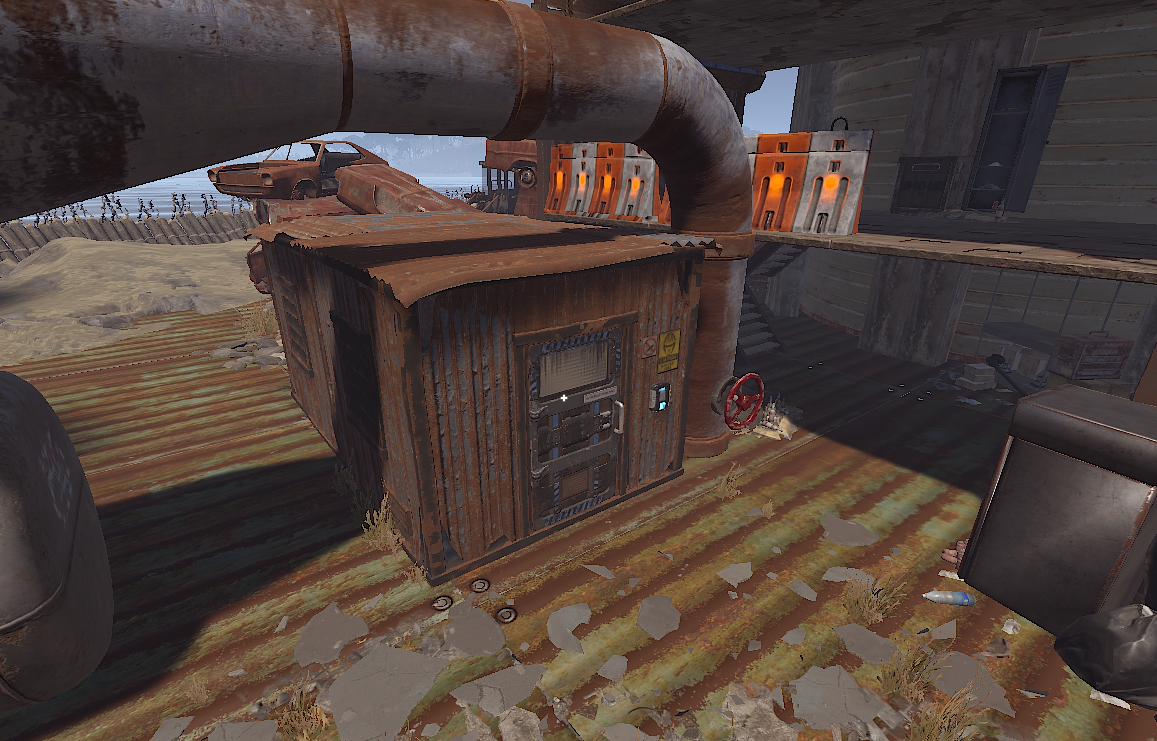
It appears that one of the "Blue Card" rooms in the "Oil Depot" does not open even when the button switch inside is pressed. Please check this.
-
Please, I beg of you...
-
I investigated the Waystones performance issue more closely. The repeated OnEntityTakeDamage took average ~1.1s warning appears to be misleading. The actual repeatable slow operation is WaystoneConsoleCommand, which consistently takes around 1.1–1.2 seconds when the issue occurs. This seems strongly related to the teleport process rather than the damage hook itself. The current teleport flow appears to perform several expensive operations in the same command execution: destination validation, teleporting, trigger/network group updates, clearing the entity queue, and finally forcing a complete player snapshot. On my server, which has around 50 players and more than 115k server entities, forcing a complete network resync on every teleport may be especially expensive. Could you please consider optimizing the teleport flow? Possible improvements would be: Avoid forcing a complete snapshot on every teleport unless it is actually necessary. Use the minimum network updates required for a normal teleport. Avoid clearing/rebuilding the player's entity queue unnecessarily. Cache validated teleport positions more aggressively instead of repeating multiple physics/entity checks. Add internal timing measurements for each teleport stage to identify exactly which operation causes the ~1.1s delay. Reduce unnecessary globally networked decorative Waystone entities/lights where possible. The goal would be to avoid doing all expensive teleport/network synchronization work synchronously inside a single UI command. The OnEntityTakeDamage average warnings are probably a side effect of the accumulated Waystones execution time rather than the actual source of the delay. I’ll leave the implementation approach to you, but I believe optimizing the teleport/network synchronization path could significantly reduce these server-wide micro-freezes.
-
I created a test version that takes this behavior into account. With that version, RustEdit damage triggers work correctly while the normal SimplePVE protection remains active, so it seems possible to support these environmental triggers without losing the existing PvE functionality. If possible, I would greatly appreciate it if you could consider implementing similar support officially. If supporting the damage triggers directly would be difficult, another possible solution would be to expand the current zone exclusion functionality. At the moment, when an existing ZoneManager zone is added to: "Exclude Zone IDs From Rules" PvP damage and some related rules are correctly bypassed inside that zone, but SimplePVE is not completely disabled there. In other words, the behavior inside an excluded zone is still different from completely unloading SimplePVE. For example, when SimplePVE is fully unloaded, RustEdit damage triggers such as Damage Trigger High work normally and players receive the expected environmental damage. However, adding the same area to "Exclude Zone IDs From Rules" does not currently reproduce that behavior. If direct support for RustEdit damage triggers is difficult, I would appreciate it if excluded zones could instead become a true full bypass of SimplePVE. Ideally, inside an excluded zone: SimplePVE would not modify or block any damage RustEdit damage triggers would work normally Radiation and other environmental effects would work normally PvP damage would behave normally All other SimplePVE protections and restrictions would also be disabled In short, I would like an excluded zone to behave as closely as possible to an area where SimplePVE is completely unloaded, rather than only bypassing certain PvP-related rules. I would greatly appreciate it if you could consider either approach.
-
I would like to report an issue regarding SimplePVE and RustEdit damage/radiation trigger prefabs. On some custom maps, map creators use damage areas, hazardous floors, lava, and similar environmental hazards. Many of these are created using the standard damage trigger prefabs documented on the Facepunch Wiki. For example: Damage Triggers https://wiki.facepunch.com/rust/Volume_Prefabs#damagetriggers Damage Trigger Low Damage Trigger Mid Damage Trigger High Damage Trigger Death Radiation Spheres https://wiki.facepunch.com/rust/Volume_Prefabs#radiationspheres Radiation Low Radiation Med Radiation High These prefabs can also be found in the RustEdit prefab list. The problem is that when SimplePVE is enabled, some of these environmental damage triggers are also blocked by the PVE damage protection. Because of this, custom maps that intentionally use hazardous areas do not behave as expected. For example, a floor or lava area configured with Damage Trigger High may cause no damage at all while SimplePVE is active. Radiation triggers can also be affected depending on how the damage is processed. Would it be possible to officially support these RustEdit environmental triggers? A possible approach would be to detect damage originating from the standard RustEdit/world TriggerHurt / TriggerHurtEx damage volumes, or from prefabs under the standard hurt-trigger prefab path, and allow that environmental damage before applying the normal PVE damage-blocking logic. It would be important that this exception applies only to world/environmental damage, so normal player-vs-player, trap, NPC, turret, and vehicle damage would still continue through the existing SimplePVE rules. In short: Allow standard RustEdit Damage Trigger Low / Mid / High / Death damage Allow normal Radiation Low / Med / High behavior Keep existing SimplePVE PvP protection unchanged Treat these as environmental/world damage rather than PvP damage Some custom maps rely heavily on these standard Facepunch/RustEdit trigger prefabs, so official support would be very helpful. Thank you for your work on SimplePVE and for considering this request.
-
Yes, I have inquired about this previously, but just to be certain, I have submitted a fresh inquiry this time as well.
-
I would like to report an issue that occurs when a monument is located near coordinates 0,0,0. In RUST, the coordinates 0,0,0 appear to have a special meaning. Based on the behavior I have observed, it seems that various entities or objects may temporarily be created or initialized around 0,0,0 internally by the game. Because of this, problems can occur on custom maps where a monument—for example, an Airfield—is located at or very close to 0,0,0. For example, when attempting to apply a monument lock to the Cargo Ship, the monument located near 0,0,0 may also be incorrectly detected and locked. In this example, the Airfield may become locked as well. This can result in situations where players are unable to attack the NPCs on the Cargo Ship, which may eventually cause the players to be killed by those NPCs without being able to fight back. I would greatly appreciate it if you could consider implementing a way to avoid this behavior. Whenever I use a custom map, I make it a point to check the area around 0,0,0 first. However, depending on the map design, it is not always possible to move or modify the monument. I understand that the monument lock detection threshold can be adjusted quite precisely using the Monument Finder commands. However, if a monument is located directly above or extremely close to 0,0,0, it can be practically impossible to avoid this issue through threshold adjustments alone. In such cases, my only workaround is to exclude that specific monument from the monument lock system entirely. If possible, I would appreciate it if the plugin could include some kind of special handling for entities detected at or near 0,0,0, so that monuments located there are not incorrectly associated with entities such as the Cargo Ship. Thank you very much for considering this issue.