CupsOhJoe
-
Posts
357 -
Joined
-
Last visited
Content Type
Profiles
Warranty Claims
Downloads
Forums
Store
Services
Downloads Plus Support
DOWNLOADS EXTRA
Everything posted by CupsOhJoe
-

Version 1.0.4
32 downloads
Features: First Join and Command triggered multi commands executor with delayed start and duration for any commands needed. Need help, please join my discord @ The Cantina RUN INDIVIDUAL COMMANDS Option 1: When a player joins and spawns in, if you have a set command with isNewPlayer set to true, it will run after the set delay time (Seconds). If there is a set command for endCommand (OPTIONAL) it will then run that command and theDuration to run the command the amount of time after the initial command. Option 2: You can set commands from other plugins to be run by staff/players using the "runcmd <commandName> <player/id>" if <player/id> is omitted will run on self. this avoids the need to give players individual permissions for other plugins. For example you can use "/runcmd god" and if you have the GODMODE plugin the player would be set to GODMODE, if you have a duration of 30.0 set the endCommand set to "god player", it would automatically be run after 30 seconds. You as the server owner can set any commands that can be run through console and configure durations of the commands for you staff/players. Sky is the limit for this. RUN ALL COMMANDS ONPLAYERSPAWN Option 3: Example isNewPlayer set to true: Player joins/spawns, command set to "say hi {player}" theDelay set to 10 with a endCommand set to "good bye {player}" and theDuration set to 15. "SERVER hi CupsOhJoe" would run 10 seconds after player joins then waits 15 seconds to run the "SERVER good bye CupsOhJoe". If there are more commands it will run until all are completed. (TIP: Add theDelay + theDuration to get the time needed for the next Command unless you want to run multiple commands at once) Example Config: { "exists": true, "TheCommands": [ { "commandName": "Command1", //Commnad Identifier "enabled": true, //Should this command be run "isNewPlayer": false, //is this command to be run only on a new player join "singleCast": true, //Will be able to be run using the /runcmd <command> format "theCommand": "this command run at 5 seconds", //First Command to run after a certain delay "endCommand": "this command runs 10 after the above command", //Command to be run after a certain duration (OPTIONAL) "theDelay": 0.0, //Will run instantly when using /runcmd <commandName> "theDuration": 5.0 //amount of time to run before the end command is run }, { "commandName": "Command2", "enabled": true, "isNewPlayer": false, "singleCast": true, //Will be able to be run using the /runcmd <command> format "theCommand": "this command runs at 10 seconds as well", "endCommand": "", //Will not run if empty "theDelay": 10.0, "theDuration": 5.0 }, { "commandName": "Command3", "enabled": true, "isNewPlayer": true, //Will execute onPlayerSpawn "singleCast": false, //Will not be run using the /runcmd <command> format "theCommand": "this command runs at 15 seconds as for new players only", "endCommand": "This command runs 5 seconds after the above command", "theDelay": 15.0, "theDuration": 5.0 } ] } Commands: runcmd <commandName> "optional" <player/id>- Execute commandName from config, with optional endCommand if set Permissions: FirstConnect.use - Allows the ability to run the individual commands (Only one command at a time) FirstConnect.admin - Allows the ability to run all commands in sequence (At Once) FirstConnect.multi - Same as above but will allow to run all commands set with isNewPlayer = true only Planned features: Placeholder API support$2.50 -
.gif.9100f5179d43e78cc27c910c5be0fcfb.thumb.gif.b28ea972dca389237452fa5c07412809.gif) I'd love to see permissions to ALLOW the use of these items, this way they can be unlocked with level plugins.
I'd love to see permissions to ALLOW the use of these items, this way they can be unlocked with level plugins. -
 "Bypass Lock Treasure To First Attacker For PVE Bases": false, "Bypass Lock Treasure To First Attacker For PVP Bases": false, What should be changed for PvP?
 -
 Are you able to change the DOWNGRADE icon from the wreckingball to a Down Arrow as its confusing for players. They think its for demolishing and avoid it.
 -
Players are unable to pickup their ladfders placed in the Bases.
-
 Super strange, doesn't it reset after each restart and get pasted again?
 -
Arenas are decaying. Even the ones that came default with plugin. Not sure what’s going on.
-
 With the customization, the Background of the Shop (BLACK) is tied to the editor of the items. We want to make the background transparent but when we do the Editing item background is also transparent and makes it really hard to make changes. If you could possibly make it two different elements that would amazing.
 -
 [RaidableBases] Error: No usable boxes found for +E6-base @ M22!
 -
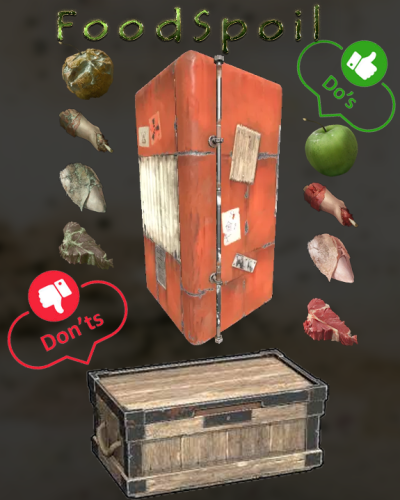 Would love to see an ability to specify each items spoil time. Example: "ReplacementItems": { "pumpkin": "seed.pumpkin": 20, "corn": "seed.corn": 30, "bearmeat": "bearmeat.burned": 120, "bearmeat.cooked": "bearmeat.burned":15, So adding the Time at the end of the Item Replacement.
 -
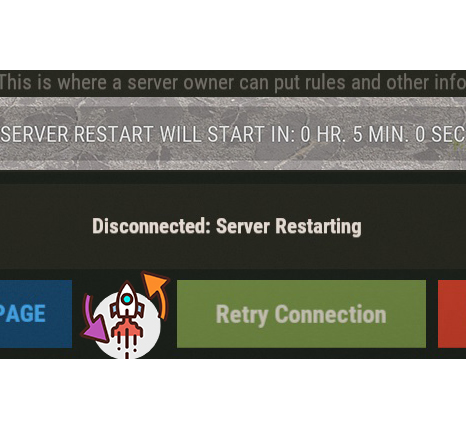 This Plugin works great, using it with Pterodactyl and everything is automated. Can't wait for the ability for be able to move the UI.
- 37 comments
-
- 1
-

-
- #restart
- #autorestart
- (and 4 more)
-
Can we have an option to move the UI as it's interferes with other plugins UI, I need to move it up by the compass. @Monster
-
 It's a known normal issue. Hopefully there will be fix soon.
 -
 There is a typo, the Allow Section should be treated as FORBID. @DezLife has said it will be fixed.
- 78 comments
-
- 1
-
-
- #no escape
- #no escape rust
- (and 6 more)
-
 You need to read the instructions. Once installed you need to UPDATE if you have the Admin Perms and it will populate with all the skins.
- 417 comments
-
- 2
-
-
- #builder
- #automation
- (and 9 more)
-
 I think a way to resolve all this is to have a COMMAND option in the plugin. Example: 1. Players logs in and gets a timed permission. 2. Tutorial is shown then closed (either by player X or timer) then a command is executed (Removing the permission and effectively stopping the display) 3. Could have a second command executed for example another Perm which would lead to another Tutorial display and so on. This would effectively resolve most issues with in one single plugin. @RoadTech this example would be amazing. "CharacterImageLevel": 1, "Effect": "assets/prefabs/misc/easter/painted eggs/effects/gold_open.prefab", "Permission": "tutorialdisplay.first", "TextPages": [ "You have just regained your senses, stay calm!", "First, leave the hospital and head to the town hall to register and obtain your ID card.", "ADJUST THE TEXT LIKE YOU WANT" ], "Title": "WELCOME TO 'YOUR SERVER NAME'", "Run Commands on close": [ "command1", <-- Remove the original permission "command2" <--- could be a timed permission ] },