
CupsOhJoe
-
Posts
365 -
Joined
-
Last visited
Content Type
Profiles
Warranty Claims
Downloads
Forums
Store
Services
Downloads Plus Support
DOWNLOADS EXTRA
Reels
Everything posted by CupsOhJoe
-
 I will update the Description, I may have changed and did not update the description
 -
I'm fine with AI help, I just finished 3 course on C# through University of Phoenix, and sometimes still need some memory jogging. But full AI plugin seems like it would not be great as what if FP changes something or OXIDE/Carbon. AI is not up to date, how is a Pure AI project going to be supported.
-
 Asked Nivex and since you already use his hooks you should be able to add this feature, hoping this can be added.
 -
-
Not sure it's been asked, but I want a high Risk/Reward system. So for example if a PVE player goes to a PVP raidable base their mode should be Forced to PVP (Enabled/Disabled in config of course) that way if a PvE player deems the risk to lose everything by going to PvP base they can. @Mr01sam
-
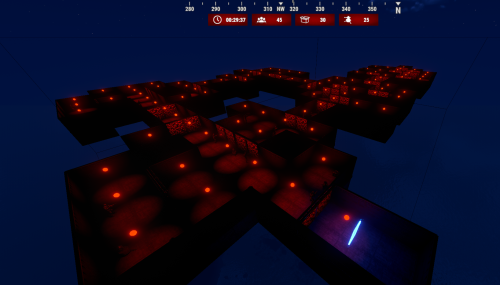 Keep up the great job, love the plugin. If you give us the ability to create our own layouts I see great potential for this plugin.
 -
So I have an issue, player want to be able to sell using vending machines but players are not allowed to interact with other PVE players. is there way to exclude or be able to allow interaction but not destruction?
-
I have manually created the save.json file and it loads but fails with the following message when creating Monuments: Failed to call hook 'OnContainerPopulate' on plugin 'DynamicMonuments v1.0.0' (NullReferenceException: Object reference not set to an instance of an object) at Oxide.Plugins.DynamicMonuments+CustomMonument.GetLootContainerData (System.UInt64 netID) [0x00000] in <04d758f84ca94bb2bed5729bd80d9549>:0 at Oxide.Plugins.DynamicMonuments.OnContainerPopulate (LootContainer lootContainer) [0x00013] in <04d758f84ca94bb2bed5729bd80d9549>:0 at Oxide.Plugins.DynamicMonuments.DirectCallHook (System.String name, System.Object& ret, System.Object[] args) [0x00379] in <04d758f84ca94bb2bed5729bd80d9549>:0 at Oxide.Plugins.CSharpPlugin.InvokeMethod (Oxide.Core.Plugins.HookMethod method, System.Object[] args) [0x00079] in <9c80d821d00a44c9a24497c73ad2d20d>:0 at Oxide.Core.Plugins.CSPlugin.OnCallHook (System.String name, System.Object[] args) [0x000de] in <d646191a355d43a6b3ab36b7ee14c740>:0 at Oxide.Core.Plugins.Plugin.CallHook (System.String hook, System.Object[] args) [0x00060] in <d646191a355d43a6b3ab36b7ee14c740>:0
-
Failed to call hook 'OnServerInitialized' on plugin 'DynamicMonuments v1.0.0' (UnauthorizedAccessException: Access to the path "/home/container/oxide/data/DynamicMonuments/save.json" is denied.) at System.IO.FileStream..ctor (System.String path, System.IO.FileMode mode, System.IO.FileAccess access, System.IO.FileShare share, System.Int32 bufferSize, System.Boolean anonymous, System.IO.FileOptions options) [0x0019e] in <f98723dd4586469db5213ec59da723ca>:0 at System.IO.FileStream..ctor (System.String path, System.IO.FileMode mode, System.IO.FileAccess access, System.IO.FileShare share, System.Int32 bufferSize, System.IO.FileOptions options) [0x00000] in <f98723dd4586469db5213ec59da723ca>:0 at (wrapper remoting-invoke-with-check) System.IO.FileStream..ctor(string,System.IO.FileMode,System.IO.FileAccess,System.IO.FileShare,int,System.IO.FileOptions) at System.IO.StreamWriter..ctor (System.String path, System.Boolean append, System.Text.Encoding encoding, System.Int32 bufferSize) [0x00055] in <f98723dd4586469db5213ec59da723ca>:0 at System.IO.StreamWriter..ctor (System.String path) [0x00008] in <f98723dd4586469db5213ec59da723ca>:0 at (wrapper remoting-invoke-with-check) System.IO.StreamWriter..ctor(string) at System.IO.File.WriteAllText (System.String path, System.String contents) [0x00026] in <f98723dd4586469db5213ec59da723ca>:0 at Oxide.Core.Configuration.DynamicConfigFile.WriteObject[T] (T config, System.Boolean sync, System.String filename) [0x0003f] in <d646191a355d43a6b3ab36b7ee14c740>:0 at Oxide.Core.DataFileSystem.WriteObject[T] (System.String name, T Object, System.Boolean sync) [0x00007] in <d646191a355d43a6b3ab36b7ee14c740>:0 at Oxide.Core.DataFileSystem.ReadObject[T] (System.String name) [0x0000f] in <d646191a355d43a6b3ab36b7ee14c740>:0 at Oxide.Plugins.DynamicMonuments.LoadDataFile[Type] (System.String path) [0x00020] in <04d758f84ca94bb2bed5729bd80d9549>:0 at Oxide.Plugins.DynamicMonuments.TryLoadData () [0x0019c] in <04d758f84ca94bb2bed5729bd80d9549>:0 at Oxide.Plugins.DynamicMonuments.OnServerInitialized () [0x00017] in <04d758f84ca94bb2bed5729bd80d9549>:0 at Oxide.Plugins.DynamicMonuments.DirectCallHook (System.String name, System.Object& ret, System.Object[] args) [0x000e0] in <04d758f84ca94bb2bed5729bd80d9549>:0 at Oxide.Plugins.CSharpPlugin.InvokeMethod (Oxide.Core.Plugins.HookMethod method, System.Object[] args) [0x00079] in <9c80d821d00a44c9a24497c73ad2d20d>:0 at Oxide.Core.Plugins.CSPlugin.OnCallHook (System.String name, System.Object[] args) [0x000de] in <d646191a355d43a6b3ab36b7ee14c740>:0 at Oxide.Core.Plugins.Plugin.CallHook (System.String hook, System.Object[] args) [0x00060] in <d646191a355d43a6b3ab36b7ee14c740>:0 Loaded plugin DynamicMonuments v1.0.0 by Adem Failed to call hook 'Unload' on plugin 'DynamicMonuments v1.0.0' (NullReferenceException: Object reference not set to an instance of an object) at Oxide.Plugins.DynamicMonuments+CustomMonument.KillAllMonuments () [0x00000] in <04d758f84ca94bb2bed5729bd80d9549>:0 at Oxide.Plugins.DynamicMonuments.Unload () [0x00005] in <04d758f84ca94bb2bed5729bd80d9549>:0 at Oxide.Plugins.DynamicMonuments.DirectCallHook (System.String name, System.Object& ret, System.Object[] args) [0x00697] in <04d758f84ca94bb2bed5729bd80d9549>:0 at Oxide.Plugins.CSharpPlugin.InvokeMethod (Oxide.Core.Plugins.HookMethod method, System.Object[] args) [0x00079] in <9c80d821d00a44c9a24497c73ad2d20d>:0 at Oxide.Core.Plugins.CSPlugin.OnCallHook (System.String name, System.Object[] args) [0x000de] in <d646191a355d43a6b3ab36b7ee14c740>:0 at Oxide.Core.Plugins.Plugin.CallHook (System.String hook, System.Object[] args) [0x00060] in <d646191a355d43a6b3ab36b7ee14c740>:0 Unloaded plugin DynamicMonuments v1.0.0 by Adem
-
So a few players found that the doors were inside rocks, not a custom map, normal 3000 procedural map.
-
The ability to UPgrade the whole base through the TC, the restrictions preventing the HQM and Stone are completely bypassed when some one upgrades.
-
The auto upgrade feature will bypass any restrictions on building. It will upgrade to Stone/HQM if used within the TC upgrade. This the. Cause phantom doors and other visual glitches.
-
Exception (cs:114035): ArgumentException: Could not create sprite (0, 0, 512, 512) from a 256x256 texture. UnityEngine.Sprite.Create (UnityEngine.Texture2D texture, UnityEngine.Rect rect, UnityEngine.Vector2 pivot, System.Single pixelsPerUnit, System.UInt32 extrude, UnityEngine.SpriteMeshType meshType, UnityEngine.Vector4 border, System.Boolean generateFallbackPhysicsShape, UnityEngine.SecondarySpriteTexture[] secondaryTextures) (at <00000000000000000000000000000000>:0) UnityEngine.Sprite.Create (UnityEngine.Texture2D texture, UnityEngine.Rect rect, UnityEngine.Vector2 pivot, System.Single pixelsPerUnit, System.UInt32 extrude, UnityEngine.SpriteMeshType meshType) (at <00000000000000000000000000000000>:0) %04ea9c087817f87976bcc5fd9840325c0bf95b64+<LoadIcon>d__10.MoveNext () (at <00000000000000000000000000000000>:0) UnityEngine.SetupCoroutine.InvokeMoveNext (System.Collections.IEnumerator enumerator, System.IntPtr returnValueAddress) (at <00000000000000000000000000000000>:0)
-
I get on oxide with the dll installed: Error while compiling TechTree: The type or namespace name 'Modules' does not exist in the namespace 'Carbon' (are you missing an assembly reference?) | Line: 11, Pos: 14
-
As the title shows, the progress always shows completed. If if the upgrade or wallpaper if not specific to that building material. A way to solve this would be to only show what is available for the current materials, and also a FAILED message that will show when a selected Upgrade is not done.
-
Changed Status from Pending to Not a Bug
-
Changed Status from Pending to Can't Reproduce
-
Thank you, when you find out what plugin is interfering let me know and I'll see if I can do anything on my end.
-
I’ll take a look, currently on vacation but I’ll see if it’s an easy fix. No one else has reported, did you see if it happens on a fresh server?
-
SO here is the issue, the Stars stay no problem when in the BELT, but when in the Main Inventory if you tab out and look around the stars get removed and don't come back unless you place back into the belt. Moved to Main Inventory after tabbing out of inventory and looking around.
-
 Disregard found the an answer.