


-
Posts
812 -
Joined
-
Last visited
-
Days Won
1
Content Type
Profiles
Warranty Claims
Downloads
Forums
Store
Services
Downloads Plus Support
DOWNLOADS EXTRA
Reels
Everything posted by 0g.Ghost.7373
-
 Any idea why they never show when you toss one of the flares? The Heli shows for the 2 hardest ones, but no NPC's ever show up....
 -
 Whats this mean? [Skinner] Cannot find item definition for id: Should I remove them?
 -
I turned off randoms and for the killing of NPC's, set it to 1 and to start over counting. My players were getting mad they were getting raided too much. lol
-

UltimateLocker - Lock Everything, Auto Lock & Auto Closing
0g.Ghost.7373 commented on Scalbox's file in Plugins
 Thanks
 -
 I could make and throw them and they went boom. But each time added more back. I started with 5 and ended up with thousands....
 -
 Same....
- 239 comments
-
- 1
-

-
- #bradley
- #krunghcrow
- (and 4 more)
-
UltimateLocker - Lock Everything, Auto Lock & Auto Closing
0g.Ghost.7373 commented on Scalbox's file in Plugins
What would I put for this if my server is in Dallas Texas USA? "TimeZone": "Europe/London", -
Noted!
-
Thanks just wanted to make sure I was right. They are not listed under permissions so I didn't;t want to add them until I asked.
-
Thanks!
-
What are these permissions ? skinauto skinautotoggle skinteam
-
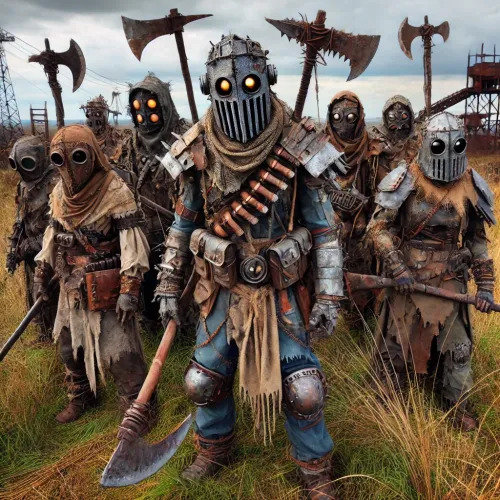 Yeah thats what I mean... You can hear them but not get attacked or attack them lol
 -
Unloaded, deleted, reinstalled and its working. But they are all spawning under the map. Whats the command to make a spawn point?
-
Wondered why I wasn't seeing them, reloaded and got this... Failed to run a 20.00 timer in 'AdvancedRandomScarecrowSpawner v2.2.5' (NullReferenceException: Object reference not set to an instance of an object) at Oxide.Plugins.AdvancedRandomScarecrowSpawner.EquipScarecrow (NPCPlayer scarecrow, Oxide.Plugins.AdvancedRandomScarecrowSpawner+Loadout loadout) [0x0000e] in <6091f951d7ec46858eca33695c4bf203>:0 at Oxide.Plugins.AdvancedRandomScarecrowSpawner.SpawnScarecrow (UnityEngine.Vector3 position, System.String playerId, System.Boolean isSpawnPointScarecrow, Oxide.Plugins.AdvancedRandomScarecrowSpawner+SpawnPoint associatedSpawnPoint) [0x0035f] in <6091f951d7ec46858eca33695c4bf203>:0 at Oxide.Plugins.AdvancedRandomScarecrowSpawner.PerformRandomScarecrowSpawns () [0x0009f] in <6091f951d7ec46858eca33695c4bf203>:0 at Oxide.Plugins.AdvancedRandomScarecrowSpawner.<InitializeRandomScarecrowSpawns>b__39_0 () [0x00000] in <6091f951d7ec46858eca33695c4bf203>:0 at Oxide.Core.Libraries.Timer+TimerInstance.FireCallback () [0x00018] in <beb2b64691c64e2b95b99491bd85442c>:0
-
 I found my problem. I had it turned off. lol
 -
 Thanks!
 -
 How do we get the box? I tried /trashbox and it says unknown command..
 -
Is this correct for AlwaysSpawnList? "AlwaysSpawnList": [ wood ],
-
Is there a way to allow them to be placed in a stash?
-
My username is 0g.ghost.7373 I have tried it on 3 players... Mastanutblasta69 Ella Smilty Just tried /cock Xnenon and it went on me. I had to type /stopcock Xnenon to stop it. Trued again and it says he is already cocked.... First load of the plugin and it worked on Smilty, has not worked right since. I have restarted the server, removed the plugin and reinstalled. Still gets placed on me. Could it be because I am invisible or in god mode? I doubtt thats it since it is an admin trolling plugin.
-
 You ever get an answer?
 -
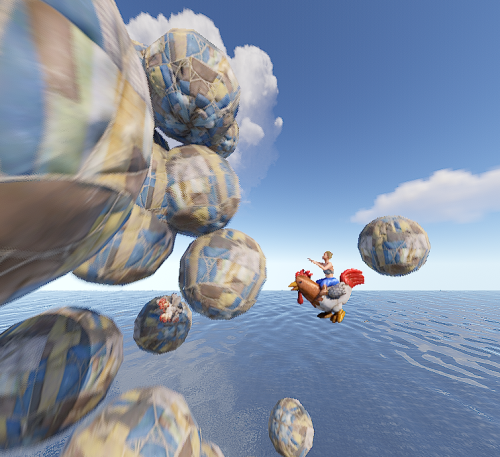 I put /cock playersname and hit enter and I always get the chickens and balls on me. To remove, I have to remove from their name.
 -
Seems to always put it on me....
-
 Spawns in Outpost and I get this error in console. ArgumentException: An item with the same key has already been added. Key: my name and steamID
 -
.thumb.png.ac72dca13c4e30a2d2181ddd2b0fdc0a.png) Since adding Halloween, to the Customization preset , I noticed the train running backwards underground. Not noticed it before, may have always did that?
Since adding Halloween, to the Customization preset , I noticed the train running backwards underground. Not noticed it before, may have always did that?