

MeventSupport
-
Posts
2,001 -
Joined
-
Last visited
-
Days Won
9
Content Type
Profiles
Warranty Claims
Downloads
Forums
Store
Services
Downloads Plus Support
DOWNLOADS EXTRA
Reels
Everything posted by MeventSupport
-
 Hi! Yes, we’re already aware of this issue – an update will be released today. This only occurs on Carbon servers
- 165 comments
-
- 1
-

-
- #serverpanel
- #info
- (and 33 more)
-
confused about exchange/vendor setup
MeventSupport replied to baconwrappedjake's Support Report in Support
Hey! So youre right about NPC traders, each one is tied to a single currency and offers exactly 3 buy options based on DefaultKeysAmount (x1, x5, x10). If you want multiple currencies you need multiple bots. But the discount system actually works in the main exchange UI, not through NPC dialog. NPC purchases use flat rates without bulk discounts applied. So to get the full discount system working, players should use the exchange modal instead of NPC traders. You can still keep NPCs as a quick buy option. -
Hey! So i checked and there was never a callback distance setting in the config. What youre probably thinking of is the Pickup distance setting, which controls how close you need to be to pick up a vehicle. That ones still there and defaults to 5. The callback recall distance is hardcoded at 8m and was never configurable. So basically no setting was removed, it just never existed as a config option.
-
Hey! Yeah this is actually a bug on our end. The OnWeaponReload hook resets magazine capacity unconditionally, even when no MagazineSize skill is configured. So its overwriting whatever SkillTree sets. Im gonna flag this for a fix. For now as a workaround you could temporarily unload Skills or use SkillTree as the sole magazine controller. Sorry about that, well get it sorted.
-
Yes! We’ll be releasing an update in the next couple of days!
-
Click here to go to INVENTORY notification
MeventSupport replied to Rust Admin's Support Report in Support
Yo! So the inventory toggle only hides the inventory button in the UI, but the notification is a separate thing. If you still want a notification when players grab their reward, you can just change the text. Edit your lang file (oxide/lang/en/Daily Rewards.json) and change the "NotifyTakedAward" value to something like "Reward received!" instead of the default inventory text. -
 Hi! Yes, we’ll probably add that! We’ve added it to our to-do list!
 -
Buy Limits Permissions Are Not Applied in Shop Default.json
MeventSupport replied to tsuyoshi_ito's Support Report in Support
We will fix it -
 Could you send us the config file?
 -
 Hi! Could you create a ticket in our Discord channel? https://discord.gg/mevent
 -
Hello! Please download the latest version
-
 I mean which version are you updating from, and which version are you updating to?
 -
.thumb.gif.30bb4fb1ad6b9cbba98fad72b9533086.gif) Принял! Исправим
Принял! Исправим -
Hello! Please make sure that you’re using the latest version of Oxide/Carbon.
-
Hi! Which version of the Shop plugin did you update to?
-
We have updated
-
 Fixed
Fixed -
Fixed
-
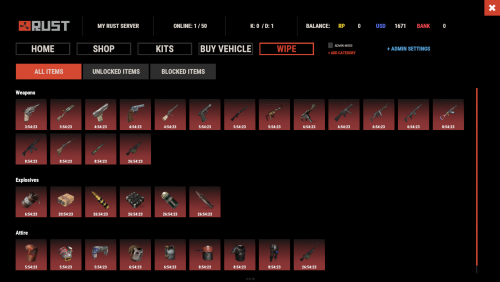 please download the latest version
 -
 I've fixed it; please download the latest version
 -

-
.thumb.gif.4707aef13cba7c3b9ad410f5f982b71c.gif) Исправим это
Исправим это -
Hi! I think so, yes
-
 Yes, of course! We’ve tested these updates, and they will work both before and after the update
 -
@SlayersRust Hey! We already have the plugin updates ready. Right now we’re testing all plugins to make sure everything works correctly after the wipe changes. If you’d like, you can join the testing process as well just send me a DM on Discord (Mevent)
