MeventSupport
-
Posts
2,001 -
Joined
-
Last visited
-
Days Won
9
Content Type
Profiles
Warranty Claims
Downloads
Forums
Store
Services
Downloads Plus Support
DOWNLOADS EXTRA
Reels
Everything posted by MeventSupport
-
Unable to install, Install blank...
MeventSupport replied to ThatGuyPlex's Support Report in Support
So if ImageLibrary keeps failing to pull images (imgur 429 errors are common), the fix is Offline Image Mode. Turn on "Enable Offline Image Mode" in ServerPanel.json, drop the PluginsStorage files into a TheMevent folder in your data directory, then reload the plugin. Ill send you the full step by step below. -
 Hey! Thanks for the suggestion, that could be useful. Just to make sure I get it right, everything in the items tab gets edited one by one right now, so when you say Select All for a category, do you mean picking every item in say the Weapon or Resource tab and setting them all to the same custom stack size in one go, instead of clicking through each item?
 -
can't stack more the 5 furnaces
MeventSupport replied to firefighter5708's Support Report in Support
Thanks, I will check it out -
can't stack more the 5 furnaces
MeventSupport replied to firefighter5708's Support Report in Support
Hello! Could you please send me a config -
.thumb.png.bcb832e22f0a48b6833fee517e444bff.png) Yes, we will add this
Yes, we will add this- 343 comments
-
- 2
-

-
- #eventmanager
- #manager
- (and 5 more)
-
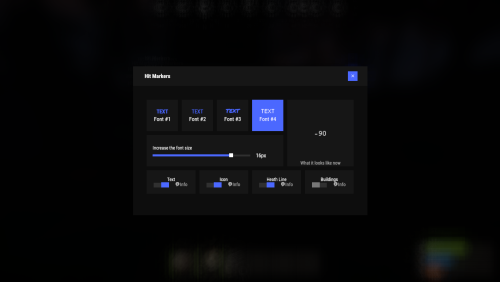 We have fixed this in the latest version of the plugin
 -
Hey! So events are picked fully random each time, theres no shuffled queue that runs every event once before repeating. The only built in safety is when you got 3 or more events in the pool it skips whatever just ran, so the same event wont fire back to back. Other than that an event can totally repeat several times while another one is still waiting for its turn.
-
Hello! You need to grant yourself all the necessary permissions: whitelist.add whitelist.remove whitelist.admin whitelist.enable whitelist.disable whitelist.ui
-
This is more likely to be an issue with the Karuza plugin. Unfortunately, I don’t have this plugin, and I’m not very familiar with how it works, so it would be best for you to contact Karuza so they can help you with this
-
Glad you figured it out. If you run into any other issues, let me know. Happy gaming!
-
Hello!

- 1 reply
-
- 1
-
-
Hey! Still working on it. This is basically a whole new plugin on top of Shop so the UI needs a massive rework and its taking a while. Weve come a long way since the original request and even switched designers on the team. Not done yet but its moving.
-
 That’s Strange.... Could you create a ticket on our Discord? We’ll do our best to help you. P.S. discord.gg/mevent
 -
Hi! Which version of MySQL/MariaDB are you using?
-
.thumb.png.6fb63bc7327c60bdc01a5e1225049c1d.png) Hey! So the owner is the player who places the TC, basically whoever places the special cupboard tool becomes the zone owner. They get it through the admin command /czgive [playerId] [amount] and then place it like a regular cupboard. The tool itself looks like a cupboard.tool with a custom skin.
Hey! So the owner is the player who places the TC, basically whoever places the special cupboard tool becomes the zone owner. They get it through the admin command /czgive [playerId] [amount] and then place it like a regular cupboard. The tool itself looks like a cupboard.tool with a custom skin. -
Suggestions: add weighting to random events
MeventSupport replied to Bear Grills's Support Report in Support
Hi! Yes, we’ll do it! -
Try contacting the developer of this plugin; they should check whether the OnJunkyardEventWinner(ulong userID) hook is being called correctly
-
Hey! UltimateLeaderboard listens for OnJunkyardEventWinner hook, but the event plugin needs to actually call it. Make sure the plugin that runs Junkyard events sends the winner data to UltimateLeaderboard. If its a custom event plugin, it might not be integrated.
-
Hi! Could you please send me a list of the plugins used on your server?
-
Suggestion - allow us to only have the discord alert on certain cases
MeventSupport replied to Bear Grills's Support Report in Support
Hey! Check the "RareThreshold" setting under Discord Webhook in your config. By default its set to 0 which means it logs everything, including common items like eoka. Set it to something like 5 or 10 and itll only send notifications for rare drops. -
Hi! Please make sure you’re using the latest version of the plugin
-
Hi! We will check it!
-
Please send me the configuration and data files
-
confused about exchange/vendor setup
MeventSupport replied to baconwrappedjake's Support Report in Support
The main exchange doesnt have preset buttons or options at all. Its a text input field, you literally type any number you want like 5 or 23 or 100 and it calculates the price right there. So youre not limited to single keys or one discounted amount, you can buy any quantity and the bulk discount kicks in based on whatever tiers you set up. Its fully flexible. -
It is impossible to buy an industrial wall lamp
MeventSupport replied to ZIZI's Support Report in Support
Hey! So industrial wall lights are actually DLC items in Rust, thats why the shop blocks the purchase. The plugin checks if the player owns the DLC before letting them buy it. You can bypass this by giving players the permission "shop.bypass.dlc". Run oxide.grant group default shop.bypass.dlc and itll let everyone buy DLC items regardless of ownership.