-
Posts
119 -
Joined
-
Last visited
Content Type
Profiles
Warranty Claims
Downloads
Forums
Store
Services
Downloads Plus Support
DOWNLOADS EXTRA
Reels
Support Center
Everything posted by Pro100Razor111
-
.thumb.png.1ffd081b2085ecf64bc586d6bc9b64b3.png) Regarding the loot, I’m not sure if you understood me correctly. I meant having the option to enable the standard/default loot and then add just a few custom configured items on top of it. By “infinite,” I only meant that after I died, the corpse generation continued. As you mentioned earlier, they are probably generated while the crate timer is running. Personally, I don’t find that very logical, because in addition to the smoke, having dozens of corpses makes the event significantly harder. That’s just my personal opinion, though.
Regarding the loot, I’m not sure if you understood me correctly. I meant having the option to enable the standard/default loot and then add just a few custom configured items on top of it. By “infinite,” I only meant that after I died, the corpse generation continued. As you mentioned earlier, they are probably generated while the crate timer is running. Personally, I don’t find that very logical, because in addition to the smoke, having dozens of corpses makes the event significantly harder. That’s just my personal opinion, though. -
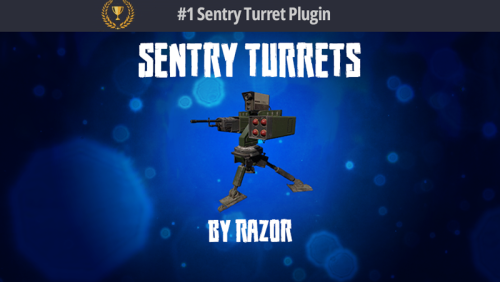 I've been having this issue for about a month now. The interaction icon randomly disappears. No matter how much I jump around the turret or look at it from different angles, the icon just won't show up. Then, after some random amount of time, it suddenly starts appearing again. I've really struggled with this and can't figure out what the problem is.
 -
I tested the event. The idea is interesting, but I have some suggestions for further development and noticed a few issues: 1. There is no option to configure the marker color on the map. 2. It would be useful to add the difficulty level to the marker label on the map, using ":" Example - [SUBWAY EVENT] : HARD (correctly, so players can understand whether it’s worth going there.) 3. The barricades in the tunnels with side extensions are floating slightly in the air. 4. It needs support for Skills and UltimateLeaderboard by Mevent, so XP can be tracked and awarded. 5. I found a bug: I died, came back, and the bombers kept spawning infinitely. 6. There is no option to configure which monuments the event can spawn on. It would be nice to have all the prefabs exposed in the config, so we can choose which ones to use. Based on my tests, the most up-to-date tunnels with side extensions work best, as they feel more realistic to navigate. 7. For Notify, it would be useful to add an option in the configuration that allows notifications to also be duplicated in the chat. This would help players who were AFK or somehow missed the notification. I still haven't figured out whether I can stack the default loot with the loot added for each difficulty level.
-
 It would be worth adding a minimum player count for starting an event in MultiEventsKingOfHill, as well as a minimum height required to appear on the leaderboard. It would also be useful if the leaderboard displayed the minimum height. Otherwise, players end up receiving rewards, sometimes without even knowing they participated in the event. When setting up rewards, I really missed having an option in the graphical interface to simply add items configured in the inventory to each event. Having to manually specify the item IDs from the inventory in the config for every event was quite a hassle.
 -
 In the latest version, it still says 2.11.5 instead of 2.11.6. Did you forget to update the version number in the file, or was an older file uploaded by mistake?
 -
 This is by far the best menu system I've come across. Promoting graphical interfaces in RUST is an excellent idea, and this plugin does it exceptionally well. The ability to integrate multiple plugins into a single menu is a huge advantage. The level of customization gives server owners the freedom to create a truly unique experience—it's really only limited by your imagination. On top of that, the plugin comes with several ready-made templates, so you don't have to start from scratch. You can simply choose the one you like and customize it to fit your server. The plugin receives frequent updates and continuous improvements, and the developer's support is outstanding.
- 165 comments
-
- 1
-

-
- #serverpanel
- #info
- (and 32 more)
-
 I haven't used it extensively yet, but so far it seems to be working correctly and doing exactly what it's supposed to do. I've actually been thinking for a long time that I needed something like this on my server. The plugin is simple, which is exactly what I was looking for.
 -
I understand that the RustEdit plugin is the cause, but how can this situation be fixed? Is there anyone who can resolve it? Is it possible to somehow reload the RustEdit plugins after the server has started?
-
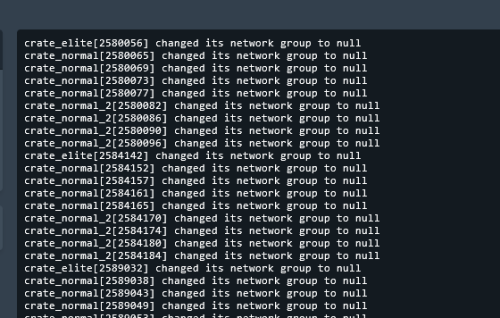 Sometimes there is spam from non-critical errors where there’s still a theoretical chance to make it until the scheduled restart. In such cases, this plugin would be very helpful. It would also allow disabling uninformative debug messages in the console without modifying any plugins—everything in one place, keeping the console as clean as possible and focused on the most important events. The developer’s support is excellent—issues are handled quickly. A big thumbs up for that; it’s very important to me as a user.
- 22 comments
-
- 2
-

-
- #console
- #spam cleaner
- (and 15 more)
-
I also wanted to add that it would be a good idea to include a configuration file in the plugin. For example, I have my own entries that I would like to clean from the console, but since they are hardcoded, I have to re-add my settings every time the plugin is updated.
- 22 comments
-
- 1
-
-
- #console
- #spam cleaner
- (and 15 more)
-
Are there any plans to fix this? It's been quite a long time already.
-
I've been dealing with this issue for a long time as well. After a server restart, I end up with an open door, even though all the electrical systems are working correctly. From my observations, this problem doesn't occur after a wipe, but after subsequent restarts—possibly not the first one—the door starts appearing open.
-

Breaks bots after the June 2026 RUST UPD
Pro100Razor111 replied to Pro100Razor111's Support Report in Support
I installed the 2.0.7 update, and it looks like the bots are behaving normally now -
Breaks bots after the June 2026 RUST UPD
Pro100Razor111 replied to Pro100Razor111's Support Report in Support
I'd also like to thank you for your responsiveness and for continuing to support your product. That's important to me as a customer. -
Breaks bots after the June 2026 RUST UPD
Pro100Razor111 replied to Pro100Razor111's Support Report in Support
The server is modded with a large number of plugins. I conducted extensive testing to identify which plugin was causing the bots behavior to break. The tests showed that when this particular plugin is removed, everything returns to normal. As for the bots behavior, their navigation mesh perception appears to be affected. I also noticed that your plugin documentation mentions removing the uMod NavMesh fix, which suggests that your code may include a fix that somehow interacts with the navigation mesh. As you probably know, the June update introduced a new engine, and Facepunch also made changes related to navigation meshes. I'm simply sharing my observations in case they help you identify and fix the issue. -
Breaks bots after the June 2026 RUST UPD
Pro100Razor111 replied to Pro100Razor111's Support Report in Support
[23:26:45]Error while compiling ConsoleSpamCleaner: The name 'StringComparer' does not exist in the current context | Line: 14, Pos: 72 -
Breaks bots. They start rubberbanding while moving and can walk through walls. If the plugin is unloaded, everything works normally again.
-
 The best plugin for your tool cupboard. A modern, visually appealing UI — developers who understand this and “keep up with the times” always have their plugins at the top. The plugin covers virtually all aspects of TC management, offering maximum convenience and automation. As a nice bonus, it also includes a built-in wallpaper system. I’d especially like to highlight the developer’s responsiveness — despite some minor issues with the plugin, they’ve repeatedly demonstrated professionalism in resolving all kinds of problems.
- 451 comments
-
- 1
-
-
- #builder
- #automation
- (and 9 more)
-
I previously sent you a private message on Discord explaining how to connect to my server.
-
You completely misunderstood me — I described everything clearly. The permission is disabled, but BetterTC still adds its own second codelock.
-
Hello, I have an issue. When placing TC, 2 codelocks are being attached. The permission bettertc.autocodelock is disabled. If I enable bettertc.autocodelock, I end up with 3 codelocks on the TC. If I unload BetterTC, everything works as expected and only one code lock is placed. (I am using the plugin UltimateLocker.) Please fix this issue.

-
.thumb.gif.4707aef13cba7c3b9ad410f5f982b71c.gif) The Daily Rewards plugin by Mevent is one of the best in its category. One of the biggest advantages is how convenient it is to configure — many things can be set up directly in-game, without dealing with large and complex config files, which makes the whole process much easier. The default design also deserves praise. It looks good right out of the box, so you can use it on your server without feeling the need to immediately redesign everything. At the same time, it offers enough flexibility for further customization. Another important point is that Mevent is not just a single developer, but a full team. This means the project receives continuous attention: fast fixes, improved compatibility with other plugins, and new features being added over time. Some of their older plugins are not just updated — they are reworked almost from the ground up, bringing them up to modern standards and making them highly competitive. Special thanks for the excellent and responsive support — it really makes a difference. And a small tip for server owners: it’s best to contact the team through centralized channels, like a ticket system in Discord. This way your requests are properly tracked in one place, and you’re much more likely to get quick and effective help.
The Daily Rewards plugin by Mevent is one of the best in its category. One of the biggest advantages is how convenient it is to configure — many things can be set up directly in-game, without dealing with large and complex config files, which makes the whole process much easier. The default design also deserves praise. It looks good right out of the box, so you can use it on your server without feeling the need to immediately redesign everything. At the same time, it offers enough flexibility for further customization. Another important point is that Mevent is not just a single developer, but a full team. This means the project receives continuous attention: fast fixes, improved compatibility with other plugins, and new features being added over time. Some of their older plugins are not just updated — they are reworked almost from the ground up, bringing them up to modern standards and making them highly competitive. Special thanks for the excellent and responsive support — it really makes a difference. And a small tip for server owners: it’s best to contact the team through centralized channels, like a ticket system in Discord. This way your requests are properly tracked in one place, and you’re much more likely to get quick and effective help. -
 The best statistics system I’ve seen so far. Customization. The plugin is highly flexible — you can tailor it to your server as much as possible. A lot can be changed, and I really like the “builder-style” approach. Web configuration. Large config files have become much more visual and user-friendly. This tool saves me a lot of time. Design. While many overlook this, Mevent has it organized in the best possible way. Support. Fast and responsive support from the developer — Mevent is, as always, at a high level.
- 72 comments
-
- 1
-
-
- #ultimateleaderboard
- #leaderboard
- (and 22 more)
-
1. In the TOP 10 players table, I think it would be better to keep the column headers fixed while scrolling. When scrolling down, it’s hard to track player stats. 2. Please add support for the Cargo Plane Crash and XDCobaltLaboratory events so their completion can be tracked in the statistics. 3. I created statistics for Medications, but currently only Large Medkits are being counted. Bandages, syringes, and anti-radiation pills are not being tracked. 4. “Maximum kill distance” does not work for NPCs, which would be very useful for PvE servers.
-
Initially, the XP settings had values like 0.3 XP for certain actions. That’s what leads to this kind of balance. I fixed it on my end by using whole numbers everywhere, but this might be an issue for others.