
.png.a9f77afb0653176492a7ec78168c7ae0.png)
-
Posts
617 -
Joined
-
Days Won
2
Content Type
Profiles
Warranty Claims
Downloads
Forums
Store
Services
Downloads Plus Support
DOWNLOADS EXTRA
Everything posted by fullwiped
-
.thumb.png.a160bf3196a76bb71a7a123111378e46.png) Hello, When pressing the "Decline Invite" button, it shows the message: "There is no trade between you and this player." However, the GUI menu doesn’t close afterwards. Could you please check this and let us know if it can be fixed in an update? It would really improve the functionality. Thank you for your hard work! Best regards
Hello, When pressing the "Decline Invite" button, it shows the message: "There is no trade between you and this player." However, the GUI menu doesn’t close afterwards. Could you please check this and let us know if it can be fixed in an update? It would really improve the functionality. Thank you for your hard work! Best regards -
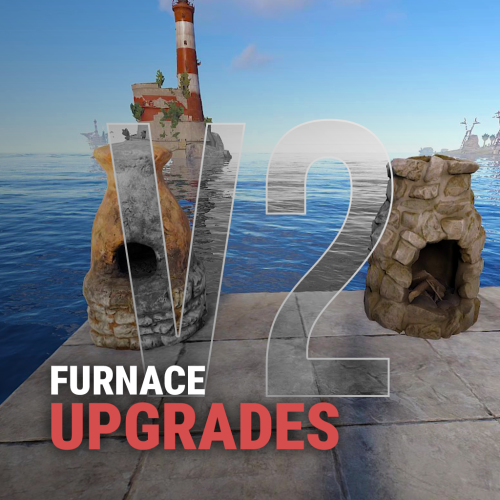 @Iftebinjan, I know that you are a respectful and constructive developer who values customer requests, and I appreciate you for that. I have a small suggestion for improvement in this plugin: it would be much better if items like the Cursed Cauldron could also be upgraded. Best regards
 -
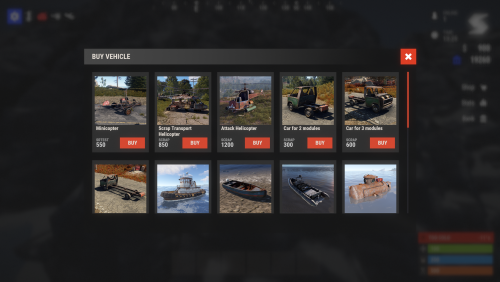 Hello, Despite having "Sound on purchase": true, the sound effect does not play when clicking the buy button, as shown in the video. I kindly ask if you could kindly check this issue on your side.
 -
 Does this support multiple servers? Does it support more than 20 servers?
 -
 Will it be possible to purchase this?
 -
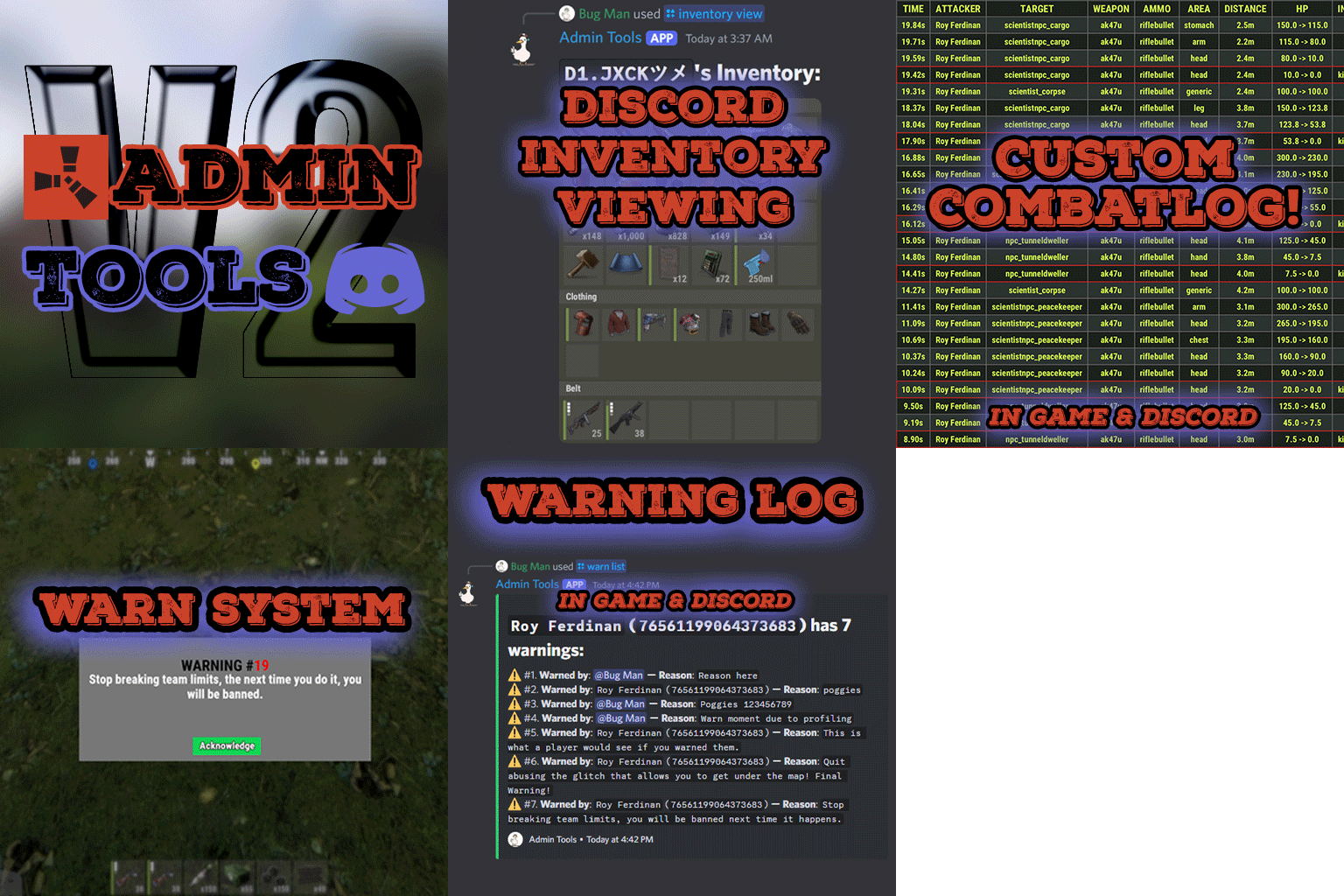
 After implementing this on my solo servers, team violation incidents have significantly decreased—it's very successful. I have a suggestion: for example, if the ban duration for team violations could be temporary, this feature would be beyond amazing if possible. I don't want to issue permanent bans for this at the moment. Instead, I currently use the kick option from the server as a penalty. Best regards.
 -
 Np. The loot table adjustments are quite complex and time-consuming, but I plan to improve them further each day. They are already integrated into our 22 servers and will get better over time based on player feedback. I will release every update to ensure you can benefit from it as well. I hope it helps you.
 -
So, when adjusting the base loot, the chance of getting a 16x scope from an easy base loot is 0.05%, while, for example, the chance of getting it from a pro building is around 10%. This made a lot of sense to me, so I set it up that way.
-
Of course, this has a 10% probability, for example, for medium bases, but it’s linked to the easy loot table. The chance of getting a 16x scope from an easy base is set to 0.05%, making it harder. I've been testing these on the servers for weeks, and players really enjoy it.
-
For example, the Ice AK drops with a 0.5% chance. However, this is, of course, influenced by the "Amount Of Items To Spawn": 90. If you change this value to, for instance, 150, the drop probabilities increase. The drop chance increases because, for example, in the easy base loot table, there are 400 items. From this pool, the system must pick 90 items based on probabilities, attempting to randomly drop them according to these rates. However, if the number is set to 150 instead of 90, the likelihood of lower-probability items spawning in the crates increases.
-
You're welcome, I understand you. In the base_loot, items are already dropped based on probability; the same items don’t always appear. For example, we adjusted the rates there. In the image, the chance of the 16x scope dropping is around 10%, and the same goes for the 8x. The rifle_ak has a drop rate of about 20%. There are also different items there.
-
As you mentioned, Base Loot ensures the basics like resources and some guaranteed loot, while Difficulty Loot offers more random and variable rewards. Creating the Base Loot setup took a significant amount of our time, but we might also consider working on Difficulty Loot and weekly loot systems in the future. If we do, they will be included in the package, and even if the price increases, you will still benefit from it without any additional cost. Feel free to reach out if you need any assistance in the meantime.
-
Yes, we are not currently using difficulty loot. We are using five different tiers from easy base_loot to nightmare base_loot. It is working quite stably.
-
Hello, there are currently base loot tables with 5 different difficulty levels, and for now, this is sufficient. Our users and players are quite satisfied. I haven’t tested how the other loot tiers work with the current loot tables yet, but it might be possible to add them in the future.
-
 @nivex Thank you so much for keeping your promise and quickly adding a setting to delay the spawn time after the wipe. To show my extra appreciation for this, I shared a 5-star review, which should be approved soon. With love.
 -
Thank you so much for keeping your promise and quickly adding a setting to delay the spawn time after the wipe. A good developer! This person's work is very detailed and successful—congratulations.
-
Hello, there might be a setting in your custom configuration that is triggering the extra slot issue. The optional configuration we provide and have tested does not have such a slot problem. I’ve conducted a test regarding this, and I’m sharing a screenshot here. You can either use the optional configurations we provide or compare the settings in your current configuration with our optional configurations to identify which setting is causing the extra slot issue. If you are using our configurations, back up the files in the config-data-lang folders, delete them, and install the latest version from scratch. Additionally, I recommend checking if there is an external plugin on the server that could be affecting this. Best regards,
-
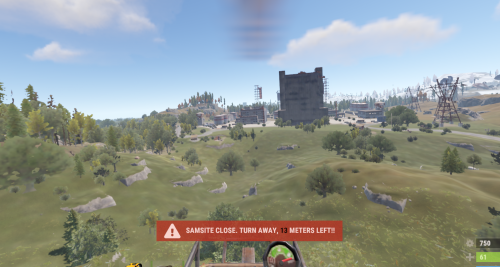 Hello, the plugin idea is great, and I purchased it. Is it possible to add a small sound alert to the warning? It would make it even nicer. Just a suggestion.
 -
.thumb.gif.2d1b41b0ae0c1d0a34f2f55dc65983b5.gif) Yes, the same bases; the Raidable Bases Pack & Loot Tables (110 Bases) also includes a loot table pack.
Yes, the same bases; the Raidable Bases Pack & Loot Tables (110 Bases) also includes a loot table pack. -
Version 3.0.2
208 downloads
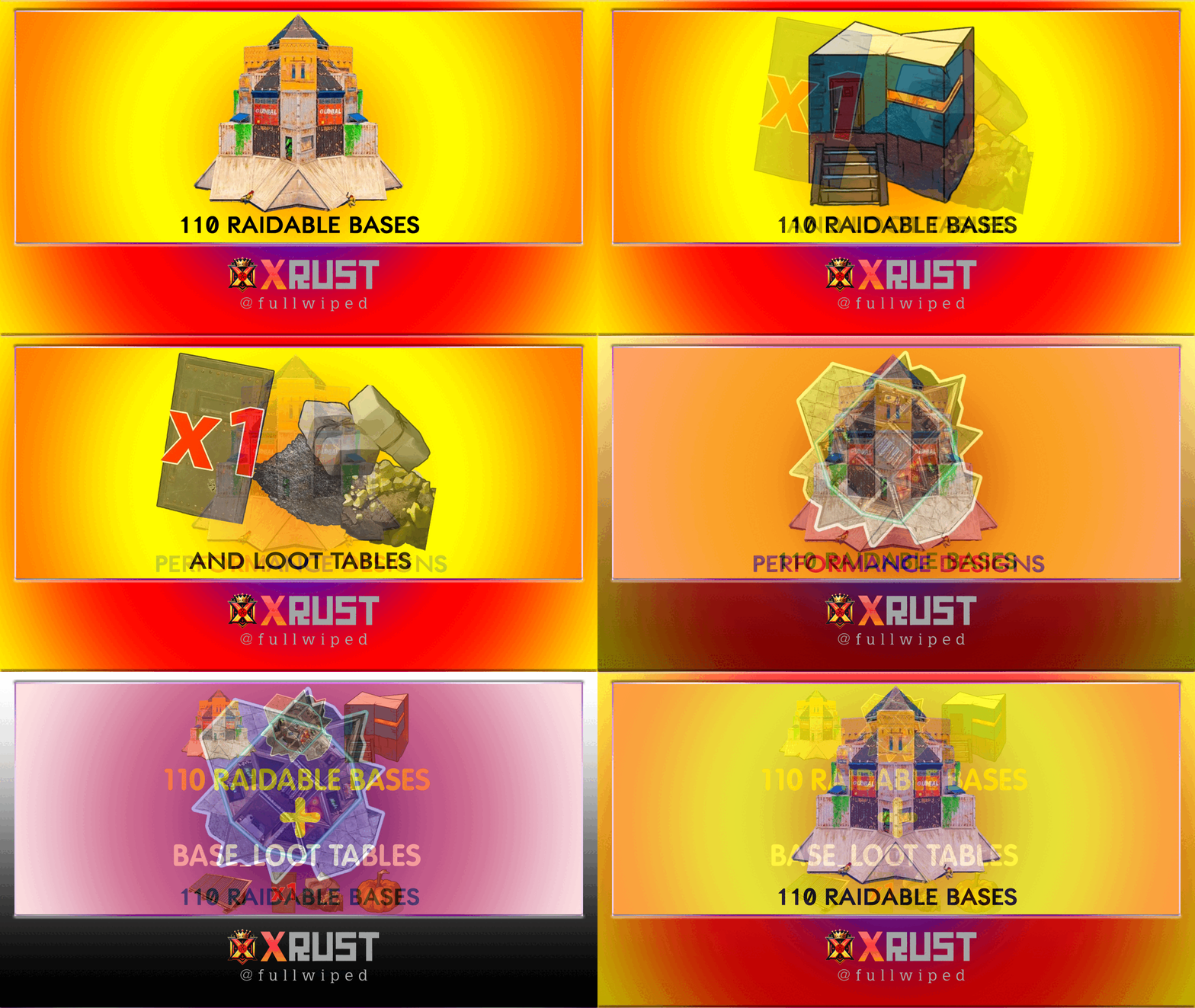
This is a custom package created by us, featuring 110 handcrafted bases across five difficulty levels, ranging from Easy to Nightmare. Note: The building skins in the package showcase images may differ from the spawned bases or use the default building skin. (This package does not include loot tables. If you need bases + loot tables, you may want to check out the higher-tier package: 110 Raibable Bases + Loot Tables package) Warning: The Raidable Bases plugin requires the Copy Paste plugin to function. You must install both for this bases pack to work. Raidable Bases (Paid): https://codefling.com/plugins/raidable-bases Copy Paste (Free): https://umod.org/plugins/copy-paste This Raidable Bases package includes: (In addition to the bases, it includes a well-configured config file that can be uploaded to /serverfiles/oxide/config, but its usage is optional. It also contains 5 different profile configs that can be uploaded to /oxide/data/RaidableBases/Profiles. These are also well-configured and optional to use. The usage of both is entirely up to you.) 30 Easy Bases 30 Medium Bases 30 Hard Bases 10 Expert Bases 10 Nightmare Bases WARNING: TWO DIFFERENT INSTALLATION METHODS (PLEASE READ BOTH AND APPLY ONLY THE ONE THAT FITS YOUR NEEDS) INSTALLATION GUIDE 1 (If you do not have a custom configuration and are not a professional in server configurations, choose this option. However, if you already have your own configuration and profile settings and do not wish to use the optional configs we provide—in other words, if you only need the bases—use the second installation guide instead.) ▶ Step 1: Place the Config File From the extracted ZIP files, locate the config folder and find the RaidableBases.json file. Move it to the following directory: /serverfiles/oxide/config ▶ Step 2: Place the Bases From the extracted ZIP files, locate the copypaste folder and move it to the following directory: /serverfiles/oxide/data ▶ Step 3: Place the Profiles Folder From the extracted ZIP files, locate the profiles folder and move it to the following directory: /serverfiles/oxide/data/RaidableBases Why Are Profiles Important? The profiles folder contains crucial settings that allow you to: Enable/disable the dome Enable/disable NPCs Adjust the number of lootable items These are just a few examples—there are dozens of important settings that directly affect how raid bases function. The config file alone is not enough—these files play a major role in customizing your raid bases. I strongly recommend reviewing each difficulty setting (Easy to Nightmare) inside the profiles folder and adjusting them based on your needs. ▶ Step 4: Restart the plugin via RCON: o.reload RaidableBases INSTALLATION GUIDE 2 (Use this installation method if you do not want to use our configurations and instead prefer to use your own config files and your own /oxide/data/RaidableBases/Profiles configurations.) In this case, you only need to add the bases. To do this, use the following commands in RCON: ▶ Step 1: You can add bases one by one or in bulk. After executing the commands in RCON, the bases will be registered inside the Profiles configuration. Note: If you do not want to deal with these adjustments, it is recommended to use Installation Guide 1 instead. A- Example RCON commands: rb.config add "Easy Bases" fullwipedeasy1 rb.config add "Hard Bases" fullwipedhard1 B- Commands to Integrate Raid Bases in Bulk via RCON: rb.config add "Easy Bases" fullwipedeasy1 fullwipedeasy2 fullwipedeasy3 fullwipedeasy4 fullwipedeasy5 fullwipedeasy6 fullwipedeasy7 fullwipedeasy8 fullwipedeasy9 fullwipedeasy10 fullwipedeasy11 fullwipedeasy12 fullwipedeasy13 fullwipedeasy14 fullwipedeasy15 fullwipedeasy16 fullwipedeasy17 fullwipedeasy18 fullwipedeasy19 fullwipedeasy20 fullwipedeasy21 fullwipedeasy22 fullwipedeasy23 fullwipedeasy24 fullwipedeasy25 fullwipedeasy26 fullwipedeasy27 fullwipedeasy28 fullwipedeasy29 fullwipedeasy30 rb.config add "Medium Bases" fullwipedmed1 fullwipedmed2 fullwipedmed3 fullwipedmed4 fullwipedmed5 fullwipedmed6 fullwipedmed7 fullwipedmed8 fullwipedmed9 fullwipedmed10 fullwipedmed11 fullwipedmed12 fullwipedmed13 fullwipedmed14 fullwipedmed15 fullwipedmed16 fullwipedmed17 fullwipedmed18 fullwipedmed19 fullwipedmed20 fullwipedmed21 fullwipedmed22 fullwipedmed23 fullwipedmed24 fullwipedmed25 fullwipedmed26 fullwipedmed27 fullwipedmed28 fullwipedmed29 fullwipedmed30 rb.config add "Hard Bases" fullwipedhard1 fullwipedhard2 fullwipedhard3 fullwipedhard4 fullwipedhard5 fullwipedhard6 fullwipedhard7 fullwipedhard8 fullwipedhard9 fullwipedhard10 fullwipedhard11 fullwipedhard12 fullwipedhard13 fullwipedhard14 fullwipedhard15 fullwipedhard16 fullwipedhard17 fullwipedhard18 fullwipedhard19 fullwipedhard20 fullwipedhard21 fullwipedhard22 fullwipedhard23 fullwipedhard24 fullwipedhard25 fullwipedhard26 fullwipedhard27 fullwipedhard28 fullwipedhard29 fullwipedhard30 rb.config add "Expert Bases" fullwipedexp1 fullwipedexp2 fullwipedexp3 fullwipedexp4 fullwipedexp5 fullwipedexp6 fullwipedexp7 fullwipedexp8 fullwipedexp9 fullwipedexp10 rb.config add "Nightmare Bases" fullwipednight1 fullwipednight2 fullwipednight3 fullwipednight4 fullwipednight5 fullwipednight6 fullwipednight7 fullwipednight8 fullwipednight9 fullwipednight10 ▶ Step 2: Restart the plugin via RCON: o.reload RaidableBases EXTRA IMPORTANT INFORMATIONS: We do not use a dome, NPCs, or arena walls around raid bases on our servers, and in the ZIP file we provided, these features are also disabled by default. If you want to enable them, you will need to adjust the settings accordingly. For example, to enable the dome, follow the steps below: Navigate to: /oxide/data/RaidableBases/Profiles Open the files inside the Profiles folder with a text editor. Locate the following settings: (This is already set to false because it is required for markers to appear on the map.) "Spawn Silently (No Notification, No Dome, No Map Marker)": false, "Create Dome Around Event Using Spheres (0 = disabled, recommended = 5)": 0, Change the value from 0 to 5 as shown below: "Create Dome Around Event Using Spheres (0 = disabled, recommended = 5)": 5, In our setup: - Timed events and purchasable events are disabled. - After a wipe, easy bases will start spawning 30 minutes later. - Nightmare bases will begin spawning 48 hours (2 days) later. Imagine starting the game with just a torch in hand and immediately encountering a nightmare base on the shore. You’d likely quit the game right away—this setting is crucial for us to avoid such scenarios. Configuration Example: /serverfiles/oxide/config "Maintained Events": { "Always Maintain Max Events": true, "Max Maintained Events": 30, "Enable X Hours After Wipe (0 = immediately)": { "Easy": 0.5, "Medium": 1.0, "Hard": 3.0, "Expert": 24.0, "Nightmare": 48.0 All of our bases from Easy to Nightmare are equipped with turret protection. If you do not want turrets to spawn in your raidable bases on your server, you can use the following method. Go to the file path /data/RaidableBases/Profiles, open the JSON files inside with a text editor, and apply the following: "Kill These Prefabs After Paste": [ "assets/prefabs/npc/autoturret/autoturret_deployed.prefab", "autoturret_deployed" ], If you need not only these bases but also the loot tables for the items that will spawn inside them, check out our one-of-a-kind, exceptional Raidable Base Loot Tables at the link below: https://codefling.com/customizations/raidable-bases-loot-tables-pack (Our loot tables are designed to cater to different server types, including Vanilla (1x) servers as well as 2x, 3x, 5x, 10x, and higher multipliers to match various loot requirements.) If you are satisfied with this package, you can support us by leaving a 5-star review on the site where you purchased it. Your feedback motivates us to continue improving and providing even better configurations for dedicated server owners like you. Please leave a review here: https://codefling.com/bases/raidable-bases-pack-110-bases?tab=reviews Thank you!$45.99 -
Great, thank you! We'll be looking forward to the feature that allows delaying the base spawns after a wipe. Appreciate your support!
-
Hello, @nivex I have two questions: Is there a setting to delay the spawning of bases after a wipe, for example, by 6 hours or 12 hours? In a raided building, even with build permissions enabled, when trying to place a floor foundation (square or triangle) in place of a destroyed one, the foundation automatically disappears. Is there a way to fix this? I'd appreciate it if you could answer these two questions. Good work!
-
Version 1.0.6
361 downloads
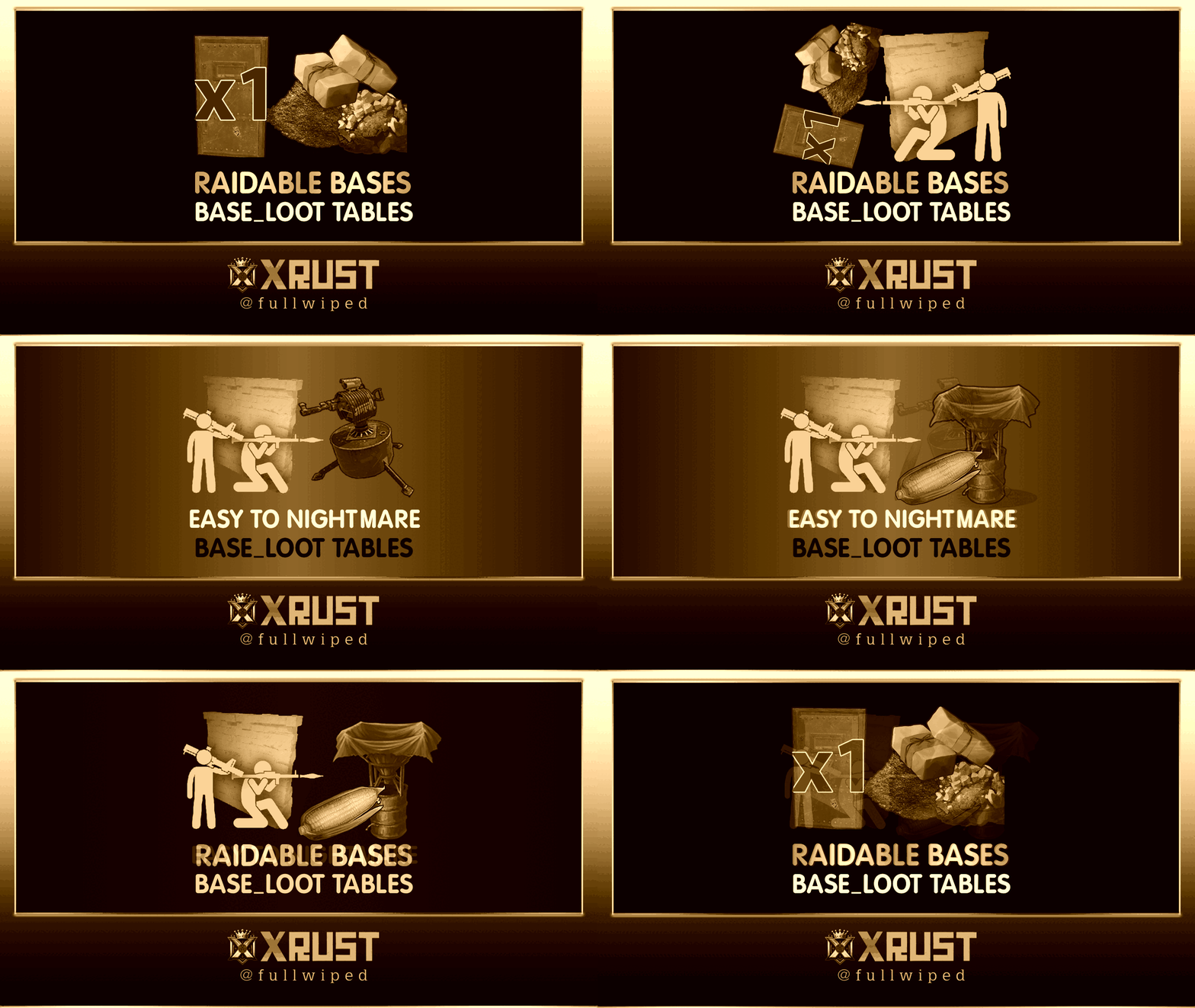
Warning: To use this loot tables pack, you need to purchase the paid Raidable Bases plugin if you do not already own it: https://codefling.com/plugins/raidable-bases ENHANCED LOOT TABES FOR RAIDABLE BASES: This package includes only the Base_Loot folder, offering balanced loot tables designed for Raidable Bases. What's New? 1) Two Loot Options: - Vanilla Loot: Classic setup for a traditional experience. - Enhanced Loot: Optimized for 2x, 3x, 5x, and higher servers, with fewer junk items. 2) Balanced Across 5 Levels: Loot is tailored across Easy to Nightmare levels, ensuring rewards match the effort (e.g., a 30 C4 raid gives proportional loot). 3) Regular Updates: Loot tables are kept updated for consistent balance and fairness. This simple, plug-and-play package ensures a clean and rewarding raiding experience for your server. This Raidable Bases Loot Tables (Easy to Nightmare) package includes: - Easy Bases Base_Loot "Vanilla" & "Enhanced" tables - Medium Bases Base_Loot "Vanilla" & "Enhanced" tables - Hard Bases Base_Loot "Vanilla" & "Enhanced" tables - Expert Bases Base_Loot "Vanilla" & "Enhanced" tables - Nightmare Bases Base_Loot "Vanilla" & "Enhanced" tables Beware: Our loot table package includes only the 5-tier loot tables within the Base_loot folder, ranging from easy to nightmare. It does not include the loot tables from the Difficulty_Loot or Weekday_Loot folders. It includes a separate loot table setup for each of the five tiers, with each one meticulously configured individually. With future updates, we aim to continue improving our loot table day by day. We additionally offer a package with 110 bases, including loot tables: https://codefling.com/bases/raidable-bases-pack-loot-tables-110-bases INSTALLATION INSTRUCTIONS: Extract the downloaded zip file using WinRAR. Then, move the files to the following location, ensuring a clean setup without any other files: /serverfiles/oxide/data/RaidableBases/Base_Loot You need to place the five prepared .json files for Easy through Nightmare bases into the Base_Loot folder. The number of items that spawn in crates is determined not by the loot table but by five different configs found in the /serverfiles/oxide/data/RaidableBases/Profiles directory, using the code below. For example, open Easy Bases.json inside the Profiles folder with Notepad, press CTRL+F, and search for "Amount Of Items To Spawn" In the example below, the spawn amount is set to 90. You can adjust this number to your preference, either increasing or decreasing it. Keep in mind that changing this will affect the drop rates in the loot table. "Amount Of Items To Spawn": 90, You may also open the individual base profile files (e.g., Easy Bases.json, Medium Bases.json, Hard Bases.json, Expert Bases.json, Nightmare Bases.json) located in /serverfiles/oxide/data/RaidableBases/Profiles and adjust the "Loot Amount Multiplier" to values such as 2.0 or 5.0. This will alter the existing loot balance. However, we recommend keeping this setting at 1.0, as changing it may disrupt the intended loot balance: "Loot Amount Multiplier": 1.0 If you're confident that you've successfully uploaded all the files, enter the following command in RCON to restart the plugin and apply the changes. Good luck: Support: FULLWIPED DISCORD$19.99- 3 comments
- 1 review
-
- 2
-

-

-
- #raidable
- #raidable bases
- (and 35 more)
-
Version 3.0.2
429 downloads
This is a custom package created by us, featuring 110 unique bases and a specialized loot setup tailored for five difficulty levels, ranging from Easy to Nightmare. Note: The building skins in the package showcase images may differ from the spawned bases or use the default building skin. Warning: The Raidable Bases plugin requires the Copy Paste plugin to function. You must install both for this bases pack to work. Raidable Bases (Paid): https://codefling.com/plugins/raidable-bases Copy Paste (Free): https://umod.org/plugins/copy-paste This Raidable Bases Pack & Loot Tables package includes: 30 Easy Bases +Base_Loot Tables (Easy "Vanilla" and "Enhanced" tables included) 30 Medium Bases +Base_Loot Tables (Medium "Vanilla" and "Enhanced" tables included) 30 Hard Bases +Base_Loot Tables (Hard "Vanilla" and "Enhanced" tables included) 10 Expert Bases +Base_Loot Tables (Expert "Vanilla" and "Enhanced" tables included) 10 Nightmare Bases +Base_Loot Tables (Nightmare "Vanilla" and "Enhanced" tables included) Beware: Our loot table package includes only the 5-tier loot tables within the Base_loot folder, ranging from easy to nightmare. It does not include the loot tables from the Difficulty_Loot or Weekday_Loot folders. With a total of 110 bases, this package focuses on simplicity and optimization. Most bases are protected by turrets and traps, and each base is designed with player PC performance and server stability in mind. VANILLA AND ENHANCED LOOT TABLES FOR RAIDABLE BASES This package includes 10 different base loot table files, ensuring a well-structured and advanced configuration for every difficulty level, from Easy to Nightmare. 5 loot files for the Vanilla setup (Easy, Medium, Hard, Expert, Nightmare), offering a balanced loot experience with some junk items, staying close to a 1x rate. 5 loot files for the Enhanced setup (Easy, Medium, Hard, Expert, Nightmare), designed for modded servers with 2x, 3x, or higher gather rates, featuring cleaner loot tables with minimal junk and more valuable rewards. Installation Path: All loot table files are intended for the /oxide/data/RaidableBases/Base_Loot directory. Setup Requirement: You must choose and install only one loot table setup at a time—either Vanilla or Enhanced. If you want to switch, you can replace the current files with the other set, but both cannot be active simultaneously. For those exclusively seeking the loot table, we offer it as a standalone product: https://codefling.com/customizations/raidable-bases-loot-tables-pack (Note: If you've purchased our Raidable Bases Pack & Loot Tables (110 Bases) package, there is no need to buy this separately.) WARNING: TWO DIFFERENT INSTALLATION METHODS (PLEASE READ BOTH AND APPLY ONLY THE ONE THAT FITS YOUR NEEDS) INSTALLATION GUIDE 1: (If you do not have a custom configuration and are not a professional in server configurations, choose this option. However, if you already have your own configuration and profile settings and do not wish to use the optional configs we provide—in other words, if you only need the bases and loot tables—use the second installation guide instead.) Step 1: Place the Config File From the extracted ZIP files, locate the config folder and find the RaidableBases.json file. Move it to the following directory: /serverfiles/oxide/config Step 2: Place the Bases From the extracted ZIP files, locate the copypaste folder and move it to the following directory: /serverfiles/oxide/data Step 3: Place the Base_Loot Tables From the extracted ZIP files, locate the Base_Loot folder and move it to the following directory: /serverfiles/oxide/data/RaidableBases Important: If there are any existing JSON files inside this folder that are not part of our loot tables, delete them to ensure proper functionality. Choose between Vanilla or Enhanced loot tables based on your preference. If the folder is named "Base_Loot (Enhanced loot)", remove the text in parentheses so that the correct folder name is simply: "Base_Loot" (Otherwise, the loot tables will not work properly.) Step 4: Place the Profiles Folder From the extracted ZIP files, locate the profiles folder and move it to the following directory: /serverfiles/oxide/data/RaidableBases Why Are Profiles Important? The profiles folder contains crucial settings that allow you to: Enable/disable the dome Enable/disable NPCs Adjust the number of lootable items These are just a few examples—there are dozens of important settings that directly affect how raid bases function. The config file alone is not enough—these files play a major role in customizing your raid bases. I strongly recommend reviewing each difficulty setting (Easy to Nightmare) inside the profiles folder and adjusting them based on your needs. Step 5: Restart the plugin via RCON: o.reload RaidableBases INSTALLATION GUIDE 2: (Use this installation method if you do not want to use our configurations and instead prefer to use your own config files and your own /oxide/data/RaidableBases/Profiles configurations.) In this case, you only need to add the bases. To do this, use the following commands in RCON: Step 1: You can add bases one by one or in bulk. After executing the commands in RCON, the bases will be registered inside the Profiles configuration. If you do not want to deal with these adjustments, it is recommended to use Installation Guide 1 instead. A- Example RCON commands: rb.config add "Easy Bases" fullwipedeasy1 rb.config add "Hard Bases" fullwipedhard1 B- Commands to Integrate Raid Bases in Bulk via RCON: rb.config add "Easy Bases" fullwipedeasy1 fullwipedeasy2 fullwipedeasy3 fullwipedeasy4 fullwipedeasy5 fullwipedeasy6 fullwipedeasy7 fullwipedeasy8 fullwipedeasy9 fullwipedeasy10 fullwipedeasy11 fullwipedeasy12 fullwipedeasy13 fullwipedeasy14 fullwipedeasy15 fullwipedeasy16 fullwipedeasy17 fullwipedeasy18 fullwipedeasy19 fullwipedeasy20 fullwipedeasy21 fullwipedeasy22 fullwipedeasy23 fullwipedeasy24 fullwipedeasy25 fullwipedeasy26 fullwipedeasy27 fullwipedeasy28 fullwipedeasy29 fullwipedeasy30 rb.config add "Medium Bases" fullwipedmed1 fullwipedmed2 fullwipedmed3 fullwipedmed4 fullwipedmed5 fullwipedmed6 fullwipedmed7 fullwipedmed8 fullwipedmed9 fullwipedmed10 fullwipedmed11 fullwipedmed12 fullwipedmed13 fullwipedmed14 fullwipedmed15 fullwipedmed16 fullwipedmed17 fullwipedmed18 fullwipedmed19 fullwipedmed20 fullwipedmed21 fullwipedmed22 fullwipedmed23 fullwipedmed24 fullwipedmed25 fullwipedmed26 fullwipedmed27 fullwipedmed28 fullwipedmed29 fullwipedmed30 rb.config add "Hard Bases" fullwipedhard1 fullwipedhard2 fullwipedhard3 fullwipedhard4 fullwipedhard5 fullwipedhard6 fullwipedhard7 fullwipedhard8 fullwipedhard9 fullwipedhard10 fullwipedhard11 fullwipedhard12 fullwipedhard13 fullwipedhard14 fullwipedhard15 fullwipedhard16 fullwipedhard17 fullwipedhard18 fullwipedhard19 fullwipedhard20 fullwipedhard21 fullwipedhard22 fullwipedhard23 fullwipedhard24 fullwipedhard25 fullwipedhard26 fullwipedhard27 fullwipedhard28 fullwipedhard29 fullwipedhard30 rb.config add "Expert Bases" fullwipedexp1 fullwipedexp2 fullwipedexp3 fullwipedexp4 fullwipedexp5 fullwipedexp6 fullwipedexp7 fullwipedexp8 fullwipedexp9 fullwipedexp10 rb.config add "Nightmare Bases" fullwipednight1 fullwipednight2 fullwipednight3 fullwipednight4 fullwipednight5 fullwipednight6 fullwipednight7 fullwipednight8 fullwipednight9 fullwipednight10 Step 2: Place the Base_Loot Tables From the extracted ZIP files, locate the Base_Loot folder and move it to the following directory: /serverfiles/oxide/data/RaidableBases Important: If there are any existing JSON files inside this folder that are not part of our loot tables, delete them to ensure proper functionality. Choose between Vanilla or Enhanced loot tables based on your preference. If the folder is named "Base_Loot (Enhanced loot)", remove the text in parentheses so that the correct folder name is simply: "Base_Loot" (Otherwise, the loot tables will not work properly.) Step 3: Restart the plugin via RCON: o.reload RaidableBases EXTRA IMPORTANT INFORMATIONS: We do not use a dome, NPCs, or arena walls around raid bases on our servers, and in the ZIP file we provided, these features are also disabled by default. If you want to enable them, you will need to adjust the settings accordingly. For example, to enable the dome, follow the steps below: Navigate to: /oxide/data/RaidableBases/Profiles Open the files inside the Profiles folder with a text editor. Locate the following settings: (This is already set to false because it is required for markers to appear on the map.) "Spawn Silently (No Notification, No Dome, No Map Marker)": false, "Create Dome Around Event Using Spheres (0 = disabled, recommended = 5)": 0, Change the value from 0 to 5 as shown below: "Create Dome Around Event Using Spheres (0 = disabled, recommended = 5)": 5, Additionally, the loot amount for bases varies depending on the difficulty level (easy, medium, hard, expert, and nightmare). You can adjust this setting in the same Profiles location according to your needs: "Amount Of Items To Spawn": 210, For example, in medium bases, this value is set to 210, which determines the total number of items that will appear in crates, furnaces, and the cupboard. Our current configuration is specifically adjusted to prevent players from feeling overwhelmed by massive buildings right after a wipe. We have configured Maintained Events accordingly to ensure a balanced experience. In our setup: - Timed events and purchasable events are disabled. - After a wipe, easy bases will start spawning 30 minutes later. - Nightmare bases will begin spawning 48 hours (2 days) later. Imagine starting the game with just a torch in hand and immediately encountering a nightmare base on the shore. You’d likely quit the game right away—this setting is crucial for us to avoid such scenarios. Configuration Example: serverfiles/oxide/config "Maintained Events": { "Always Maintain Max Events": true, "Max Maintained Events": 30, "Enable X Hours After Wipe (0 = immediately)": { "Easy": 0.5, "Medium": 1.0, "Hard": 3.0, "Expert": 24.0, "Nightmare": 48.0 All of our bases from Easy to Nightmare are equipped with turret protection. If you do not want turrets to spawn in your raidable bases on your server, you can use the following method. Go to the file path /data/RaidableBases/Profiles, open the JSON files inside with a text editor, and apply the following: "Kill These Prefabs After Paste": [ "assets/prefabs/npc/autoturret/autoturret_deployed.prefab", "autoturret_deployed" ], If you are satisfied with this package, you can support us by leaving a 5-star review on the site where you purchased it. Your feedback motivates us to continue improving and providing even better configurations for dedicated server owners like you. Please leave a review here: https://codefling.com/bases/raidable-bases-pack-loot-tables-110-bases?tab=reviews Thank you! Support: FULLWIPED DISCORD$61.99 -
 Hello, I downloaded the file for you, performed a clean installation, and tested it again—no issues were found. Delete your old Alphaloot.json file in /serverfiles/oxide/config, and upload the new config file alphaloot.json from the purchased zip file to the same location. Then, place the fullwipedbradley, fullwipedheli, and fullwipedmain files into the /serverfiles/oxide/data/AlphaLoot/LootProfiles folder. If there are any other files here, such as "default" or similar, delete them. Please enter this command in RCON: o.reload AlphaLoot. A clean installation should resolve the issue.
.thumb.png.fd415e6a279abcb86097c1d6ea9f77b2.png)
