
Malkizid
-
Posts
564 -
Joined
-
Days Won
6
Content Type
Profiles
Warranty Claims
Downloads
Forums
Store
Support
DOWNLOADS EXTRA
Services
Everything posted by Malkizid
-
I tested all of those and the ones with an elevator function. What's happening when you go to use the elevator? Can you press the buttons ? The timer counter on the buildings? That is only the event timer What other plugins do you run, output a list and send it surely there is another plugin interfering like BetterElevators or something ?
-
 Only these related commands are available from the description /SPAWNBEAST- ADMINCOMMAND - WILL TRIGGER THE SPAWN METHOD TO ATTEMPT TO SPAWN AN ANIMAL BASED ON CHANCE spawns a beast from your list of possible beasts to spawn /SPAWNMAINTAINED - ADMINCOMMAND - WILL TRIGGER THE SPAWN METHOD FOR MAINTAINED BEAST, IF APPLICABLE so if you have beast that is in the "maintained" population as per yoru config, it will spawn one of them
 -
No problem. Yes the default Dungeons in the latest version work fine only these custom ones, that I listed, do not work: The included base - #dung#base1_n54sk.json the elevator does not fuction The included base - #dung#base2_n54sk.json causing an elevator kick when used "RPC Error in Server_RaiseLowerFloor" The included entrance - #dung#entrance2_n54sk,json - the elevator does not function
-
.thumb.png.c7f4bb064c82c82a091c981534225577.png) I want to remind you and assure you, according to us, your customers and supporters that this should not affect your reputation, at least not with most of us. I am speaking for myself but I think others might think similarly. Yes many of us were disheartened by the plugin launch, how it functioned and how it occurred, this created a lot more work and problems for us. and many of us did not appreciate how it functioned, some did, that's fine but ultimately, if the plugin could have maintained standard features and configuration editing also with a GUI editor that would be acceptable and commendable compromise. The launch was rushed as far as most of us were aware here on Codefling, I now know after all this time it was discussed in the MadMappers discord, but I for one was not there. I'm not complaining, this is only some more feedback and a reminder why I think it didn't work out the best. Sorry that this has made you fall into this position to remove the plugin, I wont pretend to understand on a programming level why this is so, but I can still relate to and undertand all the processes involved, most server admins can, we have just as much work to do every wipe. At least heavily modded servers do. I think a lot of server owners and admins can understand the defeating feeling too, when spending a year settiing up work, for it to be badly recieved or not wanted. Please don't take this personally, I hope it doesn't affect you this way. Look at the multi-year long success of all your other work, move forward
I want to remind you and assure you, according to us, your customers and supporters that this should not affect your reputation, at least not with most of us. I am speaking for myself but I think others might think similarly. Yes many of us were disheartened by the plugin launch, how it functioned and how it occurred, this created a lot more work and problems for us. and many of us did not appreciate how it functioned, some did, that's fine but ultimately, if the plugin could have maintained standard features and configuration editing also with a GUI editor that would be acceptable and commendable compromise. The launch was rushed as far as most of us were aware here on Codefling, I now know after all this time it was discussed in the MadMappers discord, but I for one was not there. I'm not complaining, this is only some more feedback and a reminder why I think it didn't work out the best. Sorry that this has made you fall into this position to remove the plugin, I wont pretend to understand on a programming level why this is so, but I can still relate to and undertand all the processes involved, most server admins can, we have just as much work to do every wipe. At least heavily modded servers do. I think a lot of server owners and admins can understand the defeating feeling too, when spending a year settiing up work, for it to be badly recieved or not wanted. Please don't take this personally, I hope it doesn't affect you this way. Look at the multi-year long success of all your other work, move forward -
Fruster was correct. Fruster, it was a nice idea to include these custom bases, which look really cool but since it causes too many tickets and confusion maybe its better to remove them from the plugin? Instead, I recommend including a direct link on your plugin page: For example "works with" Base XYZ by n54sk or whoever, and leave the disclaimer on the main page. That says, you are not resposible for those bases working correctly. I think that might improve the situation, as most of us just want to copy what's included and let it function without testing every little detail. So when the design is not working and you are not responsible for the extra design, then it makes this problem. Thanks for your work, now we know which bases to remove at least
-
The included base - #dung#base1_n54sk.json the elevator does not fuction The included base - #dung#base2_n54sk.json causing an elevator kick when used "RPC Error in Server_RaiseLowerFloor" The included entrance - #dung#entrance2_n54sk,json - the elevator does not function No other Dungeon entrances or bases that have elevators, cause the issue
-
So far all I know is manual pasting of a dungeon, the elevator works and nobody is kicked. The manual commands are not working in this version, I had not tested them before Example: "dungbase_start entrance1 dungeon1 -443.46 7.62 -1909.51" Console: (17:28:25) | [Dungeon Bases] Manual spawn point set to {manualSpawn} But nothing happens. dungbase_stop and dung_base start are not working after trying the above, its stops responding. Default random / or timer spawns were working but players were kicked from the elevators.
-
We've been having the same problems, I initially thought it was RustEdit, then it seemed to be the Facepunch update / Oxide It can be a common Rustedit bug if the versions are mismatched. But using the latest versions of DungeonBases, and the latest patches to Rust, ike Stark said, players are all having the same issues in all of the dungeon bases. None of the designs are modified. I'm logging into the server now to test with copy paste
-
.thumb.jpg.0158ff9350837a9730bbd7c5ac8d81f1.jpg) Two stars for a nice ui design by a good developer. Minus 3 stars for plugin that has become an unnanounced forced dependency FacePunch for many plugins; which in effect, however unintentional, has taken away almost all organisatial control, efficacy and order from server admins. Resulting in a chaotic mess of server files. Could it be improved? Absolutely Do I want it, absolutely not. Does it help server owners and admins? no. Was it a good idea? In theory, I am sure. At least it helps the developers of MadMapers plugins who are using it, to unify their workflow but it does not do the work for us, so there must be more taken into consideration Please consider this: I have tried and tested LootManager, let's use one of Adem's decent plugins as an example, lets say Caravan. If I want to continue to use Caravan and customise the loot I must use LootManager. I have tried multiple versions of LootManager since Adem first published it on Codefling. The Result: I can no longer cleanly and efficiently edit the loot via a single .json configuration file. Using a GUI (user interface) to edit any configuration, in this case loot, is impractical, there are visual bugs, there is latency, a risk of misclicking, the inability to edit large amounts of data, it looks nice but it is very impractical! Not to mention that all the data files LootManager created, in this case have been misnamed and needlessly separated, like others have mentioned several times. That is a serious workflow and consistency problem. My main argument point is that LootManager itself, to configure as an admin is risky (by risky I mean there is too much room for error) and it is very time consuming and inefficient, but to what gain? I see no gain, as someone who needs to configure their loot files from a single file. I am certain the majority of people edit their work this way, not by a loot "menu" Pleasant easy on the eye GUI should be aimed at the use of the player, not used as the method to configure by an admin! I'm only talking from a configuration stand point. Its not because "I don't like it" its because the plugin causes practical issues. I can not keep track of my loot or organise it in anyway from this perspective, even if I manually reorganise and rename all of the data files lootmanager has created, so they are more recognisable, that doesn't solve the issue. In fact it would not even be possible with needlessly modifying a lot of the messy data, which would be erased when the plugin is updated (in its current state) If unifying everything through LootManager for performance gains, optimisations and workflow from your side as developers in beneficial, ok that's one positive aspect and I understand uit, that is good but it can't be the only consideration. The end users of these products are not players so please continue to design them for the people who use them. Is there some sort of compromise that could be made to the actual data or file storage order, to edit the data directly, so at least, each plugin has a singular editable file. I used to work with LootTable from Kiiiing, which has a very nice interface too but since they removed the ability to edit configuration files from the server and replaced everything with protobuf, a user must also log into the Game Client and use an interface to edit loot, skinID's, shortnames, etc. etc. Which is extremely problematic, Rust does not work well with interfaces in game at the best of times! (as another example of other popular plugins that heavily rely on in game User interfaces) - Mevent Team makes brilliant interfaces for Shop, ServerPanel and so on which too frequently break because Rust servers dont perform well with GUI in game as player logged into the client. But I can afford to continue to use those plugins from Mevent because they still allow full control and configuration from a data file and configuration file perspective. If this was not the case, they would also be abandoned. Please, on behalf of all past and future customers, at least consider these important facts to continue a positive and progressive relationship with us.
Two stars for a nice ui design by a good developer. Minus 3 stars for plugin that has become an unnanounced forced dependency FacePunch for many plugins; which in effect, however unintentional, has taken away almost all organisatial control, efficacy and order from server admins. Resulting in a chaotic mess of server files. Could it be improved? Absolutely Do I want it, absolutely not. Does it help server owners and admins? no. Was it a good idea? In theory, I am sure. At least it helps the developers of MadMapers plugins who are using it, to unify their workflow but it does not do the work for us, so there must be more taken into consideration Please consider this: I have tried and tested LootManager, let's use one of Adem's decent plugins as an example, lets say Caravan. If I want to continue to use Caravan and customise the loot I must use LootManager. I have tried multiple versions of LootManager since Adem first published it on Codefling. The Result: I can no longer cleanly and efficiently edit the loot via a single .json configuration file. Using a GUI (user interface) to edit any configuration, in this case loot, is impractical, there are visual bugs, there is latency, a risk of misclicking, the inability to edit large amounts of data, it looks nice but it is very impractical! Not to mention that all the data files LootManager created, in this case have been misnamed and needlessly separated, like others have mentioned several times. That is a serious workflow and consistency problem. My main argument point is that LootManager itself, to configure as an admin is risky (by risky I mean there is too much room for error) and it is very time consuming and inefficient, but to what gain? I see no gain, as someone who needs to configure their loot files from a single file. I am certain the majority of people edit their work this way, not by a loot "menu" Pleasant easy on the eye GUI should be aimed at the use of the player, not used as the method to configure by an admin! I'm only talking from a configuration stand point. Its not because "I don't like it" its because the plugin causes practical issues. I can not keep track of my loot or organise it in anyway from this perspective, even if I manually reorganise and rename all of the data files lootmanager has created, so they are more recognisable, that doesn't solve the issue. In fact it would not even be possible with needlessly modifying a lot of the messy data, which would be erased when the plugin is updated (in its current state) If unifying everything through LootManager for performance gains, optimisations and workflow from your side as developers in beneficial, ok that's one positive aspect and I understand uit, that is good but it can't be the only consideration. The end users of these products are not players so please continue to design them for the people who use them. Is there some sort of compromise that could be made to the actual data or file storage order, to edit the data directly, so at least, each plugin has a singular editable file. I used to work with LootTable from Kiiiing, which has a very nice interface too but since they removed the ability to edit configuration files from the server and replaced everything with protobuf, a user must also log into the Game Client and use an interface to edit loot, skinID's, shortnames, etc. etc. Which is extremely problematic, Rust does not work well with interfaces in game at the best of times! (as another example of other popular plugins that heavily rely on in game User interfaces) - Mevent Team makes brilliant interfaces for Shop, ServerPanel and so on which too frequently break because Rust servers dont perform well with GUI in game as player logged into the client. But I can afford to continue to use those plugins from Mevent because they still allow full control and configuration from a data file and configuration file perspective. If this was not the case, they would also be abandoned. Please, on behalf of all past and future customers, at least consider these important facts to continue a positive and progressive relationship with us.- 78 comments
-
- 9
-

-

-
- #loot
- #lootmanager
- (and 2 more)
-
 It should be pretty obvious by now, everyone who doesn't like, want or need LootManager has given a reason why in their own words or otherwise. Its been discussed in many places including of course the LootManager plugin page. My final feedback and advice is listen to the people who work with, support and use all the plugins that are now being made dependant on LootManager. Change is not always positive, this apparently unanimous, closed MadMappers decision was a poor one.
 -
Oh god no.... why.... goodbye NpcSpawn and everything that depends on Lootmanager
-
 Good ole facepunch have revisited their indie file naming system, remember when wolf2 was a thing and horse2 (which weer eveeeentually fixed) well now we have "..../scientist/gen2/scientist2.prefab" These are the ones now present on oil rig and in boats etc. Will require a few plugins to get up to date and of course FP will break it again when they finally decide to update the naming structure in a few months.
 -
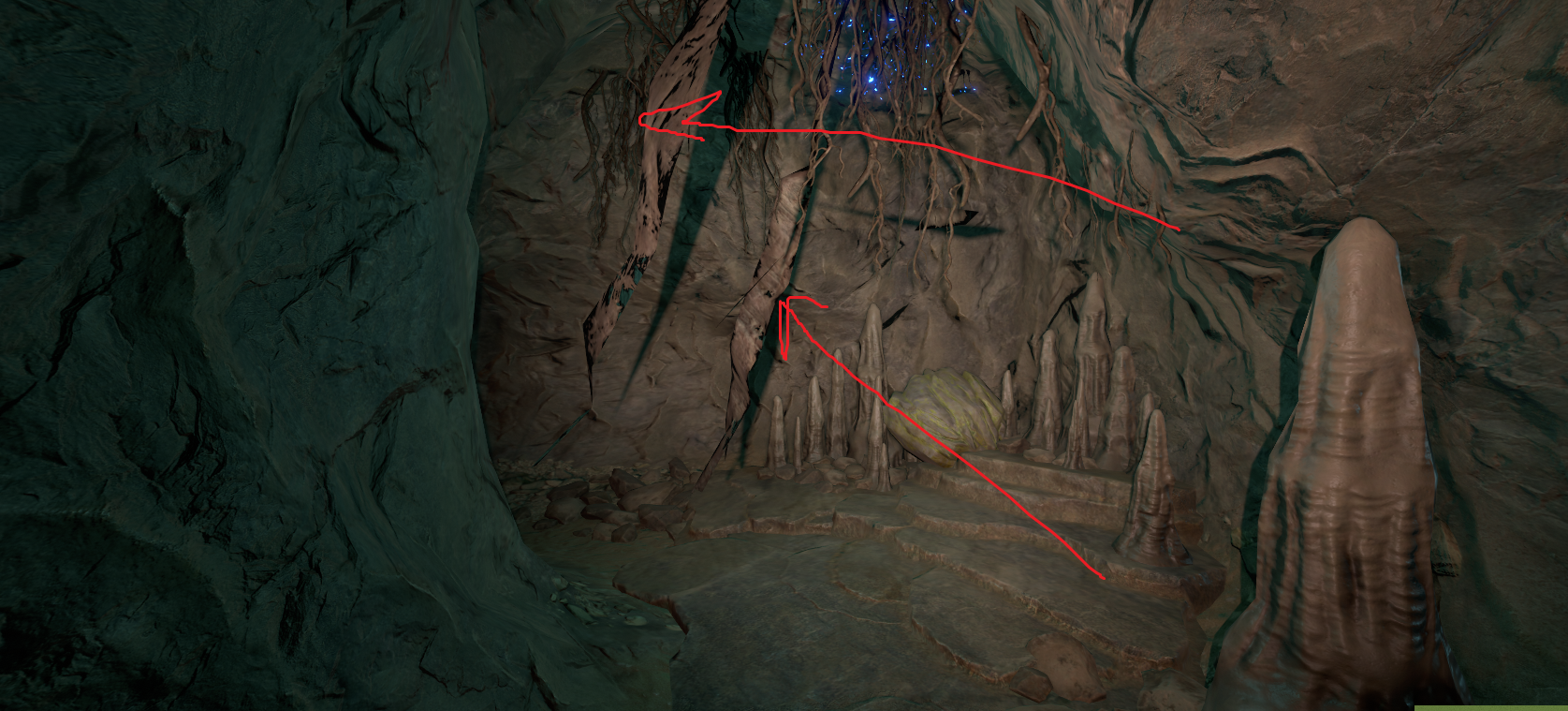
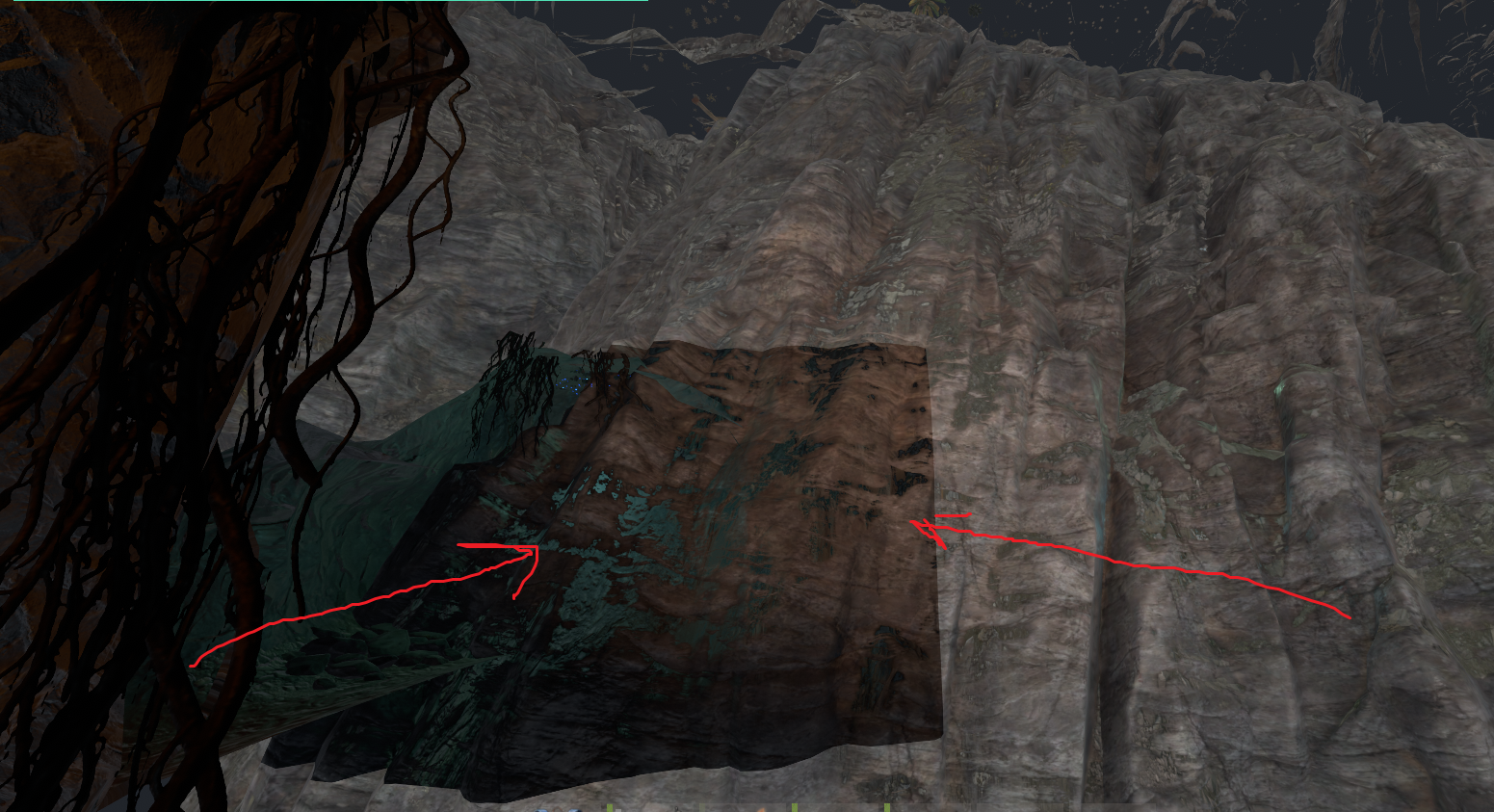
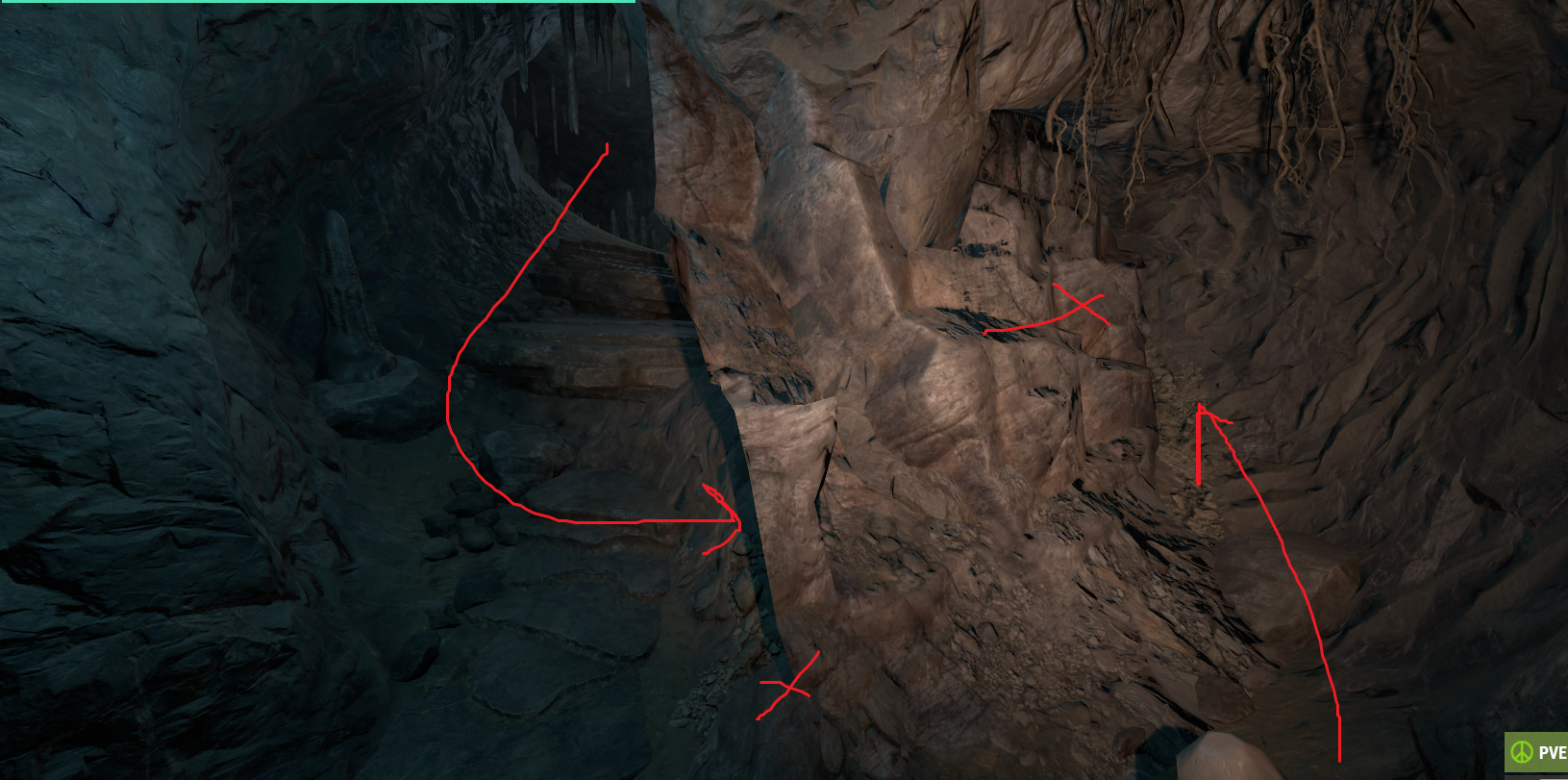
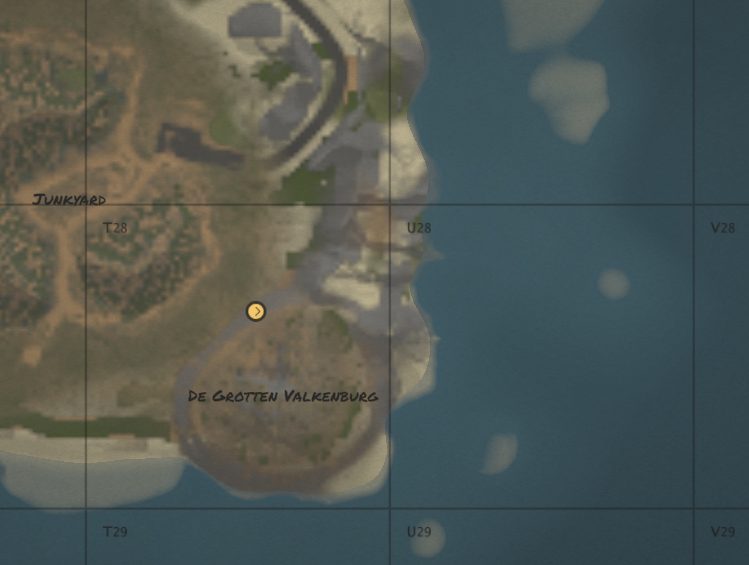
Greetings, very nice map, thank you for sharing! I found a few erros, the cliffs in the grotto cave system near junkyard, They are blocking several passages, I took some screenshots but there are more. Hope thats helpful

-
Greetings Mr01sam, Do you think there is some way we could trigger mode / flag switching when a player enters the Deep Sea area ?
-
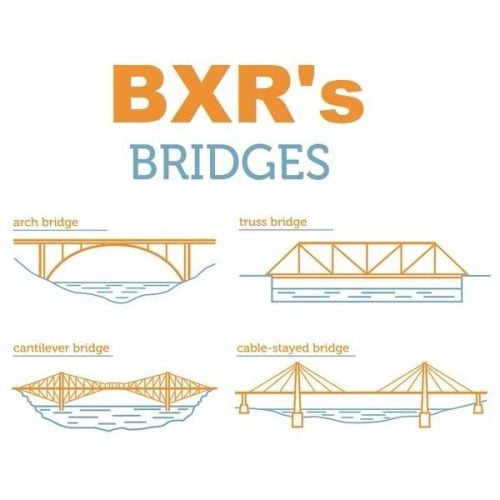 Excellent work, concise designs that add some great options to your server. - thanks for sharing!
 -
 Neat update Crash, glad you were able to implement the Edit Discord message into it! Finally cleared out my old channel after 6+months of restart messages
- 109 comments
-
- 1
-

-
- #restart
- #rustplugin
- (and 5 more)
-
 There are many ways to implement selling an event or item that triggers an event, in game for Economics or in your store for an item, using server issued commands "dungbase_start" - force start event. but there is a limitation in the plugin of only 1 Dungeon Base at a time
 -
Hi Crash, I hope you are well! is there a functionality for the discord message to be edited instead of sending a new one every time? This would be incredible and improve performance plus discord usesrs will be a lot happier, myself included! If you could please add this it would be very neat!
-
If you're totally new to runnning a rust server and using oxide or carbon and plugins, I suggest you go to Youtube and look up SRTBull, he has provided many years of tutorials on how to get started and doing more advanced things with plugins, I reckon you should start there since you're new to all of this.
-

Way to call the local ogg files instead of calling out to dropbox every second?
Malkizid replied to Rust Admin's Support Request in Support
Yeah can definitely confirm it doesnt even attamept to download if the local file is present, I've never had to redownload the files again, since the links to my original files are on a server I lost access too several months ago, and I've never removed the local files. (that was just pure lazyness on my part, until I need to make some new files ) So the messages aren't a big deal and are informative. but yes since links can be very long its difficult to see through console sometimes would be nice if that could be masked, some servers have many npcs dying and spawning often, when this is on most of them it can make for a chaotic console. -
 Good day Aimacak, thank you very much for your help and assistance. Really appreciate the explanation and solution, looks very simple to achieve with that guidance and info you sent! I don't have or use BetterNpc unfortunately, but if I ever get it I will definitely use this advice. Others can certainly follow your guide here to more easily add profiles. Cheers
 -
But How many server owners are running hardcore mode in pve, probably 7 I'm one of them, but I don't have BetterNPC, so I can't say much except it would definitely be a neat bonus to have those extra profiles!
-
 A very helpful package of all the necessary Language files you could need, works just fine. Simply add the data files into your relevant lang folders, reload the plugin and bam. Language support for the included languages as mentioned in the description, thanks to WildShadow for sharing!
 -
Great, thanks again. If I manage to get help from any other players or add some languages I know that aren't here I'll dm you with any additions.
-
Cool, thank you for sharing this with the community Wild Shadow! We have a very mixed language player group so they will appreciate this