
-
Posts
545 -
Joined
-
Days Won
11
Content Type
Profiles
Warranty Claims
Downloads
Forums
Store
Services
Downloads Plus Support
DOWNLOADS EXTRA
Everything posted by badgyver
-
I couldn't have put it better myself. I want to clarify something: in my opinion, AI will never truly match a human's work or way of thinking; I prefer a human plugin developer over AI, but I've been forced to use AI to try to fix these error messages. After conducting numerous tests, I’ve identified the true root of the problem and will soon provide a solution. In the meantime, so that server owners can have a cleaner console, I’m offering this plugin for free
-
Well, I’ll give you my humble opinion. My intention in publishing this plugin is to help other people. My intention is not to take away from other programmers’ prestige. I don’t know why you’re bringing up AI when the plugin’s page clearly states that it was created using AI. No one is forcing you to use the plugin. Just because the plugin was created with AI doesn’t mean there wasn’t any human effort involved. I’ve invested my time and money to share a tool that helps others. The plugin you mention, “https://umod.org/plugins/console-filter (by Mr Blue),” was surely a great plugin, and I greatly appreciate the effort that went into it, but the plugin currently doesn’t hide certain messages—that’s why I decided to release Bad Console Filter. This tool doesn’t hurt anyone, at least as far as I can tell. The plugin is free...
-
The Raidable Bases documentation explains how to do this.
-
Version 1.0.0
28 downloads
"BadConsoleFilter" is the ultimate server utility plugin for Rust designed to keep your server console completely clean and free of useless spam, annoying engine warnings, and common Unity errors that clog up your logs. But it doesn't stop there! Unlike other simple console hiders, "BadConsoleFilter" features an active extermination system. If the plugin detects that a specific physical entity (like a bugged animal, scientist, or NPC) is causing severe NavMesh errors or rotation loops, the plugin will intelligently track down the stuck entity and eliminate it ("Kill") to protect your server's performance. Key Features Clean Console & Logs: Completely hides any phrase, word, or sentence you define from your server logs. Smart Entity Killer: Automatically destroys bugged NPCs or animals that throw endless Unity NavMesh errors. Lightweight: Extremely optimized for high-population servers. Intercepts logs directly at the Unity engine level. Fully Customizable: Add, edit, or remove filtered messages easily. How to Use 1. Download "BadConsoleFilter.cs" and place it inside your "oxide/plugins" folder. 2. The plugin will automatically generate a configuration file located at "oxide/config/BadConsoleFilter.json". 3. By default, the plugin already comes with a massive list of pre-configured useless Unity messages to hide (such as NavMesh warnings, Steam definition checks, and rendering messages). How to Add New Messages to Filter If a new error or warning appears in your console and you want to make it disappear forever, it's incredibly easy to add it! - Step 1: Open the Configuration Navigate to your server files and open: "oxide/config/BadConsoleFilter.json" - Step 2: Add the Text Inside the JSON file, look for the "IgnoredLogStrings" list. Simply add the new error phrase to the list. You don't even need to type the whole sentence; a partial phrase is enough! Example: If your console is spamming: "[Warning] Some random annoying error message from a broken prefab" You can just add "Some random annoying error" to your list. Make sure each line ends with a comma (","), except for the very last one! .json { "InterceptUnityLogs": true, "InterceptOxideLogs": true, "KillEntityOnNavMeshError": true, "IgnoredLogStrings": [ "Failed to create agent because it is not close enough to the NavMesh", "Agent still not on navmesh after a warp", "Look rotation viewing vector is zero", "Some random annoying error" ] } Step 3: Reload the Plugin Once you save the file, simply type the following command in your server console (or RCON): "o.reload BadConsoleFilter" Et voilà!The message will instantly vanish from your console and will never bother you again WARNING: - When installing the plugin while the server is running For the plugin to take effect, you must wait for it to load correctly; this may take several minutes depending on your server’s stability and performance. - When installing the plugin with the server turned off For the plugin to take effect, you must wait for the server to fully boot up and for the plugin to finish loading correctly; this may take several minutes depending on your server’s stability and performance.Free -
Hi, all you have to do is install the “Oxide.Ext.RustEdit.dll” file in the “RustDedicated_Data\Managed” directory on your server. The other files in this ZIP are not necessary.
-
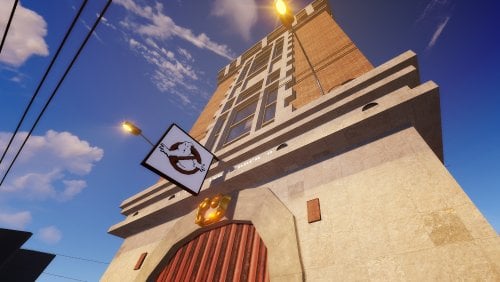
The only way to get the helitower on your server's map is to edit your server map and add the helitower prefab to it using the RustEdit tool. I'm sorry, but that's the only way.
-
Hello, what you mentioned is a measure to combat piracy; don't worry, all the information is stored in a private Discord channel that only I have access to. I plan to change the security settings for all my products, so what you mentioned will be removed soon. I hope you understand that I'm just trying to combat piracy. Thank you for your understanding.
- 26 comments
-
- #extraction
- #extraction game
-
(and 51 more)
Tagged with:
- #extraction
- #extraction game
- #rust
- #rust game
- #jungle
- #jungle biome
- #scifi
- #sci-fi
- #custom map
- #map
- #custommap
- #exit
- #custom monument
- #rustedit
- #rust edit
- #heli tower
- #badgyver
- #fantasy
- #oxide
- #carbon
- #facepunch
- #steam
- #pvp
- #pve
- #pve pvp
- #pvp pve
- #pvp/pve
- #pve/pvp
- #rp
- #roleplay
- #role play
- #puzzle
- #parkour
- #arecibo observatory
- #tower
- #communication center
- #area
- #safezone
- #safe zone
- #zone
- #dome
- #island
- #world 2
- #world 2.0
- #build area
- #buildarea
- #build zone
- #buildzone
- #apocalypse
- #apocalypse map
- #cargo
- #io
- #io puzzles
-
Hi, which of my prefab buildings are you referring to?
-
Hi, a new map update is available.
-
Hi, a new map update is available.
-
RaidableBases sometimes spawn through pillars
badgyver replied to SlayersRust's Support Report in Support
Changed Status from Pending to Closed -
Changed Status from Pending to Closed

-
Changed Status from Pending to Closed
-
Thank you for purchasing the map. Please don't hesitate to contact me if you have any other issues with it. You can also reach me on my Discord server at “https://discord.badgyver.com/” Have a great day.
-
Hello, a new update is available. Thank you for the report. Have a nice day.
-
Hi, I think only the plugins are affected by this latest Rust update.
-
RaidableBases sometimes spawn through pillars
badgyver replied to SlayersRust's Support Report in Support
Hi, thanks for purchasing the map. I was about to configure the spawning of the raidable bases, but in the end I decided not to because it’s a very personal choice for each user; the bases themselves have an option to spawn at specific points on the map. Anyway, I’ll see if I can do something about the raidable bases. As for the Kamikaze, I’m going to configure it so it takes longer to appear, since it’s a bit annoying, and I’ll fix what you mentioned about the Kamikaze. A new update will be available soon. Thanks for your feedback. Have a great day. -
Version 1.0.2
10 downloads
UMBRELLA is a post-apocalyptic 1K map inspired by the Resident Evil saga. This map is perfect for Wipes, Purges, server Events, or simply use this map if you want your players to interact more with other players. Don’t let the map’s size fool you!!! In Umbrella, you can build on Monuments and in custom building areas. This map features a design with an aggressive PVP focus. With the right configuration, this map can be used on PVE servers. The Umbrella map includes a wide variety of unique plugins designed to enhance the post-apocalyptic experience; all plugins are pre-configured so you can use them on your server. FEATURES Size: 1000. Objects: 35300. Map protection plugin included. The map can be edited: Yes. PLUGINS Fireworks: Endless fireworks respawn. Kamikaze: An explosive zombie that tracks random players. Umbrella Patrol: 20 armed soldiers patrolling the entire map, tracking players. Airplane Event: A large number of planes to support airdrops and encourage players to interact with the map. Parachute Respawn: Players appear in mid air with their parachutes deployed, carrying a starter “Kit” that includes a pistol, food, ammunition, medical supplies, and a skin. Zombies: A wide variety of zombies deployed across the map; zombies will appear in key areas and feature a variety of skins provided by the Rust game itself (these skins prevent lag); zombies also have an invisible weapon skin to make hitting a player more realistic. T-Virus: When a player is hit by a zombie, a countdown will appear on the screen indicating that the player will die from infection; the player can take pills to eliminate the infection. Cinema: Used to display the ranch’s cinema screen. F-15 Event: Two F-15s will be deployed across the map, launching an airstrike with explosions throughout the map for 3 minutes. Damage to player bases has been disabled; players will take damage if hit by a projectile. CH-47 Chinook Event: A CH-47 Chinook helicopter will crash and fall to the ground, dropping two Oil Rig crates; these crates are guarded by NPCs. Heli Tower Event: When a player enters “Heli Tower,” an event involving waves of attack helicopters will be triggered; the player must survive five waves to complete the event. Airfield Event Support: Support for the “Airfield Event” plugin. Raidable Bases Support: Support for the “Raidable Bases” plugin. OFFICIAL MONUMENTS 4 Oil Rigs Trains Lighthouse Fishing Village CUSTOM MONUMENTS Gas Station. Abandoned Supermarket. Bank. Outpost PVP. Laboratory. Heli Tower. Train Tool. Giant Excavator. Safe Zone. Raidable Bases Area. Crocodile Lake. The Dome. Ranch. Aifield with Build Areas. Bradley patchs across the map. Puzzles. Umbrella Center. TIPS Have fun SUPPORT: https://discord.badgyver.com$49.90-
- 1
-
-
- #umbrella
- #umbrella corps
-
(and 54 more)
Tagged with:
- #umbrella
- #umbrella corps
- #umbrellacorps
- #umbrella corporation
- #umbrellacorporation
- #resident evil
- #residentevil
- #badgyver
- #custommap
- #map
- #custom map
- #custom
- #custom npc
- #puzzle
- #halloween
- #parkour
- #dark
- #fantasy
- #oxide
- #carbon
- #steam
- #facepunch
- #tower
- #helitower
- #heli tower
- #safezone
- #safe zone
- #arena
- #event
- #raidablebases
- #raidable bases
- #raidable bases area
- #raidable bases zone
- #build area
- #build zone
- #rust map
- #fire
- #mod
- #plugin
- #custom mod
- #custom plugin
- #pve
- #pvp
- #onegrid
- #one grid
- #onegridmap
- #one grid map
- #1grid
- #1 grid
- #1 grid map
- #1k
- #1kmap
- #1k map
- #1gridmap
- #green
- #one
-
- 17 comments
-
- #redemption
- #weyland
-
(and 50 more)
Tagged with:
- #redemption
- #weyland
- #center
- #weyland center
- #yutani
- #weyland yutani
- #jungle
- #jungle biome
- #chronus
- #chronius
- #chrons
- #chrons temple
- #scifi
- #sci-fi
- #alien
- #aliens
- #custom map
- #custom prefab
- #custom monument
- #rust
- #rustedit
- #heli tower
- #badgyver
- #halloween
- #fantasy
- #movie
- #oxide
- #carbon
- #facepunch
- #steam
- #pvp
- #pve
- #rp
- #roleplay
- #role play
- #cargo
- #puzzle
- #parkour
- #tower
- #lobby
- #egg
- #safezone
- #safe zone
- #casino
- #toy
- #character
- #logo
- #logotype
- #island
- #shop
- #world 2
- #world 2.0
-
- 17 comments
-
- #redemption
- #weyland
-
(and 50 more)
Tagged with:
- #redemption
- #weyland
- #center
- #weyland center
- #yutani
- #weyland yutani
- #jungle
- #jungle biome
- #chronus
- #chronius
- #chrons
- #chrons temple
- #scifi
- #sci-fi
- #alien
- #aliens
- #custom map
- #custom prefab
- #custom monument
- #rust
- #rustedit
- #heli tower
- #badgyver
- #halloween
- #fantasy
- #movie
- #oxide
- #carbon
- #facepunch
- #steam
- #pvp
- #pve
- #rp
- #roleplay
- #role play
- #cargo
- #puzzle
- #parkour
- #tower
- #lobby
- #egg
- #safezone
- #safe zone
- #casino
- #toy
- #character
- #logo
- #logotype
- #island
- #shop
- #world 2
- #world 2.0
-
Changed Status from Pending to Closed
-
Hello, thank you for the report. I have just checked your error on my test server. My test server does not contain any plugins. The error you reported does not appear on my server. This means that the error is being caused by a plugin on your server. Currently, Rust is trying to optimize the game, which means that many plugins will stop working or will require the plugin developer to fix the errors. If you want to locate the plugin causing the error, I recommend creating a local or test server, loading the map without any plugins except the ones required for the map to function properly, or if you prefer, loading a procedural map on your server. Install the plugins you use on your main server one by one. The moment you install a plugin and the error appears, you will have identified the plugin causing the issue.
-
Changed Status from Pending to Closed
-
You need to understand something: I am just a creator, I only provide support for my products. If you have any problem getting the map to work on your server, that is your issue. I am not obligated to help you because the client is responsible for their server. Even so, I usually help people who need assistance and are polite. If you tell me that I have given you “garbage answers,” do not expect to receive help for your server. That said, you can take whatever measures you consider appropriate, and I will do the same. As I already told you, DISCORD.BADGYVER.COM so you can verify for yourself that the map works. Kind regards, have a nice day.
-
"If you wish, you can check my map fully working on my server. Have you ever considered that if the map does not work for you on '11 servers', maybe it is because you are doing something wrong? You should think before writing a comment. By the way, neither I nor the people who have tried to help you are wasting our time just to give you useless answers. As I told you before, if you want, you can contact me via DISCORD.BADGYVER.COM and I will give you access to my server with the RATS 2 map working properly. Your choice, but at least have some education and respect in your comments. Best regards, and have a good day."