

PPlank
-
Posts
133 -
Joined
-
Last visited
-
Days Won
1
Content Type
Profiles
Warranty Claims
Downloads
Forums
Store
Services
Downloads Plus Support
DOWNLOADS EXTRA
Reels
Everything posted by PPlank
-
 Ah thanks for that I now understand the reasoning for the config updating and of course it makes perfect sense. I was using 3.0.6 for some reason, and updated to 3.0.7 when I noticed the problem, in case that fixed it. As far as I know, no admins were on the servers on Friday morning as the only one who may have been on there was at work. Which just leaves me who has more time on his hands, and I know I didn't do it. I am the only one who has access to the dedi running the servers and yes I usually unload a plugin before making changes to the config, but it depends if it's a config that's asking to be reloaded. I often take a copy of a config to edit it and then unload, copy-paste the changes, save and reload. Yes, I confirm that no other settings had changed only the reward type so it's a bit of a mystery, one that I thought reporting just in case you have one of those "aha!" moments. Maybe the version I was using still had the config switch to scrap in it? And maybe there was a blip that stopped it from detecting RustRewards and ServerRewards flipped to scrap? Dunno. The thing is it's all working now as it should so just consider this as a potential bug report to think about the next time you're revising the code. Sorry. Didn't say. Great plugin. Thank you.
 -
A bit of a strange one this, and I've now fixed the config. RustRewards suddenly and randomly stopped giving RP on one of my servers, and switched to scrap instead - I have no idea why. The config had changed itself only with respect to the type of reward given, everything else in the config was unchanged. The chain of events are as follows. I did a mid-monthly wipe on Thursday 21st at 7.00pm. Rewards were given up until midnight, and then a new ServerRewards earnings file in the logs folder was created and rewards were given until 10:54am, and then they stopped. This must have been when the config changed and as I am the only one with access to it on the server I can't even say to myself "maybe one of the other admins did it accidentally." Nobody noticed it until yesterday when one player saw they weren't getting rewards, and another one (thankfully) saw they were getting scrap instead. (Well spotted that man, I gave him 5,000RP as a reward as I suddenly had a chance of finding the cause of the problem.) Up until that point I was scratching my head in puzzlement as to why it had suddenly stopped working as it always has without any problems. While describing the problem in #bugs on my Discord, a friend of mine who used to be an admin on my servers and has now gone on to create his own PvE network, chipped in that "I’d keep an eye out for that, it’s happened to me a couple times lately. It’s just random." So I know it's a bug and not me being an idiot. This time anyway. For what it's worth, here's a screenshot of the recent earnings logs, you can see the date and time stamps for the last time the logs were written to. I also noticed that the config file is constantly being updated and I have to keep clicking yes to reloading it in Notepad++ every so often. Shouldn't that be a data file that's updated and not the config? ¯\_(ツ)_/¯ Anyway. All fixed now and I'll be sure to check the configs on my servers every couple of days. Over to you, Steenamaroo.
-
 Thanks for that. You're right, I noclipped a fair distance away, then went back and the ghost box had gone. It also seems to be a one time happening per server. As far as I'm concerned now I know these things, it's all just a non-event. Great plugin.
- 96 comments
-
- 1
-

-
- #recycler
- #monetization
- (and 5 more)
-
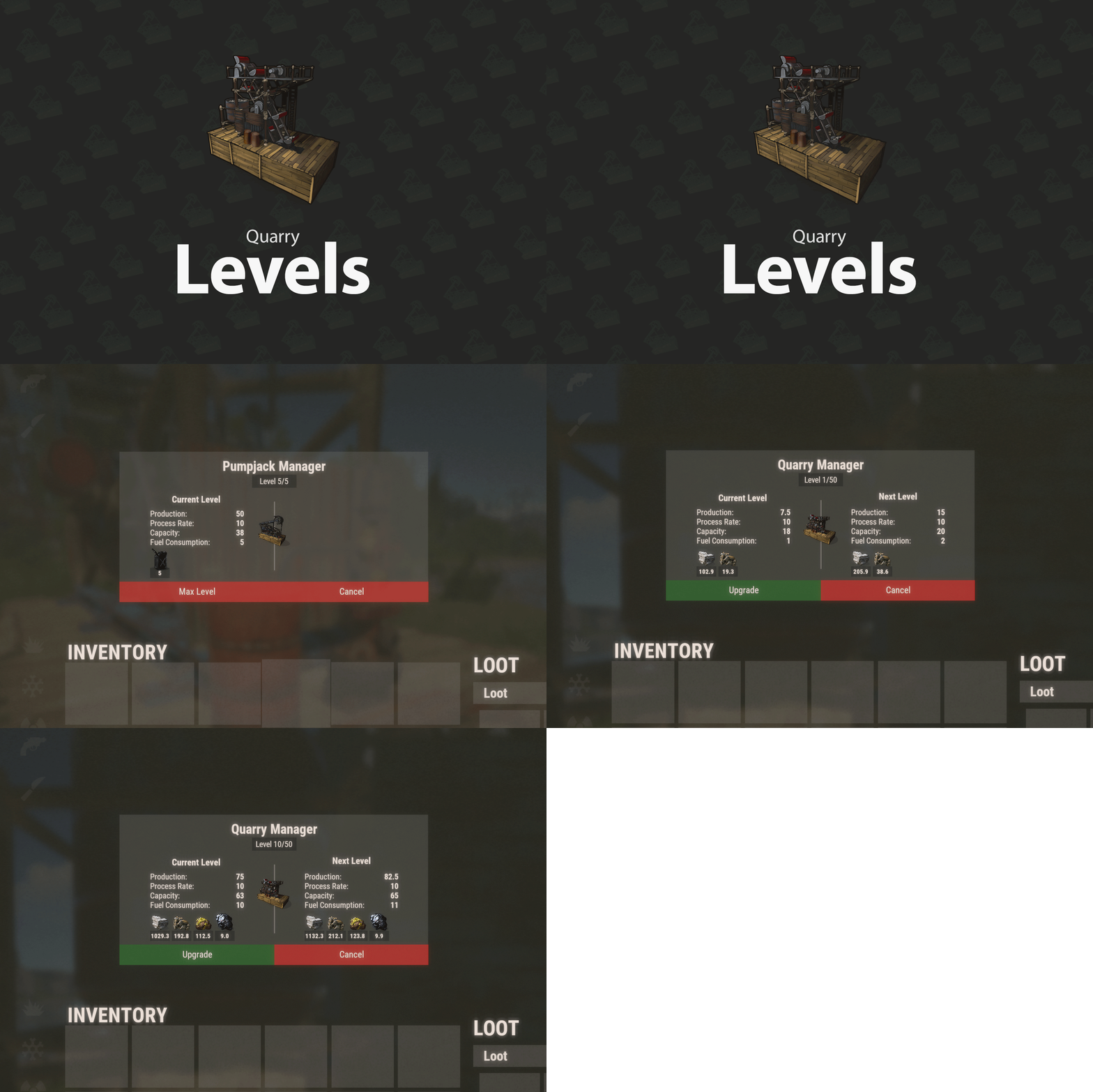 Yep. QuarryManager and QuarryNearNoBuild which is for the static quarries, but it just puts a zone around them to prevent building near them. EDIT: CORRECTION Those two plugins mentioned above are only installed on my PvE servers, not on the OneGrid PvP server that screen snip above was taken from. Having said that, the first person who reported the issue yesterday (or the day before) was on one of the PvE servers.
 -
Yeah, I've just been told by a second player that their quarry seems to have messed up overnight, probably during server restart.
-
Same issue with the "ghost box." I mean it's not a big deal and we found that picking the recycler up then re-placing it makes the box go away, and subsequent recyclers (I've allowed 3 per player) don't have this problem. There are 3 of us have seen this same strange bug now on 3 different servers, so maybe it's a one-off thing per server? I haven't tested that theory on a different server tonight but will tomorrow when I try to place one on one of the other 2 servers.
-
 It's probably VehicleLicence needs to be updated. This plugin is a UI for it. https://umod.org/plugins/vehicle-license#updates
 -
 Yeah I came here to ask the same thing, but it looks like the dev has abandoned at least this plugin and possibly his/her others too - last activity 21st Feb. I hope it's not covid.
 -
 This might do the trick while you're waiting. Currently $5. https://codefling.com/plugins/global-offline-raid-protection Or if you search for raid on umod there are a number of different raid protection plugins. Raid Protection looks interesting as it lets players buy configurable amounts of protection with scrap, economics or reward points.
 -
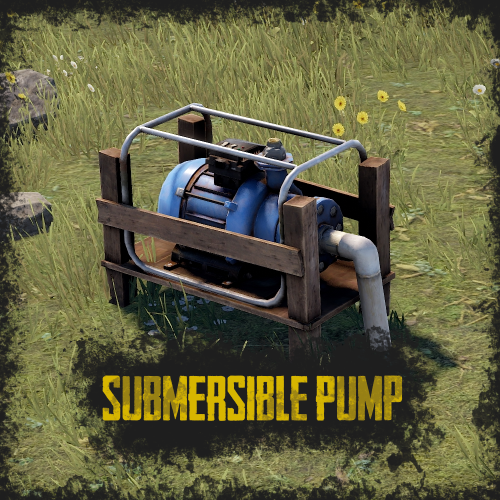 I just want to say that this SubmersiblePump plugin works great with the WaterBases plugin. I have a guy right now building a farm at sea.
 -
.thumb.png.f738e1c4608594a317958e54ce685c64.png) Purchased. Perfect for April Fool's day.
Purchased. Perfect for April Fool's day. -
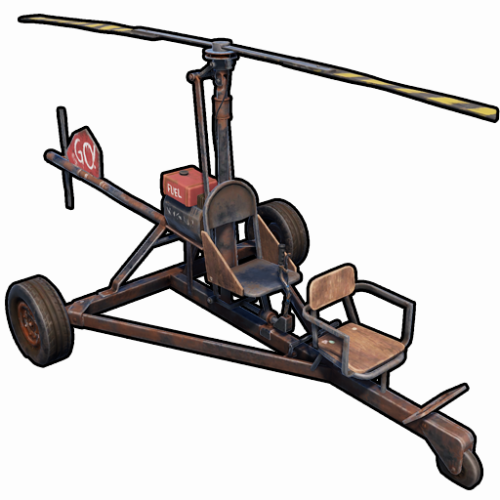 This plugin is extremely well thought out, and even allows you to change the names of the vehicles and the permission names in the config if you want to. For example I've changed mini1 to 3smini (3-seater mini) and the same for the other two. My changes worked perfectly on plugin reload. I can't think of anything else I'd like to add to the functionality, and that's high praise as I'm very rarely satisfied with a plugin as it is and nearly always ask for additional features. My plan is to give VIPs access to the regular minicopter (done) and maybe a ridable horse, boat and sedan, then put everything else in the /s rewards store so everyone can buy them. There ARE lang files by the way to address samshoun's comment so maybe they were added later.
 -
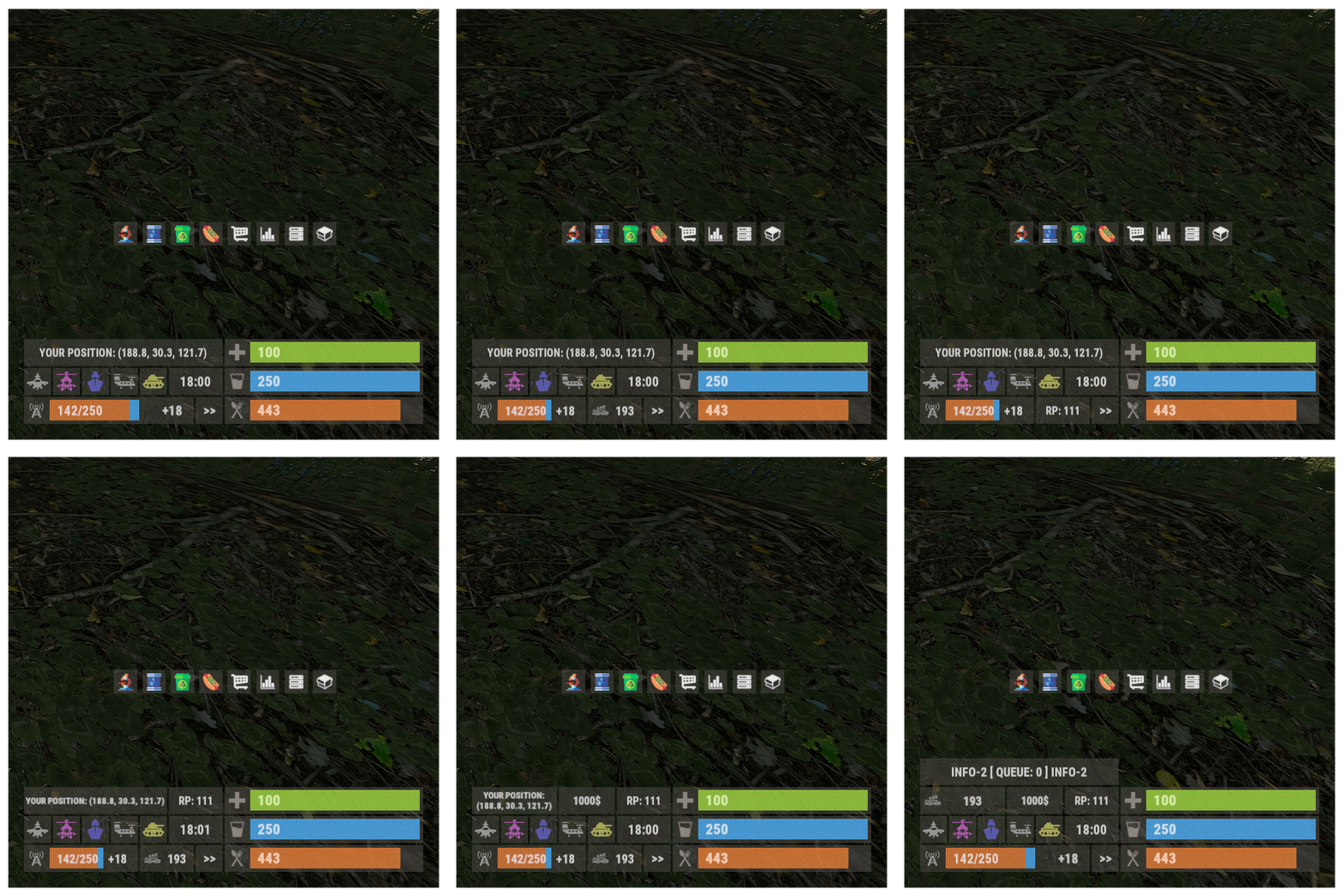 This would be nice if it had a ServerRewards (RP) readout, plus player x-z co-ordinates.
- 107 comments
-
- 1
-

-
- #panel
- #infopanel
- (and 5 more)
-
This is a great plugin. I'm going to make some of the vehicles free to VIPs and all of the vehicles will go in the rewards store so anyone can purchase them. When testing, everything worked apart from I couldn't get the cart to spawn, no error message it just wouldn't spawn.
-
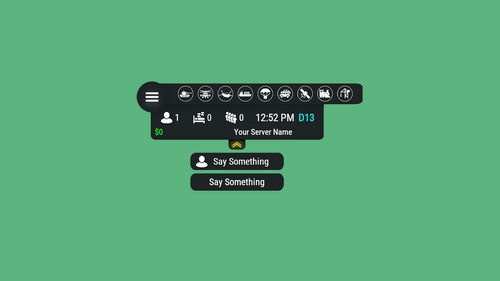 Okay that's great thank you. I *just* spotted a bug after enabling the player co-ordinates. This is my config:- { "Don't do Hud on top of everything": false, "Hud scale": 0.75, "Hud transparency": 0.7, "Name of your server": "PvE 2", "Server name color": "#00FF00", "Hud position on the screen(Left of Right)": "Right", "Offset from the top of the screen(in px)": 40, "Offset from the right/left of the screen": 30, "Use the Economics plugin": false, "User the Server Rewards plugin": true, "Use additional menu": false, "Display player pos": true, "Offset from the left of the screen for text": 0, "Offset from the bottom of the screen for text": 0, "Interval between messages": 1800, "Display info text": true } I removed the actual name of my server.
 -
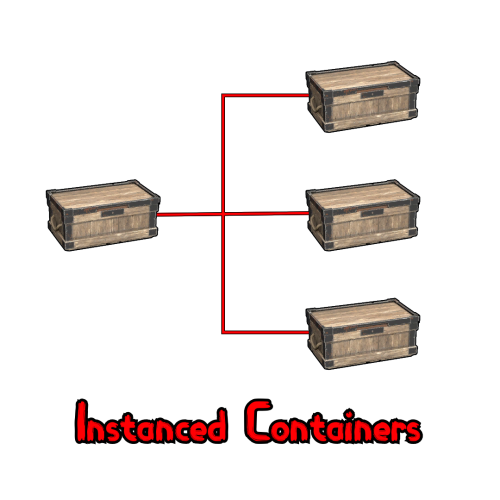 Would you mind changing the empty container colour to orange or something? The usual green is good for containers that don't have anything in them e.g. the colour of the M (main container) when empty, but I'm very slightly red-green colour blind and I think the colour you've used for non-empty containers is right on the border of my green colour vision and they look almost identical. So the request is, non empty containers are the colour of the M container when empty (green), and the others are orange or something that's not so close to green. Sorry...
 -
What does this mean for the plugin's future? I don't understand the bit about being merged.
-
1. Are 6 additional containers a hard limit or is there the possibiility of more? 2. Are the default and vip permissions fixed or can we add more? I'd like to use a sliding scale of container amounts, as well as add a fixed permanent perk for those that don't want VIP but would like more container instances. Thanks.
-
I'm getting PlayerNotFound when doing:- /raidme reload player pplank The cancel all events command works but not the player one.
-
 What's the npcraiders.bypass permission for?
 -
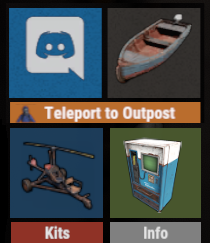 WelcomeInfoAddons Yeah I would be happy with simple text replacement, maybe only refreshed when a player presses the button as Jbird suggested? The same for x-z co-ords, they don't always need to be active and refreshed and could be set to be retrieved on a button press. I REALLY like that idea the more I think about it. To be fair they can check their RP balance by doing /s bound to a button which then leaves just the x-z co-ords issue, but I like the idea of a button press retrieving both those things for them. To give some background to this, I already use InfoPanel which shows both the RP and the x-z- co-ords on screen, but I'm trying to refresh the look and feel of what the players see when they join one of my servers as it all looks a little jaded to my eye because I've been living with it for 6 years now. To that end, I have:- CustomButtons to allow easy access to kits, minicopter etc. ServerHud to replace InfoPanel (InfoPanel is a nightmare to deal with) WelcomeInfoUI and WelcomeInfoAddons to replace ServerInfo (also nightmarish) I have already requested AhigaO to add x-z co-ords and RP display in ServerHud, but I really like the idea of clicking a button to show that info, even more now that I've discussed it here. It just makes more sense to only refresh it when needed and not all the time. I have a lot of work ahead of me... Finally I'd like to say thank you for creating CustomButtons. It doesn't matter how much info you give players and how up to date you keep your web site and discord announcing changes, I'm sure most of them never read it, at least the newer players anyway. Having self-explanatory buttons available makes it all so much easier for the players. Great job.
 -
Yeah, good idea, I really like that.
-
Is it possible to add values such as RP to a button or some text? And also things like x-z co-ordinates for a players location? If it isn't, would you consider doing something like that?
-
Well not necessarily within the HUD, but somewhere on screen in a free-floating panel is my suggestion. While the rest of the HUD can be collapsed (I really like that), it would be ideal if the co-ordinates were always on. I typically have them underneath the hotbar via InfoPanel. But I'd like it if we could set the co-ordinates to any position on screen. Even though the grid is used for a lot of things, players still use the x-z co-ords to describe where they are. Thanks.
-
Can we have the players co-ordinates displaying too? Thanks.