
CoreSnap
-
Posts
140 -
Joined
-
Last visited
Content Type
Profiles
Warranty Claims
Downloads
Forums
Store
Services
Downloads Plus Support
DOWNLOADS EXTRA
Reels
Everything posted by CoreSnap
-
Hello, I've been working on getting this fixed all morning, but can't find an answer or fix. I have Brad/Heli signals in the shop. Had them setup for months with no issue. When Server Update 17982604 was released and downloaded this morning, Brad and Heli signals stopped working when purchased from the shop. They work just fine when giving them thru native commands. I don't have anything else that is affected by the shop. When throwing a Brad signal, console shows: Failed to call internal hook 'OnExplosiveThrown' on plugin 'BradleyDrops v1.1.17' [1930466752] (The given key 'BradleyDropEasy' was not present in the dictionary.) at APCData System.Collections.Generic.Dictionary<string, Oxide.Plugins.BradleyDrops+APCData>.get_Item(string key) at void Oxide.Plugins.BradleyDrops.BradleySignalThrown(BasePlayer player, SupplySignal entity, Item signal) in C:/RustServer/FuturesWNT/carbon/plugins/BradleyDrops.cs:line 959 at void Oxide.Plugins.BradleyDrops.OnExplosiveThrown(BasePlayer player, SupplySignal entity, ThrownWeapon item) in C:/RustServer/FuturesWNT/carbon/plugins/BradleyDrops.cs:line 372 at object Oxide.Plugins.BradleyDrops.InternalCallHook(uint hook, object[] args) in BradleyDrops.cs/Internal:line 464 IN THE PLUGIN FILE: line 959 var permSuffix = config.bradley.apcConfig[apcProfile].GiveItemCommand.ToLower(); line 372 BradleySignalThrown(player, entity, signal); line 464 blank BradleyDrop bradComp = bradley.GetComponent<BradleyDrop>(); if (bradComp == null) return null; if (bradComp.isDespawning) { info.damageTypes.ScaleAll(0); return true; } <<<<<----- {THIS IS WHERE LINE 464 IS} var apcName = config.bradley.apcConfig[apcProfile].APCName; BasePlayer attacker = Initiator as BasePlayer; if (Initiator is BasePlayer) { attacker = Initiator as BasePlayer; } else if (Initiator is AutoTurret) When throwing a Heli Signal, I simply get the chat notification "You don't have permission to use this heli signal". Again, when not purchasing thru the shop and just giving the items thru "hsgive easy coresnap 1" or "bdgive easy coresnap 1", no errors occur. I've downloaded new versions of each of those and this changed nothing. I have so much configured thru Shop that I have yet to fully disassemble it and start fresh, but I kind of assume that's what you'll want me to do. I just wanted to be proactive and send this along to see if you might know what else may be causing this issue, or if I really need to just wipe the shop, input the items into shop and try from there. Thanks!! EDIT: I redownloaded Shop, installed it fresh, new config, manually input brad and heli signal info into new/fresh Item and Category files (no copy/pasting), and same issue occurred. Please let me know if you need anything further from me. Thank you!
-
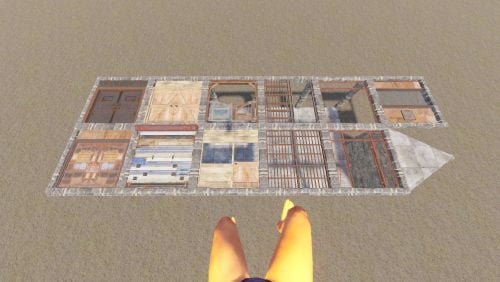 Hello, just grabbed this and think it's really awesome! Just wanted to see if you had an ETA on this. Purely out of curiosity, no rush!
- 42 comments
-
- 1
-

-
- #floorstack
- #floorframe
- (and 13 more)
-
How are you able to accomplish this for custom maps/monuments? Will it just create a spawnpoint where you are regardless and would only need to be changed if/when you change maps?
-
Hello, No matter what I change the timezone to in the config file, it will not update when doing '/raidprot'. Always shows "Offline Raid Protection Info xx : xx : xx UTC". I'm trying to update this to MST (Mountain Standard Time). I have reloaded the plugin several times, started with fresh config, nothing fixes or changes this. Is there a way to get this to change in-game? Or does it always show UTC and the only thing that matters is the protected time zone you select/designate within the config file? Thank you!
-
 yeh, that's literally what I'm doing now... debating on swapping back to AlphaLoot because of this. If I need to enter in every output and weight, may as well do it in something that works atm. lmao
 -
What was the reason for switching back to V1? I'm thinking of doing this, but not sure my issue is caused by V2. I'm just going thru and setting default loot tables and everything in the default tables is WAY off from vanilla settings. I know he states "this is only a reference", but I swear the default loot tables used to be WAY more in line with what vanilla offers. Am I crazy?
-
 I would like to know this. I just installed the plugin and cannot figure out WTF you do with enhancement kits. Workbench from tutorial vid doesn't work, they said to use furnaces and that doesn't work.... lol
 -
Hello. Just tried new Update and this still isn't working. Is there an ETA for this? Thanks!
-
....womp womp! XD So how much are you making off your AI mods? You must make the best ones any of us have seen! Oh, wait, you said it's 'hard'.... guess we're not surprised by this type of response. lmao I've made like 5 plugins with AI that I use on my server... it's EASY AFFF!! lmao I would never ask anyone for money for my AI-generated garbage. lmao
-
 It can be, yes. You can configure it to run as often as you'd like and completely dependent upon what your server pop is.
 -
It may have been mentioned in here already, but maybe do what other companies are doing... make it mandatory that a disclaimer is placed on the product advising that it's 100% AI-generated and that support is/will be limited. This will still offer the opportunity to try out a cool idea with the understanding that it may break and not be easily maintained / updated.
-
This doesn't answer my question, nor does it even work when I use Rust Kits from UMod. Please look into this.
-
well holy dam. Just throwing it into the other RustEdit (that I didn't know existed) fixed that right up! lol Thanks again!
-
Oh, ok. I'm sure I wasn't the only one, but didn't see it on here so figured I'd ask. lol Thanks again for the awesome map! Everyone loves it!
-
Hello, I was just adding some things to the map for wipe tomorrow and noticed that the entire canyon (pics attached) is filled with invisible water. lol I noticed you just have water coming in from the ocean for this, but in a previous version I was able to go down in the canyon without there being any water. This is for Ue canyon B 235.38, 35.93, -720.2 In RustEdit the water shows up, but in-game it's not visibly there from above. Only when you jump down into the canyon are you met with the water 'volume' and you can then swim. Is there something either you can do for this before wipe? Or a way I can remedy this on my end? I'm not super experienced with RE and have put a fair amount into this map so would like to NOT have to start fresh. lol Appreciate the assistance. Love the map as a whole! edit: doesn't appear as though it added file names.... first photo is RustEdit view, the rest are from in-game.
-
When adding a kit with all 7 slots filled and a backpack, the kit menu (when viewing a kit) doesn't show all of the clothing items available in said kit. I'm assuming this is because this was created/configured before backpacks were a thing so it hasn't been taken into account yet. Attached 2 photos for reference... 1 showing the full kit in Kits UI, the second showing the kit in the WelcomeMenu kits UI. (I also noticed it places items in a different order. Not a big deal, but just wondering why this is). Am I missing something in the configuration that takes this into account? If not, are there plans to remedy this? I also see that there's still an 'x' for "Carbon Compatible". I'm using Carbon, for reference. Everything else within the WP series works perfectly without issue. I ALSO also noticed that the WPKits says it works with UMods Kits plugin... is there a difference in how this would be handled? Let me know if you have any questions. Thanks!
-
 Are you referring to externals and/or anything that's not directly connected to the base? That's what it sounds like, and you'll have to use externals to upgrade those. If you're referring to building blocks directly connected to your base and they don't update correctly, definitely log a support ticket. This does have very little information to go off of.
 -
 Pretty sure you can turn that off in the Player Settings within the UI as well, making it so you can keep it enabled within the config and each player can decide if they want that.
- 1,655 comments
-
- 1
-

-
- #leveling
- #progression
- (and 19 more)
-
I inquired about this awhile back and never heard anything, but is there a plan of adding in the ability to recycle custom items, ie. Bag of Holding bags, or even keycards and/or any other items managed by RecycleManager? This is pretty much what keeps me from using it as much as a normal recycler on my server. Just inquiring. Thanks!
-
Ok cool. Thanks!
-
Hello, just checking in to see if you've been able to find anything on this. Thanks!
-
 never seen Storage Wars? lol
 -
 Hello, Really enjoy how smooth this is over the original Radar. Just a couple quick questions: 1. Are you planning on adding in additional categories of entities you're able to look at? Or is the plan to just make it so it's players, tcs and satchels? I know your primary goal is to have this be as stripped-down and performant as possible. 2. Is there a way to change the default from 1sec 250m? Are there any plans to possibly make it so the last setting chosen is baked into the plugin? Just gets a little annoying having to retype the rate and distance when activating every time. I do have this key-bound for ease of use, but just wanted to inquire. Thanks!
 -
 SOO is this not supported anymore? lol