
.png.1c391606af52b17a57b25a8243b16ddf.png)
-
Posts
419 -
Joined
-
Last visited
-
Days Won
3
Content Type
Profiles
Warranty Claims
Downloads
Forums
Store
Services
Downloads Plus Support
DOWNLOADS EXTRA
Everything posted by ChristopherS
-
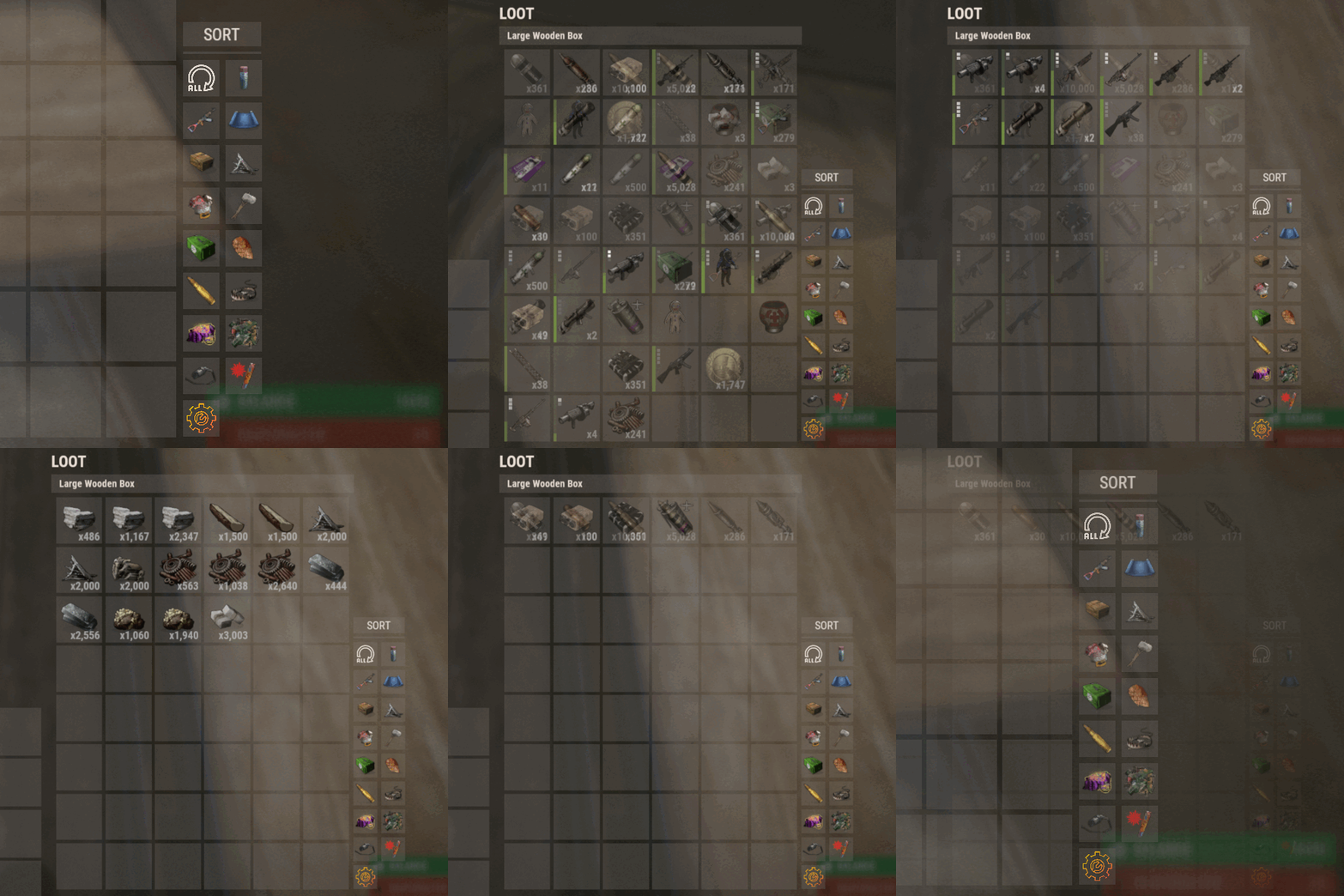 I used to use the free sort button from uMod but there's an issue with another plugin that's very important, Loot Audit. The way the free sort button works is that every item is removed, placed into the players inventory and re-added alphabetically. Obviously this happens very fast and all the player sees is the items sort them self instantly. The issue is that with the sort button getting logged every time, it puts immense stress on the server, and if only 1 person spams "sort" then they can literally crash the server. Will this plugin act the same do you know, is there a way to limit how often a player can click it (like once every 10 seconds eg.)?
 -
 Oh this was just the first page of 5 of errors. There was an error of many many things, this was just one. Once the playercount on my server is down to 5 or so, I'll be unloading all plugins to see if there's a conflict though.
 -
When the weather turned to storm it kicks every player from my server. It spouts error upon error for many many things. EDIT: I did a clean install of this version (unload the previous, delete the config etc.). I'm going to wait until there's only 5 or so players online then I'll restart my server again and unload everything to see if I can find a conflict.
-
 With this plugin, no not currently. Like I said in an earlier post though, I use this plugin below and the two work perfectly hand in hand.
 -
 Did you follow the instructions and send proof of purchase to im the new guy? You didn't even ask him a question, just complained how you were ignored then left the discord server. It's going to be a bit difficult for you to see any answer now you've left there isn't it.
 -
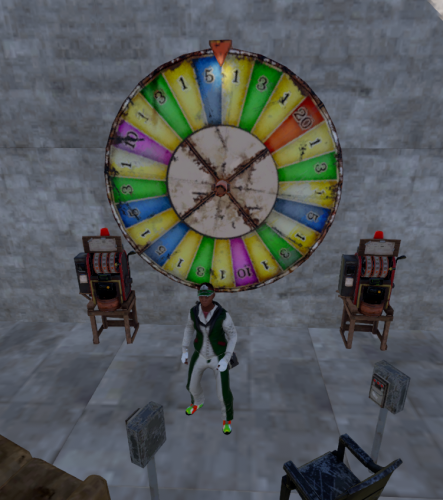 Just another message of thanks for keeping this plugin up to date. Last month a player built the best casino & building I've ever seen. I spent many hours there over many nights playing poker with 5 other players. None of that would have been possible without this plugin!
 -
 I've just quickly made a loot table of the default crates for anyone that needs/wants a baseline table for this newest update. This has the default amounts and percentages that you will find in vanilla crates. { "probability": 97, "shortname": "ammo.rocket.mlrs", "name": "", "skin": 0, "amountMin": 1, "amount": 5 }, { "probability": 53, "shortname": "targeting.computer", "name": "", "skin": 0, "amountMin": 1, "amount": 1 }, { "probability": 50, "shortname": "weapon.mod.lasersight", "name": "", "skin": 0, "amountMin": 1, "amount": 1 }, { "probability": 50, "shortname": "weapon.mod.small.scope", "name": "", "skin": 0, "amountMin": 1, "amount": 1 }, { "probability": 50, "shortname": "weapon.mod.burstmodule", "name": "", "skin": 0, "amountMin": 1, "amount": 1 }, { "probability": 50, "shortname": "weapon.mod.extendedmags", "name": "", "skin": 0, "amountMin": 1, "amount": 1 }, { "probability": 44, "shortname": "cctv.camera", "name": "", "skin": 0, "amountMin": 1, "amount": 1 }, { "probability": 40, "shortname": "ammo.rifle", "name": "", "skin": 0, "amountMin": 1, "amount": 128 }, { "probability": 30, "shortname": "floor.ladder.hatch", "name": "", "skin": 0, "amountMin": 1, "amount": 1 }, { "probability": 30, "shortname": "door.hinged.toptier", "name": "", "skin": 0, "amountMin": 1, "amount": 1 }, { "probability": 25, "shortname": "ammo.rifle.incendiary", "name": "", "skin": 0, "amountMin": 60, "amount": 120 }, { "probability": 25, "shortname": "explosive.timed", "name": "", "skin": 0, "amountMin": 1, "amount": 2 }, { "probability": 25, "shortname": "ammo.rifle.explosive", "name": "", "skin": 0, "amountMin": 30, "amount": 60 }, { "probability": 25, "shortname": "ammo.rocket.fire", "name": "", "skin": 0, "amountMin": 5, "amount": 5 }, { "probability": 25, "shortname": "ammo.rifle.hv", "name": "", "skin": 0, "amountMin": 40, "amount": 80 }, { "probability": 25, "shortname": "ammo.rocket.hv", "name": "", "skin": 0, "amountMin": 3, "amount": 3 }, { "probability": 25, "shortname": "techparts", "name": "", "skin": 0, "amountMin": 10, "amount": 11 }, { "probability": 15, "shortname": "door.double.hinged.toptier", "name": "", "skin": 0, "amountMin": 1, "amount": 1 }, { "probability": 9, "shortname": "rifle.l96", "name": "", "skin": 0, "amountMin": 1, "amount": 1 }, { "probability": 9, "shortname": "weapon.mod.8x.scope", "name": "", "skin": 0, "amountMin": 1, "amount": 1 }, { "probability": 8, "shortname": "lmg.m249", "name": "", "skin": 0, "amountMin": 1, "amount": 1 }, { "probability": 5, "shortname": "ammo.pistol", "name": "", "skin": 0, "amountMin": 15, "amount": 48 }, { "probability": 1, "shortname": "rifle.ak", "name": "", "skin": 0, "amountMin": 1, "amount": 1 }, { "probability": 1, "shortname": "pistol.m92", "name": "", "skin": 0, "amountMin": 1, "amount": 1 }, { "probability": 1, "shortname": "smg.thompson", "name": "", "skin": 0, "amountMin": 1, "amount": 1 }, { "probability": 1, "shortname": "rifle.bolt", "name": "", "skin": 0, "amountMin": 1, "amount": 1 }, { "probability": 1, "shortname": "pistol.prototype17", "name": "", "skin": 0, "amountMin": 1, "amount": 1 }, { "probability": 1, "shortname": "smg.2", "name": "", "skin": 0, "amountMin": 1, "amount": 1 }, { "probability": 1, "shortname": "smg.mp5", "name": "", "skin": 0, "amountMin": 1, "amount": 1 }, { "probability": 1, "shortname": "rifle.lr300", "name": "", "skin": 0, "amountMin": 1, "amount": 1 }, { "probability": 1, "shortname": "rifle.m39", "name": "", "skin": 0, "amountMin": 1, "amount": 1 }, { "probability": 0.3, "shortname": "shotgun.spas12", "name": "", "skin": 0, "amountMin": 1, "amount": 1 }, { "probability": 0.3, "shortname": "ammo.shotgun", "name": "", "skin": 0, "amountMin": 1, "amount": 1 }
- 223 comments
-
- 1
-

-
- #bradley
- #krunghcrow
- (and 4 more)
-
You're an actual legend!
- 223 comments
-
- 1
-

-
- #bradley
- #krunghcrow
- (and 4 more)
-
I've just buffed the difficulty of the Hard and Nightmare again on my server and want to add custom loot to those specifically. I have a couple big issues though where I cannot disable the custom loot for both the Easy and Medium tanks, and loot in the table cannot set a chance. So for example and to clarify, I want the Easy and Medium to have vanilla crates, and custom items in the Hard and Nightmare but with some items to have a 1% chance of dropping. I know that for a couple of years people have noted this specific issue also, so I'm wondering if anyone has came up with a solution in this time? Cheers!
-
I use another plugin to do this. These 2 plugins work flawlessly together for me.
-
 Carbon should do that for you. EDIT: When it's fully up and running that is.
- 285 comments
-
- 1
-
-
- #updates checker
- #plugin
- (and 5 more)
-
 There are. There's currently a beta version of this being tested via im the new guy's discord server.
- 1,531 comments
-
- 1
-
-
- #leveling
- #progression
- (and 19 more)
-
Around the 370 mark there's this option that lets you give VIP players more exp. EDIT: To answer your question though, no it's not currently possible to give vip players more skill points per level. Giving them more exp per action will allow them to level faster though, giving them more skill points over time than none vip players. "Permissions to adjust xp gain modifiers (skilltree.<perm>) [1.0 is default modifier]": { "vip": 1.4 },
- 1,531 comments
-
- 1
-
-
- #leveling
- #progression
- (and 19 more)
-
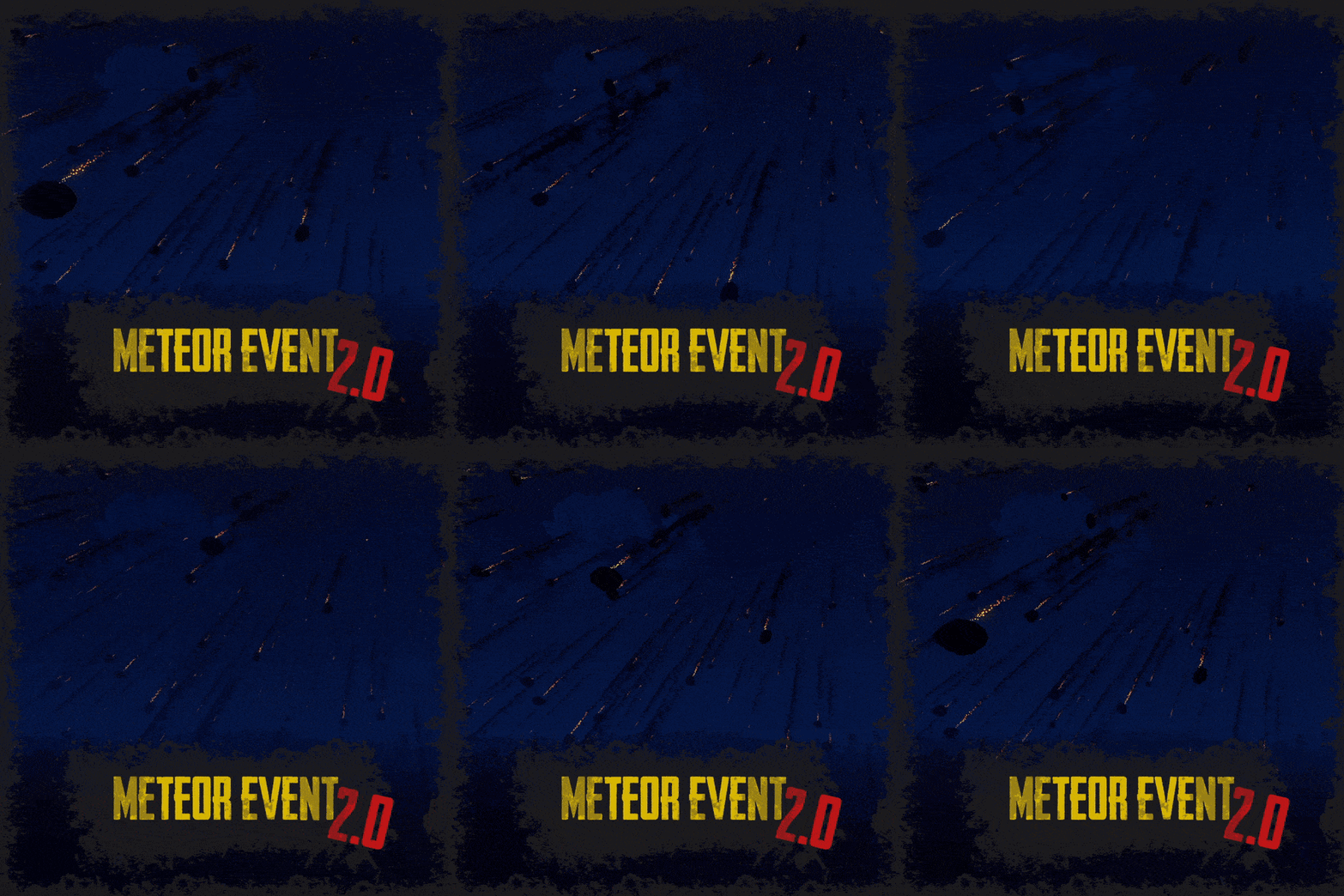 I think I know what you mean, for example you would like meteors to fall once every 2hrs and stay for only 15 minutes? Currently I think it's only possible to have it that the meteors disappear when the next ones come in. There is an option for the chance to start an event, so you could have it set that every 15 minutes there's a 10% chance they'll spawn. This will mean that after 15 minutes they will disappear and it'll have a random chance of triggering. Other than this, I think it would have to be a manual function to remove them without another event starting. There could be plugins out there that allow you to run timed commands, but I'm not familiar with any. Either way, this is a good suggestion.
 -
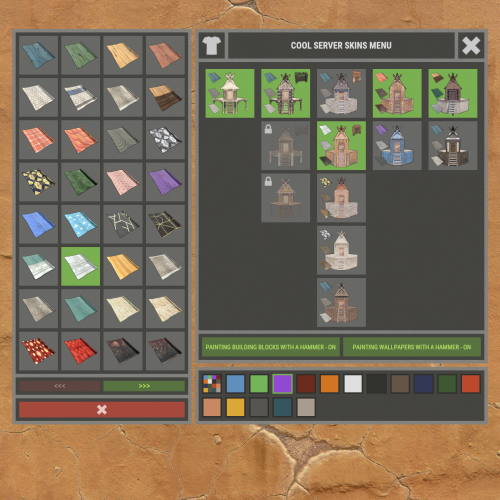 I do have that. I had to adjust the anchor points of that plugin as after the wipe the buttons for that were over the top of your plugin hiding them from being usable. I use reload after startup for the moment until I figure the conflict causing this. I'll keep you posted.
 -
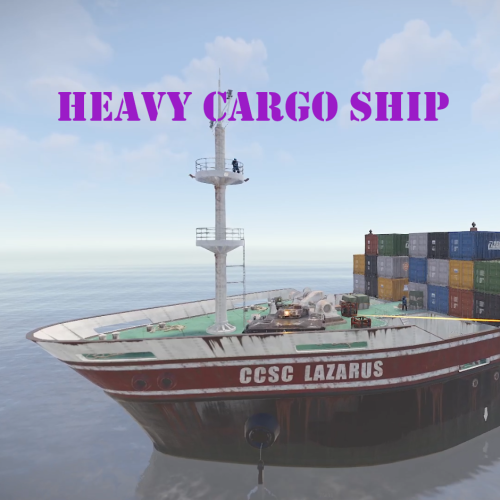 With this plugin, is it possible to disable Bradley from spawning in? I use Bradley tiers and some of them are massively overpowered and would make doing this impossible.
 -
Since the wipe on Thursday a couple of people have told me that the "paint the house" button does not work. The fix I've used is to just reload the plugin. Has anyone else come across this?
-
Ahh I see what you're saying. You're wanting a timestamp even if no updates are available. Sorry about the confusion, I misread that. Could a solution be that you read the time of the discord message where it says all have the latest version, it shows the date and time of that message? EDIT: Or do you have it set up that it edits & overwrites an old update so that you don't have an accurate time & date?
-
Doesn't it already do this?
-
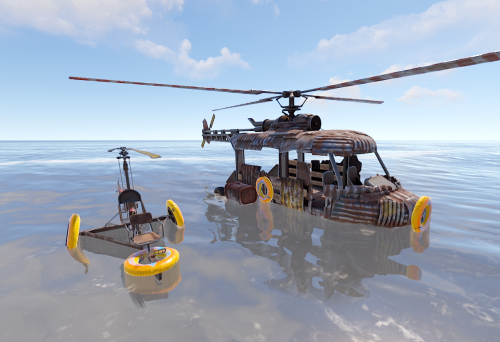 And are you using the update from yesterday?
 -
 UPDATED EDIT: The developer listened to the issues I've reported and has resolved and fixed these as of 1.0.30 The plugin now is working with full functionality, so thankfully I'm happy to report that everything I use is working as intended! I'm so happy that this plugin received this update because the GUI is unparalleled when it comes to loot table plugins. The ability to see what you're doing in real time while in-game is such a great feature. --------------------------------------------------------------------- (OLD OUTDATED REVIEW) Please take into account that I've written this review based on version 1.0.29. I bought this plugin because it was advertised as being able to add custom skinned additions to multiple containers etc. Unfortunately that has never worked for me, not once. I use many plugins with custom items ranging from skinned blood to skinned teas giving various items. It's not possible to do that with the current 1.0.29 version, again, even though it's advertised as being able to. I tried getting support for this issue on day one of me buying the plugin via the discussion section, I've tried opening a ticket and given the developer 7 weeks in total to try and help me. Unfortunately over the course of this 7 week period, all that was said is that it'll be fixed in a future update with no ETA given. This plugin has a very premium price tag to it, so you would kind of expect premium support to go along with it too. I've tried to be patient and understanding, but 7 weeks is a long time to wait for a major and premium plugin to be fixed. Unfortunately I've not tested any of the other features out on this plugin so I can't comment on that, but I see from other users that if you need a plugin to just control what drops, this sounds like it works. If you need a plugin to add skinned additional items to places, this will not work in it's current state for you.
- 1,144 comments
-
- 2
-
-
- #loot
- #customloot
- (and 13 more)
-
 A great suggestion.
 -
Thanks. So I noticed that you mentioned professions. This is a skill tree and not a profession plugin. If you want to allow only certain people access to specific trees it would be possible but it would be a lot of work. You would have to set individual permissions for each player for this to be possible. Each permission that you see, like mining, woodcutting etc will allow that player to access that tree. If you give these permissions to the "default" group, then everyone in default will have access to it. There is another plugin for professions called "Professions" that would allow you to do what you ask for.
-
 You're welcome! Sorry it took so long, but I'm happy to hear you've managed to get it working!
- 424 comments
-
- 2
-
-
-
- #helicopter
- #helicopters
- (and 17 more)
-
I've just ran this command from my console and it works fine for me. EDIT: I don't know your plugin or how it is supposed to work but maybe something like this could work for you: "Heli Supply (Easy)": { "DisplayName": "Heli Supply (Easy)" "Image": "https://steamcommunity.com/sharedfiles/filedetails/?id=2920175997" "Message": "Here's an Easy Heli Signal" "Command": "hsgive Easy {steamid}" "BuyPrice": 500 "Currency": "rp" }
.thumb.png.e62f5257380b8217743bbf1b39bb7d37.png)