
Covfefe
-
Posts
1,537 -
Joined
-
Last visited
-
Days Won
9
Content Type
Profiles
Warranty Claims
Downloads
Forums
Store
Services
Downloads Plus Support
DOWNLOADS EXTRA
Everything posted by Covfefe
-
.thumb.jpg.425107d4a2b497c23c20d9f3362e90b3.jpg) is it thirty five dollars for just one game or more squid games?
is it thirty five dollars for just one game or more squid games? -
 Ah okay, just wanted to know if it was possible. Thank you.
 -
 I'm noticing players are almost to the top, but then the event ends and everything is gone. I'm trying to ask you to add some type of event ending trigger at the top so the event only despawns when a player finishes it. Such as looting a crate ontop.
 -
What is your original language? I will try to get a native speaker to translate. I am asking if these crate and barrel animals have names such as "Crate Chicken" "Barrel Wolf" etc.. If not, I would like to ask you to implement that. Like how botspawn has configurable npc names. It would be nice if this plugin could do the same.
-
 I'm getting a lot of reports of playing dying when they reach their destination, because they didn't jump off.
 -
 Can we get a $15 halloween discount?
 -
 Can we get a $15 halloween sale?
 -
I want to know are the animals named. Like if you kill a crate wolf will the animal corpse say "Crate Wolf"? If not, can you implement this?
-
Are there names for the animals like "barrel wolf" "crate wolf" ?
-
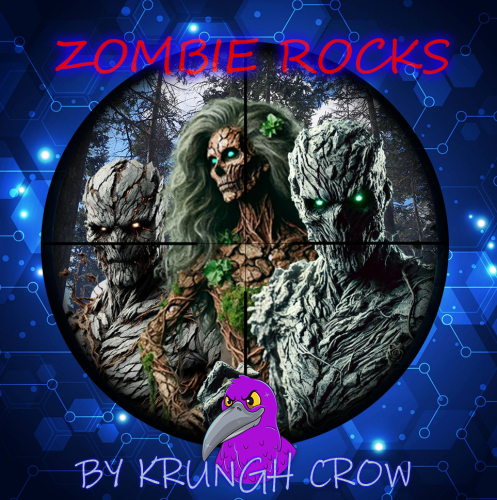 hahaha, zombies spawning from pumpkins with pumpkin heads. What would be the perfect roleplaying weapon for a pumpkin head zombie? butcher's knife?
 -
Didn’t see anything in console. Was watching a player farm nodes and trees in the same area and all the nodes were spawning zombies except for trees. It was a good nav mesh area too.
-
Anyone able to get the tree zombies to come out? I haven’t been able to yet, but the rock zombies work great. Maybe I should try no kit? { "Use Debug": false, "Tree spawns": { "Can spawn from trees": true, "Spawn chance (1-100%)": 100.0 }, "Node spawns": { "Stone Nodes": { "Can spawn from stone nodes": true, "Spawn chance (1-100%)": 100.0 }, "Sulfur Nodes": { "Can spawn from sulfur nodes": true, "Spawn chance (1-100%)": 100.0 }, "Metal Nodes": { "Can spawn from metal nodes": true, "Spawn chance (1-100%)": 100.0 } }, "NPC Settings": { "Spawn Amount": 1, "Health": 150, "Max Roam Distance": 20, "Damage multiplier": 1.0, "Lifetime (minutes)": 88000.0, "Use kit (clothing)": true, "Kit ID Rock Zombie": [ "zombierock" ], "Kit ID Tree Zombie": [ "zombietree" ], "Show messages": false, "NPC drop a Backpack with loot": false, "Use Random Skins": false,
- 49 comments
-
- 1
-

-
- #zombie
- #krungh crow
- (and 5 more)
-
Thank you. Mind giving the trees their own profile so we can give Tree zombies their own kits? Also can you name the tree zombies Tree Zombie. Thanks again
- 49 comments
-
- 1
-

-
- #zombie
- #krungh crow
- (and 5 more)
-
Request: -Implement trees if possible? thank you One more thing, any idea what this could be? Failed to call hook 'OnEntitySpawned' on plugin 'ZombieRocks v1.0.0' (NullReferenceException: Object reference not set to an instance of an object) at Oxide.Plugins.ZombieRocks.OnEntitySpawned (NPCPlayerCorpse corpse) [0x00018] in <1180976946ed456bb14efe87e90b8365>:0 at Oxide.Plugins.ZombieRocks.DirectCallHook (System.String name, System.Object& ret, System.Object[] args) [0x004ba] in <1180976946ed456bb14efe87e90b8365>:0 at Oxide.Plugins.CSharpPlugin.InvokeMethod (Oxide.Core.Plugins.HookMethod method, System.Object[] args) [0x00079] in <60c318df79ed41688ea59335e48d61ad>:0 at Oxide.Core.Plugins.CSPlugin.OnCallHook (System.String name, System.Object[] args) [0x000d8] in <9882f28dc2204b4dba514a9ad18f5042>:0 at Oxide.Core.Plugins.Plugin.CallHook (System.String hook, System.Object[] args) [0x00060] in <9882f28dc2204b4dba514a9ad18f5042>:0 I noticed it when the server was botting up
-
Can you add all the crate prefabs to the list please? I really don't want to go digging for all of them
-
so the event ends regardless if players kill all the scientists or not? cause when it ends, all the npcs are gone and players can just climb up to the dome and loot whatever they want without having to fight anything. Can you add an event trigger where it only ends when players kill all the tier3 scientists?
-
My players are having a lot of problems with the event restarting when they’re still on the dome causing npcs to respawn all around them when they just cleared out a bunch already. is there some type of event start and end trigger or does it just follow the timer? Please add some type of event ending trigger like a locked crate on top that needs to be hacked first before the event ends? This way players don’t get stuck on the dome with the event restarting all over them. Once a player hacks the locked crate or loots any boxes on top of the dome a cool down timer will start and then the event will start again at the end of that timer.
-
Anyone's dome heli not shooting at players anymore?
-
 I'm getting so much NRE that it's nearly crashing the server 22:13 [Error] Failed to call hook 'OnEntityDeath' on plugin 'Graves v1.1.1' (NullReferenceException: Object reference not set to an instance of an object) at Oxide.Plugins.Graves.OnEntityDeath (NPCPlayerApex npc, HitInfo info) [0x00000] in <35d6839c641d4c28962e491a7bd4de8f>:0 at Oxide.Plugins.Graves.DirectCallHook (System.String name, System.Object& ret, System.Object[] args) [0x00206] in <35d6839c641d4c28962e491a7bd4de8f>:0 at Oxide.Plugins.CSharpPlugin.InvokeMethod (Oxide.Core.Plugins.HookMethod method, System.Object[] args) [0x00079] in <60c318df79ed41688ea59335e48d61ad>:0 at Oxide.Core.Plugins.CSPlugin.OnCallHook (System.String name, System.Object[] args) [0x000d8] in <9882f28dc2204b4dba514a9ad18f5042>:0 at Oxide.Core.Plugins.Plugin.CallHook (System.String hook, System.Object[] args) [0x00060] in <9882f28dc2204b4dba514a9ad18f5042>:0 22:13 [Error] Failed to call hook 'OnEntityDeath' on plugin 'Graves v1.1.1' (NullReferenceException: Object reference not set to an instance of an object) at Oxide.Plugins.Graves.OnEntityDeath (NPCPlayerApex npc, HitInfo info) [0x00000] in <35d6839c641d4c28962e491a7bd4de8f>:0 at Oxide.Plugins.Graves.DirectCallHook (System.String name, System.Object& ret, System.Object[] args) [0x00206] in <35d6839c641d4c28962e491a7bd4de8f>:0 at Oxide.Plugins.CSharpPlugin.InvokeMethod (Oxide.Core.Plugins.HookMethod method, System.Object[] args) [0x00079] in <60c318df79ed41688ea59335e48d61ad>:0 at Oxide.Core.Plugins.CSPlugin.OnCallHook (System.String name, System.Object[] args) [0x000d8] in <9882f28dc2204b4dba514a9ad18f5042>:0 at Oxide.Core.Plugins.Plugin.CallHook (System.String hook, System.Object[] args) [0x00060] in <9882f28dc2204b4dba514a9ad18f5042>:0 22:13 [Error] Failed to call hook 'OnEntityDeath' on plugin 'Graves v1.1.1' (NullReferenceException: Object reference not set to an instance of an object) at Oxide.Plugins.Graves.OnEntityDeath (NPCPlayerApex npc, HitInfo info) [0x00000] in <35d6839c641d4c28962e491a7bd4de8f>:0 at Oxide.Plugins.Graves.DirectCallHook (System.String name, System.Object& ret, System.Object[] args) [0x00206] in <35d6839c641d4c28962e491a7bd4de8f>:0 at Oxide.Plugins.CSharpPlugin.InvokeMethod (Oxide.Core.Plugins.HookMethod method, System.Object[] args) [0x00079] in <60c318df79ed41688ea59335e48d61ad>:0 at Oxide.Core.Plugins.CSPlugin.OnCallHook (System.String name, System.Object[] args) [0x000d8] in <9882f28dc2204b4dba514a9ad18f5042>:0 at Oxide.Core.Plugins.Plugin.CallHook (System.String hook, System.Object[] args) [0x00060] in <9882f28dc2204b4dba514a9ad18f5042>:0 22:13 [Error] Failed to call hook 'OnEntityDeath' on plugin 'Graves v1.1.1' (NullReferenceException: Object reference not set to an instance of an object) at Oxide.Plugins.Graves.OnEntityDeath (NPCPlayerApex npc, HitInfo info) [0x00000] in <35d6839c641d4c28962e491a7bd4de8f>:0 at Oxide.Plugins.Graves.DirectCallHook (System.String name, System.Object& ret, System.Object[] args) [0x00206] in <35d6839c641d4c28962e491a7bd4de8f>:0 at Oxide.Plugins.CSharpPlugin.InvokeMethod (Oxide.Core.Plugins.HookMethod method, System.Object[] args) [0x00079] in <60c318df79ed41688ea59335e48d61ad>:0 at Oxide.Core.Plugins.CSPlugin.OnCallHook (System.String name, System.Object[] args) [0x000d8] in <9882f28dc2204b4dba514a9ad18f5042>:0 at Oxide.Core.Plugins.Plugin.CallHook (System.String hook, System.Object[] args) [0x00060] in <9882f28dc2204b4dba514a9ad18f5042>:0 22:13 [Error] Failed to call hook 'OnEntityDeath' on plugin 'Graves v1.1.1' (NullReferenceException: Object reference not set to an instance of an object) at Oxide.Plugins.Graves.OnEntityDeath (NPCPlayerApex npc, HitInfo info) [0x00000] in <35d6839c641d4c28962e491a7bd4de8f>:0 at Oxide.Plugins.Graves.DirectCallHook (System.String name, System.Object& ret, System.Object[] args) [0x00206] in <35d6839c641d4c28962e491a7bd4de8f>:0 at Oxide.Plugins.CSharpPlugin.InvokeMethod (Oxide.Core.Plugins.HookMethod method, System.Object[] args) [0x00079] in <60c318df79ed41688ea59335e48d61ad>:0 at Oxide.Core.Plugins.CSPlugin.OnCallHook (System.String name, System.Object[] args) [0x000d8] in <9882f28dc2204b4dba514a9ad18f5042>:0 at Oxide.Core.Plugins.Plugin.CallHook (System.String hook, System.Object[] args) [0x00060] in <9882f28dc2204b4dba514a9ad18f5042>:0 22:13 [Error] Failed to call hook 'OnEntityDeath' on plugin 'Graves v1.1.1' (NullReferenceException: Object reference not set to an instance of an object) at Oxide.Plugins.Graves.OnEntityDeath (NPCPlayerApex npc, HitInfo info) [0x00000] in <35d6839c641d4c28962e491a7bd4de8f>:0 at Oxide.Plugins.Graves.DirectCallHook (System.String name, System.Object& ret, System.Object[] args) [0x00206] in <35d6839c641d4c28962e491a7bd4de8f>:0 at Oxide.Plugins.CSharpPlugin.InvokeMethod (Oxide.Core.Plugins.HookMethod method, System.Object[] args) [0x00079] in <60c318df79ed41688ea59335e48d61ad>:0 at Oxide.Core.Plugins.CSPlugin.OnCallHook (System.String name, System.Object[] args) [0x000d8] in <9882f28dc2204b4dba514a9ad18f5042>:0 at Oxide.Core.Plugins.Plugin.CallHook (System.String hook, System.Object[] args) [0x00060] in <9882f28dc2204b4dba514a9ad18f5042>:0 22:13 [Error] Failed to call hook 'OnEntityDeath' on plugin 'Graves v1.1.1' (NullReferenceException: Object reference not set to an instance of an object) at Oxide.Plugins.Graves.OnEntityDeath (NPCPlayerApex npc, HitInfo info) [0x00000] in <35d6839c641d4c28962e491a7bd4de8f>:0 at Oxide.Plugins.Graves.DirectCallHook (System.String name, System.Object& ret, System.Object[] args) [0x00206] in <35d6839c641d4c28962e491a7bd4de8f>:0 at Oxide.Plugins.CSharpPlugin.InvokeMethod (Oxide.Core.Plugins.HookMethod method, System.Object[] args) [0x00079] in <60c318df79ed41688ea59335e48d61ad>:0 at Oxide.Core.Plugins.CSPlugin.OnCallHook (System.String name, System.Object[] args) [0x000d8] in <9882f28dc2204b4dba514a9ad18f5042>:0 at Oxide.Core.Plugins.Plugin.CallHook (System.String hook, System.Object[] args) [0x00060] in <9882f28dc2204b4dba514a9ad18f5042>:0 22:13 [Error] Failed to call hook 'OnEntityDeath' on plugin 'Graves v1.1.1' (NullReferenceException: Object reference not set to an instance of an object) at Oxide.Plugins.Graves.OnEntityDeath (NPCPlayerApex npc, HitInfo info) [0x00000] in <35d6839c641d4c28962e491a7bd4de8f>:0 at Oxide.Plugins.Graves.DirectCallHook (System.String name, System.Object& ret, System.Object[] args) [0x00206] in <35d6839c641d4c28962e491a7bd4de8f>:0 at Oxide.Plugins.CSharpPlugin.InvokeMethod (Oxide.Core.Plugins.HookMethod method, System.Object[] args) [0x00079] in <60c318df79ed41688ea59335e48d61ad>:0 at Oxide.Core.Plugins.CSPlugin.OnCallHook (System.String name, System.Object[] args) [0x000d8] in <9882f28dc2204b4dba514a9ad18f5042>:0 at Oxide.Core.Plugins.Plugin.CallHook (System.String hook, System.Object[] args) [0x00060] in <9882f28dc2204b4dba514a9ad18f5042>:0 22:13 [Error] Failed to call hook 'OnEntityDeath' on plugin 'Graves v1.1.1' (NullReferenceException: Object reference not set to an instance of an object) at Oxide.Plugins.Graves.OnEntityDeath (NPCPlayerApex npc, HitInfo info) [0x00000] in <35d6839c641d4c28962e491a7bd4de8f>:0 at Oxide.Plugins.Graves.DirectCallHook (System.String name, System.Object& ret, System.Object[] args) [0x00206] in <35d6839c641d4c28962e491a7bd4de8f>:0 at Oxide.Plugins.CSharpPlugin.InvokeMethod (Oxide.Core.Plugins.HookMethod method, System.Object[] args) [0x00079] in <60c318df79ed41688ea59335e48d61ad>:0 at Oxide.Core.Plugins.CSPlugin.OnCallHook (System.String name, System.Object[] args) [0x000d8] in <9882f28dc2204b4dba514a9ad18f5042>:0 at Oxide.Core.Plugins.Plugin.CallHook (System.String hook, System.Object[] args) [0x00060] in <9882f28dc2204b4dba514a9ad18f5042>:0 22:13 [Error] Failed to call hook 'OnEntityDeath' on plugin 'Graves v1.1.1' (NullReferenceException: Object reference not set to an instance of an object) at Oxide.Plugins.Graves.OnEntityDeath (NPCPlayerApex npc, HitInfo info) [0x00000] in <35d6839c641d4c28962e491a7bd4de8f>:0 at Oxide.Plugins.Graves.DirectCallHook (System.String name, System.Object& ret, System.Object[] args) [0x00206] in <35d6839c641d4c28962e491a7bd4de8f>:0 at Oxide.Plugins.CSharpPlugin.InvokeMethod (Oxide.Core.Plugins.HookMethod method, System.Object[] args) [0x00079] in <60c318df79ed41688ea59335e48d61ad>:0 at Oxide.Core.Plugins.CSPlugin.OnCallHook (System.String name, System.Object[] args) [0x000d8] in <9882f28dc2204b4dba514a9ad18f5042>:0 at Oxide.Core.Plugins.Plugin.CallHook (System.String hook, System.Object[] args) [0x00060] in <9882f28dc2204b4dba514a9ad18f5042>:0 22:13 [Error] Failed to call hook 'OnEntityDeath' on plugin 'Graves v1.1.1' (NullReferenceException: Object reference not set to an instance of an object) at Oxide.Plugins.Graves.OnEntityDeath (NPCPlayerApex npc, HitInfo info) [0x00000] in <35d6839c641d4c28962e491a7bd4de8f>:0 at Oxide.Plugins.Graves.DirectCallHook (System.String name, System.Object& ret, System.Object[] args) [0x00206] in <35d6839c641d4c28962e491a7bd4de8f>:0 at Oxide.Plugins.CSharpPlugin.InvokeMethod (Oxide.Core.Plugins.HookMethod method, System.Object[] args) [0x00079] in <60c318df79ed41688ea59335e48d61ad>:0 at Oxide.Core.Plugins.CSPlugin.OnCallHook (System.String name, System.Object[] args) [0x000d8] in <9882f28dc2204b4dba514a9ad18f5042>:0 at Oxide.Core.Plugins.Plugin.CallHook (System.String hook, System.Object[] args) [0x00060] in <9882f28dc2204b4dba514a9ad18f5042>:0 22:13 [Error] Failed to call hook 'OnEntityDeath' on plugin 'Graves v1.1.1' (NullReferenceException: Object reference not set to an instance of an object) at Oxide.Plugins.Graves.OnEntityDeath (NPCPlayerApex npc, HitInfo info) [0x00000] in <35d6839c641d4c28962e491a7bd4de8f>:0 at Oxide.Plugins.Graves.DirectCallHook (System.String name, System.Object& ret, System.Object[] args) [0x00206] in <35d6839c641d4c28962e491a7bd4de8f>:0 at Oxide.Plugins.CSharpPlugin.InvokeMethod (Oxide.Core.Plugins.HookMethod method, System.Object[] args) [0x00079] in <60c318df79ed41688ea59335e48d61ad>:0 at Oxide.Core.Plugins.CSPlugin.OnCallHook (System.String name, System.Object[] args) [0x000d8] in <9882f28dc2204b4dba514a9ad18f5042>:0 at Oxide.Core.Plugins.Plugin.CallHook (System.String hook, System.Object[] args) [0x00060] in <9882f28dc2204b4dba514a9ad18f5042>:0 22:13 [Error] Failed to call hook 'OnEntityDeath' on plugin 'Graves v1.1.1' (NullReferenceException: Object reference not set to an instance of an object) at Oxide.Plugins.Graves.OnEntityDeath (NPCPlayerApex npc, HitInfo info) [0x00000] in <35d6839c641d4c28962e491a7bd4de8f>:0 at Oxide.Plugins.Graves.DirectCallHook (System.String name, System.Object& ret, System.Object[] args) [0x00206] in <35d6839c641d4c28962e491a7bd4de8f>:0 at Oxide.Plugins.CSharpPlugin.InvokeMethod (Oxide.Core.Plugins.HookMethod method, System.Object[] args) [0x00079] in <60c318df79ed41688ea59335e48d61ad>:0 at Oxide.Core.Plugins.CSPlugin.OnCallHook (System.String name, System.Object[] args) [0x000d8] in <9882f28dc2204b4dba514a9ad18f5042>:0 at Oxide.Core.Plugins.Plugin.CallHook (System.String hook, System.Object[] args) [0x00060] in <9882f28dc2204b4dba514a9ad18f5042>:0 22:13 [Error] Failed to call hook 'OnEntityDeath' on plugin 'Graves v1.1.1' (NullReferenceException: Object reference not set to an instance of an object) at Oxide.Plugins.Graves.OnEntityDeath (NPCPlayerApex npc, HitInfo info) [0x00000] in <35d6839c641d4c28962e491a7bd4de8f>:0 at Oxide.Plugins.Graves.DirectCallHook (System.String name, System.Object& ret, System.Object[] args) [0x00206] in <35d6839c641d4c28962e491a7bd4de8f>:0 at Oxide.Plugins.CSharpPlugin.InvokeMethod (Oxide.Core.Plugins.HookMethod method, System.Object[] args) [0x00079] in <60c318df79ed41688ea59335e48d61ad>:0 at Oxide.Core.Plugins.CSPlugin.OnCallHook (System.String name, System.Object[] args) [0x000d8] in <9882f28dc2204b4dba514a9ad18f5042>:0 at Oxide.Core.Plugins.Plugin.CallHook (System.String hook, System.Object[] args) [0x00060] in <9882f28dc2204b4dba514a9ad18f5042>:0 22:13 [Error] Failed to call hook 'OnEntityDeath' on plugin 'Graves v1.1.1' (NullReferenceException: Object reference not set to an instance of an object) at Oxide.Plugins.Graves.OnEntityDeath (NPCPlayerApex npc, HitInfo info) [0x00000] in <35d6839c641d4c28962e491a7bd4de8f>:0 at Oxide.Plugins.Graves.DirectCallHook (System.String name, System.Object& ret, System.Object[] args) [0x00206] in <35d6839c641d4c28962e491a7bd4de8f>:0 at Oxide.Plugins.CSharpPlugin.InvokeMethod (Oxide.Core.Plugins.HookMethod method, System.Object[] args) [0x00079] in <60c318df79ed41688ea59335e48d61ad>:0 at Oxide.Core.Plugins.CSPlugin.OnCallHook (System.String name, System.Object[] args) [0x000d8] in <9882f28dc2204b4dba514a9ad18f5042>:0 at Oxide.Core.Plugins.Plugin.CallHook (System.String hook, System.Object[] args) [0x00060] in <9882f28dc2204b4dba514a9ad18f5042>:0 22:14 [Info] [Death Notes] Smallfry was killed by a Zombie @ Bandit Camp 22:14 [Error] Failed to call hook 'OnEntityDeath' on plugin 'Graves v1.1.1' (NullReferenceException: Object reference not set to an instance of an object) at Oxide.Plugins.Graves.OnEntityDeath (NPCPlayerApex npc, HitInfo info) [0x00000] in <35d6839c641d4c28962e491a7bd4de8f>:0 at Oxide.Plugins.Graves.DirectCallHook (System.String name, System.Object& ret, System.Object[] args) [0x00206] in <35d6839c641d4c28962e491a7bd4de8f>:0 at Oxide.Plugins.CSharpPlugin.InvokeMethod (Oxide.Core.Plugins.HookMethod method, System.Object[] args) [0x00079] in <60c318df79ed41688ea59335e48d61ad>:0 at Oxide.Core.Plugins.CSPlugin.OnCallHook (System.String name, System.Object[] args) [0x000d8] in <9882f28dc2204b4dba514a9ad18f5042>:0 at Oxide.Core.Plugins.Plugin.CallHook (System.String hook, System.Object[] args) [0x00060] in <9882f28dc2204b4dba514a9ad18f5042>:0
 -
 I did that and players still took damage when other players shot at them. I'm also getting this in console Failed to call hook 'OnEntityTakeDamage' on plugin 'PunishAttacker v1.4.1' (NullReferenceException: Object reference not set to an instance of an object) at Oxide.Plugins.PunishAttacker.IsClanMemberOrAlly (System.UInt64 userID, System.UInt64 targetID) [0x00013] in :0 at Oxide.Plugins.PunishAttacker.IsAlly (System.UInt64 userID, System.UInt64 targetID) [0x00014] in :0 at Oxide.Plugins.PunishAttacker.OnEntityTakeDamage (BasePlayer victim, HitInfo info) [0x00144] in :0 at Oxide.Plugins.PunishAttacker.DirectCallHook (System.String name, System.Object& ret, System.Object[] args) [0x005d1] in :0 at Oxide.Plugins.CSharpPlugin.InvokeMethod (Oxide.Core.Plugins.HookMethod method, System.Object[] args) [0x00079] in <60c318df79ed41688ea59335e48d61ad>:0 at Oxide.Core.Plugins.CSPlugin.OnCallHook (System.String name, System.Object[] args) [0x000d8] in <9882f28dc2204b4dba514a9ad18f5042>:0 at Oxide.Core.Plugins.Plugin.CallHook (System.String hook, System.Object[] args) [0x00060] in <9882f28dc2204b4dba514a9ad18f5042>:0
 -
 Does this plugin still work for you guys? Players no longer dance but the disco stuff still spawns
 -
Can I get some more insight from this review about scientists shooting through walls? "”Cool event in theory but it is very broken and cost a lot of money for something that has flaws that break the event. When players board the cargo ship they are shot by NPCs that are stuck inside the walls of the cargo ship and can do nothing about it. It is broken and I would avoid buying until they resolve this issue. Review will be update when issue is resolved.””
-
go to the lang file and change all the quotes to just "" nothing in between