.png.d75b533eb51a7998d5fee00e08a4e211.png)

-
Posts
102 -
Joined
-
Last visited
Content Type
Profiles
Warranty Claims
Downloads
Forums
Store
Services
Downloads Plus Support
DOWNLOADS EXTRA
Everything posted by Island Chronicles
-
 Hi, would it be possible to include the hiddenhackablecrate, which is missing from the invisible "assets/bundled/prefabs/modding/asset_store/hiddenhackablecrate.prefab"
- 1,144 comments
-
- 1
-

-
- #loot
- #customloot
- (and 13 more)
-
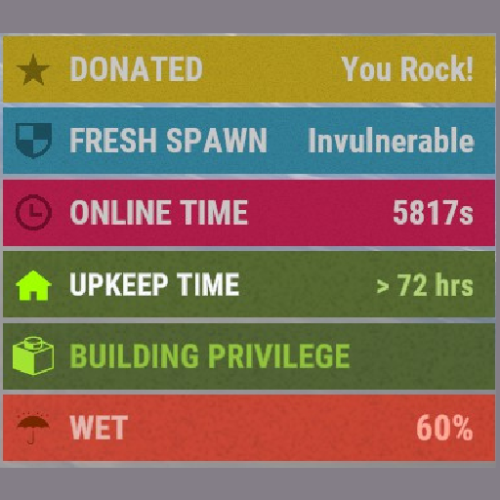 Hi, is there somehow the possibility to set a sort order? Because if I aktuallisiere by means of UpdateStatus, this is always displayed at the top, if you display the zones above it, as in our case, and the voice level above it, both swap positions again and again. It would be nicer if you can define a certain order, which e.g. only takes effect if the sorting != 0.
 -
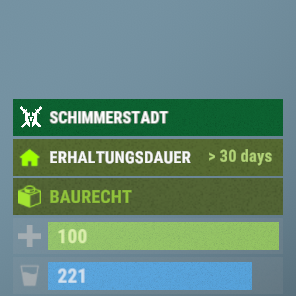
Version 1.0.6
22 downloads
The plugin displays the zone name with the deposited color. ATTENTION, from version 1.0.4 CustomStatusFramework is no longer supported!!!! Features: Auto update function of the zones names. Option to customize the text incl. colors and Zone Icons -------------------------------- Das Plugin zeigt den Zone Namen mit der hinterlegten Farbe an. ACHTUNG, ab Version 1.0.4 wird CustomStatusFramework nicht mehr unterstützt!!!! Merkmale: Auto Update Funktion der Zonen Namen. Option zur Anpassung des Textes inkl. der Farben und Zone Icons { "Main config": { "Debug": false, "Auto Name Update": true, "Default Zone Name": "RP", "Default PVP Icon": null, "Default PVE Icon": null }, "Zone Settings": { "": { "Zone Name": "", "Zone Background Color": "0.33 0.25 0.46 1", "Zone Text Color": "0.33 0.25 0.46 1" "Zone Show Icon": false, "Zone Icon": null }, "moderne": { "Zone Name": "Schimmerstadt", "Zone Background Color": "0.48 0.32 0.21 1", "Zone Text Color": "1 1 1 1" "Zone Show Icon": false, "Zone Icon": null } } }$4.99 -
 Hi, it would be nice if a plugin is updated, or at least before the next check, that this version numbers is also updated automatically in your config and you do not always have to change this manually. Edit: And of course, that the entry is removed, or is set to ignore, if you remove a plugin, it is just still queried plugins that we no longer have on our server, had to delete the now by hand raus, there would be nice if these are not present, at least automatically set to ignore.
 -
 Hi, I have a question, maybe you can help. We would like to use your cradio again, but unfortunately this clashes with our voice plugin, I guess it is because the range is changed and therefore no longer sufficient for your plugin. We use the VoiceLevels (https://codefling.com/plugins/voice-levels) which we have already slightly adjusted. In the VoiceLevel Plugin it leaves the original range at the phone if (player.activeTelephone != null) player.activeTelephone.OnReceivedVoiceFromUser(data); Is there also a way to query Cradio if it is currently in use? Then you could also pass the original range through there, then it should probably work again.
 -
 Will there also be a version for carbon? Because there it outputs the following: "Failed compiling 'C:\GameServer\RustLos-TestServer\carbon\plugins\SendPhotoDiscord.cs': 1. the name 'App' does not exist in the current context [CS0103]. (SendPhotoDiscord 45 line 491) 2. 'CuiInputFieldComponent' does not contain a definition for 'HudMenuInput' [CS0117] (SendPhotoDiscord 7 line 741)"
 -
 Hi, will there also be a version or update for carbon for this?
 -

Version 1.0.2
5 downloads
Are you tired of filling up multiple "public" containers only to see that person X has walked by and completely looted them? "STORAGE LOCK" is our solution. With a simple chat command you can now lock certain public containers. The command will automatically fill the containers with 1 or more predefined items. Already implemented containers: - Hitchtrough - Cursed Cauldron - Lantern - Tuna light - Skull fire pit - Hobo barrel - Bonfire - Chinese lantern - Fireplace - Fireplace - Tool cabinet Locked fireboxes do not turn off anymore, as far as the charcoal slot is full. (Attention: these containers do not produce charcoal at all). Just be sure to set the predefined amount of resources high enough so you don't get any nasty surprises. -------------------------------- Sind Sie es leid, immer wieder mehrere "öffentliche" Container aufzufüllen, nur um zu sehen, dass Person X vorbeigegangen ist und sie komplett geplündert hat? "STORAGE LOCK" ist unsere Lösung. Mit einem einfachen Chatbefehl könnt ihr nun bestimmte öffentliche Container sperren. Durch den Befehl werden die Container automatisch mit 1 oder mehreren vordefinierten Gegenständen gefüllt. Bereits implementierte Containers: - Hitchtrough - Verfluchter Kessel - Laterne - Tunalicht - Totenkopf-Feuergrube - Hobo-Fass - Lagerfeuer - Chinesische Laterne - Feuerstelle - Feuerstelle - Werkzeugschrank Verschlossene Brennbehälter schalten sich nicht meh aus, insofern der Holzkohleslot voll ist. (Achtung: Diese Container produzieren gar keine Holzkohle) Achten Sie nur darauf, die vordefinierte Menge an Ressourcen hoch genug einzustellen, damit Sie keine bösen Überraschungen erleben. { "Main config": { "Debug": false, "Use Permissions": true, "Use Permission": "storagelock.use", "Auto Lock Permission": "storagelock.autolock", "Chaticon": 76561199180049293, "Chat Prefix": "[<color=#00ffff>StorageLock</color>] ", "Chat Command": "lock", "Items set invulnerable?": true }, "Container Settings": { "hitchtrough.deployed": { "Items": [ { "Input Item": "pumpkin", "Input Amount": 10000 } ], "Remove charcoal": false, "Autolock when player has permission": true }, "cursedcauldron.deployed": { "Items": [ { "Input Item": "wood", "Input Amount": 100000 } ], "Remove charcoal": true, "Autolock when player has permission": true }, "lantern.deployed": { "Items": [ { "Input Item": "lowgradefuel", "Input Amount": 100000 } ], "Remove charcoal": false, "Autolock when player has permission": true }, "tunalight.deployed": { "Items": [ { "Input Item": "lowgradefuel", "Input Amount": 100000 } ], "Remove charcoal": false, "Autolock when player has permission": true }, "skull_fire_pit": { "Items": [ { "Input Item": "wood", "Input Amount": 100000 } ], "Remove charcoal": true, "Autolock when player has permission": true }, "hobobarrel.deployed": { "Items": [ { "Input Item": "wood", "Input Amount": 100000 } ], "Remove charcoal": true, "Autolock when player has permission": true }, "campfire": { "Items": [ { "Input Item": "wood", "Input Amount": 100000 } ], "Remove charcoal": true, "Autolock when player has permission": true }, "campfire_static": { "Items": [ { "Input Item": "wood", "Input Amount": 100000 } ], "Remove charcoal": true, "Autolock when player has permission": true }, "chineselantern.deployed": { "Items": [ { "Input Item": "lowgradefuel", "Input Amount": 100000 } ], "Remove charcoal": false, "Autolock when player has permission": true }, "furnace": { "Items": [ { "Input Item": "wood", "Input Amount": 100000 } ], "Remove charcoal": true, "Autolock when player has permission": true }, "fireplace.deployed": { "Items": [ { "Input Item": "wood", "Input Amount": 100000 } ], "Remove charcoal": true, "Autolock when player has permission": true }, "cupboard.tool.deployed": { "Items": [ { "Input Item": "wood", "Input Amount": 1000000 }, { "Input Item": "stones", "Input Amount": 1000000 }, { "Input Item": "metal.fragments", "Input Amount": 1000000 }, { "Input Item": "metal.refined", "Input Amount": 1000000 } ], "Remove charcoal": false, "Autolock when player has permission": true } } }$4.99 -
 [TactiDllPluginLoader]: Loading C:\GameServer\RustLos\oxide\plugins\IMRGAntiTerrainDeath.dll... IMR .dll Verification failed. Please install the newest version of the IMR Tools Package and the newest version of IMRGAntiTerrainDeath. If you are still having trouble after that feel free to contact IMR Games (by creating a Suppport Request) on the website you bought this plugin from. Please be sure to supply the below information should contacting IMR Games be necessary: System.Exception: Verify C:\GameServer\RustLos\oxide\temp\tacticompiler\IMRGAntiTerrainDeath_2b375fe7_9745_4ed7_82fb_9831c74be045 ---> Oxide.TactiDllPluginLoader.DllVerifyException: Member Reference LogToFile (RID: 24) in [Unknown Parent] not found void Oxide.Plugins.CSharpPlugin.LogToFile(string,string,Oxide.Core.Plugins.Plugin,bool) at Oxide.TactiDllPluginLoader.Verify.VerifyAssemblyInternal (System.Reflection.Assembly assem, System.String assemPath) [0x00200] in <be87a326de994b6891a36c917b26c050>:0 at Oxide.TactiDllPluginLoader.Verify.VerifyAssembly (System.Reflection.Assembly assem, System.String assemPath, System.String plName) [0x00024] in <be87a326de994b6891a36c917b26c050>:0 --- End of inner exception stack trace --- at Oxide.TactiDllPluginLoader.Verify.VerifyAssembly (System.Reflection.Assembly assem, System.String assemPath, System.String plName) [0x0003f] in <be87a326de994b6891a36c917b26c050>:0 Could not load plugin IMRGAntiTerrainDeath (Exception: .dll Verification Failed. Please see line above plugin initialize message) at Oxide.TactiDllPluginLoader.Verify.VerifyAssembly (System.Reflection.Assembly assem, System.String assemPath, System.String plName) [0x00071] in <be87a326de994b6891a36c917b26c050>:0 at Oxide.Core.Plugins.TactiDllPluginLoader.GetPlugin (System.String filename) [0x00066] in <be87a326de994b6891a36c917b26c050>:0
 -
 What is the current status of the change? Is it already in progress?
 -
 So I can take ID 4531564 out there, for example? But the problem is that my plugin has a simple solution and it would not be compatible with yours. And in your script only 4 lines would have to be added, which I can even give you with line numbers where these would have to be added
 -
Among other things, we use ingame deployed for lighting, which are locked. But if they produce locked charcoal, they will run out after a while because they are locked
-
Hi, could you maybe add a query when creating the charcoal? "if (oven.allowByproductCreation == false)" Would like to use a plugin to do the charcoal creation for a few certain objects, the plugin overrides the default if this is activated and there is no way to pass this to the individual objects, so my suggestion would be to query Rust's own query as well. Then I can pass this to the object. I am happy to PM you an excerpt of how I changed this in the SimpleSplitter to ensure this
-
 delete
 -
Are there already updates to the Blueprints? Is this already in progress? So that we can plan whether we have to use a different loottable for the next season or whether the days an update comes with it.
-
Hi, is there a way to set one door as an entrance and another only as an exit? If not, would it be possible to add this?
-
duplicate
-
duplicate
-
 Is it possible to deposit an exchange course for the respective economics. Example if ServerRewards has (1 Scrap/Rust Taler) => Economy (250 Scrap/Rustis), an item that costs 200 Scrap would cost 200 Rust Talers, which would cost 50,000 Scrap. And/or That you could store the currency (optional) for each category
 -
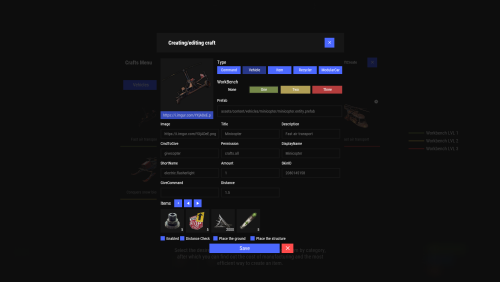 Hi, unfortunately not at the moment, but @Meventsince you have already installed this in your shop plugin, opening tabs (categories) via an NPC would certainly be possible and we could also install this function very well on our RP server.
 -
That would be awesome if that comes, do you think you can do it by the next wipe? We would like to use that, the sooner, the better, to make adjustments and balancing, of course
-
Does anyone have experience with blueprints being added via the loot table? When we add blueprints, they are not displayed even though they are at 100% (empty field) and after the box is empty, it doesn't disappear. Did I do something wrong there?
-
We have also activated Quicksmelt and use "stacks", as I said with version 2.1.1 it still worked without any problems.
-
 When will the updates that are already available on Lone Design come?
 -
Hi I noticed that since the update 2.1.3 the refinery_small_deployed no longer works properly, it now consumes more wood than is calculated. Overrides is at 2 in the configuration for the refinery_small_deployed, previously it was 1000 Stack took 501 wood, it still calculates this, but only processes 334 Crude Oil instead of the 1000, so it would now be using 1501 wood. So an error crept in with the update We've switched back to version 2.1.1