
-
Posts
874 -
Joined
-
Days Won
14
Content Type
Profiles
Warranty Claims
Downloads
Forums
Store
Services
Downloads Plus Support
DOWNLOADS EXTRA
Reels
Everything posted by Fusion 3.64
-
 Why not report the bug and make suggestions to the "new" dev in the support section. You won't accomplish much here.
- 198 comments
-
- 1
-

-
- #rust plugin
- #custom rust plugin
- (and 2 more)
-
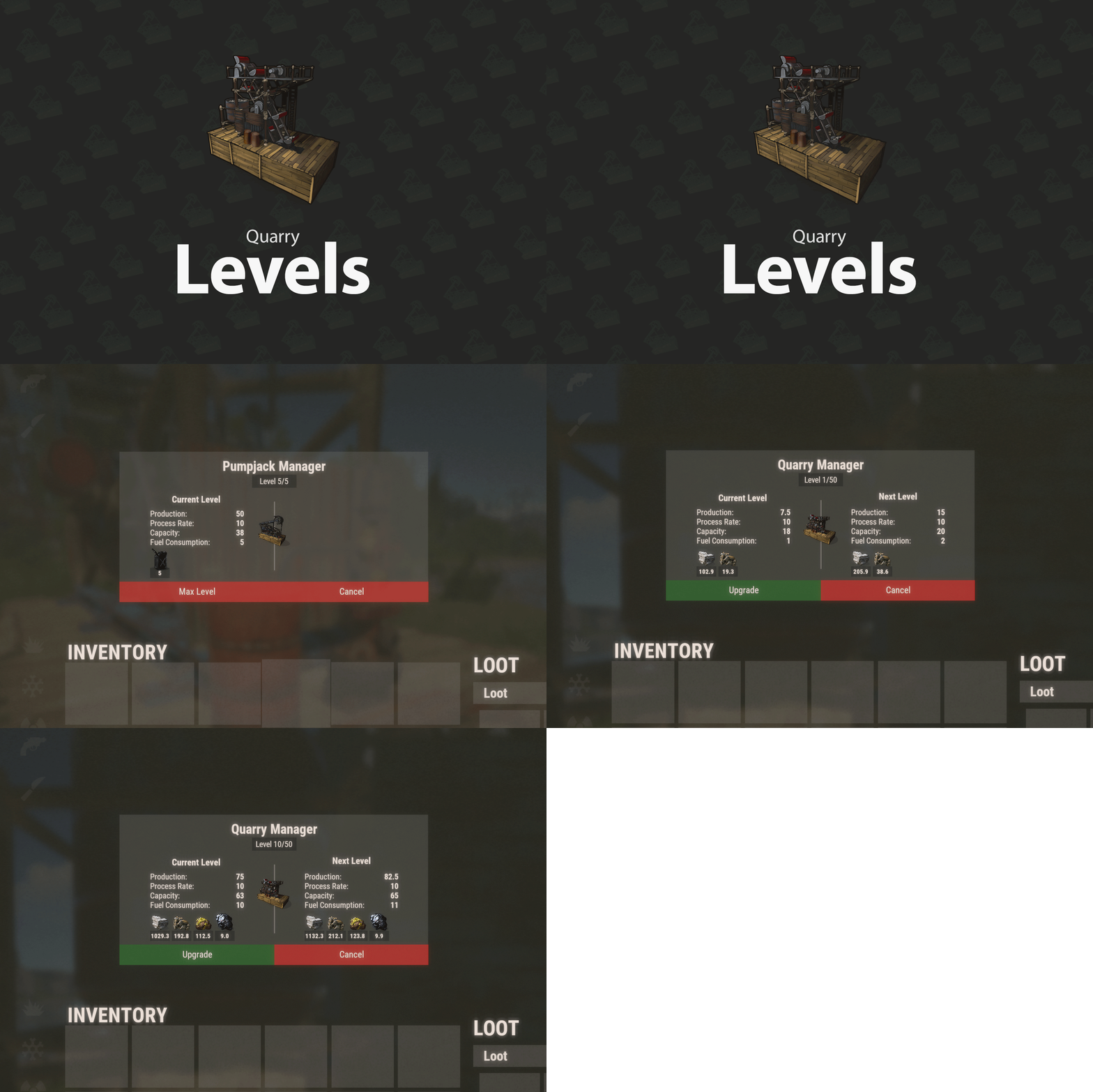
I'm currently running 1.1.1 (Loaded plugin QuarryLevels v1.1.1 by Death (edit by Raul-Sorin Sorban)) and just had a player send me this I'm not sure if this is the fuel error people have been mentioning. Were there any recent config changes? So just needed diesel. Everything is fine.
- 198 comments
-
- 1
-
-
- #rust plugin
- #custom rust plugin
- (and 2 more)
-
Use https://umod.org/plugins/extra-gather-bonuses Add them to drop from whatever you want and make sure the skins match the Recipes and Custom_Names(ingredients) Also, while I'm here @David Would you be willing to pick up and maintain this plugin or create something similar to it? It's currently abandoned. We have to edit the plugin ourselves in order for items to drop from planter boxes and it throws constant errors in console.
-
 @Steenamaroo I'm not sure if this is a new conflict (Always possible with my loadout) or a possible update bug. But the NPCs are no longer spawning with the supply drops. I haven't made any changes to the data/config. I'm also current (Loaded plugin BotReSpawn v1.1.5 by Steenamaroo). I checked this time
 -
I noticed today (just purchased it) on the latest english version that the message color section seems to be missing. There's an option for drop down or slider. But no section for permissions and colors.
-
Every capital letter after the first doesn't register.
Fusion 3.64 replied to Zienem's Support Report in Support
"Enable message formatting [Will control caps, message format] (true - yes/false - no)": true, Edit: If you have this set to true you can only have one capital letter in the sentence. Or maybe the whole message. I'm not sure which at the moment. It's probably best to just disable this as it tends to piss off players. At least in my experience. -
No worries. Doesn't really matter to me when it goes through. I'm just glad you're up for it If you don't think it would be a logical addition to the plugin you don't have to add it. But if you do. Please do.
-
Understood. I missed the previous posts. This is also a new person maintaining the plugin. I have no idea how long they have been working on it. I just noticed on todays update that it wasn't the original anymore. The dev maintaining this if it's who I think it is, is actually pretty good about responding. So I don't know when they picked this up. I'm guessing very recently. I've also been told by several devs that posting in the discussion forums doesn't always alert them and it's best to post in the support section if you're having an issue.
- 198 comments
-
- 1
-
-
- #rust plugin
- #custom rust plugin
- (and 2 more)
-
Awesome. I figured it would be good to add in at some point. Aside from my own needs I thought others could use it as well.
-
Plugin developers have lives outside of Rust. It's a work day. I'm sure you'll get a response after they get home.
- 198 comments
-
- 2
-
-

-
- #rust plugin
- #custom rust plugin
- (and 2 more)
-
So I was thinking of how to distribute loot across the chests a bit more and realized all the stacks are set to -1 by default. Makes perfect sense in general. But I realized (if I'm understanding things right) that if they're set to vanilla stacks it would fluff things up a bit and fill up the boxes better. Would you be willing/able to create a command along the lines of rb stacksize expert vanilla rb stacksize easy -1 This would save a lot of time if we would run a quick edit on the entire file then make any additional changes to the file afterwards. Edit: I realize that the default is already -1 But being able to set it back to -1 if you screw something up would be an important ability.
-
Understood. I did see that you were moving and i actually wasn't expecting an answer this soon. But I'll contact you on discord with any further questions.
-
I'm new to the use of harmony plugins. They seem pretty straight forward. Drop them into the folder they're made for. Start the server. But when I load Core.Deployables the server gets stuck in a crash loop. This happens on it's own and with all the included plugins. I have pulled all oxide plugins to make sure it's not a conflict. I did remove the rustedit.dll as well. So I don't really know what's going on.
-
.thumb.png.a3b91000432eb24ac6db388deccaf489.png) Pack one is old. Pack two is new. Both are on sale, but the newer one has a lower discount than the older one because that's how things generally work. When pack three comes out you'll see the same thing.
Pack one is old. Pack two is new. Both are on sale, but the newer one has a lower discount than the older one because that's how things generally work. When pack three comes out you'll see the same thing.- 22 comments
-
- 1
-
-
- #bases
- #raidablebase
- (and 5 more)
-
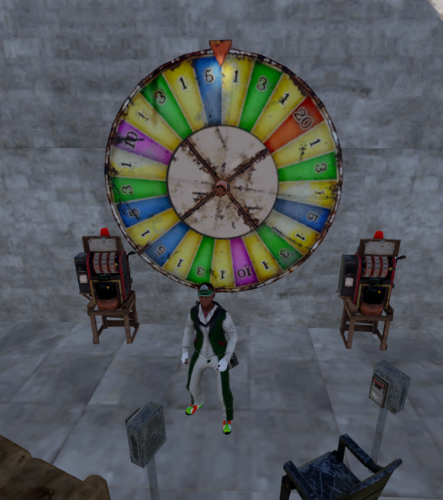 Thank you for your response. That would be a great addition. While the standard does exactly what a 3 person table does, some players just like to have the variety. And yes, I do mean from the train cart. Currently I'm just having them spawn at the outpost using MonumentAddons. Placement has been a little janky with PlaceAnything. At least for me. I probably need to adjust something. I'll be picking this up shortly and starting the server adjustment over on my test.
 -
@NooBletDoes this plugin offer all size poker tables or just the large? Also are you planning on adding the blackjackmachine? I'm currently using place anything and it does what i need. But I like the concept of the collection box as well as altering the permitted items for betting. The answers won't make or break my decision on the purchase. It'll just set the changes to my server.
-
Thank you.
-
There's a perk in the plugin that prevents/slows condition loss. When in a raid zone it seems to be disabled. Now that I think about it, is there a zone flag that's doing this or a possible setting I may have overlooked?
-
Understood. Will do.
-
 That would be perfect While I agree with you. The persistence of the players will wear you down. You have to come to a middleground. My preferences would be no notification/no marker, but I know for a fact those settings would not have gone over well at all.
 -
@imthenewguy i've gotten a few requests from some players. They're all about getting to the vendors before they despawn. But they tend to miss the chat notifications. Some have asked for a timer UI. Others asked for discord notifications. My thought is possibly adding support for some UI notification plugins. That way they get something a little more in your face. After that they're on their own.
-
Combat maintenance perk is disabled while in a raid zone. Seems to operate fine otherwise.
-
Request: Informational chat notification
Fusion 3.64 replied to Fusion 3.64's Support Report in Support
It would be helpful for servers that have a high content of custom items. It would be along the lines of smart chat bot. Just making the move before the player can say anything. At least that's how I view it. And you wouldn't need to fuss with the keywords and percentage to make sure the player hits one of them. Thinking about it more, using something like UINotify or a similar plugin would be more logical since chat isn't really be visible during the looting process. Maybe even using the native blue popup notification would work. As long as they haven't disabled it that is. That can be activated per player can't it? -
FurnaceLevels changes do not apply when OGFurnace is running. Turn On/Turn Off button continues to display Turn On unless I unload FurnaceLevels. It does toggle between on and off. Currently the only plugins running are OGSplitter, OGFurnace and FurnaceLevels. ImageLibrary and Whitelist
-
When running the splitter in the static bbq food will be distributed across the input and output. Only active plugive are OGSplitter and Whitelist. Same result when Whitelist is inactive.