K9N_Twitch
-
Posts
517 -
Joined
-
Last visited
Content Type
Profiles
Warranty Claims
Downloads
Forums
Store
Services
Downloads Plus Support
DOWNLOADS EXTRA
Reels
Everything posted by K9N_Twitch
-
1. Argument 1: cannot convert from 'Facepunch.StringView' to 'string' [CS1503] (HeadLight 57 line 111)
-

Question about high memory usage in Quality Crafting plugin
K9N_Twitch replied to K9N_Twitch's Support Report in Support
@Mr01sam -
Question about high memory usage in Quality Crafting plugin
K9N_Twitch replied to K9N_Twitch's Support Report in Support
QualityCrafting is causing extremely high profiler usage on Carbon. Profiler results: - 91,997ms hook time - 4,085,785 hook fires - ~1.1GB memory usage This appears to scale heavily with player activity and inventory interactions. Possible bottlenecks may include: - item/container hooks firing excessively - repeated quality recalculations - large cached item data - per-item processing during inventory changes - frequent serialization or data updates Server FPS drops significantly with more active players. -
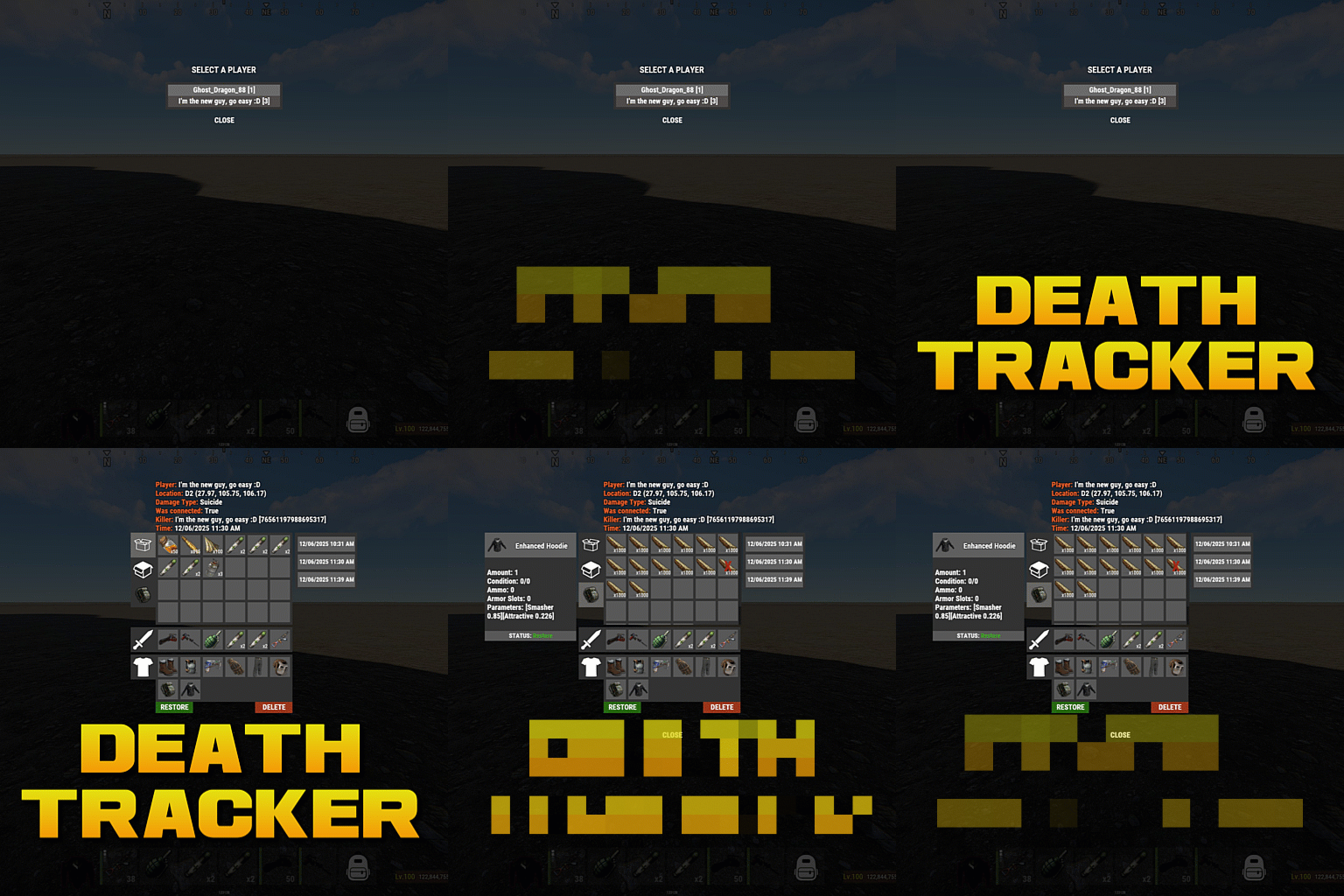 I have a suggestion to improve the workflow for admins. Currently, we need to check the index number every time we want to restore items. Would it be possible to add a command that directly restores items from the "most recent death" by simply specifying the PlayerID or Name? Eliminating the step to look up the index number would make it much faster to assist players. Thanks for considering this!
 -
 While the plugin functions as intended, be aware that the developer has a "DIY" stance toward maintenance. Following the May 2026 Rust update, default coordinates for monuments like Military Tunnels and Missile Silos cause instant "InsideTerrain Violation" deaths. I reported this to the developer, suggesting an update to the default presets for the benefit of all users. However, the response was that there is no need to update because users can change the config themselves. If you're looking for a "plug and play" experience, this isn't it. You will need to manually re-fetch and update all monument coordinates yourself every time Rust changes monument heights. The plugin is fine, but the lack of proactive support for vanilla map changes is disappointing. ==== プラグイン自体の機能は便利ですが、Rust本体のアップデート(Military Tunnels等の高さ変更)に対してデフォルト設定が更新されていません。そのまま使うとテレポート先で地形違反(InsideTerrain Violation)により即死します。 作者に改善を提案しましたが、「各ユーザーが設定で直せるのでアップデートの必要はない」との回答でした。今後もRust本体の仕様変更に合わせて作者がプリセットを更新する可能性は低いため、導入する際はすべての座標を自分で再設定する覚悟が必要です。設定自体は /makeportal コマンドで可能ですが、手間がかかる点に注意してください。
 -
Teleporting to Military Tunnels causes "InsideTerrain Violation" death
K9N_Twitch replied to K9N_Twitch's Support Report in Support
I'll give it a try. Thank you. By the way, I imagine others who use this plugin in the future will run into this issue as well. Do you have any plans to update the plugi -
Teleporting to Military Tunnels causes "InsideTerrain Violation" death
K9N_Twitch replied to K9N_Twitch's Support Report in Support
Thank you for your reply. It seems this is due to the May update, which adjusted the heights of military tunnels, missile silos, and large caves. Would it be possible to fix this in one go? -
Teleporting to Military Tunnels causes "InsideTerrain Violation" death
K9N_Twitch posted A Support Report in Support
Hi, I’m encountering an issue with Portals Plus. When players use a portal to teleport to the Military Tunnels, they are instantly killed with the following error: InsideTerrain Violation Level 200 It seems the destination point is being flagged by Rust's anti-hack system for being inside or too close to the terrain. Is there a way to adjust the spawn offset or safe-check the position before teleporting? Thank you! -
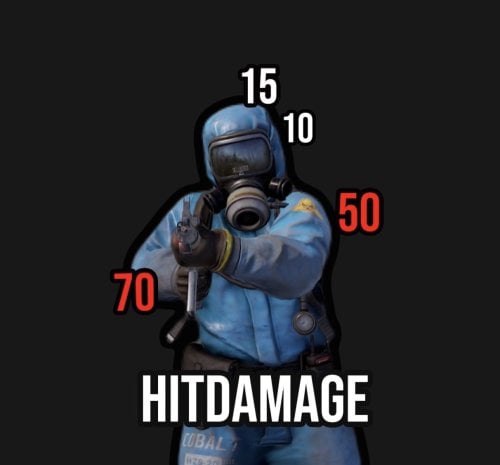 is there a way to activate or deactivate the hit function for player?
 -
Failed compiling 'NadePlus.cs': 05/08 08:41:58 | 1. 'PlayerMetabolism' does not contain a definition for 'SendChangesToClient' and no accessible extension method 'SendChangesToClient' accepting a first argument of type 'PlayerMetabolism' could be found (are you missing a using directive or an assembly reference?) [CS1061] (NadePlus 30 line 565)
-
All default icons failing to download (Request timeout on megargan.foxplugins.ru)
K9N_Twitch replied to K9N_Twitch's Support Report in Support
@megargan -
Tasks start correctly but UI remains invisible
K9N_Twitch replied to K9N_Twitch's Support Report in Support
Thank you for the quick response! You are exactly right—I was testing the plugin while vanished/invisible as an admin, which is why the UI wasn't appearing for me. I am relieved to hear that this is a known issue and will be addressed in the upcoming patch 1.2.1 with the new toggle option. I’ll look forward to the update! Best regards, -
Hi, I am reporting a critical UI bug in RoamTasks where the task interface does not appear on the screen even after a task has successfully started. [Problem Description] The Issue: When a player starts a task, the task initiation is confirmed (e.g., via console or other triggers), but the On-Screen UI (HUD) is not displayed. Impact: Players cannot see their progress, targets, or active tasks, making the plugin non-functional from a user perspective. Could you please investigate if there are any compatibility issues with the current Rust UI (CUI) system or if specific configuration settings are causing the UI to stay hidden? Thank you for your help. "UI Location X": 0.5, "UI Location Y": 0.0, "UI: Main Progress Bar Enabled": true, "UI: Fade In Seconds": 0.369, "UI: Fade Out Seconds": 0.369, "UI: Main Roam HUD Accent Color": "0.438 0.572 0.182 0.95", "UI: Completion Toast Enabled": true, "UI: Completion Toast Seconds": 1.8, "UI: Completion Toast Text": "Roam Complete", "UI: Completion Toast Accent Color": "0.438 0.572 0.182 0.95", "Performance: Mounted Distance Update Interval Seconds": 2.333, "Performance: Monument Stay Update Interval Seconds": 1.0, "Experimental: Enable Internal/Patch Hooks": true,
-
Feature Request: Support for localizing Task Names in language files
K9N_Twitch posted A Support Report in Support
Hi, I am really enjoying using RoamTasks on my server. It’s a great addition to the player experience! I would like to suggest a feature that would be very helpful for non-English or multi-language servers: The ability to translate Task Names via the plugin's language files (Localization). [Current Situation] Currently, it seems that task names are defined directly in the configuration or hardcoded, which makes it difficult to provide translated task descriptions for players who speak different languages. [Proposed Change] It would be amazing if the task names could be registered in the oxide/lang (or Carbon equivalent) files. For example: Instead of displaying a raw string from the config, the plugin could look for a lang key such as "Task_CollectWood". This would allow us to provide translations like "木材を収集する" for Japanese players or "Collect Wood" for English players automatically based on their client language. [Benefit] This change would significantly improve the accessibility and professional feel of the plugin for international communities. Thank you for considering this request and for your hard work on this plugin! -
Background images failing to load (Rust logo placeholder appearing in MGAlerts)
K9N_Twitch posted A Support Report in Support
Hi, I am reporting an issue with MGAlerts where the background images for the text boxes are failing to load. Currently, instead of the custom background, the default Rust logo placeholder is being displayed. [Issue Description] The plugin attempts to download background assets from megargan.foxplugins.ru, but the requests are timing out (Request timeout). This results in the UI displaying the fallback Rust logo, making the text boxes look broken or unprofessional. [Error Context] It seems the image hosting server used for your plugins (foxplugins.ru) is currently unreachable. Could you please provide an update with mirrored image links or allow us to use local assets as a workaround? Thank you for your assistance. -
All default icons failing to download (Request timeout on megargan.foxplugins.ru)
K9N_Twitch posted A Support Report in Support
Hi, I am experiencing an issue where all panel icons fail to load on my server. According to the logs, the default image host megargan.foxplugins.ru is timing out for every request. [Error Log] 2026/04/6 07:10:49 | [MgPanel] Interface loaded successfully! 2026/04/6 07:10:46 | [MgPanel] Generating interface... 2026/04/6 07:10:41 | [MgPanel] Downloading images... 2026/04/6 07:10:36 | [MgPanel] Downloading images... 2026/04/6 07:10:31 | [MgPanel] Downloading images... 2026/04/6 07:10:26 | [MgPanel] Downloading images... 2026/04/6 07:10:21 | [MgPanel] Downloading images... 2026/04/6 07:10:20 | Image batch (MgPanel) has been stored successfully 2026/04/6 07:10:20 | Image failed to download! Error: Request timeout - Image Name: https://megargan.foxplugins.ru/Image/MgPanel/clock.png_0 - Image URL: https://megargan.foxplugins.ru/Image/MgPanel/clock.png 2026/04/6 07:10:16 | [MgPanel] Downloading images... 2026/04/6 07:10:11 | [MgPanel] Downloading images... 2026/04/6 07:10:06 | [MgPanel] Downloading images... 2026/04/6 07:10:01 | [MgPanel] Downloading images... 2026/04/6 07:09:59 | MgPanel storage process at 86% (6/7) 2026/04/6 07:09:59 | Image failed to download! Error: Request timeout - Image Name: https://megargan.foxplugins.ru/Image/MgPanel/plate.png_0 - Image URL: https://megargan.foxplugins.ru/Image/MgPanel/plate.png 2026/04/6 07:09:56 | [MgPanel] Downloading images... 2026/04/6 07:09:51 | [MgPanel] Downloading images... 2026/04/6 07:09:46 | [MgPanel] Downloading images... 2026/04/6 07:09:41 | [MgPanel] Downloading images... 2026/04/6 07:09:38 | MgPanel storage process at 71% (5/7) 2026/04/6 07:09:38 | Image failed to download! Error: Request timeout - Image Name: https://megargan.foxplugins.ru/Image/MgPanel/window.png_0 - Image URL: https://megargan.foxplugins.ru/Image/MgPanel/window.png 2026/04/6 07:09:35 | [MgPanel] Downloading images... 2026/04/6 07:09:30 | [MgPanel] Downloading images... 2026/04/6 07:09:25 | [MgPanel] Downloading images... 2026/04/6 07:09:20 | [MgPanel] Downloading images... 2026/04/6 07:09:17 | Image failed to download! Error: Request timeout - Image Name: https://megargan.foxplugins.ru/Image/MgPanel/tank.png_0 - Image URL: https://megargan.foxplugins.ru/Image/MgPanel/tank.png 2026/04/6 07:09:15 | [MgPanel] Downloading images... 2026/04/6 07:09:10 | [MgPanel] Downloading images... 2026/04/6 07:09:05 | [MgPanel] Downloading images... 2026/04/6 07:08:58 | [MgPanel] Downloading images... 2026/04/6 07:08:56 | MgPanel storage process at 43% (3/7) 2026/04/6 07:08:56 | Image failed to download! Error: Request timeout - Image Name: https://megargan.foxplugins.ru/Image/MgPanel/cargo.png_0 - Image URL: https://megargan.foxplugins.ru/Image/MgPanel/cargo.png 2026/04/6 07:08:53 | [MgPanel] Downloading images... 2026/04/6 07:08:48 | [MgPanel] Downloading images... 2026/04/6 07:08:43 | [MgPanel] Downloading images... 2026/04/6 07:08:37 | [MgPanel] Downloading images... 2026/04/6 07:08:35 | MgPanel storage process at 29% (2/7) 2026/04/6 07:08:35 | Image failed to download! Error: Request timeout - Image Name: https://megargan.foxplugins.ru/Image/MgPanel/heli.png_0 - Image URL: https://megargan.foxplugins.ru/Image/MgPanel/heli.png 2026/04/6 07:08:32 | [MgPanel] Downloading images... 2026/04/6 07:08:27 | [MgPanel] Downloading images... 2026/04/6 07:08:22 | [MgPanel] Downloading images... 2026/04/6 07:08:17 | [MgPanel] Downloading images... 2026/04/6 07:08:14 | Image failed to download! Error: Request timeout - Image Name: https://megargan.foxplugins.ru/Image/MgPanel/cheenook.png_0 - Image URL: https://megargan.foxplugins.ru/Image/MgPanel/cheenook.png 2026/04/6 07:08:12 | [MgPanel] Downloading images... 2026/04/6 07:08:07 | [MgPanel] Downloading images... 2026/04/6 07:08:02 | [MgPanel] Downloading images... 2026/04/6 07:07:55 | [MgPanel] Downloading images... 2026/04/6 07:07:52 | [Image Library] Starting order MgPanel 2026/04/6 07:07:50 | [MgPanel] Downloading images... 2026/04/6 07:07:41 | [MgPanel] Downloading images... 2026/04/6 07:07:28 | [MgPanel] Downloading images... 2026/04/6 07:06:57 | [MgPanel] Downloading images... 2026/04/6 07:06:57 | [MgPanel] Thank you for choosing Mg Panel!! It seems your image hosting server is currently down or inaccessible. Could you please update the default image URLs in the plugin or provide an alternative mirror? Thank you. -
Issue Report: Prison Monument and Red Door Door Logic / Exit Blocking (Eden Falls)
K9N_Twitch replied to K9N_Twitch's Support Report in Support
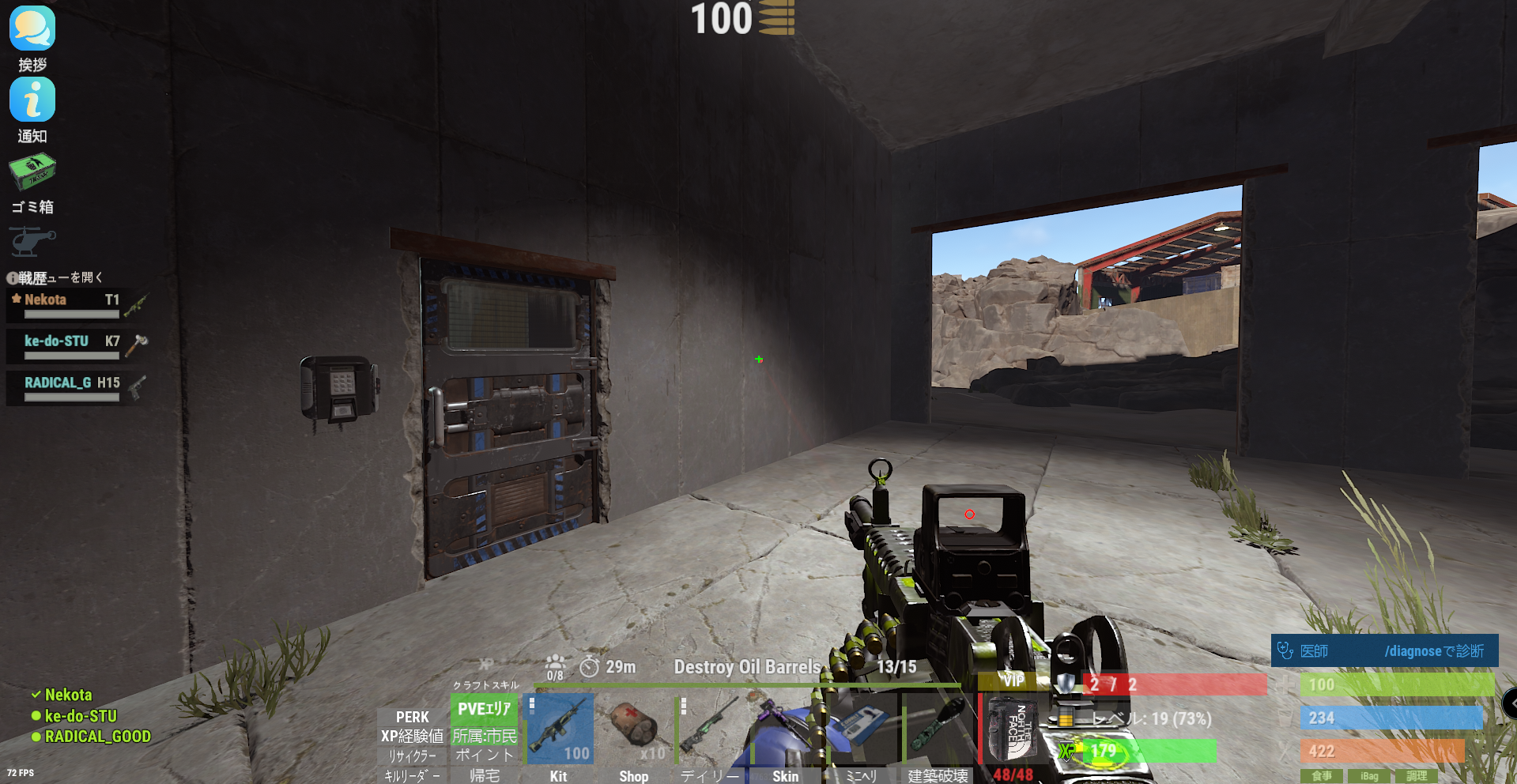
I have found further critical issues at the monument named "ALCATRAZ" (located at grid T1). 1. Card Reader / Puzzle Failure There is a building in the back with a Blue Card Reader, but the scanner is completely non-functional (inactive). I confirmed that a Test Generator is placed on the rooftop (it has no ON/OFF switch), and there is loot inside the building, but the door cannot be opened because the card reader does not respond. Given that a Research Table is placed inside and the door is blue, it is clearly intended to be a functional puzzle, but the IO logic seems broken. 2. Physical Clipping / Movement Issues There are multiple spots where players get stuck (Stuck points). Specifically, in several areas, attempting to "jump up" causes the player to hit the ceiling/roof, making movement extremely difficult or impossible in certain sections. Could you please check the IO entity links for the ALCATRAZ monument and the clipping masks for the ceilings?
-
Issue Report: Prison Monument and Red Door Door Logic / Exit Blocking (Eden Falls)
K9N_Twitch posted A Support Report in Support
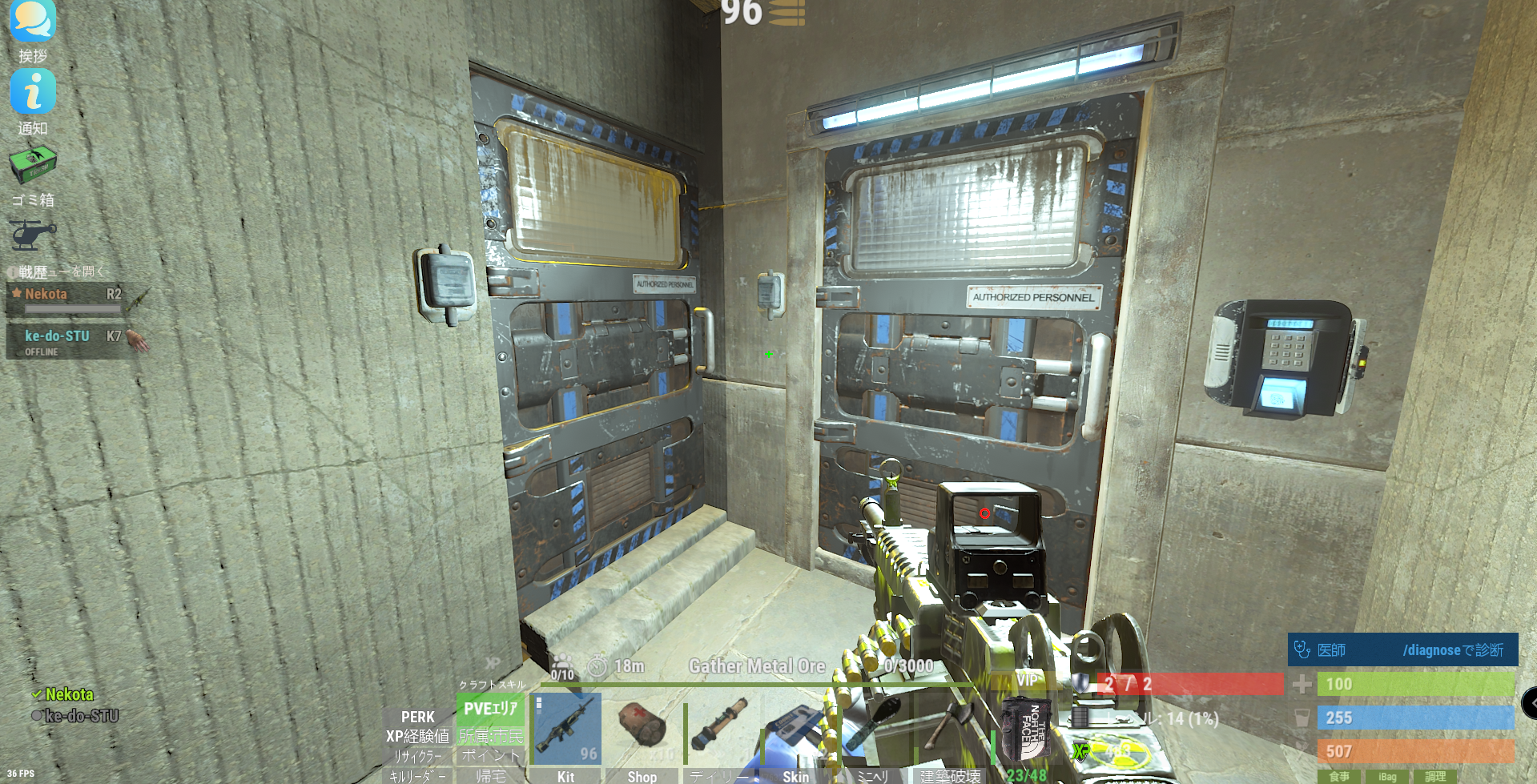
Hi, I am running the Eden Falls map on a Carbon environment and have encountered a few critical issues at specific monuments. Issue 1: Prison Monument (R2 style) At the Prison-like building (similar to R2), there is a puzzle requiring 2 Blue Keycards. However, when both cards are used, only the left door opens. It is currently impossible to proceed or exit the area properly from this point. Issue 2: Red Door at J18 Location (Grid): J18 Action: Entered through the Red Keycard door. Current Situation: After entering, there is no visible or functional exit route, leaving the player trapped. Reproducibility: This appears to happen 100% of the time.(Resolve) Could you please verify if these door entities or puzzle logic triggers are compatible with the current Rust update and Carbon environment? Especially at J18, players are getting stuck with no way out. Thank you for your hard work on this amazing map.
-
Compilation error after recent Rust update (Surprise Trap)
K9N_Twitch posted A Support Report in Support
こんにちは。最近のRustのワイプ/アップデート後、コンパイルエラーが発生しています。 CS0117: 'TerrainMeta' does not contain a definition for 'Terrain' Line: 287 Column: 29 [環境] - フレームワーク: Carbon - プラグインバージョン: (最新バージョン) 多くのプレイヤーから、トラップ関連のエンティティに関する同様の問題が報告されています。プラグインが最新のRustアセンブリと互換性を持つようにアップデートが必要かどうか確認していただけますでしょうか? ありがとう。 -
Weaponry max ammo bonus does not apply to AK / HMLMG / M249
K9N_Twitch posted A Support Report in Support
Hi, I would like to report a possible issue with the Weaponry max ammo bonus. Current behavior: I tested AK, HMLMG, and M249, and the max ammo bonus from Weaponry does not seem to apply at all. Example: AK has 30 rounds without extended magazine and 38 rounds with extended magazine. This behavior does not change at all even when Weaponry should provide a max ammo bonus. Config used for Weaponry: - useweaponmechanics = true - maxammo = 0.12 - maxammolimit = 1.6 - reloadhook = OnMagazineReload - excludedweapons = empty Additional test: I also tried changing reloadhook from OnMagazineReload to OnWeaponReload. However, when I do that, the extended magazine attachment stops functioning correctly. So at the moment: - OnMagazineReload = extended mag works, but Weaponry max ammo bonus does not apply - OnWeaponReload = extended mag breaks / does not function correctly Tested weapons: - AK - HMLMG - M249 Could you please confirm whether this is a known issue or whether Weaponry max ammo is not intended to work with these weapons / attachments? If needed, I can also provide my full config and additional test results. -
A similar issue
-
[Bug Report] Missing Red Card Reader at Small Oil Rig
K9N_Twitch replied to K9N_Twitch's Support Report in Support
Thank you for the detailed explanation. I understand that the oil rig components are built during the initial startup and sometimes these glitches happen. Regarding the wipe, my server is on a fixed schedule and the next wipe is 8 days away. I cannot perform a full wipe right now as it would disrupt the community, so I have decided to accept the current situation as-is for the remainder of this cycle. However, I would very much appreciate it if you could PM me the most recent version of the map you mentioned. I will use that version for the upcoming wipe in 8 days. Hopefully, it will resolve the oil rig issue and the other ticket (the underground tunnel collision) as well. Thanks again for your support and for offering the unreleased build! -
[Bug Report] Missing Red Card Reader at Small Oil Rig
K9N_Twitch replied to K9N_Twitch's Support Report in Support
[RustEdit Automatic Updater] [RustEdit] - The RustEdit extension is up to date! -
[Bug Report] Missing Red Card Reader at Small Oil Rig
K9N_Twitch replied to K9N_Twitch's Support Report in Support
Thank you for the clarification on the 4-digit code. I now understand it's just the vanilla RF frequency for the alarms. Regarding RustEdit.dll, I can confirm that I am already running the latest version. In fact, all electrical components and card readers on other custom maps work perfectly on this same server. This issue with the missing card reader is occurring exclusively on "The Heart of the City." Since a server restart didn't fix the issue and my RustEdit is up to date, it's highly likely that this specific map file has a prefab conflict or a loading error. Before I commit to a full server wipe (which is a huge burden for my community), is there any other way to manually force the card reader to spawn, or could you double-check the prefab integrity for the Small Oil Rig in your latest map build? -
[Bug Report] Missing Red Card Reader at Small Oil Rig
K9N_Twitch replied to K9N_Twitch's Support Report in Support
The situation is now urgent as I am receiving a sudden spike in inquiries and complaints from my players who are stuck at the Oil Rig. I need to clarify one thing immediately to provide them with an answer: I found a 4-digit code written on the wall near the red card room. Is this an intended puzzle/riddle you added to this map? Should players be using this code somewhere instead of a card key? If this is a deliberate custom mechanic, I will announce it to my community as a "riddle." However, if it's supposed to be a standard card reader and the code is unrelated, I need to know so I can consider further technical steps. Please let me know as soon as possible so I can address the influx of player questions.