

ninco90
-
Posts
774 -
Joined
-
Last visited
-
Days Won
5
Content Type
Profiles
Warranty Claims
Downloads
Forums
Store
Services
Downloads Plus Support
DOWNLOADS EXTRA
Reels
Support Center
Everything posted by ninco90
-
Hi! I'll make a note of it and fix it soon. Thanks for reporting this!
-
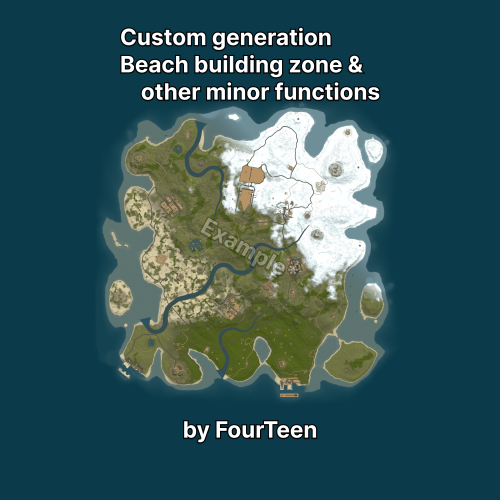 I've been working on and experimenting with something similar, trying to create a custom map generator that would allow me to add custom radars in predetermined positions on the map, among other things. I also tried removing the grass, but during a real wipe, when we tested it, we discovered that it generated a lot more stone/metal/sulfur ore compared to a normal map, so it's a problem if you don't modify it in other ways. I don't know if you've tested this and found a solution.
 -
Try disabling this option: "Impact Force Physics": { "Enable Impact Physics": false, "Impact Force (default: 100, range: 50-500)": 100.0, "Enable Debug Logging": false }, If the problem persists, try disabling the upgrade systems: "Enable Engine Upgrades": false, "Enable Sail Upgrades": salse, This is the only thing I can think of that's related to the game's physics, and if Facepunch made any changes to them, it's the only thing that could be affecting it. Nevertheless, I'll try it. I also saw that they released an update yesterday that fixed something for rowboats. I don't know if it's related...
-
Changed Status from Pending to Not a Bug
-
I haven't bought the space station DLC, but if you have it, it should let you upgrade it directly. Where in my case it says NO DLC, it should say UPGRADE.
-
Hi! The plugin has two options: reskin and upgrade. From what I can see, you only have the reskin permission; the upgrade permission isn't assigned. Make sure you assign this permission: bettertc.upskin This will allow you to directly upgrade to that material on the skins you own from the DLC.
-
 I think the egg is still using this URL which no longer exists: https://chaoscode.io/oxide/Oxide.Ext.Chaos.dll And the current URL is: https://oxide.chaoscode.io/Oxide.Ext.Chaos.dll
 -
 Did you get this with the latest version 1.2.4?
 -
The egg doesn't download the latest version of the Chaoscode extension correctly; it installs an older version, 1.0.57, instead of 1.0.62.
- 32 comments
-
- 1
-

-
- #pterodactyl
- #pterodactyl panel
- (and 7 more)
-

Version 1.6.0
16 downloads
This mod is developed mainly so that administrators can see on their screen the recoil pattern that the players perform. You can see players backtracking while using “spectate” or by using the /recoil PlayerName/SteamID command. This mod can be your great ally with the new first-person viewer that has recently been incorporated into the game. As an added feature players can also see their own recoil and it is even compatible with the AimTraim plugin. VERY IMPORTANT: This plugin does not provide an AdminESP or AdminRadar to see other players as if you had ESP. You will need to use another plugin alongside it for that. However, you will be able to see what other players have in their belt when the spectated player looks at them. Features It works in spectator mode, ideal for the first person. Supports the simultaneous display of multiple administrators. Tracking the pattern as the player shoots. Accuracy bar for hits. Displays the player's SteamID on screen and whether they have Rust Premium Status or not. Ideal for recordings and reports. Shows whether the player is shooting while standing or crouching. Displays the belt of the players being looked at by the spectated player. Similar to how a cheat would show information to the cheater. Allows you to easily teleport to the player who has RecoilViewer active. It also lets you quickly exit spectator mode using the EXIT button. Using Chat and Console Commands (F1). Ability to temporarily disable use in spectator mode when using the console command “recoil off”. Players can see their own retrospective (if they have the appropriate permission). Optimized so that only the information of the displayed players is collected: Shoots, Hits and HeadShots info. Recognition of the item in the automatic player’s hand. (If it is compatible it shows the recoil and if not it shows a customizable message in LANG). [OPTIONAL] Compatibility with the AimTraim mod. The display will turn on and off automatically when you enter the training zone. [OPTIONAL] Compatibility with ZoneManager. In the config you can now put a list of zones where Recoil Viewer will be activated and deactivated automatically. [OPTIONAL] Compatibility with Arkan. Adjustable in config. You can now automatically activate the viewer when an Arkan alert for No Recoil is triggered. Currently only compatible with the following weapons: rifle.ak rifle.lr300 smg.mp5 smg.2 thompson M249 HMLMG Minigun Handmade SMG Permissions recoilviewer.player Allows the player to use /recoil to view their own recoil. recoilviewer.admin Allows the player to view the /recoil of other players. recoilviewer.spectate Allows the RecoilViewer to open automatically while spectating players. recoilviewer.training Allows the RecoilViewer to open automatically when entering an AimTrain zone. recoilviewer.zonemanager Allows the RecoilViewer to open automatically when entering a configured ZoneManager zone. recoilviewer.autoarkan Allows the RecoilViewer to open automatically when an Arkan NoRecoil violation is triggered. recoilviewer.beltinfo Allows displaying the belt with the items other players are carrying while a player has the RecoilViewer enabled. Similar to the information provided by some cheats on the market. recoilviewer.tp Allows displaying a button in the interface to teleport to the player currently being viewed in the RecoilViewer. Ideal while spectating in third person, flying around, and needing to quickly return to that player. Commands Chat Command: /recoil NamePlayer/SteamID or partial name. To start viewing a player. (This requires the recoilviewer.admin permission.) /recoil To end the display of a player. (It is the same as clicking the close button). (This requires the recoilviewer.player permission.) /rc Open the Recoil Viewer of the nearest player. (This requires the recoilviewer.admin permission.) Console Command: recoil NamePlayer/SteamID or partial name To start viewing a player. recoil To end the display of a player. (It is the same as clicking the close button) recoil off To temporarily disable use in spectator mode. It will reactivate when you use the recoil command again. Pattern Data Inside the ZIP, a folder is included containing the file with the weapon patterns. You must upload this file to the oxide/data/ or carbon/data/ folder. If a pattern is updated or new weapons are added in the future, you will need to upload this file again. Configuration DEFAULT CONFIGURATION { "Use Spectate": true, "Use Arkan (Mod External: Arkan)": true, "Use Training (Mod External: AimTrain)": true, "Use ZoneManager (Mod External: ZoneManager)": true, "Active Zones (ZoneID)": [ "91109370", "1013570" ], "Clean when reloading weapon": true, "Target Check (Belt Viewer)": { "Enabled": true, "Max Distance (Default 300)": 300.0, "Angle of view (Default 20)": 20.0, "Threshold of abrupt change in degrees (Default 10)": 10.0, "Minimum time between sudden changes (Default 10)": 10.0 }, "Windows Config": { "Show Shooting Info": true, "Show SteamID": true, "Show Button TP": true, "Position AnchorMin": "0.810 0.571", "Position AnchorMax": "0.992 0.895", "Background Color": "0.0 0.0 0.0 0.75", "Button: Close Background Color": "0.87 0.0 0.0 0.9", "Button: TP Background Color": "0.3 0.5 0.3 0.9", "Button: exit Background Color": "0.5 0.3 0.3 0.7" }, "Text Display": { "Weapon - AnchorMin": "0.14 0.91", "Weapon - AnchorMax": "0.5 0.98", "Weapon - Size": 12, "Weapon - Color": "0.8 0.8 0.8 1", "Player Name - AnchorMin": "0.14 0.84", "Player Name - AnchorMax": "0.75 0.94", "Player Name - Size": 10, "Player Name - Color": "1 1 1 0.8", "No Pattern - Size": 15, "No Pattern - Color": "1 0 0.38 1" }, "Info Display": { "Shoots Counter": { "Icon AnchorMin": "0.03 0.78", "Icon AnchorMax": "0.08 0.83", "Text AnchorMin": "0.1 0.870", "Text AnchorMax": "0.4 0.960", "Font Size": 12, "Font Color": "0.8 0.8 0.8 0.7" }, "Hit Counter": { "Icon AnchorMin": "0.03 0.705", "Icon AnchorMax": "0.08 0.755", "Text AnchorMin": "0.1 0.815", "Text AnchorMax": "0.4 0.885", "Font Size": 11, "Font Color": "0.8 0.8 0.8 0.7" }, "HeadShoot Counter": { "Icon AnchorMin": "0.03 0.64", "Icon AnchorMax": "0.08 0.69", "Text AnchorMin": "0.1 0.75", "Text AnchorMax": "0.4 0.82", "Font Size": 11, "Font Color": "0.8 0.8 0.8 0.7" }, "Accuracy Display": { "Show Bar": true, "BG Color 30%": "0.00 0.52 0.29 0.72", "BG Color 60%": "0.97 0.51 0.14 0.72", "BG Color 80%": "0.97 0.06 0.20 0.72", "Font Color": "0.9 0.9 0.9 0.7" } }, "Pattern Weapons": { "Sets the point of the pattern": "•", "Point Size": 14, "Point Color": "1 0 0.38 1", "Point Fire Color": "0.63 0.98 0.63 1.0" }, "Recoil Player": { "Sets the point of the recoil": "⦿", "Point Size": 14, "Point Color": "1 1 1 1" }, "Stance Display": { "Ducked Color": "1 0.85 0 1", "Standing Color": "0.6 1 0.6 1" }, "Premium Check": true } For any problem, doubt, suggestion or assistance do not hesitate to contact me by Discord ninco90#6219 If you need me to configure everything from scratch, according to your tastes, for your server I can also do it for an additional fee. Although you should be able to configure everything yourself.$25.00 -
That's strange, I couldn't tell you why it lags when you replace the TC... How many entities does your server have?
-
Do you have a plugin to limit the maximum number of TCs per player or something like that? Do you have the permission enabled that changes the TC skin when you place one? Try disabling that; it might help. However, there's definitely something interfering.
-
 I just tried it with coal and I can fit the diesel barrel and CCTV cameras in without any problems, for example. Carbon 2.0.242.0/linux/2026.05.07.0 [production] [production_build] on Rust 40/2625.284.1 (05/08/2026 11:55:48) 151021 Protocol: 2625.284.1 Build Date: 05/08/2026 11:55:48 Unity Version: 2022.3.41x1 Changeset: 151021 Branch: release
 -
 Hi! Are you getting any errors? I see it working correctly on my x5 server.
 -
Did this come out in today's update (Friday) or yesterday's (Thursday)? I'll take a look tomorrow.
-
 Hi! This plugin offers the option to auto-upgrade directly from the TC (Tournament Center). However, this doesn't happen as the player builds; for that, I recommend using the free umod plugin from BGrade. Similarly, for removal, I recommend using umod's RemoverTool. These are the most standardized plugins on servers and receive regular updates.
- 451 comments
-
- 1
-

-
- #builder
- #automation
- (and 9 more)
-
Perhaps that's it; if it requires ropes for repairs, it will need ropes... You can try adding this "rope": true, in: "Allow Items in TC Inventory": { "gunpowder": false, "sulfur": false, "sulfur.ore": false, "explosives": false, "diesel_barrel": true, "cctv.camera": true, "targeting.computer": true, "basicblueprintfragment": true, "advancedblueprintfragment": true, },
-
Changed Status from Pending to Not a Bug
-
No problem! By the way, I recommend always writing in English on CodeFiling. That way we can all understand each other a bit better. For example, my native language is Spanish, and I'm used to translating from English to Spanish, haha. Cheers!
-
Changed Status from Pending to Fixed
-
It's a bug in the game itself; it happens sometimes. It's as if that element visually detaches from the cannon. It's not something that can be fixed with a plugin.
-
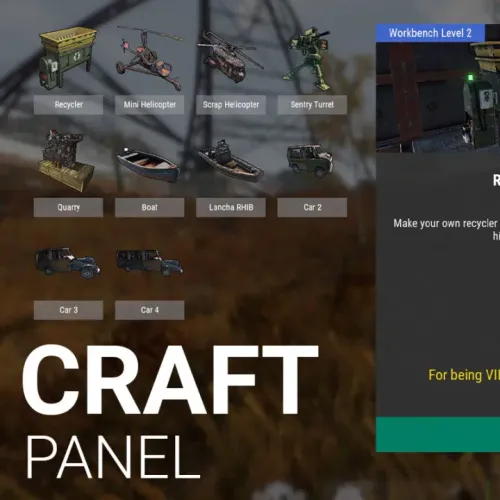
You need to have the necessary plugins for the actions. Craft Panel is essentially a shortcut for executing commands from third-party plugins.
-
I'm not sure if I translated correctly, but I think I understand that what you'd like to see is the resources for upgrades or repairs coming from the ship's crates instead of the player's inventory. Is that right? This would be possible, however, checking every crate on the ship could be more resource-intensive for server performance. Imagine a ship with a bunch of deployables; the plugin would have to iterate through all the deployables on the ship, then filter for those of type StorageBox, and then check each one to see if it contains the necessary materials.
