Depends on
Required for this file to work correctly.

Works with
Optional integrations and compatible files.

.thumb.png.708fa32cf4b6ccd3ff3e3713c77acd56.png)
About Craft Panel
Rust / Server Plugins
Craft Panel
Custom CraftingRust Plugin
Your recipes. Your rewards. One simple crafting panel.
Give players a clear, customizable interface for crafting your server's items and rewards. Define the required ingredients, show what each recipe needs, and deliver either a game item or a reward through a command from another plugin.
|
Custom recipes Ingredients and crafting results |
Permission control Panel and recipe access |
VIP discounts Configure discounts per recipe |
01 / Video demo
See Craft Panel in action
Watch the video demo for a look at Craft Panel's crafting interface.
02 / How it works
Turn ingredients into the rewards you choose
Craft Panel lets you configure the ingredients needed to obtain each item. A recipe can create a game item directly or execute a command provided by a third-party plugin.
Recipes that use commands from other plugins require those plugins to be installed and configured. Craft Panel provides the crafting interface; the configured plugin supplies the command-based reward.
Install ImageLibrary to load the panel's recipe images and icons.
03 / Player interface
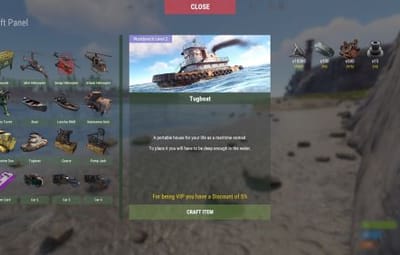
Three clear areas for every recipe
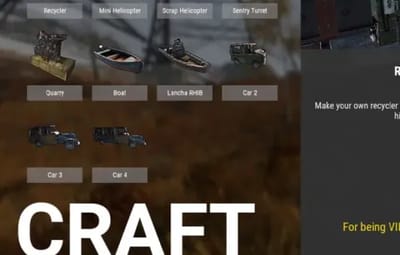
Recipe list
Players browse a scrollable list and select the recipe they want to craft.
Item information
Give each recipe a full title, a header image and a description. Configure whether it needs a workbench and which level is required.
Required ingredients
Show the items and quantities players need to craft the selected recipe.
Selecting another recipe updates the information and ingredient panels without rebuilding the entire interface.
04 / Configuration
Make the panel fit your server
- Panel appearance. Customize the panel title and the colors of buttons, text and background.
- Recipe presentation. Set names, descriptions, images and icons for your items.
- Sound effects. Enable or disable sounds, or replace the three configured sound prefabs.
- Workbench access. Configure the button shown when opening a workbench and the permission required to see it.
- Recipe visibility. Choose whether players can see recipes they do not have permission to craft.
- New recipes. Duplicate an existing recipe entry and customize its settings. Basic plugin configuration knowledge is recommended.
05 / Permissions & command
Control who can craft what
Players open the panel with /craft. The default general access permission is craftpanel.use. Recipe access also requires the permission configured for that individual item.
| Default permission | Purpose |
|---|---|
| craftpanel.use | Access to /craft |
| craftpanel.btnworkbench | Show the crafting button in the workbench |
Examples of per-item access permissions
- craftpanel.rhib.use
- craftpanel.boat.use
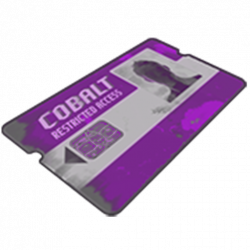
- craftpanel.supercard.use
Use the permission names defined in your own recipe configuration.
06 / VIP benefits
Set discounts for individual recipes
Assign a VIP permission to a recipe and set its discount percentage. Each recipe can also define a separate no-cost permission.
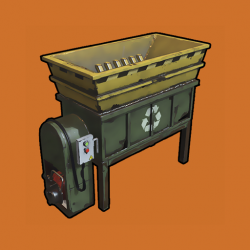
Recycler recipe example
- Access: craftpanel.recycler.use
- VIP: craftpanel.recycler.vip with a 10% discount
- No cost: craftpanel.recycler.nocost
07 / Configuration example
Start with two example recipes
The example below includes a recycler and a mini helicopter recipe. Both use commands from other plugins. Adjust the commands, permissions, images and ingredient costs for your server before using them.
{
  "Custom": {
    "Title": "Craft Panel",
    "ID Item Default": 1,
    "Show even if you don't have permissions (you won't be able to craft)": true,
    "Show button when opening Workbench": true,
    "Sound Effects": true,
    "Sound Prefab 1": "assets/prefabs/tools/keycard/effects/swipe.prefab",
    "Sound Prefab 2": "assets/bundled/prefabs/fx/build/promote_toptier.prefab",
    "Sound Prefab 3": "assets/prefabs/misc/xmas/presents/effects/wrap.prefab",
    "Permission Use /craft": "craftpanel.use",
    "Permission to show the Button in the Workbench": "craftpanel.btnworkbench",
    "Color Title": "1.00 1.00 1.00 0.43",
    "Color Button List": "0.3 0.40 0.3 0.60",
    "Color Title Item": "0.2 0.30 0.2 0.60",
    "Color Scrollbar": "0.15 0.25 0.15 0.8",
    "Color Button Craft": "0.80 1.00 0.50 0.10",
    "Color Background Panel": "0.2 0.23 0.2 0.40",
    "Color Text VIP": "0.90 0.80 0.04 1.00",
    "Color Text Amount": "1.00 1.00 1.00 1.00",
    "Color Text Amount VIP": "0.90 0.80 0.04 1.00",
    "GUI Button Close - Color": "0.90 0.20 0.20 0.50",
    "GUI Button Close - Font Size": 20,
    "GUI Button Close - AnchorMin": "0.45 0.7",
    "GUI Button Close - AnchorMax": "0.55 0.725",
    "Img Block Item": "https://img.rustspain.com/craftpanel/block.png"
  },
  "Craft": [
    {
      "ID": 1,
      "Enabled": true,
      "Short Name": "Recycler",
      "Full Name": "Recycler at Home",
      "Img Full": "https://i.imgur.com/wdVWxDB.jpg",
      "Img Icon": "https://i.imgur.com/Vgcfs3n.png",
      "Description": "Make your own recycler to install it on your base. You can collect it by hitting with the hammer.",
      "Description Font Size": 13,
      "Craft Result": {
        "Command (keep empty to create item)": "recycler.give {steamID}",
        "Shortname": "",
        "Name Default": false,
        "Amount": 0,
        "Skin ID": 0
      },
      "Permission Use": "craftpanel.recycler.use",
      "Permission VIP": "craftpanel.recycler.vip",
      "Permission No Cost": "craftpanel.recycler.nocost",
      "VIP discount: 10 = 10%": 10,
      "Require Workbench? 0 = NOT, 1 = Level 1,...": 2,
      "Items": [
        {
          "Item": "metal.fragments",
          "Amount": 50000,
          "Skin ID": 0
        },
        {
          "Item": "metal.refined",
          "Amount": 300,
          "Skin ID": 0
        },
        {
          "Item": "gears",
          "Amount": 50,
          "Skin ID": 0
        },
        {
          "Item": "fuse",
          "Amount": 10,
          "Skin ID": 0
        },
        {
          "Item": "techparts",
          "Amount": 15,
          "Skin ID": 0
        }
      ]
    },
    {
      "ID": 2,
      "Enabled": true,
      "Short Name": "Mini Helicopter",
      "Full Name": "Mini Helicopter",
      "Img Full": "https://i.imgur.com/vnZND1c.jpg",
      "Img Icon": "https://i.imgur.com/qg9aIGz.png",
      "Description": "Because having your own Helicopters whenever you want is cool too.nCraft your Helis, put them away and take them out when you need them.",
      "Description Font Size": 13,
      "Craft Result": {
        "Command (keep empty to create item)": "portablevehicles.give {steamID} minicopter",
        "Shortname": "",
        "Name Default": false,
        "Amount": 0,
        "Skin ID": 0
      },
      "Permission Use": "craftpanel.miniheli.use",
      "Permission VIP": "craftpanel.miniheli.vip",
      "Permission No Cost": "craftpanel.miniheli.nocost",
      "VIP discount: 10 = 10%": 25,
      "Require Workbench? 0 = NOT, 1 = Level 1,...": 0,
      "Items": [
        {
          "Item": "metal.fragments",
          "Amount": 5000,
          "Skin ID": 0
        },
        {
          "Item": "propanetank",
          "Amount": 10,
          "Skin ID": 0
        },
        {
          "Item": "gears",
          "Amount": 10,
          "Skin ID": 0
        },
        {
          "Item": "roadsigns",
          "Amount": 5,
          "Skin ID": 0
        },
        {
          "Item": "sheetmetal",
          "Amount": 10,
          "Skin ID": 0
        }
      ]
    }
]
}
08 / Your ideas
Help shape the next crafting feature
Have a suggestion for Craft Panel? Share the improvement you would like to see. A configurable crafting duration is an idea for a future improvement.