
ninco90
-
Posts
774 -
Joined
-
Last visited
-
Days Won
5
Content Type
Profiles
Warranty Claims
Downloads
Forums
Store
Services
Downloads Plus Support
DOWNLOADS EXTRA
Reels
Support Center
Everything posted by ninco90
-
I think what might be happening is that the other plugin is adding it twice. It's probably because you're setting up a regular TC (default skin) that you have active in BetterTC to replace it with the Retro Skin (for example). What's happening is that the other plugin adds the codelock to the default TC, but BetterTC quickly removes that TC and replaces it with the Retro Skin's TC, and then the other plugin adds it again. This is what I imagine is happening. I haven't purchased the other plugin, so I can't test it, but if you invite me to your server, we can try it.
-
I was asking to find out if the problem was with the anchor, which, even though it appears raised, might be internally active. Things I might check: - Are all the sails and engines running in the same direction? Perhaps the engines are reversed, and the engines and sails are counteracting each other. Or better yet, is this something that always happens on all ships or only occasionally on some? I haven't seen any related complaints, and no one has complained to me on my server (although this might not be a good point since I don't think many people use the ships). However, as with any plugin, the best approach is to eliminate possibilities, that is, try different options until you get to the root of the problem. That's why I'm asking if it happens on all ships or just this one or a few. If I can access the server, send me the IP address, teleport me, and I'll take a look at the ship in question.
-
The autocodelock permission, as it correctly indicates, adds a codelock automatically. If you have another plugin that does the same thing in the TCs, the ideal solution is to disable this permission and let the other plugin handle assigning the codelock, which I assume is what it does.
-
Have you tried it without any anchor? (I don't remember right now if it was mandatory to have it)
-
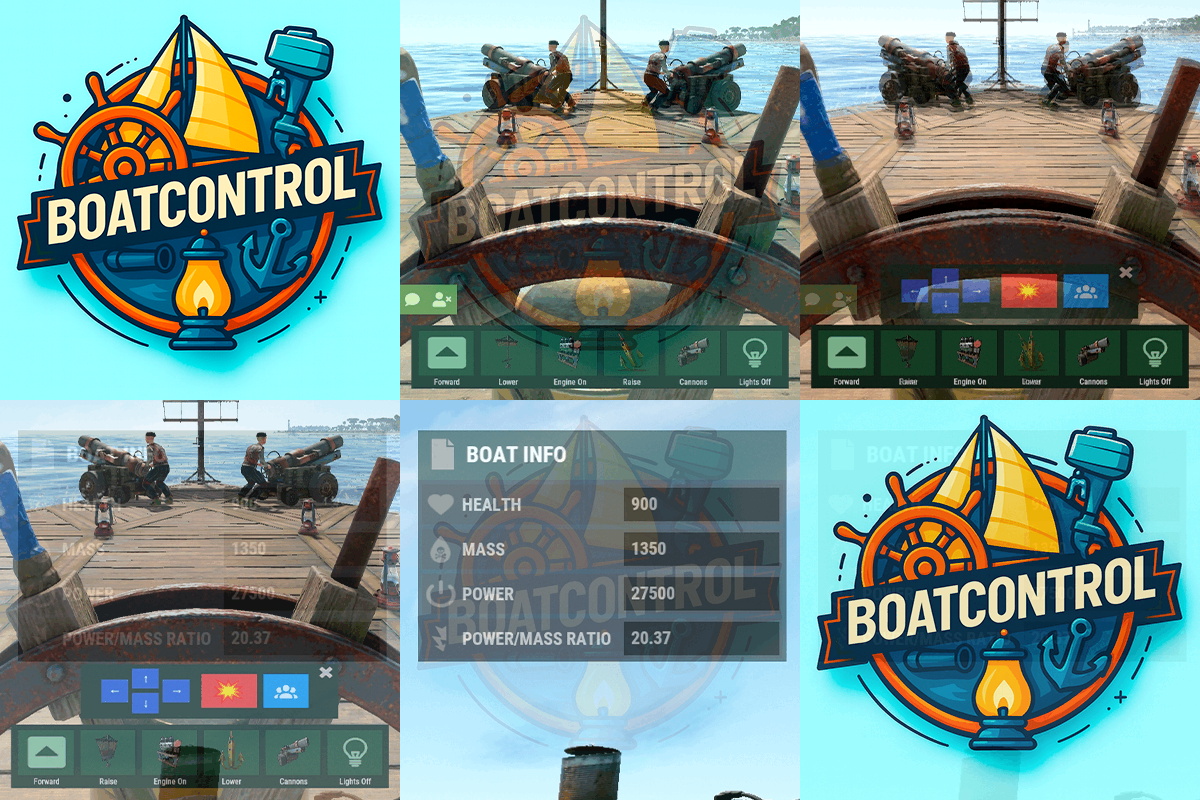 The option to build larger ships will only work if you edit them using the "Edit Boat" option in this menu. The size will depend on your settings within the plugin configuration. Building stations placed manually by players are not affected by the size change.
 -
Are those items yours or your teammates'? If they're not yours and were placed by a former teammate, they won't be repaired. However, perhaps the wooden ladder needs ropes to be repaired?
-
Hi! My plugin isn't directly related to drones. However, the only thing it could be is the control keys (inputs) used to control the boat. But I don't understand why you're using the patched-up [BoatControl] Drone.UserInput.
-
 It is a service that works through a paid subscription.
 -
I'm guessing you're missing lowgrade, cloth, or leather. I could set it to tell you which resource interrupted the repair, but it wouldn't show all the missing resources. So it might tell you: you're missing lowgrade, you add lowgrade, and then it'll tell you you're missing cloth, hahaha. But maybe this is better, I'll make a note of it.
-
 "Downgrade only Owner Entity Build": false, "Upgrade only Owner Entity Build": false, "Upgrade / Downgrade only Owner and Team": true, You have those parameters in the configuration; you can allow only the owner of the entity being upgraded, or the owner's entire team, to upgrade it. You won't be able to upgrade anything for other players who are authorized but not on your team.
 -
Hi! This only applies when you do it from the ship editing option offered by the plugin. Have you tried it?
-
Dime tu server si puedes y entraré a verlo personalmente, a ver si me ocurre lo mismo.
-
Mirando el clip algo raro te pasa, porque antes de abrir el TC ya te mueves un poco lageado si te fijas. Luego cuando haces click en el boton para abrir el menú de BetterTC también te tarda un poco. ¿En que servidor estás ejecutando el server de Rust? Que CPU / RAM tiene? Tienes algun sistema de monitoreo como Rust Server Metrics (Grafana) para ver los FPS y todo en tiempo real?
-
Eso es porque por algún motivo Image Library no cargo correctamente las imágenes. Suele pasar de vez en cuando... (te hablo en español ya que veo que tienes el plugin en español y para mi es más comodo jajaja)
-
I haven't tried it, but I should accept it.
-
I've noted this down for a future update. I think someone else requested it.
- 59 comments
-
- 2
-

-

-
- #boat
- #controller
- (and 8 more)
-
Changed Status from Pending to Fixed Changed Fixed In to 1.2.2
-
Thank you very much for reporting it. I’ve just patched it in the new update I uploaded. I’m not sure at what point the Harmony patch stopped working for that… Now it works again (at least on Carbon).
-
Have you verified that the server is correctly updated with the latest version? Protocol: 2622.282.1 Build Date: 03/10/2026 10:45:22 Unity Version: 2022.3.41x1 Changeset: 145322 Branch: release Carbon 2.0.239.0/linux/2026.03.05.0 [production] [production_build] on Rust 16/2622.282.1 (03/10/2026 10:45:22) [145322] I don't know the latest version of Oxide, but double-check that it's also fully updated. You can also try unloading all plugins and testing again. Or, even better, create a duplicate of the server and run it on another machine to test and troubleshoot.
-
That's strange, BoatControl doesn't interfere with any of the allowed or banned items. I'm going to test it on my test server. Did you try placing the shotgun trap with the BoatControl plugin unloaded?
-
Could you check the disconnection messages from the affected players on the RCON? That might shed some light on the matter, thanks a lot!
-
Hi! Can you give me some context? I'm assuming it happened while changing a Town Centre's skin. Was the Town Centre already in place, or was it just during placement? Where was the Town Centre in a normal building, or in a structure like a train or something similar?
-
Changed Status from Pending to Fixed Changed Fixed In to 1.2.1
- 1 reply
-
- 1
-
-
We've been using it for a couple of years at one of my organizations. It's definitely a good anti-cheat service that complements the rest of our systems. A large number of cheaters are detected and banned with Galium. That alone makes it worthwhile for us. It also has a sign logging system and an auto-muting feature, in case you want to unify everything in one place. The only current issue is that the API is still under development, so if you have your own custom dashboard, it will be a bit difficult to interconnect the data. Otherwise, I hope they continue adding new features and improvements.
- 2 comments
-
- 1
-
-
- #anticheat
- #moderation
- (and 15 more)
-
The random appearance of wallpapers when buildings are damaged is caused by a faulty implementation of the system that disables wallpaper damage. In theory, this was the issue with the PvE plugin a while ago. However, Nivex fixed it in an update. Most of you experiencing this problem are running PvE servers and using a plugin that disables wallpaper damage. I would recommend disabling all wallpaper protection so that they can be broken normally, as in vanilla. This should completely resolve any issues you're having with random wallpapers or disappearing building blocks.