hid333
-
Posts
926 -
Joined
-
Last visited
-
Days Won
1
Content Type
Profiles
Warranty Claims
Downloads
Forums
Store
Support
DOWNLOADS EXTRA
Services
Everything posted by hid333
-
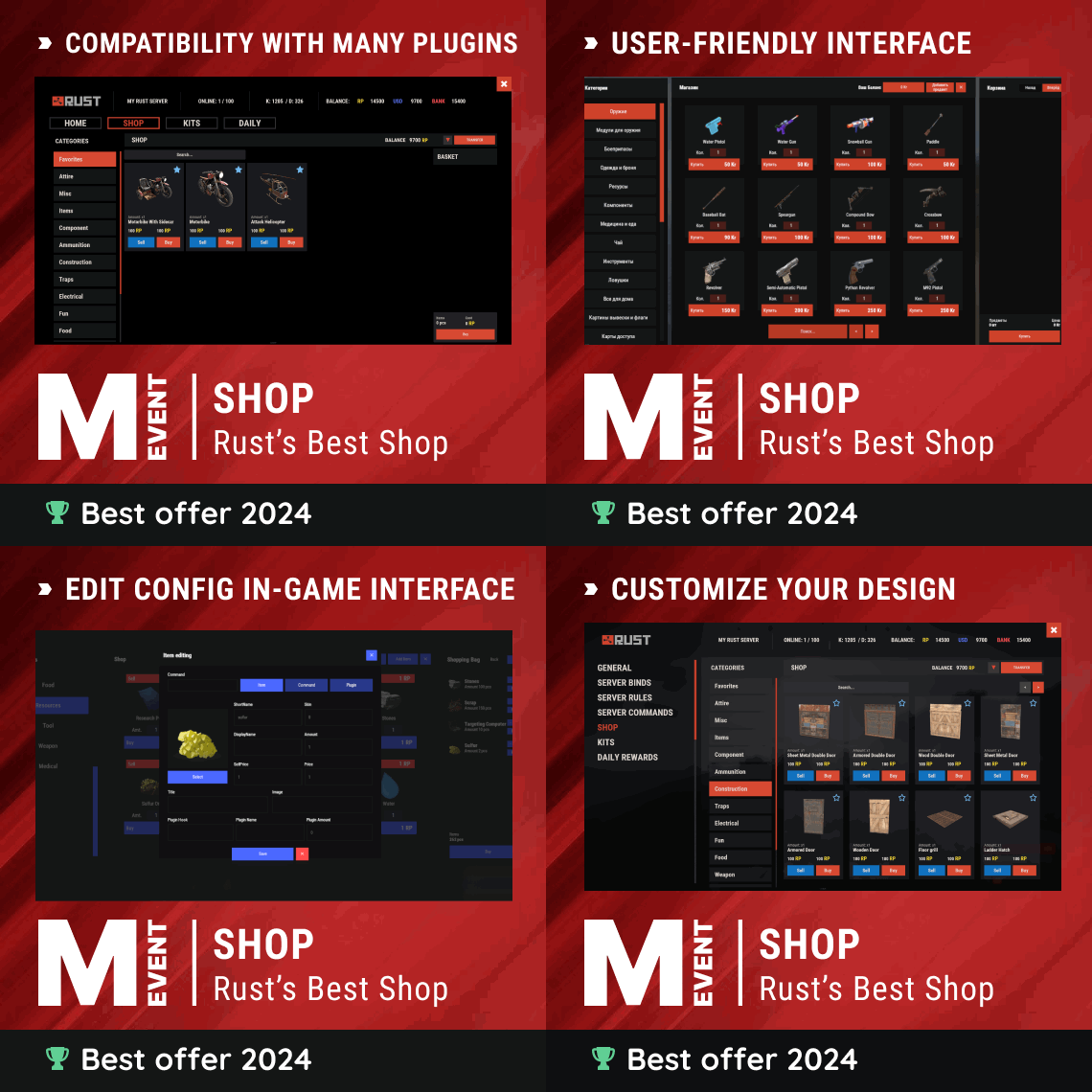 Yes, I'm hoping for that. Here's what I did: ① Create a category (e.g. ammo) in shop and register the item ammo ①Create npc ②Add to NPC /shop.setnpc ammo However, the category ammo has no permissions set. You can see it everywhere in /shop. Set permissions for shop category (e.g. "Permission": "shop.ammo",) If you set permissions on the NPC (e.g. "permission": "shop.ammo",) and talk to it, the shop screen will open. but the person who opened the shop does not have shop.ammo privileges, so the shop remains empty. Currently, I temporarily create a zone around the NPC and give permission only within the zone so that it can be seen.
 -
I would like to sell certain items at NPC using the human_npc plugin. but I don't want it to be displayed in the shop list using the /shop command. This is because I want the benefit of being able to meet NPCs and make purchases. If I give default permissions for each category of shop, I will be able to purchase with the /shop command. Do you have any ideas on how to do this?
-
.thumb.gif.0832aa8793a1fa836a7e8b80241faae4.gif) After update I encountered a phenomenon where the equipped LARGE BACKPACK (only the size changed) turned into coal. What could be the cause?
After update I encountered a phenomenon where the equipped LARGE BACKPACK (only the size changed) turned into coal. What could be the cause? -
 The cause has not been investigated but I understand the solution. If you reload the plugin while logged in, the marker on the MAP would not disappear. If you log in again, the problem will be resolved.
 -
 I purchased the plugin and love it. It feels like the end of the event just disappears. It would be nice to have a countdown sound (like the Halloween egg event)
 -
The marker on the MAP does not disappear even after the monument is released. . It's a shame because I like the plugin.
-
The marker color on the map is fixed to red, but is it possible to fix it so that it can be changed? I would appreciate it if you could adjust the transparency as well.
-
I am considering purchasing Is the venue for the fishing event shown in the video attached? Also, is it possible to add economics and items with skins to the rewards?
-
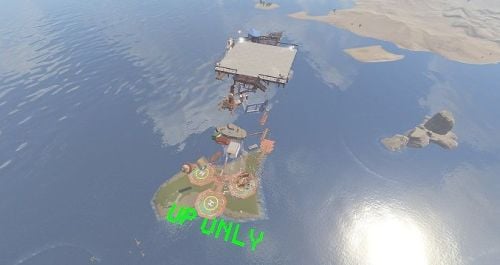 Due to today's update, part of the prefab has been penetrated and cannot be ridden. I will fix and update.
 -
 Could you please permission to be fully released for administrators or to bypass restrictions.
 -
 When I restarted the server, the following error occurred and it stopped working. Please tell me what is the cause. meteor event:v2.0.3 Carbon Aliases:v1.0.2 Error while compiling MeteorEvent: The call is ambiguous between the following methods or properties: 'CUIStatics.UpdateProtectedInputField(CUI, string, string, string, int, int, bool, float, float, float, float, float, float, float, float, string, TextAnchor, CUI.Handler.FontTypes, bool, bool, float, float, bool, bool, string)' and 'CUIStatics.UpdateProtectedInputField(CUI, string, string, string, int, int, bool, float, float, float, float, float, float, float, float, string, TextAnchor, CUI.Handler.FontTypes, bool, bool, InputField.LineType, float, float, bool, bool, string)' | Line: 1420, Pos: 34
 -
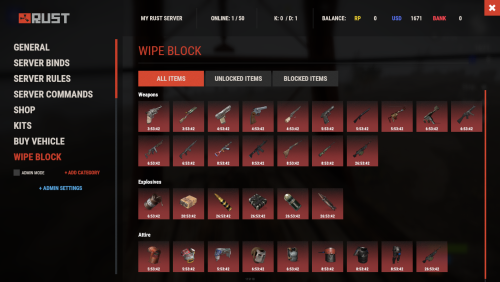 I'm considering purchasing it. I have two questions. ・Will this also be blocked when picking up items? (I hope it won't be picked up) ・Will this also block the item creation that is displayed to the administrator when pressing the F1 key? (I hope that even moderators can block some item generation)
 -
 If no players participate "Event canceled due to lack of players" Two announcements will be made: ``The event has ended because no one has completed it.'' I think it would be best to only make the initial announcement. Please correct it if possible.
 -
I have purchased both the floor drop event and the glass bridge. In addition to the above requested content, could you make the following adjustments? It can be refilled using the arrows in the plugin's backpack. Also, those with authority can use noclip. (This can be adjusted during operation) Is it possible to set prohibited commands separately in the configuration file?
-
I have uploaded it below. https://www.dropbox.com/scl/fi/d4b8domvh4v2iwpomzgey/Desktop-03-22-2024_0-23-49-632.mp4?rlkey=t9m07ihxokm2fn32qc3rfxu52&dl=0 The settings are the default size of the ore backpack expanded to 36. The first bag is the one that failed. The second is a normal bag that did not occur. If it is in your inventory (if it is not equipped), For some reason, items won't fit in my bag.
-
put backpack in inventory, After opening the backpack with the open button, A phenomenon occurs where items cannot be inserted using drag and drop. If I equip the defective backpack(parachute position), i can enter it normally. Auto route is also fine. The same applies if I give it to someone else. If I get a new same backpack immediately after that, it will work fine. I can have backpacks that work and backpacks that don't. Reloading the plugin does not resolve the symptom. It is unknown what is the cause. The server will be restarted daily.
-
 I will check it. I was confused because there was the following statement in the plugin explanation sample. "endCommand": null, //Will not run if set to null
 -
Command execution when logging in is working normally, but an error occurs when executing commands within the game. (02:48:43) | Failed to run a 10.00 timer in 'FirstConnect v1.0.4' (NullReferenceException: Object reference not set to an instance of an object) at Oxide.Plugins.FirstConnect+<>c__DisplayClass9_6.<runCommand>b__4 () [0x0002e] in <c55ded4a14944c8b9d2d070c5361eb09>:0 at Oxide.Core.Libraries.Timer+TimerInstance.FireCallback () [0x00018] in <b6d06fce9e044af4a6ddc8d724bd3b0b>:0
-
It now compiles normally. Thank you for the prompt response.
-
I purchased the plugin. I purchased this plugin because it had exactly the functionality I wanted. I had made a slight misunderstanding. I thought it would replace the official facepunch backpack. The command is the same as the plugin backpack(https://umod.org/plugins/backpacks), so it will interfere. This can be avoided by changing the commands "backpack.open" and "backpack", but is it possible to change the config file to specify the command and chat command used by this plugin?
-
I purchased this plugin. I get the following compilation error: If there are any prerequisite plugins, please list them. The Discord plugin (https://umod.org/extensions/discord) has been successfully installed before. (03:56:05) | Oxide.Ext.Discord is referenced by FirstConnect plugin but is not loaded (03:56:05) | [CSharp] Started Oxide.Compiler v1.0.26.0 successfully (03:56:09) | Ignored unexpected plugin compilation failure: FirstConnect (03:56:09) | Error while compiling FirstConnect: The type or namespace name 'Discord' does not exist in the namespace 'Oxide.Ext' (are you missing an assembly reference?) | Line: 7, Pos: 17 (03:57:09) | Shutting down compiler because idle shutdown (03:57:09) | Compiler shutdown completed
-
 Sorry, I worded it wrong. (I use a translation because I don't speak English) Disabling simplePve did not change the result. Boss melee attacks were ineffective against sleepers. The boss's throwing weapons and animal attacks are also effective against sleepers.
 -
The boss will continue to attack the sleeper, but the damage to the player will remain 0. While the boss is attacking the sleeper, other players can attack the boss unilaterally and defeat the boss without taking any damage.
-
I disabled simplePvE, but only melee weapons are disabled. Damage from other animals and Molotov cocktails is properly included.
-
There is no damage block plugin. There is a plugin called simplePvE that seems to be related to Sleeping Guard, but it is currently disabled.