
rogder dodger
-
Posts
166 -
Joined
-
Last visited
Content Type
Profiles
Warranty Claims
Downloads
Forums
Store
Services
Downloads Plus Support
DOWNLOADS EXTRA
Reels
Everything posted by rogder dodger
-
Changed Status from Pending to Can't Reproduce
-
The Instant Airdrop plugin does not affect the Heli Signals plugin at all. In the Instant Aidrop Config you can use "Skins to ignore" to include any custom skinIds that you might have setup for Heli Signals. This will prevent an airdrop spawning while throwing a heli signal. It sounds like your config for heli signals needs reviewed. A lot of users of this plugin also use Heli signals with no reported issues. I've tested on both carbon and oxide this morning and see no issues. If you're still having problems, feel free to send me your Instant Airdrop Configuration file in a DM, also send me your Heli Signals Config and i will see if i can help.
-
 Yup perfect, thanks for the quick turn around
 -
Awesome plugin @Razor - I noticed that NPC Spawn / BotRespawn NPCs still shoot at you while downed but otherwise working great
-
 Hey @Deicide apologies for the delay on LoneDesign, i've updated the plugin there now
 -
.thumb.png.be5977d94379b18c375f8d4dbcf6a759.png)
Version 1.0.0
11 downloads
Never refill a water barrel again. Purchasable infinite water barrels that stay full forever that are perfect for those farms away from water. Players can purchase an infinite water barrel from your existing store plugins. Or if you want to just make every water barrel on the server provide infinite water? just a config setting. Infinite Water Barrel lets players place special water barrels that automatically refill themselves with fresh water, making them perfect for farms, remote bases and industrial water systems. Key Features Players with permission can place infinite water barrels Custom skin support (prevents normal barrels from becoming infinite unless configured) Hammer pickup support (with ownership & team checks) Full VIP tier support with configurable limits Option to make all player-placed water barrels infinite Admin command to give barrels Reskin protection Persistent across restarts High performance and lightweight, designed and tested to run on busy servers Permissions infinitewaterbarrel.use - Allows players to place infinite barrels infinitewaterbarrel.vip1 - VIP Tier 1 limit infinitewaterbarrel.vip2 - VIP Tier 2 limit infinitewaterbarrel.vip3 - VIP Tier 3 limit Commands infinitewaterbarrel.give <player> - Use this with shop plugins so players can purchase an infinite water tank. Configuration { "All water barrels placed by players with use permission become infinite (ignores limits)": false, "Maximum barrels a player can deploy (0 = no limit)": 1, "VIP 1 barrel limit (0 = no limit)": 2, "VIP 2 barrel limit (0 = no limit)": 3, "VIP 3 barrel limit (0 = no limit)": 5, "Allow picking up barrels by hitting them with a hammer": true, "Allow team mates to pick up each others barrels": true, "Water amount to keep in barrel (0 = container capacity)": 0, "Hose output water per tick (0 = vanilla)": 0, "Hose output tick interval seconds (0 = vanilla)": 0.0 }$7.99 -
Changed Status from Pending to Fixed Changed Fixed In to Next Version
-
Thanks @MrLiquid I see the issue on my staging server. I have got a fix for it ready - Update will be released before force wipe
-
Thanks @MrLiquid are you using Carbon or Oxide?
-

Failed to call hook 'OnServerInitialized' on plugin 'LaunchExtended v1.3.0'
rogder dodger posted A Support Report in Support
Failed to call hook 'OnServerInitialized' on plugin 'LaunchExtended v1.3.0' (NullReferenceException: Object reference not set to an instance of an object) at Oxide.Plugins.LaunchExtended.<SetupMonument>b__68_0 (MonumentInfo monument) [0x00015] in <d9f705e24b714cbe9f140fe028f957fc>:0 at System.Collections.Generic.List`1[T].ForEach (System.Action`1[T] action) [0x0001e] in <f98723dd4586469db5213ec59da723ca>:0 at Oxide.Plugins.LaunchExtended.SetupMonument () [0x00005] in <d9f705e24b714cbe9f140fe028f957fc>:0 at Oxide.Plugins.LaunchExtended.OnServerInitialized () [0x0002f] in <d9f705e24b714cbe9f140fe028f957fc>:0 at Oxide.Plugins.LaunchExtended.DirectCallHook (System.String name, System.Object& ret, System.Object[] args) [0x0006a] in <d9f705e24b714cbe9f140fe028f957fc>:0 at Oxide.Plugins.CSharpPlugin.InvokeMethod (Oxide.Core.Plugins.HookMethod method, System.Object[] args) [0x00079] in <42f9bedc659b4f4786eb778d3cd58968>:0 at Oxide.Core.Plugins.CSPlugin.OnCallHook (System.String name, System.Object[] args) [0x000de] in <15f61ddda771464d8246ebdce8ff4811>:0 at Oxide.Core.Plugins.Plugin.CallHook (System.String hook, System.Object[] args) [0x00060] in <15f61ddda771464d8246ebdce8ff4811>:0 and Failed to call hook 'OnServerInitialized' on plugin 'LaunchExtended v1.3.0' (NullReferenceException: Object reference not set to an instance of an object) at Oxide.Plugins.LaunchExtended.<SetupMonument>b__68_0 (MonumentInfo monument) [0x00015] in <d9f705e24b714cbe9f140fe028f957fc>:0 at System.Collections.Generic.List`1[T].ForEach (System.Action`1[T] action) [0x0001e] in <f98723dd4586469db5213ec59da723ca>:0 at Oxide.Plugins.LaunchExtended.SetupMonument () [0x00005] in <d9f705e24b714cbe9f140fe028f957fc>:0 at Oxide.Plugins.LaunchExtended.OnServerInitialized () [0x0002f] in <d9f705e24b714cbe9f140fe028f957fc>:0 at Oxide.Plugins.LaunchExtended.DirectCallHook (System.String name, System.Object& ret, System.Object[] args) [0x0006a] in <d9f705e24b714cbe9f140fe028f957fc>:0 at Oxide.Plugins.CSharpPlugin.InvokeMethod (Oxide.Core.Plugins.HookMethod method, System.Object[] args) [0x00079] in <42f9bedc659b4f4786eb778d3cd58968>:0 at Oxide.Core.Plugins.CSPlugin.OnCallHook (System.String name, System.Object[] args) [0x000de] in <15f61ddda771464d8246ebdce8ff4811>:0 at Oxide.Core.Plugins.Plugin.CallHook (System.String hook, System.Object[] args) [0x00060] in <15f61ddda771464d8246ebdce8ff4811>:0 Hey, plugin's crashing on init with a NullReferenceException inside the SetupMonument. Stack trace points to monument.displayPhrase.english.Contains("Launch Site") As some monument types have a null 'displayPhrase' (or null english), so the null check on monument itself isn't enough. Fix is straightforward though, if you swap line 468 to use null-conditional operators: if (monument.displayPhrase?.english?.Contains("Launch Site") == true) Also spotted a missing-braces issue on the if (launch == null) log line just below the return; was always executing unconditionally. Doesn't cause a crash since it's end of method anyway, but maybe worth tidying up a little: if (launch == null) { Puts("LaunchSite not found"); return; } Might be worth pushing these in the next update since the crash will hit anyone running a map that has monuments without display phrases set as i think many custom maps do. Great plugin though, thanks! Rd
-
Version 1.0.1
77 downloads
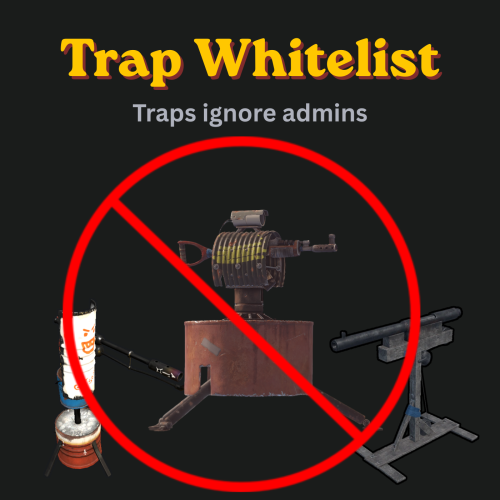
Stops turrets and traps from targeting players with permission. Trap Whitelist is a simple admin utility plugin that allows specific players to be ignored by defensive traps. It is mainly intended for admins and moderators, so they can visit player bases, investigate tickets, and deal with reports without being shot by Auto Turrets, Shotgun Traps, or Flame Turrets. You can grant access per trap type or use a single permission to ignore them all. Features Ignore Auto Turrets Ignore Shotgun Traps Ignore Flame Turrets Grant permissions individually by trap type Optional global permission to ignore all supported traps Lightweight with no config required Primary Use Case Trap Whitelist was made mainly for server staff. Admins often need to enter or inspect player bases while handling tickets, investigating reports, checking raid scenes, or dealing with rule breaks. This plugin prevents staff from being attacked by base defenses while doing that work. Traps will simply ignore the admins. Permissions trapwhitelist.turrets - Ignore Auto Turrets trapwhitelist.shotguntraps - Ignore Shotgun Traps trapwhitelist.flameturrets - Ignore Flame Turrets trapwhitelist.all - Ignore all supported trapsFree -
Suggestion: Allow Searching of Plugin Discussions and Support sections
rogder dodger replied to rogder dodger's question in Support
Nice! i didn't realise that thanks. I think even so it'd be good to have it as an independent little search bar maybe around here?
-
Suggestion: Allow Searching of Plugin Discussions and Support sections
rogder dodger posted a question in Support
If i'm looking at a plugin and i have a question or an issue I usually first check the Discussions panel and the Support panel to see if someone has already asked that question in the hopes of a quick route to answer. Some discussion and support pages however have hundreds of pages of conversations that you can click through but can't search. Adding a search to these areas would be quite helpful to find any posts in there about specific questions or issues. Just a thought -
Issue was a conflict with another plugin, Loot Defender. Resolved in DMs with configuration advice.
-
Changed Status from Pending to Fixed Changed Fixed In to 1.0.15
-
Ok there must be a conflict with another plugin causing this, if you could - please send me a list of plugins you have. You can do this via DM if you wish to keep it private. I'm not able to recreate the problem and i haven't had any reports of it happening on other servers.
-
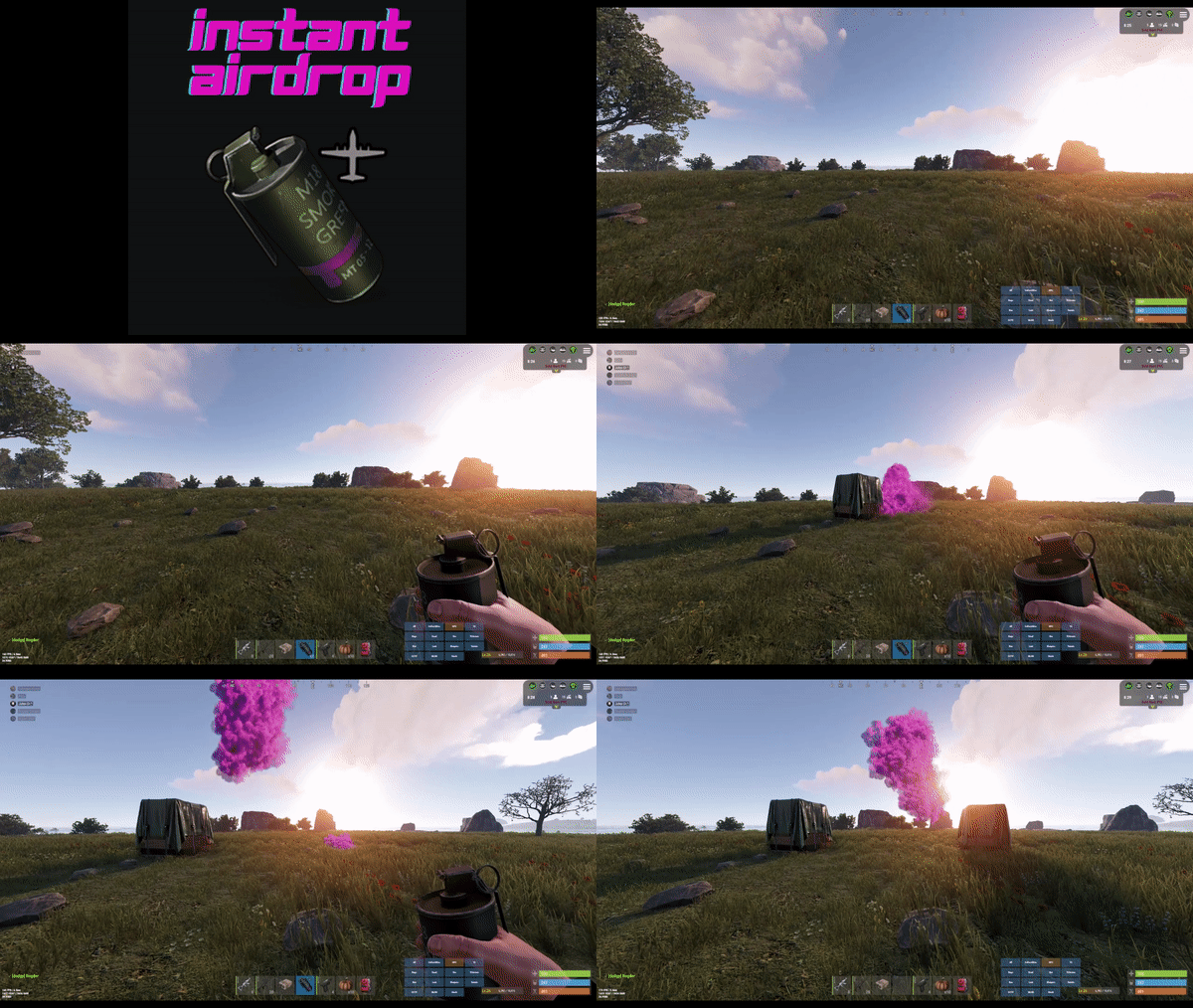
hello @Dovakillz can you tell me exactly what is happening? do you have any other plugins that affect airdrops. I am aware of a problem with Vehicle Airdrops plugin that causes an airdrop still to fall after the instant airdrop has been deployed, is that what is happening?
-
Changed Status from Work in Progress to Closed Changed Fixed In to 1.0.15
-
 Hey thank you very much for the feedback, i'll look into that!
 -
Changed Status from Work in Progress to Not a Bug Changed Fixed In to 1.0.4
-
Ah all good, i think you have highlighted some design i need to look at again. It's not very intuitive. I'll work on that. thanks for getting back to me quickly and let me know if you have any more issues
-
Changed Status from Pending to Work in Progress
-
Can you tell me what is going on with it @AlaEddineYahia When adding a player to the watchlist a box pops up saying "add notes". you have to click the center of this and type a note before clicking "Add" - All watchlist entries added from the UI require a note. I'll have a think about whether this is good and intuitive UI but can you confirm you are doing this and still nothing happens?
-
Also, on the ESP detetion report embed, it could use a lot more information being provided about the detection. The distance, the object or player being looked at (players name), number of glances, all the information possible, This will help greatly in narrowing down and tuning the plugin to reduce false positives with configuration.
-
Hi Winterchild, this is a really good plugin and i'm very impressed with it so far. I've been doing some testing this morning and noticed a few things i wanted to feedback to you. ESP - Team Mate Detection The ESP detection is pretty cool and i'm getting quite consistent results with my configuration so far. One thing i noticed quite a few false positives as players look at their team mates - this happens especially when they are in their base or moving to/from their base. I think an easy fix for this would be a config option to ignore team mates before calling ProcessEspTarget. This can also apply to TCs etc, checking if player is authorized on the tc before reporting. Threat Assessment This is a cool feature but could definitely use some more config options. For example the default configuration will post a threat assessment of just about every player - essentially spamming the discord webhook. I've disabled this with the following config "Enabled": true, "Use Unified Threat Webhook Reports": false, "Suppress Individual Type Webhooks When Unified Is Enabled": false, However, what would be really useful would be a threat assessment threshold - so for example it would post a threat assessment only when a players threat assessment is higher (for example only when the tier is HIGH/CRITICAL, or when overall score is above X). So far that's what i've noticed but overall great plugin and some very well thought out features.