

-
Posts
259 -
Joined
-
Last visited
-
Days Won
2
Content Type
Profiles
Warranty Claims
Downloads
Forums
Store
Services
Downloads Plus Support
DOWNLOADS EXTRA
Reels
Everything posted by illknown
-
Version 1.0.0
1 download
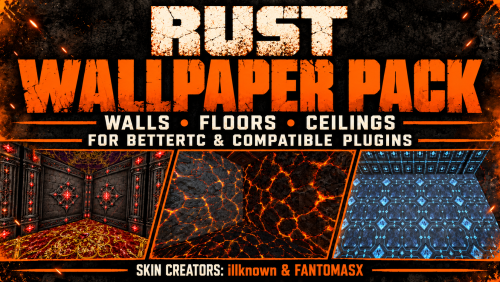
Rust Wallpaper Pack Give your Rust bases a whole new atmosphere. All wallpapers were made for this config - Either add them to yours or use as it is From lavish royal interiors and clean Art Deco rooms to molten lava, icy panels and glowing woodland designs, this wallpaper selection gives your server a distinctive look inside and out. Coordinate walls, floors and ceilings, or mix styles to create a base that feels your own. A look for every build Rich royal, gemstone and gold-accented interiors. Industrial and futuristic designs for bunkers, vaults and sci-fi rooms. Nature-inspired finishes and dramatic survival artwork. Matching wall, floor and ceiling options across a range of themes. Selected designs with glowing details that stand out after dark. The gallery shows the wallpapers in game, including daytime interiors, night-time effects and the BetterTC selection menus. Appearance varies with the design and in-game lighting. Plugin compatibility Use these skins with BetterTC or other Rust plugins that support custom wallpaper skins. BetterTC is used for the screenshots and previews, but the skins are not exclusive to BetterTC. Your chosen plugin must support the relevant wallpaper surface and custom Workshop skin IDs. Available controls and setup steps depend on that plugin. Required plugins are separate and are not included in this pack. Creator credits Wallpaper skin creators: illknown & FANTOMASX.$8.99 -

Version 1.0.0
5 downloads
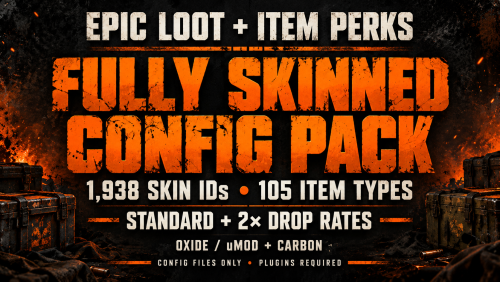
Epic Loot & Item Perks — Fully Skinned Config Pack | Standard & 2× | Oxide & Carbon Save Hours of Configuration I spent hours editing these configs and adding the skin lists. I’m sharing this pack to save other server owners that time—especially those who don’t have hours to spare configuring everything themselves. Bring more variety to your server’s enhanced loot with 1,938 configured Workshop skin IDs across 105 item types, ready to use with Epic Loot and Item Perks. Choose standard drop chances or a boosted 2× preset, with organised installation folders for Oxide/uMod and Carbon. What’s Included? Standard preset: Default enhanced-loot drop chances with the skin lists added. 2× preset: Double the Standard enhanced-item drop chances in configured crates, barrels and NPC corpses. Separate installation folders for Oxide/uMod and Carbon. Eight JSON files covering both plugins, both presets and both frameworks. Custom Workshop menu icons for both plugins. Installation instructions and a complete drop-rate comparison. Standard or 2×? Standard suits servers that want the plugins’ normal loot balance with more cosmetic variety. 2× suits servers that want players to find enhanced equipment more frequently. A 5% enhanced-item chance becomes 10%, and 15% becomes 30%. The 2× preset changes 63 configured drop chances. It does not double vanilla item quantities, crafting chances, perk strength or mission rewards. Skin Variety The pack contains 1,938 skin IDs shared across both plugin configurations, covering 105 item types. Where a matching skin list exists, the plugins can randomly select a skin when creating an enhanced item. Items without an eligible skin retain their normal appearance. Existing item skins may be preserved by the plugins. No Skinner or separate skin plugin is required. Custom Menu Icons Included Both Epic Loot and Item Perks have custom Workshop menu icons configured. Icon skin 2907569326 is used for both menus in every Standard and 2× preset for Oxide/uMod and Carbon. EpicLoot’s default white inventory icon is replaced, and both menu-icon features are enabled, subject to the plugins’ visibility settings. Facepunch Skin-Policy Safeguards These configurations use Workshop skin lists filtered by Epic Loot and Item Perks. Both plugins remove game-accepted skin IDs from their configured lists when loaded. The pack is intended for custom Workshop cosmetics, not for unlocking paid Facepunch DLC or bypassing skin ownership requirements. Server owners should keep their plugins updated and follow Facepunch’s current server guidelines. Workshop availability and approval status can change. Individual Workshop downloads have not all been independently verified. Requirements Epic Loot and Item Perks are required and sold separately. This purchase contains configuration files only. It does not include either plugin or ownership of the referenced Workshop skins. Built from defaults generated by: Epic Loot 1.2.25 Item Perks 1.0.37 Both framework editions use the same configuration settings, arranged in their respective installation folders. Installation Back up your existing EpicLoot and ItemPerks configs. Choose Oxide/uMod or Carbon. Choose Standard or 2×. Copy the two JSON files into the matching server folder: Oxide/uMod: oxide/config/ Carbon: carbon/configs/ Reload both plugins or restart your server. Install only one preset at a time. Validation All eight JSON files have been validated, and every 2× drop-rate change has been checked.$7.99 -
Version 1.0.0
8 downloads
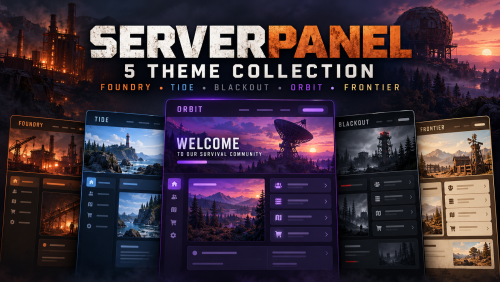
ServerPanel V4 — Five Custom Themes Give your Rust server a fresh look with five distinct ServerPanel V4 themes, each featuring its own background artwork, matching colours, organised information pages and coordinated popup windows. From industrial survival to coastal scenery and sci-fi landscapes, choose the style that suits your community. Pick Your Theme Foundry — Industrial scenery with warm amber accents. Tide — Coastal scenery with fresh teal colours. Blackout — Military survival styling with bold red accents. Orbit — Sci-fi scenery with violet highlights. Frontier — Wilderness scenery with warm gold and olive tones. Features Five custom backgrounds — included and loaded locally, with no external hosting needed for the supplied artwork. Organised information pages — Home, Rules, Commands, Field Guide and Community. Matching popups for every theme — quick rules, commands and keybind help, getting started, and community help. Quick access — open popups from menu buttons or use the full pages through the navigation tabs. Live information — server name, player name and online player count. Button hover feedback — responsive highlights on custom menu shortcuts. Contextual tooltips — helpful hints on menu shortcut buttons. Smooth menu fade — a subtle opening and closing effect. Editable settings — personalise text, colours, rules and server information. Carbon and Oxide support — separate installation folders for each framework. Matching Popup Windows Each theme includes four coordinated popups, giving players quick access to useful information: Quick Rules — a handy summary of your server guidelines. Commands & Keybinds — menu shortcuts, popup commands and guidance on finding personal keybind settings. Getting Started — practical guidance for new arrivals. Community Help — information about support, reports and staying connected. The popups use their theme’s colours and supplied artwork. Players open them when needed and close them with the CLOSE button or by clicking outside the window. They can also be opened directly through chat: /spc.rules /spc.commands /spc.guide /spc.community The full information pages remain available through the main menu. Make It Your Own Use the ServerPanel and ServerPanelPopUps editors to add your own rules, community details and supported commands. Extra command spaces on the full Commands page are left blank so you can add features your server actually uses. Review the supplied guidance and customise it for your community. When changing information shared by a page and its popup, update both. The pack uses the plugin author’s existing configuration system. No plugin edits are required. What’s Included? Five V4 theme configurations. Matching background artwork for every theme. Player information pages and navigation shortcuts. Four matching popups per theme — 20 popup designs in total. Connected popup buttons and direct chat commands. Menu shortcut hover effects, tooltips and fade settings. Separate Carbon and Oxide installation files. One straightforward installation guide with backup and customisation instructions. Requirements ServerPanel 2.0.42 and ServerPanelPopUps 2.0.42 must be installed separately. Use ServerPanel.cs and ServerPanelPopUps.cs from the author’s ServerPanel download. V4 refers to the t4 template style, not the plugin version. This is a configuration and artwork pack. Plugin files and additional gameplay plugins are not included. Installation Choose one theme. Select the Carbon or Oxide folder for your server. Stop your server and back up your existing ServerPanel and ServerPanelPopUps files. Upload the selected theme’s files, including both plugin configs, the panel data and the artwork folder. Start the server and type /menu or /info in chat. Try the quick-view buttons and personalise the pages and popups. Installing the collection replaces matching configuration files, so keep a backup of any existing custom rules, links, commands and popups. Install one theme at a time. Full instructions are included. Custom backgrounds are supplied with this collection. If you use ServerPanel’s offline-image mode for its default or editor images, obtain those separately using the plugin author’s instructions. Please contact me if theres a theme you have in mind and its not included in the package we can work out an edit ect.... (after purchase) - im not offering a service but i will help existing customers with edits$7.99-
- 1
-

-
- #serverpanel
- #custom
- (and 1 more)
-
Version 1.0.0
3 downloads
Give your players something worth hunting for. Skins included in this pack are made by illknown (Creator of this) for this configuation! Bring 36 legendary items to your Rust server, featuring matching Workshop skins, individual flavour descriptions, and configured perks across armour, clothing, backpacks, tools, and assault rifles. Brave the furnace with Ember Forge. Power up with Arc Reactor. Embrace the darkness with Void Pulse. Explore the wasteland with Toxic Vibes. Prepare your approach with Nightveil. Lead the assault with Dreadguard. Build your rural collection with Ranchmaster. What’s Included? 4 five-piece sets: Ember Forge, Arc Reactor, Void Pulse, and Toxic Vibes. 2 three-piece armour sets: Nightveil and Dreadguard. 1 eight-piece Ranchmaster collection: clothing, a backpack, and two tools. 3 standalone legendary AK47s. Individual names, descriptions, and assigned Workshop skins for all 36 items. 34 configured loot-source entries with progression-based rewards. Editable perks, drop chances, and item weights. All 36 Items & Their Perks Percentages express the configured modifiers: 0.15 = 15%. Actual effects, caps, and stacking depend on ItemPerks calculations and your server settings. Values shown are per item, rather than combined set totals. Ember Forge Blackened steel and molten orange fractures give this collection the appearance of equipment pulled straight from a volcanic foundry. Item Ember Forge Kilt Ember Forge Facemask Ember Forge Chestplate Ember Forge Backpack Ember Forge AK47 Arc Reactor Cyan circuitry, white panels, and bright reactor cores combine engineering utility with durable combat equipment. Item Arc Reactor Kilt Arc Reactor Facemask Arc Reactor Chestplate Arc Reactor Backpack Arc Reactor AK47 Void Pulse Violet energy and fractured silver define a collection centred on evasion, recovery, resourcefulness, and an aggressive life-steal rifle. Item Void Pulse Kilt Void Pulse Facemask Void Pulse Chestplate Void Pulse Backpack Void Pulse AK47 Toxic Vibes Acid-green hazard markings and worn industrial metal bring a survivalist identity to this wasteland collection. Item Toxic Vibes Kilt Toxic Vibes Facemask Toxic Vibes Chestplate Toxic Vibes Backpack Toxic Vibes AK47 Nightveil Three pieces of armour for the fighter who survives the approach and chooses the moment to strike. Item Nightveil Kilt Nightveil Facemask Nightveil Chestplate Dreadguard Armour for the first fighter through the gate—and the last one willing to retreat. Item Dreadguard Kilt Dreadguard Facemask Dreadguard Chestplate Ranchmaster An seven-piece rural collection for livestock keepers, farmers, and resourceful survivors, featuring five clothing pieces, a specialist backpack, and one working tool. Item Ranchmaster’s Hat Ranchmaster’s Hoodie Ranchmaster’s Pants Ranchmaster’s Boots Ranchmaster’s Gloves Ranchhand’s Pack Rancher’s Harvest Blade Standalone Legendary Rifles Three additional AK47s with individual skins, descriptions, and specialised combat roles. Item Stormbreaker AK47 Containment Breach AK47 Crimson Reprisal AK47 Loot That Rewards Progression Different activities reward different equipment. Utility gear appears in crafting, gathering, and everyday containers. Combat equipment is concentrated in military loot and NPC encounters, while selected top-tier rewards have restricted sources and lower selection weights. All 36 items are obtainable through the configured loot pools. Crafting Rewards Crafting activity Legendary drop chance Eligible rewards Metal chestplate crafting 0.05% Nightveil Chestplate Roadsign kilt crafting 0.08% Ember Forge, Toxic Vibes, or Arc Reactor Kilt Small backpack crafting 0.10% Utility backpacks, including the lower-weight Ranchhand’s Pack Matching Ranchmaster clothing crafts 0.05% each The corresponding Ranchmaster Hat, Hoodie, Pants, Boots, or Gloves Gathering & Survival Rewards Activity Legendary drop chance Reward focus Woodcutting 0.02% Toxic Vibes and Void Pulse Backpacks Mining 0.02% Ember Forge Kilt, Ember Forge Backpack, and Toxic Vibes Backpack Skinning 0.05% Survival gear, Ranchmaster Gloves and Boots, with rarer tool rewards Fishing 0.15% Toxic Vibes Backpack Farming 0.03% Ranchmaster clothing, Toxic Vibes Backpack, and the rarer Ranchhand’s Pack Foraging 0.03% Selected Ranchmaster clothing and utility backpacks Rancher’s Harvest Blade can drop from skinning and tool crates. Stockman’s Hammer can drop from skinning, tool crates, and standard loot crates. Ranchhand’s Pack has lower selection weights than ordinary clothing rewards. Container Rewards Container Legendary drop chance Reward focus Configured barrel variants 0.10% Toxic Vibes and Void Pulse Backpacks Basic crates 0.35% Utility gear and selected Ranchmaster clothing Standard loot crates 0.50% Utility gear, Ranchmaster Hoodie and Gloves, and rarer ranch equipment Tool crates 0.75% Crafting backpacks, Ember Forge Kilt, and ranch tools Medical crates 0.75% Selected armour with healing or recovery-related perks Military crates 1.50% Combat armour, with a low-weight Containment Breach AK47 Elite crates 3% Advanced armour and rifles, with lower weights for chase rewards Hackable crates 6% Advanced combat equipment and rare chase rewards Oil-rig hackable crates 8% Advanced combat equipment and rare chase rewards NPC Rewards NPC source Legendary drop chance Reward focus Roadside scientists 0.20% Selected Nightveil and Toxic Vibes equipment Tunnel dwellers 0.35% Nightveil armour, selected Toxic Vibes armour, and Void Pulse Backpack Oil-rig scientists 0.50% Military equipment, with low-weight Ember Forge and Crimson Reprisal rifles Heavy scientists 0.75% Advanced armour and rifles, including rare chase rewards Event Rewards Event entry Legendary drop chance Reward focus GasStation 4% Utility equipment and selected combat armour Harbor 6% Military equipment and engineering backpacks FerryTerminal 8% Advanced armour and rifles Convoy 10% Advanced combat equipment and rare chase rewards Event entries require the corresponding plugins and compatible integration. The percentage applies when the plugin evaluates that source; it does not promise one roll per completed event. Rare Chase Rewards Dreadguard armour, Arc Reactor AK47, and Void Pulse AK47 are restricted to: Elite crates Hackable crates Oil-rig hackable crates Heavy scientists Convoy event entries FerryTerminal event entries These rewards have lower selection weights than ordinary equipment in the same pools. How drop chances work: the source first rolls its legendary drop chance. After a successful roll, relative item weights determine the reward. A 3% elite-crate chance is the chance for a legendary reward from that entry—not a 3% chance for every individual item. Requirements & Installation Required: ItemPerks and its Legendary Items component, with support for the configured perks. These plugins are not included. Supplied configuration: ItemPerksLegendaryItems.json Back up your existing configuration. Install the supplied file in the location required by your plugin. Reload using the plugin’s documented procedure. Product Details 36 configured items across 7 themed collections and 3 standalone rifles. 34 loot-source entries with activity-based placement and weighted rewards. Workshop skins load through Steam; texture files are not bundled. Collections provide matching themed equipment; no additional full-set bonus is configured. Perks, modifiers, drop chances, and weights can be edited for your server. JSON structure, unique skin IDs, item coverage, and loot references have been checked.$7.99 -
 its something skilltree could add too tho lol
 -
my bad i got multiple tabs open and i thought this was on a skill tree post lol
-
 what events do you have installed if any?
 -
 so many new data files/images to upload, my panel works mint the way it is so im reluctant to update it to this new version also same with server panel and vehicle buy
 -
 not placed ones no
 -
 Absolutely Fantastic Plugin! Skill Tree is hands down one of the best additions to our Rust PvE server! My main 3 reasons i love this plugin: It adds a whole new level of progression, giving players something meaningful to work towards and keeping gameplay fresh and rewarding. 2.The skills are well thought out, and the customisation is excellent. We've even added our own server-specific custom nodes, which were surprisingly straightforward to set up and integrate! 3.Players love it, and I genuinely couldn't imagine running our server without it. An outstanding plugin that I'd highly recommend to any server owner looking to take their gameplay to the next level!
- 1,658 comments
-
- 2
-
-
- #leveling
- #progression
- (and 19 more)
-
 Think you have a typo on the main page for the /rnpc reinit - its listed as /rnpc init
 -
same custom procedural but with no edits, im pleased plugin was working with no errors on the test server last night - i left it running for 11 hours now bout to go thru the serverlog to see whats been going on with them! Thank you for your continued effort
-
hey sorry but same again, some other error , tbh i think at this point im done with it - Me and this plugin are not ment to be (19:19:43) | Timer of 1.5s has failed in 'NPCs Controller v2.1.1 by walkinrey & Max39ru' [callback] (Object reference not set to an instance of an object.) at void UnityEngine.Bindings.ThrowHelper.ThrowNullReferenceException(object obj) at GameObject UnityEngine.Component.get_gameObject() at Component UnityEngine.Component.GetComponentInChildren(Type t, bool includeInactive) at TriggerLadder UnityEngine.Component.GetComponentInChildren<TriggerLadder>(bool includeInactive) at void Oxide.Plugins.NPCsController+HelperBuildingNavMesh.ComputeDoorLinks(BuildingNav nav, BuildReport report) in D:/TCAFiles/Users/johnl3/3781916/carbon/plugins/NPCsController.cs:line 22629 at void Oxide.Plugins.NPCsController+HelperBuildingNavMesh.ComputeLinks(BuildingNav nav, BuildReport report) in D:/TCAFiles/Users/johnl3/3781916/carbon/plugins/NPCsController.cs:line 21484 at void Oxide.Plugins.NPCsController+HelperBuildingNavMesh.RelinkPending() in D:/TCAFiles/Users/johnl3/3781916/carbon/plugins/NPCsController.cs:line 21471 at void Oxide.Core.Libraries.Timer.FireCollectedTimer(TimerInstance timer, int generation, double now) in /home/runner/work/Carbon/Carbon/src/Carbon.Components/Carbon.Common/src/Oxide/Libraries/Timer.Scheduler.cs:line 299
-
i might have sorted it - will update soon
-
no its its own data folder
-
hey so ever since ive had this plugin i get errors, i always try it again after you update it but same story everytime (for me) i have all the files in the correct places but it still gives me errors this time i get this every time one is killed (12:01:10) | [Oxide.Plugins.NPCsController+BaseBrainCustomNpc Error]: BrainTick: System.NullReferenceException: Object reference not set to an instance of an object at Oxide.Plugins.NPCsController+BaseBrainCustomNpc.FindNearestEntities () [0x00028] in D:\TCAFiles\Users\johnl3\3781916\carbon\plugins\NPCsController.cs:7908 at Oxide.Plugins.NPCsController+BaseBrainCustomNpc.BrainTick () [0x0000e] in D:\TCAFiles\Users\johnl3\3781916\carbon\plugins\NPCsController.cs:7886 i would love to use this plugin but i just unload it an wait for the next updat im using carbon
-
more likely the animals tho if there enabled
-
yes it could be outdated then - The latest Rust server patch I could verify was hotfix #3, released Friday 2 October 2026 maybe just check coz if i replicated it with the version before this hotfix
-
have you got the latest rust update from yesterday or day before installed ? looks like its to do with that If you share your NpcSpawn version and the name/version of the boss plugin, I can help narrow down the appropriate fix.
-
do you use animal spawn as it could be that - this error is to do with the new ai - theres an npc trying to call a team check with another npc that doesnt exist -
-
 quick question - this animal spawn data folder should look like data/animalspawn/preset with the default in a folder or not
 -
yeah its annoying when we don't get updates when required but we don't know what the situation is with whispers, for all we know there could be a real life situation that's stopping us getting the update , im sure iwhen there able to we will be informed
-
check inbox
-
ill dm you

