

BetterDeadThanZed
-
Posts
1,313 -
Joined
-
Last visited
-
Days Won
2
Content Type
Profiles
Warranty Claims
Downloads
Forums
Store
Services
Downloads Plus Support
DOWNLOADS EXTRA
Reels
Everything posted by BetterDeadThanZed
-
 I know that the outpost turrets target the zombies.
 -
It looks like the guards/turrets at Bandit aren't shooting the zombies that I spawn with this plugin. Config is set so that they aren't safe from turrets.
-
 I thought that was just loot.
 -
I looked in the config and I couldn't find any option that mentioned the NPC's using smoke when they are hit.
- 52 comments
-
- 1
-

-
- #radhouse
- #radiation
- (and 10 more)
-
Is there a way to turn off the smoke grenades when an NPC is hit?
-

Indoor furnaces become outdoor
BetterDeadThanZed replied to BetterDeadThanZed's Support Report in Support
I guess it's not being addressed? How did a Guest close this? -
I guess you haven't seen the price tag on Gravis Island..
-
The huffing and puffing is certainly something that would be good to have back. If I remember correctly, during the Halloween event, the Scarecrows can melee attack and throw items. There's other mods out there that spawn Scarecrows and mummies that actually throw grenades.
-
Here's some feedback from me: The old version of this allowed us to choose to have scarecrow AI spawn instead of scientist. I liked that. The scientist AI seem to have some different characteristics than the scarecrows that isn't really appropriate when we are creating "zombie" AI on our servers. For example, the way the "Scientist Zombies" move in this version. Also, Deathnotes gives the scientist kill response when killing a "zombie" in this new version. The other thing is loot. The loot that the "zombies" have now is scientist loot, not "zombie" loot like we got with the Scarecrow AI. Would it be possible to bring back the Scarecrows?
-
I'm concerned about a change made today: "Botnames should sync with kit names, where possible" My kit names are not at all a good name for a bot. They are things like bs_zombie_generic1 etc.... is this an option with the update?
-
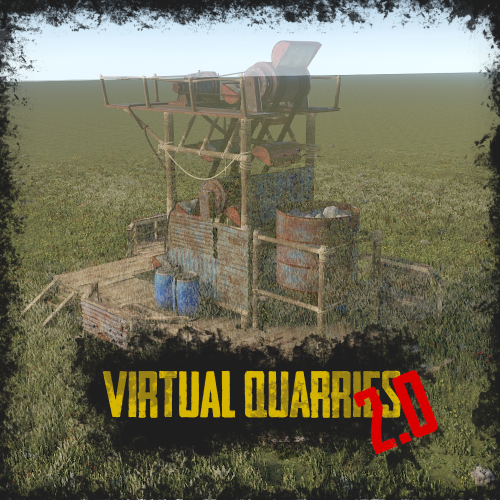 How can I remove a virtual quarry I placed?
 -
I was heading to an easy raidable base today when I saw another base that I thought was a player's base. It turned out it was a raidable base that didn't have the dome and wasn't on the map. Any idea why this would happen? In the screenshots attached, it was located in O24, east of the Easy base. No marker.
-
When I type /vote in my server, I only get what you see in the screenshot. It only shows the URL for 1 of the voting sites. The other sites aren't listed even though I've verified the server ID and API code for each site.
-
Works then dont work? loot not accessible
BetterDeadThanZed replied to Satoshi's Support Report in Support
The problem seems to come if you reload the plugin more than once per server restart. After the second reload of the plugin, the above described problem happens. -
Works then dont work? loot not accessible
BetterDeadThanZed replied to Satoshi's Support Report in Support
Not going to start a new support ticket because I have this same problem. It works at first, then all of a sudden, after opening a container, it closes. A server restart is all that fixes it. A reload of the plugin does not fix the issue. I did delete some look from the config, but I didn't break the config. The formatting is correct. -
.thumb.png.a167af6d204c8731865ddb8c7651fe66.png) Can you explain "SpawnChanceTimes" and "SpawnChanceScale"? I want to adjust the changes for items to spawn. I'd like to be able to set a percentage chance of anything to spawn in these containers globally. The default config lets too much loot spawn.
Can you explain "SpawnChanceTimes" and "SpawnChanceScale"? I want to adjust the changes for items to spawn. I'd like to be able to set a percentage chance of anything to spawn in these containers globally. The default config lets too much loot spawn. -
Can you look at my config and tell me if you see anything wrong? https://pastebin.com/gXA8gwPb The rewards for other things, like killing zombies or scientists, in the same area work just fine. Would the list of plugins I run on my server be helpful?
-
Also not getting it for killing heli. This is my config: https://pastebin.com/6ZFBc1np
-
With the current version, I am not getting rewards for destroying the Bradley. "bradleyapc": 100.0, In previous versions I got 100 economics coins. Coins for other things like killing animals and AI is working fine.
-
I don't know what people are doing to get their server wiped. I bought this plugin on the first day it was released because I was using BotSpawn previously. I had always thought it could be a paid plugin which is why I didn't mind paying for it. The dev of this plugin is very receptive and works hard to fix the problems. It's well worth the money.
-
 I'm sure you're aware, but this message comes up in the console when using the inventorymanager plugin you included: 'InventoryManager v1.1.8' is using deprecated hook 'canRedeemKit', which will stop working on Friday, 31 December 2021. Please ask the author to update to 'CanRedeemKit'
 -
Scientists are spawning with zombies.
BetterDeadThanZed replied to BetterDeadThanZed's Support Report in Support
You are correct... two profiles were there... I will redo all of my custom profiles because another profile was there earlier. -
I can't imagine how an AI plugin can wipe your server. I updated to the latest version about 30 minutes after it was released and everything was fine.
-
Below is a custom spawn. For some reason, scientists, with regular guns, are spawning with these zombies. "domecustom": { "type": 1, "Spawn": { "AutoSpawn": true, "Radius": 25, "BotNames": [ "Zombie" ], "BotNamePrefix": "", "Keep_Default_Loadout": false, "Kit": [ "BS_Zombie_Generic_1", "BS_Zombie_Surgeon", "BS_Zombie_Mummy", "BS_Zombie_Generic_2", "BZ_Zombie_Soldier", "BS_Zombie_Farmer", "BS_Zombie_Generic_4", "BS_Zombie_Default", "BS_Zombie_Police" ], "Day_Time_Spawn_Amount": 5, "Night_Time_Spawn_Amount": 5, "Announce_Spawn": false, "Announcement_Text": "", "BotHealth": 150, "Stationary": false, "UseCustomSpawns": false, "ChangeCustomSpawnOnDeath": false }, "Behaviour": { "Roam_Range": 40, "Aggro_Range": 30, "DeAggro_Range": 40, "Peace_Keeper": false, "Bot_Accuracy_Percent": 50, "Bot_Damage_Percent": 50, "Running_Speed_Boost": 0, "AlwaysUseLights": false }, "Death": { "Spawn_Hackable_Death_Crate_Percent": 0, "Death_Crate_CustomLoot_Profile": "", "Death_Crate_LockDuration": 10, "Corpse_Duration": 180, "Weapon_Drop_Percent": 0, "Min_Weapon_Drop_Condition_Percent": 50, "Max_Weapon_Drop_Condition_Percent": 100, "Wipe_Belt_Percent": 100, "Wipe_Clothing_Percent": 100, "Allow_Rust_Loot_Percent": 100, "Respawn_Timer": 300 }, "Other": { "Chute": false, "Suicide_Timer": 5, "Die_Instantly_From_Headshot": false, "Instant_Death_From_Headshot_Allowed_Weapons": [], "Disable_Radio": true, "Location": { "x": 28.4015675, "y": 92.7032852, "z": -28.344923 }, "Parent_Monument": "" } },
-
custom AI are still doing radio sounds
BetterDeadThanZed replied to BetterDeadThanZed's Support Report in Support
Apparently now that I set that to 0, many zombies have no loot at all.

