Zoreeno
-
Posts
254 -
Joined
-
Last visited
-
Days Won
4
Content Type
Profiles
Warranty Claims
Downloads
Forums
Store
Services
Downloads Plus Support
DOWNLOADS EXTRA
Reels
Support Center
Everything posted by Zoreeno
-
 Nicely done! Haven't found any issues with any of the prefabs. Construction is nearly perfect and they are ready to be placed with no adjustments needed. One thing that Wonder Fox has done that so many vendors fail to do is to set proper height fading so that when you apply height it actually blends right in to it's surroundings instead of creating a large noticeable circle from the height differences. He also uses the proper spat application by not including grass/forest spats which I find can cause things to look unnatural when placing over existing blended splats. All in all a great bundle of prefabs for base builds. Worth the asking price. Hopefully there are more to come from Wonder Fox.
 -
 Why not?
 -
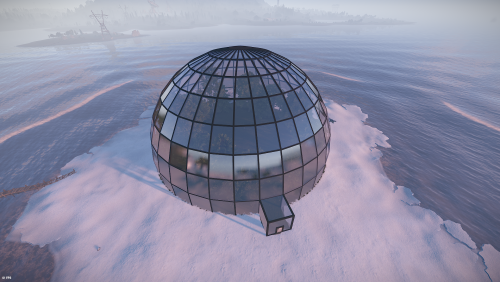
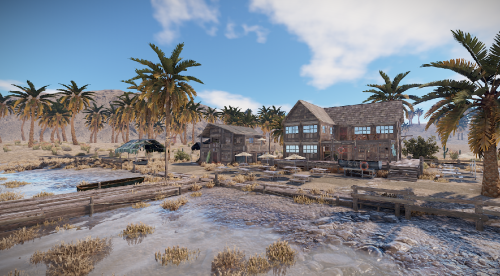 Nicely done. Haven't found any issues with it. Adds a nice point of interest to any beach on your map. Thanks for uploading this.
 -
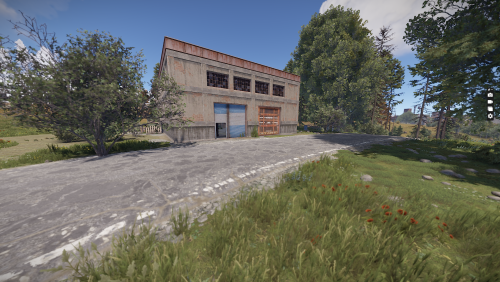 I'll be honest.... this is not a very good monument. It's sloppily thrown together. Prefabs are clipping through each other, bad splat design. It looks like it was thrown together in a matter of minutes. However, the price is cheap and with some touch up work, you can turn it into something usable. But with so many better options available for free, I just can't recommend this one.
 -
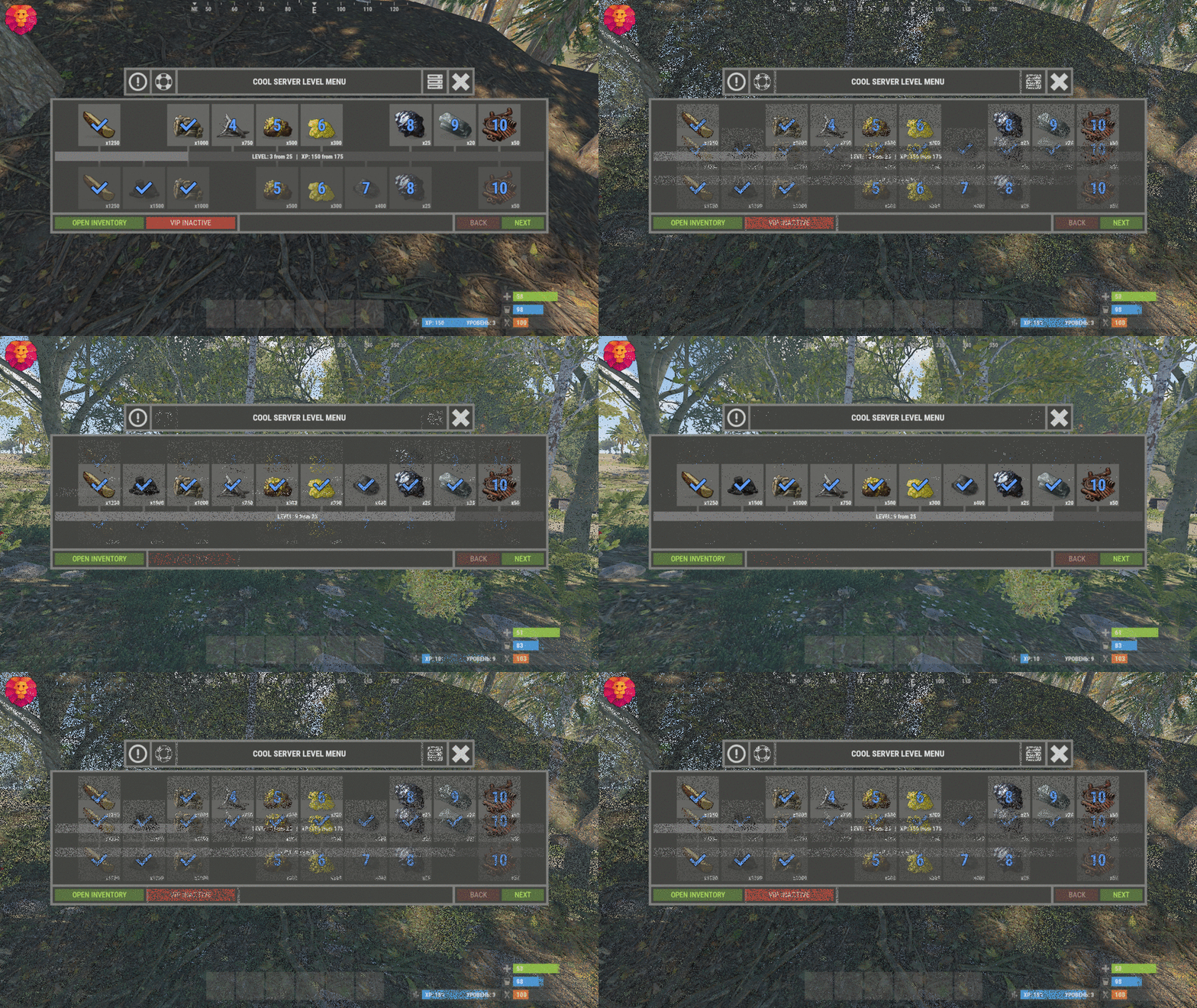 The variable to use is %STEAMID%
 -
I get this spam in the in-game F1 console. If i edit the plug in and remove the lines referencing this asset path it goes away. It happens for players too, so it does not appear to be a client issue. Do you know any way to fix this?
-
 I think maybe "Smelt Speed" is a bad choice for the buff description. What he is saying is that rust default smelting converts the raw ore to resources on a tick rate. so like every 2 seconds (made that number up for the example) an ore is converted to a resource, regardless of how fast or slow or how much of the wood is burning up. With the Blast Furnace buff, that every 2 second conversion still happens, only with a chance for you to also get a resource every time one piece of wood is used. I have not actually tested this specific skill, but with the standard tick rate combined with the chance to produce an extra ore each time a piece of wood is used, you should yield more resources than you would with only the default tick rate. I don't think setting that buff above 100% will work at all, as you cannot go over a 100% chance for the burnt wood to produce an extra resource.
- 1,651 comments
-
- 1
-

-
- #leveling
- #progression
- (and 19 more)
-
One thing I've noticed is that the Barrel Smasher skill (instant breaking of barrels) also applies to road signs. I want people to be able to break barrels quickly but not road signs because it makes it too easy to farm pipes. I know there is a plugin out there called InstantBarrels which allows you to disable instant breaking of signs and have just barrels. Any chance you might add that logic into your code with a future update?
-
I'm getting the same reports. When the server restarts, any already placed Mixing tables will not mix drugs. The GUI and the buttons all show, but if you hit the Mix button nothing happens. If the player uses a hammer to pick up the mixing table and places it back down, everything works just fine. Or if I reload the plugin it works again.
-
 Hey Amino. This looks like a very useful bot. Thanks for putting out for everyone. How exactly does the Alt Finder work? Would I need a paid Battlemetrics account in order to use that feature? I've seen admin content creators (mainly Camomo) be able to spot cheaters who are trying to hide under a new account / new hardware. Is this bot using the same method that he is using, or nah?
 -
I haven't checked it out yet but the new update sounds awesome. I have a couple questions when you have the time.. How exactly does the rested XP sytem work? Does the new NPC damage and defense skills work with BotReSpawn NPC or just the default game scientists? Keep up the great work!
-
I'm not sure if anyone else has reported this but the XP Hud does not scale with the UI if the player has lowered their clients "User Interface Scale" to a setting below the default of 1.0 The first image is with the Interface Scale set at the default 1.0 and the second is when Scale is set to 0.8 I only noticed this because a player reported it and after investigating we found out he has his UI Scale set to 0.8. In the images you can see that a different plugin that uses UI buttons (the quest tracker button) was patched to be able to scale with the players UI scale settings so i'm hoping that this is something that you may be able to implement into Skill Tree. Or maybe it already is and I'm just dumb lol. Anyway. Thanks for your time!
-
Actually it's the other way around. You would need to add BetterChat compatibility into your plugin. BetterChat has been around forever and is one of the top must have plugins for server owners. Most plugins that utilize chat titles implement BetterChat functionality/compatibility on their own. The BetterChat developer does not add other plugins API into their plugin. If that were the case, their plugin file would be nothing but API hooks. In fact they recently made it much easier for other plugin authors to add BetterChat API functions into their own plugins. As a premium plugin developer you should be doing this instead of pushing reasonability onto other, more established and popular plugins in my opinion.
-
Ah ok gotcha. Would be cool to have certain bots toss smoke as screen. Really makes it more challenging for the player. Thanks for the reply.
-
There are a few XP/Skills plugins available out there but this one wins the race by far! Easy to set up and the perks just work right out of the box! Very nice job on this one and i'm looking forward to future updates and evolution of this plugin. The author is active and considers most reasonable requests/suggestions when possible. 10/10 would recommend for all servers not just PVE , but PVP too.
- 1,651 comments
-
- 2
-

-
-
- #leveling
- #progression
- (and 19 more)
-
I can get the NPCs to toss F1 Grenades but they won't toss Smoke Grenades for some reason. Were smoke grenades maybe left out on accident?
-
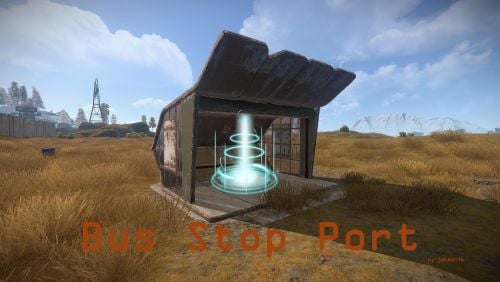 I see a lot of potential here. The current state doesn't look to be worth the asking price (just being honest). Maybe add a bit more to the UI that pops up when you sit down at a bus stop, like the cost per ride. Also would love to see the ability to use any item (by shortname) as a payment method and also support for economics/server rewards. Looks like you are already working on NoEscape support which is very important, otherwise players would just use this as a way to escape PVP when they are close to death. Overall a great idea and concept. Keep it up and this could turn in to a must have for server owners that are trying to keep their server unique in a sea of so many copy/paste basic ass servers.
 -
@imthenewguyany chance that a future update may include the option to disable the XP pop up sprite on a global scale via the config instead of for each player individually?
-
The command on the Tree Planter plugin is "/tree" to bring up the list of trees. Of course if you set a Hud command as just "/tree" it's just going to bring up the tree list. If you are wanting the player to be able to plant a specific tree through Hud, then you would have to do something like "/tree <treetype>". But there are so many tree types that having a button for each tree type seems crazy. Maybe I'm not understanding what you are trying to do.
-
@imthenewguyThanks so much for implementing this! I went ahead and purchased the plugin. Loving it so far! One suggestion for a future update would be to allow us to set any item (shortname) as the payment used for respec in the config file. Our server uses a custom currency (just paper with a skin on it). I was able to change it to use paper as a payment by editing the .cs file and changing all the mentions of "scrap" to "paper" but it would be nice to not have to do that every time you update the plugin. This is just a small minor request, maybe something to consider whenever you do another update pass on this plugin in the future. Keep up the great work man!.
-
I'm interested in using this plugin as something players have to unlock. As in, players do not know this plugin exists until they reach a certain condition that i can handle through a different plugin by having it assign them a permission for your plugin. Basically i'm asking if it's possible to make it so the UI (XP progress bar) does not show up at all unless a player has the permission? Maybe this is already an option, but wanted to double check before I invest.
-
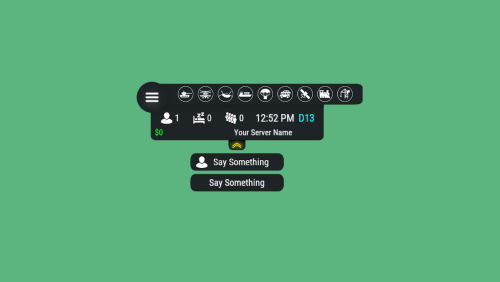
Also noticing that the icon for events are staying green hours after the event has ended/depspawned.