

-
Posts
268 -
Joined
-
Last visited
Content Type
Profiles
Warranty Claims
Downloads
Forums
Store
Services
Downloads Plus Support
DOWNLOADS EXTRA
Everything posted by AltoSaxZeroCubicMetersBruh
-
 So am I to assume it is normal behavior to give the users in the default user group the perks of the furnace burning all slots at the same time?
 -
 Will the newest update allow us to run multiple commands with the same token? I am trying to customize mine but seem to be having difficulty with it displaying the messages and commands upon consuming the token. It runs the first command but not the second so I am not sure if I am doing it wrong - is there any documentation on using this a little more with some better examples?. Any ETA on the update? Thanks!
 -
Hi @DavidSo oxide uses user groups. Furnace Levels was previously only usable by those with the permissions. Since this version was patched to at least 1.4.2 the users in the default permissions group were getting the perk from the plugin that allowed all slots of the furnace to be active at the same time. Sorry if that wasn't clear before. So players who are not subscribed to the plugin are getting the benefits of multiple furnace spots being active when they do not have permissions to use furnace levels. They cannot open the upgrade menu, but they are getting the benefits of lvl 1 of whatever I put into the config and all the slots of the furnace are active, when the default user group has no permissions via oxide to do so. So in this case, users who do not have any control over this, are being affected by furnace levels when their player profiles shouldnt be receiving any benefits at all. RJB
-
Hey team, I am wondering if its on purpose - the default user groups are able to get the benefits of the multiple split with this active. Cheers, RJB
-
I think you mean 2.0
-
Thanks David! I am sorry to be a bother, but there still seems to be one issue. The changes to fuel (lower value means wood lasts longer) seem to be that the default is too fast on lvl 1, compared to when the plugin is off. (2.0 might be too fast for consumption on lvl 1?) I changed this to : "Fuel (Default is 2.0 - Lower value means wood lasts longer when smelting)": { "Modifier": [ 0.5, 0.4, 0.3, 0.2 like it was for speed, to see if that helped and it seemed to put the fuel usage close to vanilla/regular rate. For the chance to receive extra product, I found it now is a percentage out of 100, which seemed to help increase the output to what it was previously. I am sure speed works as previous - seems to so far. We are still testing on the server but appreciate the update and will continue to report back any useful info, RJB
-
Hi Team, After I re-added the new version of furnace levels, one of my players in the default user group (not in the furnace levels group) said his bbq started working weird. basically the bbq with two items in it, spits both out instead of normal function - the bbq is not affected by levels correct? I am trying to tell my players that this shouldnt happen with the current setup but they correlated it to the exact same time as when i reintroduced the plugin. Odd.
-
 Its funky - someone moves the bar and it moves for all players for some reason post patch. Other players can literally see it moving when another player moves it lolol. I'll take a video of it.
 -
Wondering if this is supposed to happen.. When a player uses /movebar it moves all players on the servers XP bar position. Cheers!
-
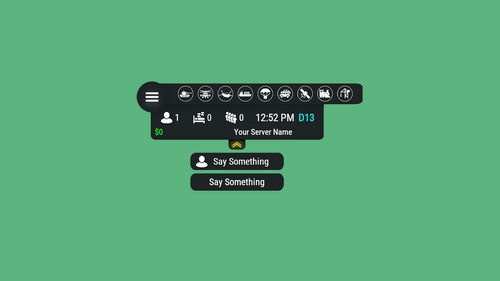 Guys its easy, unload the plugin, delete the file in the HUD data folder as the person indicated above, then reload the plugin unload image library, reload image library, fixed. Worked this easy for me.
 -
 Could we get an update with the new trains as well from this new months patch?? I am hearing reports since this patch that vehicles are becoming "unowned" somehow. Not sure why but I feel its related to the new patch.
 -
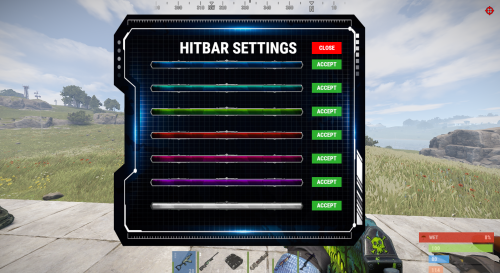 Exception while calling NextTick callback (NullReferenceException: Object reference not set to an instance of an object) at Oxide.Plugins.AdvancedHitBar+<OnEntityTakeDamage>c__AnonStorey0.<>m__0 () [0x00036] in <57c7b18e59584147ae6d6600e21cc525>:0 at Oxide.Core.OxideMod.OnFrame (System.Single delta) [0x00051] in <46ff2b534abb4b35952608167523b7ec>:0 Exception while calling NextTick callback (NullReferenceException: Object reference not set to an instance of an object) at Oxide.Plugins.AdvancedHitBar+<OnEntityTakeDamage>c__AnonStorey0.<>m__0 () [0x00036] in <57c7b18e59584147ae6d6600e21cc525>:0 at Oxide.Core.OxideMod.OnFrame (System.Single delta) [0x00051] in <46ff2b534abb4b35952608167523b7ec>:0 Exception while calling NextTick callback (NullReferenceException: Object reference not set to an instance of an object) at Oxide.Plugins.AdvancedHitBar+<OnEntityTakeDamage>c__AnonStorey0.<>m__0 () [0x00036] in <57c7b18e59584147ae6d6600e21cc525>:0 at Oxide.Core.OxideMod.OnFrame (System.Single delta) [0x00051] in <46ff2b534abb4b35952608167523b7ec>:0 Exception while calling NextTick callback (NullReferenceException: Object reference not set to an instance of an object) at Oxide.Plugins.AdvancedHitBar+<OnEntityTakeDamage>c__AnonStorey0.<>m__0 () [0x00036] in <57c7b18e59584147ae6d6600e21cc525>:0 at Oxide.Core.OxideMod.OnFrame (System.Single delta) [0x00051] in <46ff2b534abb4b35952608167523b7ec>:0 [Death Notes] PLAYER shot a Boar using their M249 over a distance of 24.3 meters. Exception while calling NextTick callback (NullReferenceException: Object reference not set to an instance of an object) at Oxide.Plugins.AdvancedHitBar+<OnEntityTakeDamage>c__AnonStorey0.<>m__0 () [0x00036] in <57c7b18e59584147ae6d6600e21cc525>:0 at Oxide.Core.OxideMod.OnFrame (System.Single delta) [0x00051] in <46ff2b534abb4b35952608167523b7ec>:0 Exception while calling NextTick callback (NullReferenceException: Object reference not set to an instance of an object) at Oxide.Plugins.AdvancedHitBar+<OnEntityTakeDamage>c__AnonStorey0.<>m__0 () [0x00036] in <57c7b18e59584147ae6d6600e21cc525>:0 at Oxide.Core.OxideMod.OnFrame (System.Single delta) [0x00051] in <46ff2b534abb4b35952608167523b7ec>:0 Exception while calling NextTick callback (NullReferenceException: Object reference not set to an instance of an object) at Oxide.Plugins.AdvancedHitBar+<OnEntityTakeDamage>c__AnonStorey0.<>m__0 () [0x00036] in <57c7b18e59584147ae6d6600e21cc525>:0 at Oxide.Core.OxideMod.OnFrame (System.Single delta) [0x00051] in <46ff2b534abb4b35952608167523b7ec>:0 Exception while calling NextTick callback (NullReferenceException: Object reference not set to an instance of an object) at Oxide.Plugins.AdvancedHitBar+<OnEntityTakeDamage>c__AnonStorey0.<>m__0 () [0x00036] in <57c7b18e59584147ae6d6600e21cc525>:0 at Oxide.Core.OxideMod.OnFrame (System.Single delta) [0x00051] in <46ff2b534abb4b35952608167523b7ec>:0 [Death Notes] PLAYER shot a Chicken using their M249 over a distance of 10.3 meters. Exception while calling NextTick callback (NullReferenceException: Object reference not set to an instance of an object) at Oxide.Plugins.AdvancedHitBar+<OnEntityTakeDamage>c__AnonStorey0.<>m__0 () [0x00036] in <57c7b18e59584147ae6d6600e21cc525>:0 at Oxide.Core.OxideMod.OnFrame (System.Single delta) [0x00051] in <46ff2b534abb4b35952608167523b7ec>:0 [Death Notes] PLAYER shot a Wolf using their M249 over a distance of 1 meter. Exception while calling NextTick callback (NullReferenceException: Object reference not set to an instance of an object) at Oxide.Plugins.AdvancedHitBar+<OnEntityTakeDamage>c__AnonStorey0.<>m__0 () [0x00036] in <57c7b18e59584147ae6d6600e21cc525>:0 at Oxide.Core.OxideMod.OnFrame (System.Single delta) [0x00051] in <46ff2b534abb4b35952608167523b7ec>:0 Exception while calling NextTick callback (NullReferenceException: Object reference not set to an instance of an object) at Oxide.Plugins.AdvancedHitBar+<OnEntityTakeDamage>c__AnonStorey0.<>m__0 () [0x00036] in <57c7b18e59584147ae6d6600e21cc525>:0 at Oxide.Core.OxideMod.OnFrame (System.Single delta) [0x00051] in <46ff2b534abb4b35952608167523b7ec>:0 Exception while calling NextTick callback (NullReferenceException: Object reference not set to an instance of an object) at Oxide.Plugins.AdvancedHitBar+<OnEntityTakeDamage>c__AnonStorey0.<>m__0 () [0x00036] in <57c7b18e59584147ae6d6600e21cc525>:0 at Oxide.Core.OxideMod.OnFrame (System.Single delta) [0x00051] in <46ff2b534abb4b35952608167523b7ec>:0 Exception while calling NextTick callback (NullReferenceException: Object reference not set to an instance of an object) at Oxide.Plugins.AdvancedHitBar+<OnEntityTakeDamage>c__AnonStorey0.<>m__0 () [0x00036] in <57c7b18e59584147ae6d6600e21cc525>:0 at Oxide.Core.OxideMod.OnFrame (System.Single delta) [0x00051] in <46ff2b534abb4b35952608167523b7ec>:0 Exception while calling NextTick callback (NullReferenceException: Object reference not set to an instance of an object) at Oxide.Plugins.AdvancedHitBar+<OnEntityTakeDamage>c__AnonStorey0.<>m__0 () [0x00036] in <57c7b18e59584147ae6d6600e21cc525>:0 at Oxide.Core.OxideMod.OnFrame (System.Single delta) [0x00051] in <46ff2b534abb4b35952608167523b7ec>:0 Exception while calling NextTick callback (NullReferenceException: Object reference not set to an instance of an object) at Oxide.Plugins.AdvancedHitBar+<OnEntityTakeDamage>c__AnonStorey0.<>m__0 () [0x00036] in <57c7b18e59584147ae6d6600e21cc525>:0 at Oxide.Core.OxideMod.OnFrame (System.Single delta) [0x00051] in <46ff2b534abb4b35952608167523b7ec>:0 Exception while calling NextTick callback (NullReferenceException: Object reference not set to an instance of an object) at Oxide.Plugins.AdvancedHitBar+<OnEntityTakeDamage>c__AnonStorey0.<>m__0 () [0x00036] in <57c7b18e59584147ae6d6600e21cc525>:0 at Oxide.Core.OxideMod.OnFrame (System.Single delta) [0x00051] in <46ff2b534abb4b35952608167523b7ec>:0 Thanks Jbird, appreciate the assist - yeah it seems to be the case with radar on. I have asked the admins to keep radar usage to a minimum.
 -
.thumb.png.144bf0e8de79ab4c3f2404ebe745437b.png) Hey great plugin yo, its awesome - I had my players point out to me today that the green box under their own player placed windmills is a lootable - is there a way to keep the green boxes in the world, but not the ones attached to player windmills? thanks keep up the grt work
Hey great plugin yo, its awesome - I had my players point out to me today that the green box under their own player placed windmills is a lootable - is there a way to keep the green boxes in the world, but not the ones attached to player windmills? thanks keep up the grt work -
03:33 [Error] Exception while calling NextTick callback (NullReferenceException: Object reference not set to an instance of an object) at Oxide.Plugins.AdvancedHitBar+<OnEntityTakeDamage>c__AnonStorey0.<>m__0 () [0x00036] in <ae4a8bc7243e4e4eba1931f3ee240c27>:0 at Oxide.Core.OxideMod.OnFrame (System.Single delta) [0x00051] in <46ff2b534abb4b35952608167523b7ec>:0 keeps happening post patch. might need an update.
-
in case you didnt watch it when I posted it above
-
My issue was 1.1.1.2 was working fine. I updated to 1.1.1.4 and noticed the stutter right away and rolled back to 1.1.1.2 - removed all the plugin, config, data, etc and started the plugin from scratch with 1.1.16. Though I removed the horse speed addons by changing the flags to false, the boat speed ones were intact. People immediately started having issues again. Removed all the boat speed flags changing them to false, and resetting all player data again. Stuttering/glitchy vehicles now for everyone!! I can share my config if it helps.
-
Upgraded to 1.1.1.6 and all vehicles are stuttering, and glitchy, I think any of the benefits from horse and boat speed have been negated with this horrible experience - its the same thing when you first introduced horse speed, you had to turn the radius off but I am not sure whats causing this now. It's basically making SkillTree unplayable on the server. The video above is indicative of horses, modular cars, and boats.
-
I found with 1.1.1.4 that modular cars were stuttering, people would kind of rubber band, regardless of their skills. I had to do a rollback to 1.1.1.2 to make the stuttering stop. https://www.youtube.com/watch?v=ME5FqeQivYs is the example my players recorded the other day before i rolled it back and the issue stopped. Any ideas if this was fixed in .5 or .6? or do we need to investigate further? thanks.
-
 Thanks will try this, this week. Looking forward to a code locking version
 -
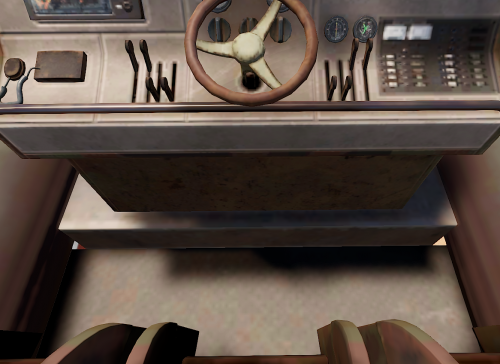 I have been noticing that at 0, 0, 0 there are thousands of keylocks, chairs, and some rhib storage just chilling - is this what you mean Fandago? Or are there other entities just appearing somewhere?
 -
So, if I spawn a quarry and a pumpjack next to each other, does the first bubble cover the other entity? My situation is that we allow admins to spawn those two entities - pumpjack-static and miningquarry_static - as admin perks - but regular players can come up to them and use them still. With this recent update, if they are next to each other, we have found that people can run/walk/break through the bubble and access the quarries. Is there a way to just let this quarry manager have a feature that lets admins add a code lock (for admins use only) to these static entities to lock them so they cant be used or looted to code holders, or a way to make it so that the bubbles for static quarries dont let people run through them once they have been turned on and fueled? Right now, I cant look at a static quarry and add or remove users from it, because the commands dont recognize it as a quarry that I can restrict people from. Unless my config and default user permissions are incorrect. Thanks for your update, and continued efforts to improve this plugin. I am open to any feedback or questions to help make this the best experience for all users of the plugin!!
-
1.0.6 - I did testing with a few of the servers players watching my stream and they feel with the plugin on its breaking horses - didn't realize it was patched, as I only started using 1.0.5 and upgraded to 1.0.6 when it was released the same day. The turn radii for players on horses with it on, even with no buffs in the skill, is quite apparent. They lag and latency, and get stuck on the smallest hills, on flat areas and overall move quite buggy. With the plugin disabled, there are no issues with horses for players. Unsure what to say as the only plugin added to the server this month has been skill tree and it has not been without issues and we are patiently waiting for an update to 1.0nextversion. Edit 2 - can you explain what the issues were with the old versions?
-
Hi team, After using the plugin for a couple weeks, I am getting a few complaints about horses not being properly rideable. The members of the team here have either no points into the horse speed, yet they are experiencing the additions of the horse speed, causing issues with turning, and the ones with points in riding speed, are experiencing latency and buggy turning radii. Turning the plugin off, seems to resolve the issue, but then turning it back on, the horses just seem to fail to thrive. Anyone else having issues with horses + skill tree? (didnt want to put this under support to ensure there was proper conversation as I am not sure if its a bug or rust issue) Thanks!
-
I am seeing a ton of this in my rcon/console - any ideas why?
-
Looking forward to the next release.