

-
Posts
588 -
Joined
-
Days Won
7
Content Type
Profiles
Warranty Claims
Downloads
Forums
Store
Services
Downloads Plus Support
DOWNLOADS EXTRA
Reels
Everything posted by Mankus
-
.thumb.jpg.f61100ccc57656212ac059406e93854b.jpg) Yes, I am and I also seriously against unnecessary forced changes that favours a small group without discussion or question. It is a little presumptious to assume everything is "working as before", for everyone, it may be for you and that is great, it is not for me. Ok, if you want to know how it affects my workflow, well; - Extracting singular parts of loot configurations from one plugin config file and exporting each as a singular data file is messy, it creates a lot of files, it makes manual .json editing a total mess. - The file extractions make a lot of presumptions, - suddenly the data files are named names I don't recognise. - The naming system uses some names I used in my config, sure but that is not intuitive as the name of a data file. Are you aware how disruptive that is? Imagine I opened your 1 year of notes, tore out all the titles, mixed them up, then re-wrote all of your notes in a way more familiar to me, then stuck every one of them from your note book to your wall with selotape. Now its easier for me to see them... but what about your notes Do you see my point? - There is absolutley no folder organisation between the loot tables - they are all in one folder (lets say shipwreck, Caravan, Convoy, Armored Train for reference) - suddenly I have a huge pile config files with no organisation. - This is not helpful, it has a huge negative impact on time, organisation, naming structures, editing of configurations. - There is no consolidation of files or ease of access here. - I could go on I'm quite sure I'm not alone here with these issues. I hope this can be read constructively and not with annoyance or aggression, I am sharing my thoughts, I only see many problems with this, in its current state and how it affects my use of Adem's plugins which are heavily customised. There should be an option to "opt out" or not use this plugin, at least until it can be fully finalised.
Yes, I am and I also seriously against unnecessary forced changes that favours a small group without discussion or question. It is a little presumptious to assume everything is "working as before", for everyone, it may be for you and that is great, it is not for me. Ok, if you want to know how it affects my workflow, well; - Extracting singular parts of loot configurations from one plugin config file and exporting each as a singular data file is messy, it creates a lot of files, it makes manual .json editing a total mess. - The file extractions make a lot of presumptions, - suddenly the data files are named names I don't recognise. - The naming system uses some names I used in my config, sure but that is not intuitive as the name of a data file. Are you aware how disruptive that is? Imagine I opened your 1 year of notes, tore out all the titles, mixed them up, then re-wrote all of your notes in a way more familiar to me, then stuck every one of them from your note book to your wall with selotape. Now its easier for me to see them... but what about your notes Do you see my point? - There is absolutley no folder organisation between the loot tables - they are all in one folder (lets say shipwreck, Caravan, Convoy, Armored Train for reference) - suddenly I have a huge pile config files with no organisation. - This is not helpful, it has a huge negative impact on time, organisation, naming structures, editing of configurations. - There is no consolidation of files or ease of access here. - I could go on I'm quite sure I'm not alone here with these issues. I hope this can be read constructively and not with annoyance or aggression, I am sharing my thoughts, I only see many problems with this, in its current state and how it affects my use of Adem's plugins which are heavily customised. There should be an option to "opt out" or not use this plugin, at least until it can be fully finalised.- 82 comments
-
- 3
-

-
- #loot
- #lootmanager
- (and 2 more)
-
 Very fun, you can easily set the locations of the Npc Trader Woodsman, Wrecks has provided custom items and skins ready to be configured. All you have to do is set the desired values for your server style and its good to go, or Customise like crazy, the choice is yours. Performance is top Wrecks is always on the ball ready to help or update when needed.
 -
 Wrecks has done it again, another fine example of a fun, lightweight and ready to use plugin. Setting up your Economy, npc trader and custom items is made simple so you can diversify your server and add to the Rust experience in a way that feels authentic.
 -
 Imthenewguy makes quality customisation and simplicity combine into one neat package. Movement Speed is very fun to have trigger from a usable item, it performs very well. And there are provided config examples for easy integration into SkillTree and more.
 -
 Adem's event plugins can't be done without, a must have for any large multi-event server, PvE or PvP As always there are many fun features and variations, some surprises, plus a lot of configuration options and customisations for users who like to dive deeper into configurations. Cosntant support and updates from Adem make all the difference too. I think the downloads count speaks for itself.
 -
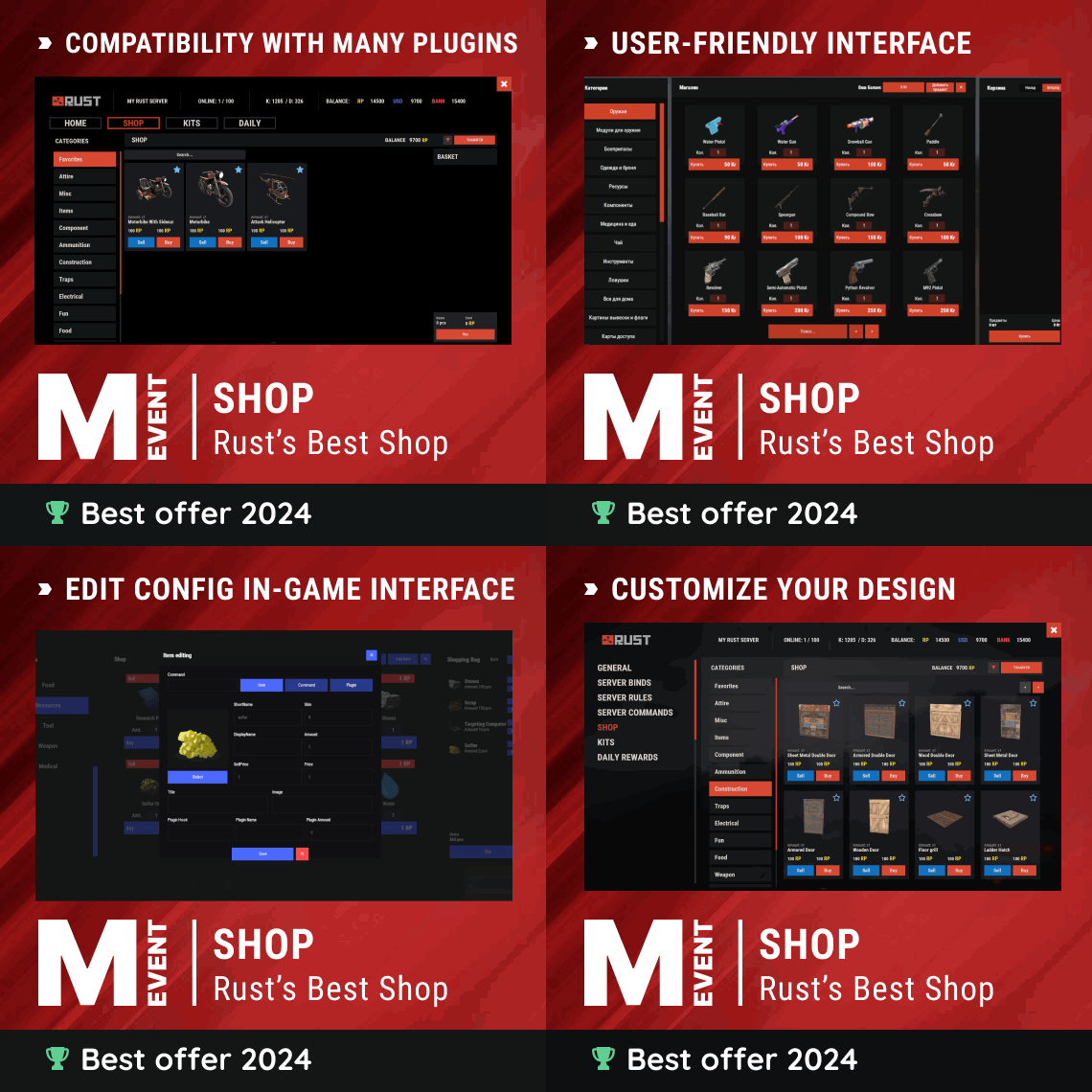 This plugin has evolved nicely over the years, is highly configurable, covers almost every aspect of configuration one could need. The initial set up is time consuming for an amatuer but for a familiar user set up is easy and all the possible documentation is provided. Mevent keep the features and functionality up to date as Rust is constantly changing. with Shop, Mevent keeps doing it right! I'm not a fan of custom Rust interfaces but this one has many nice options and works very well!
 -
I have nothing against Adem, I'm not disrespecting his work, I appreciate it, Adem knows this, you know this. I appreciate the fact that this is free and all the work that they do. I am not attacking the work here, critiscism should be welcomed as much as positivity. I am not being impatient, or upset, I merely sharing my opinion. My opinion is simple, I don't like that this is a dependency, currently it creates much more work for me and ruins my workflow.
- 82 comments
-
- 1
-
-
- #loot
- #lootmanager
- (and 2 more)
-
No problem, thanks for the info. Regards, Manky
-
Thanks for your continued support Gruber, appreciate the updates!
-
Hi Gruber, thanks for your messages. I can only imagine how the editor is at the moment. Appreciate the reply. As for the grass, maybe "clutter" is a better word, I know the rocks don't have "grass" grow on them but there is a clutter layer that depending on the biomes puts different things on the surface. A lot of the grass is missing on the green areas of the map. And a lot of the clutter or debris is missing on the other surfaces. I don't know the correct terminology but I hope that helps explain better. I hope the editor is updated or improved, I udnerstand it can be limiting and that you can't always see the correct result with the difference in the editor and the game client when a map is generated. Cheers, Manky
-
Yes, why is this plugin now mandatory, the convenience is subjective at best, I also prefer to manage through config. At least that method is relatively clean, simple and doesn't require using the Game client and a gui to edit. Gui editing any plugin in Rust is never a good idea.
- 82 comments
-
- 3
-

-
-
- #loot
- #lootmanager
- (and 2 more)
-
Areas where there is a surface "grass" layer look ok when the option is enabled where I put the red "tick", it at least covers it up and seems fine but I noticed the other issue there is that most of the areas I looked at across the map dont have any scatter / grass / debris layer, only the basic texture surface layer like the Red "X" I put in this screenshot.
-
A lot of the map is giving the feeling of an MS Paint 8 pit spray can design when it comes to the terrain topology blending. Did sommething break in the update or what happened ? Even on max graphics settings on the Rust client, it looks really bad.
-
Hi Gruber, all of the underwater areas in the entire "Ice Gorge" section are missing underwater cubes. They only seem to have surface water topology see the attached screens below for the map area and the non underwater areas also all the dirt roads look like they are missing assets and blending there are many areas on the map like this that appear to just have big rectangular cuts without blending see the sandy area below as an example. IT makes the snow, roads and sandy areas especially with dirt roads or empy spaces look really badly designed
-
I'll second that, it's working very nicely indeed. The accuracy of those details on a custom map is very high. The tags are neat, display and organisation of the info and the overall informaiton itself makes choosing a custom map far easier, well done.
-
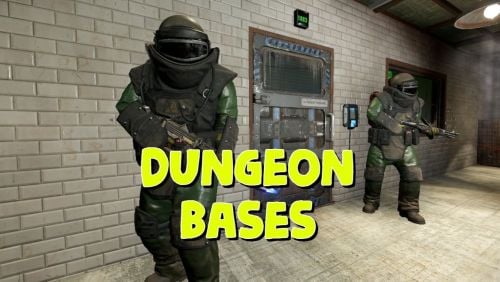 Yes, it seems to be working fine for us now too, having spawned and played all 4 dungeon types, using the default Dungeon designs. Thanks Fruster! I have removed my custom designs as I must remake them according to the new instructions.
 -
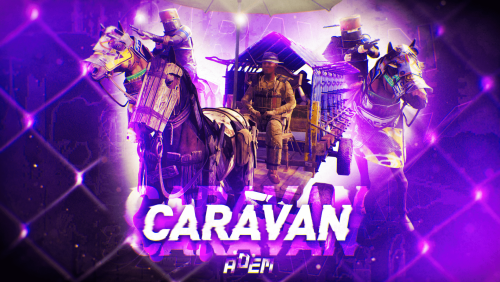 Hi @Adem Would you consider supporting Karuza's custom entites in Caravan, like you have in Convoy? Karuza has horse wagon custom entities and as you are aware many other vehicle types - some of them would work brilliantly in Caravan too! If it is possible, we only need to add them to the caravan driving-road logic so that they follow and can have loot containers and maybe have an NPC sitting on the chair, like in Convoy.
 -
Greetings, As of Novembers Wipe the plugin keeps throwing errors in oxide when players attempt to use it. Please investigate this as soon as possible. As we can not get the plugin fo funciton without error since the last Force Wipe. Any suggestions, feedback or help would be greatly appreciated. Below is the output upon user interaction with the ui | Failed to call hook 'UiActionCommand' on plugin 'TeamBank v1.0.1' (FormatException: Input string was not in a correct format.) at System.Number.ThrowOverflowOrFormatException (System.Boolean overflow, System.String overflowResourceKey) [0x0001a] in <f98723dd4586469db5213ec59da723ca>:0 at System.Number.ParseInt32 (System.ReadOnlySpan`1[T] value, System.Globalization.NumberStyles styles, System.Globalization.NumberFormatInfo info) [0x00016] in <f98723dd4586469db5213ec59da723ca>:0 at System.Int32.Parse (System.String s) [0x00016] in <f98723dd4586469db5213ec59da723ca>:0 at Oxide.Plugins.TeamBank.CheckRewardsDeposit (BasePlayer player) [0x00089] in <1ce8bc178ee8422d801ed8af422ea3f9>:0 at Oxide.Plugins.TeamBank.UiActionCommand (ConsoleSystem+Arg arg) [0x00208] in <1ce8bc178ee8422d801ed8af422ea3f9>:0 at Oxide.Plugins.TeamBank.DirectCallHook (System.String name, System.Object& ret, System.Object[] args) [0x00a17] in <1ce8bc178ee8422d801ed8af422ea3f9>:0 at Oxide.Plugins.CSharpPlugin.InvokeMethod (Oxide.Core.Plugins.HookMethod method, System.Object[] args) [0x00079] in <42f9bedc659b4f4786eb778d3cd58968>:0 at Oxide.Core.Plugins.CSPlugin.OnCallHook (System.String name, System.Object[] args) [0x000de] in <112d89ea5d3348c8b949af0ab1a866d2>:0 at Oxide.Core.Plugins.Plugin.CallHook (System.String hook, System.Object[] args) [0x00060] in <112d89ea5d3348c8b949af0ab1a866d2>:0 (13:06:09) | Failed to call hook 'UiActionCommand' on plugin 'TeamBank v1.0.1' (FormatException: Input string was not in a correct format.) at System.Number.ThrowOverflowOrFormatException (System.Boolean overflow, System.String overflowResourceKey) [0x0001a] in <f98723dd4586469db5213ec59da723ca>:0 at System.Number.ParseInt32 (System.ReadOnlySpan`1[T] value, System.Globalization.NumberStyles styles, System.Globalization.NumberFormatInfo info) [0x00016] in <f98723dd4586469db5213ec59da723ca>:0 at System.Int32.Parse (System.String s) [0x00016] in <f98723dd4586469db5213ec59da723ca>:0 at Oxide.Plugins.TeamBank.CheckRewardsDeposit (BasePlayer player) [0x00089] in <1ce8bc178ee8422d801ed8af422ea3f9>:0 at Oxide.Plugins.TeamBank.UiActionCommand (ConsoleSystem+Arg arg) [0x00208] in <1ce8bc178ee8422d801ed8af422ea3f9>:0 at Oxide.Plugins.TeamBank.DirectCallHook (System.String name, System.Object& ret, System.Object[] args) [0x00a17] in <1ce8bc178ee8422d801ed8af422ea3f9>:0 at Oxide.Plugins.CSharpPlugin.InvokeMethod (Oxide.Core.Plugins.HookMethod method, System.Object[] args) [0x00079] in <42f9bedc659b4f4786eb778d3cd58968>:0 at Oxide.Core.Plugins.CSPlugin.OnCallHook (System.String name, System.Object[] args) [0x000de] in <112d89ea5d3348c8b949af0ab1a866d2>:0 at Oxide.Core.Plugins.Plugin.CallHook (System.String hook, System.Object[] args) [0x00060] in <112d89ea5d3348c8b949af0ab1a866d2>:0
-
 Unfortunately I missed this and we lost our server save from corruption, the map was forcibly wiped and reset somehow. Investigating.
 -
Haven't had our saves corrupt on server restart so far. Will update to 1.2.9 anyway
-

Dungen Elevators not workign sicne update
Mankus replied to Castiel the Shield's Support Report in Support
Yes the copy paste files must be replaced / updated too - the elevators worked or us after the update and after replacing the copy paste files. -
That's great, thank you for the prompt update Fruster! Sorry I did not create a support ticket as I was not exactly sure of the technical issue and thought it would be easier to see if any other people had the same problem. Cheers, have a good day.
-
Hello, is anybody else having problems with elevators in the dungeons ? @Fruster Have you noticed any issues with elevators since Forcewipe ? Facepunch changed some things with elevator behaviour recently and it seems the default base designs elevators dont turn on or off anymore, players cant use them.
-
RadtownEvent - Failed to compile: The type name 'LootTable' does not exist in the type 'LootManager' | Line: 1594, Pos: 32 Hi, Since I've added this necessary plugin Which supports integration of LootTable & Stacksize Gui its causing RadTownEvent to fail to compile, I use LootTable & Stacksize Gui also by the Kiiing. I've sent a support rquest to the King about the compile error but I wanted to send it to you, so you both know. Assuming you are wokring together on the integrations. I can not tell where the conflict originates from. LootManager is working fine, it imported the loot from other plugins like Caravan etc. Thanks in advance for any info. Regards, Manky
-
RadtownEvent - Failed to compile: The type name 'LootTable' does not exist in the type 'LootManager' | Line: 1594, Pos: 32 Hi, Since I've added this necessary plugin by Adem Which supports integration of LootTable & Stacksize Gui its causing RadTownEvent to fail. I have sent this to Adem too.