

-
Posts
143 -
Joined
-
Last visited
-
Days Won
2
Content Type
Profiles
Warranty Claims
Downloads
Forums
Store
Services
Downloads Plus Support
DOWNLOADS EXTRA
Reels
Everything posted by Papa Bear
-
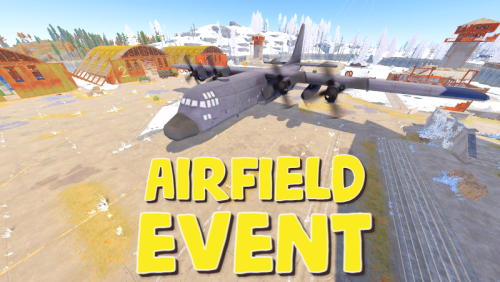 @Fruster Thanks for the update. The last few changes have been great. Keep it up. Today, since I was here picking up the update, I went ahead and left a review. Thanks again!
 -
Definition of a Great Plugin: Keeps Players Engaged Has PvE Settings to make event/loot protected Can be configured for someone to solo, or as many as 20 players. Ability to adjust loot tables. Configurable NPCS, Health, Roam, Vision, Damage Dealt, Damage Received, Distance Pursued, Distance Invulnerable and much more. Add Chance Percentage for Bradley To Join Event Add Chance Percentage for Heli(s) To Join Event, and when to join and how far to fly before they arrive, etc. For only $19.99, I think this is one of the best plugins you can purchase here on Codefling. I've been managing plugins for several years now and I am pretty conservative when it comes to choosing a new plugin for our server. They have to be a value in both price & playability. Also, I am rating this plugin on free of issues, always up-to-date, melds well with Bradley Tiers, Skill Tree, Server Rewards and Economics. I've been running this plugin for a few years. Look, Rust is a great game in itself. The need for Events in my opinion is more miss than hit. But, if you want to give something to your players that they will look forward to, this is the one. It's up there with Raidable Bases, BotReSpawn & Convoy, in my opinion. It can be set up not to spawn in, until a player count is reached, giving players an added challenge when the Tier 3 Monuments are getting locked down by other players. You can choose both manual settings or automatic settings. You can save alternate configs so you can do Harder Events where you can make it 5x as hard for such an event, then swap the config back and but it back to the way it was, so players can enjoy the event size you would normally run. Bottom Line, it's fun to config this plugin, because you can really set it up to your preferences across the board. Oh, and today it's $15.99? I'm not sure for much longer? I would get this plugin for sure at that price!
-
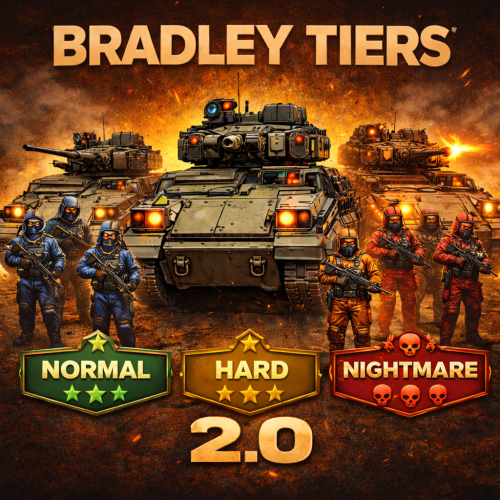 I can confirm that every skinned item that I looted (5 tanks worth) were all Market Skins and in my opinion, against the recently updated TOS by FacePunch. The pants were .JPEG 2897807356, the M249 was Royal 3129057364 & I got a pair of Bombing Roadsign Gloves 2414616221 plus 6 more that were Approved Market Skins. Since you seem concerned about staying in compliance, I would refrain from using this feature. @Krungh Crow should consider using PlayerDLCAPI on UMod.org, so only skins owned by the player gets put on the items. NOTE: The Server must also have this .CS file in their Plugins Folder It works very well for keeping my server in compliance. Personally, I wouldn't use this loot table unless you are trying to inject particular loot items into the crate. My players didn't care for the Beans & Tuna and complained that the number of items in the crates were far below what is in the normal crates. I do inject other items, but I use the Extra Loot Plugin for this, so it doesn't interfere with what is in the crates, it simply adds more to it. This plugin is free and is on UMod.org.
 -
Well, then I'm an unsure what's going on in your case. I never asked this, but do you have the setting of Use Random Skins set to True (or is it False)? I am assuming you have it set to True and that you are unsure if it's an accepted skin or not? Until the Dev @Krungh Crow chimes in, I can only tell you I would be happy to match your settings in the config and test it out on my server. This is because if I do grab a skinned item and drop it into Skinbox, I will be able to get the name and ID number from my plugin and compare it to Market. I will do a short test today because I'm in the Philippines, and run a US Server, I am often awake when the players are offline. So, if the Dev hasn't chimed in to this conversation, then let me know your settings so I can match it for mine. I am meaning for both the Loottable and RandomSkins, both. Thank you.
-
Do you have any plugins that also handle loot, such as Alpha Loot? That would be the first place I'd look. But, now that I think about it, I remember something like this happening to my Bradleys last year and I was using Item Skin Randomizer https://umod.org/plugins/item-skin-randomizer (Which is in total violation of the new FacePunch's TOS) ... if you are running this plugin, there is a setting to turn it off I believe, but there is no reason to use that plugin unless you desire to have your Server Blacklisted by FacePunch. I'm not sure why some plugins still exists with no connection to the PlayersDLC.api, which is a simple fix, but one Developer of a different plugin that didn't comply actually told me "F@!K FacePunch. I don't understand the defiance, but that's what he said.
-
That depends on you.. You're the one that enters the skinID (ideally from a non-market skin) from the Steam Workshop. I suggest you download the https://codefling.com/tools/editor-for-skins-plugins because this will flag your config for Market Skins. Now, there is no format for Bradley Tiers, but there is for the Free Plugin, Skins (UMod). (internal) means within this JSON file. This would only be set to True if you were also to use the lootsysystem (internal) " true. }, "Loot Settings": { "Use lootsystem (internal)": false, "Use Random Skins (internal)": false, "Use AlphaLoot": false }, { "probability": 0.1, "shortname": "rifle.l96", "name": "", "skin": 0, You can drop any Skin ID here. "amountMin": 1, "amount": 1 }, I advise you to review these skins manually, if you have concerns a skin gets picked up. This week on my server, I had six skins get picked up this week and four last week. I am very active using skins workshop for my server and it seems the more I add, the more that gets approved.
-
I'm not sure where I got it, but Developer has already designed a companion plugin called Bradley Tiers Map. I belong to his discord, so I'm pretty sure that's where I got it. It works great, it's free and it can work (or be blocked) from Wipe Day Bradleys. Also, works with my Airfield Event that spawns a Bradley (shows up as a Tiered version via the Bradley Tiers Plugin. Here is the codefling page that shares his Discord Link. https://codefling.com/krungh-crow?tab=field_core_pfield_1
-
 I've run this plugin for several months now, and I've had the Player experience when I visit other servers, so I was already familiar with it for well over a year. I was coaxed into getting this for our server, along with Epic Loot. I also downloaded the (then) free version of Skill Tree Items, which is not required, but does add another layer of loot satisfaction for the player. Setting up Prestige (which I have never seen used on any other server before) really set this plugin apart, because though the node values can be messed with for person preference, Prestige take this plugin to a whole 'nother level. So far, I have 6 Prestige levels and the first three involved gifting VIP permissions of this plugin back to the players. How I did this was P1, give the players No Cost Respec, which we charge quite a bit of RP money, which multiplies the more they utilize this feature. The P2 was giving players 3 points for each level instead of the 2 we originally give. P3, we increased the Total amount of Points they could use by 100% (But, to be honest, I had already cut it back to 100, so they would have a greater desire to get this perk. The next three I gave them permissions for Rust Kits, where in the kit, had a Heli Signal, a Bradley Drop and the third, a Heavy Oil Rig card (other plugins) and I used a Cooldown so they could repeat this kit throughout wipe. This is not a drop and forget plugin, but it is worth the time and effort you put into it. I recommend playing your server to get a feel for the settings. I've made most of my adjustments as a result of my personal game play, to make sure it feels powerful, but not over powered. I did have to nerf a few of the settings for my taste, but I am running Epic Loot (which is another awesome plugin by this developer) and so, balance was very important to me. I do want to mention that this developer is 100% a great communicator. He actually came to my server to test issues I had (my own misunderstanding of how this plugin works) and he tested this himself. He was very respectful in his communication and I fell that he deserves a Kudos for this, indeed.
- 1,659 comments
-
- 1
-

-
- #leveling
- #progression
- (and 19 more)
-
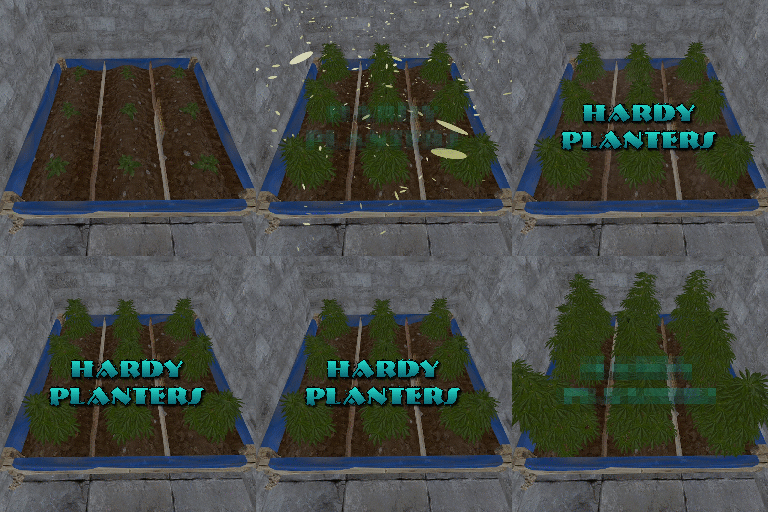 I thought Drop weight set to zero would mean not showing up in the loot table. I only wanted the Tier 1 to be in the crates, the rest of them I am selling in GUIShop. But, today, I looted both a Tier 1 and Tier 2 on the same run. I can't delete anything, because I need these to be here for the Tier I'm selling. Is there something I am missing or can we get a variable to exclude certain tiers from the loot table entirely? Thank you, Bear "Planterbox profiles": { "3647331888": { "Drop weight": 100, "Overall quality of the planterbox [responsible for growth speed]": 0.8, "Item display name": "large pandemic planter tier 1", "Item shortname": "planter.large", "Growth gene multiplier [default: 0.25]": 0.25, "Prevent aging on ripe?": false }, "3647342134": { "Drop weight": 0, "Overall quality of the planterbox [responsible for growth speed]": 1.0, "Item display name": "large pandemic planter tier 2", "Item shortname": "planter.large", "Growth gene multiplier [default: 0.25]": 0.25, "Prevent aging on ripe?": false }, "3647343141": { "Drop weight": 0, "Overall quality of the planterbox [responsible for growth speed]": 1.5, "Item display name": "large pandemic planter tier 3", "Item shortname": "planter.large", "Growth gene multiplier [default: 0.25]": 0.35, "Prevent aging on ripe?": true }, "3647343272": { "Drop weight": 0, "Overall quality of the planterbox [responsible for growth speed]": 2.0, "Item display name": "large pandemic planter tier 4", "Item shortname": "planter.large", "Growth gene multiplier [default: 0.25]": 0.5, "Prevent aging on ripe?": true }, "3647343446": { "Drop weight": 0, "Overall quality of the planterbox [responsible for growth speed]": 2.5, "Item display name": "large pandemic planter tier 5", "Item shortname": "planter.large", "Growth gene multiplier [default: 0.25]": 0.75, "Prevent aging on ripe?": true },
 -
 I can't seem to find where to turn off the UI on this plugin. I'm allowed to do this on Skill Tree & Epic Loot. If I am overlooking something, I'm sorry. But, I just can't find it.
 -
 I did do that, but it didn't stick. I think it's because the plugin is overriding the coordinates. It can be easily changed by the player, but I was hopping to have the default location not to share the same real estate as another. It is pretty straight forward on Skill Tree, but Epic Loot has a different approach.
 -
The Epic Loot Button, which I successfully change the icon is perfect. Only thing, I already have a Shop Button there now, so I would like to relocate this Epic Loot Button upward on the Ymin to about 80 Ymax 116 but the thing just will not budge. I had no issue moving the XP Bar in the Skill Tree Plugin, but this one has got me scratching my head. Can anyone point out, what I am doing wrong? }, "Button information": { "Enable use of the HUD button? Players can still disable it client side via the player settings": true, "Path of the icon button. You can use a SkinID, URL or assets/icons path": "3005538133", "Offset Min": "-351.4 20.7", "Offset Max": "-215.4 56.7" }, I am assuming from these numbers and the current location, -351.4 - 215.4 are the horizontal anchors and the 20.7 - 46.7 is the vertical. Well, I changed both ... just to see if it would move, I changed the first one to -651.5 -515.4 and it didn't move a spec. Thank you for any help that can come my way, Bear
-
 OK, looks like it's not the plugin. It's doing it to normal helis too. Tested by F1 command DROP. What's happening is once it takes damage, the Heli falls to the ground and then stays alive. I do have NPCs that show up via BotReSpawn, but I shut that plugin off and same thing. I also have Skill Tree (Talent for Heli Damage) .. shut it off, same thing. I'm just going to have to go through my plugins and see what's causing it. Sorry to concern you but, it looks like its not Heli Signals doing this. I'll find it and follow up later. U P D A T E: I had two plugins causing this, both from UMod. Loot Defender (set's ownership on Heli to first attacker) and No Unauthorized Damage. These two plugins didn't play nice. After Nivex helped me out with a quick patch and explanation, I took the corrected plugin to the Dev of No Unauthorized Damage, and he did an update on it. So, Kudos to those two for getting things done and I hope this doesn't happened to anyone else.
 -
A player reported that heli spawned really low and just clipped buildings and terrain for two days now. He made a short YT video showing this.
-
 Why does it say it's failed the Validation on both Main and Staging Branch? (just above the Download Button)
 -
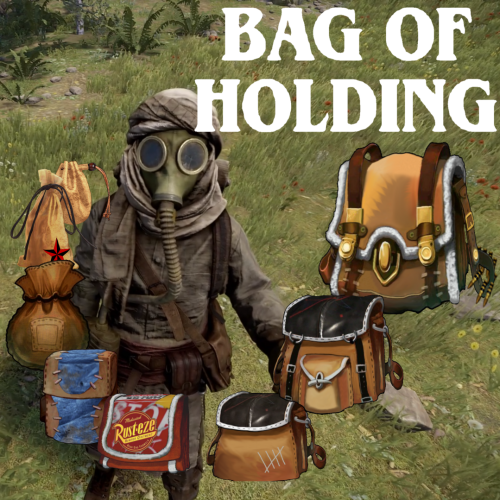 An Easy Five Stars I was intrigued with this plugin when it launched (Saw it on SRTBull's Channel) but the price was too high for me. At today's price, it's perfect, plus I had the opportunity to play with it on another server for a several months. I felt, on that server it was too OP, and I thought, if I could have less bags, it wouldn't be so confusing. I was misplacing bags in containers, my backpack (plugin) and in other bags ... I visited the description on Codefling and after reading how configurable this plugin was, I spent some time testing & adjusting the config until I got it just the way I wanted to use it for my server and it turned out great. I'm very restrictive, because I already use the "Keep on Death" feature Backpacks plugin I restrict the "non-empty" bags from everywhere but the Main Compartment. I limit the players to just (5) "non-empty" bags at one time. For me, this works out to be less over powered than I had experienced. I use the upgrade method of taking two of the same to make the next size up approach, which keeps things more linear and all bags become relevant, even though I restrict the players to five "non-empty" bags. But, they can have as many empty bags for the chance to eventually upgrade their desired bag. This approach is right for my server in lieu of using RP or scrap. I also layered XXSmall Bags in the basic crates, but Xsmall in Milatary crates and Small in Elites. I used the Xtra Loot Plugin to add a 1% chance for a Small or a Bag of Holding (48) slot to drop in an Air Drop or Timed Hackable Crate (currently, there is not option for this within the plugin, but it's on my wish list ... @BlackLightning) If you have zero experience with this, find a server that offers it and give it a try. And remember, it can be reconfigured to be more or less OP as you see fit.
 -
What you mentioned in the last paragraph would be how to solve this issue. Thank you for explaining this as thoroughly as you did. It's not a deal breaker if it's not achievable, but it would solve my issue.
-
Does anyone know how to limit non-empty bags in Main to 5, but when those 5 are in a Bag of Holding, all other bags are locked? I could have sworn this is how it was prior to Wipe & the last update. It used to be that the non-empty bags within the bag of holding (my limit is 5) would count towards the total count of bags. But, now after the Bag of holding has 5 bags that are non-empty in the Main Inventory Compartment, you add loot to more category bags that are outside the BoH, but are still in the Main Inventory Compartment. I don't remember this being "a thing" before. "Player bag limits": { "Default limits": { "Max total bags": 5, "Max bags by category name": {} Any suggestions would help, Thanks
-
 So, today with wipe, this plugin stopped me from looting crates in a monument I unlocked. I'm also using a plugin called Bag of Holding from Codefling's site and this is how I first noticed the issue. Players could no longer loot this bag from anywhere, even their own body. But, after turning off this plugin, it's all back to normal. not sure what's going on, and I really love this plugin. But, just thought you should know it does not work with Bag of Holding. U P D A T E : Problem solved since the Bag of Holding 1.10.6 Update.
 -
Can't they just type /mu and unlock the monument?
-
Loot populates into crates but when players try to loot the crate, this is the only thing they cannot loot. Most of the compartments in the loot crate are hash marked as well as the compartment with the bag. This hashmark is the same as you have too many bag, this cannot be looted for non-empty bags. But, these bags are empty. I tried this myself with every permission given me. I turned off my only loot plugin, Extra Loot, and did a Clear and reloaded as per your instructions ... still same issue. Please help. I just bought this plugin and I spent two weeks last wipe getting it ready and now I'm dead in the water. Thank you, Bear
-
 Murderer sound was removed by Facepunch recently. It won't work. Just have to turn it off for now.
 -
The bags in the crates are not able to be looted. Also, a player died and when he went to retrieve his loot, he couldn't retrieve his bag. I went into Silo and can confirm. I cleared the loot and reloaded it and it still did the same thing. Still testing this issue. U P D A T E : Found the problem. Monument Lock (Codefling Plugin) was preventing anyone from looting this bag from anywhere on the server, even their own corpse. After unloading the plugin and reloading BoH, all is good. @Blacklighting, I did a Support Ticket but it won't allow me to close it. F I N A L U P D A T E : Since update 1.10.6, my Monument Lock Plugin is now working as intended. Thank you for the update @BlackLightning
-
@BlackLightning Is todays update safe to install prior to wipe?
-
@SteenamarooSomething else I noticed this week. I run the plugin Airfield Event. Their NPCs land and act just fine. But, as for BotReSpawn, I have 5 paratroopers land with them, triggered by the air supply drop and the crate that lands over the puzzle, I lose two troopers to spawn underground along with the NPCs and three of them remain up top in Airfield ... on the other crate (I have two) I lose one of my paratroopers to the underground void, but keep four of them that land in the tunnel system underneath. Perhaps just another nav mesh issue. I am going to do some testing over mining tunnels and other places to see if the space above the tunnel is nav mesh free, where the tunnels themselves for some reason, are catching the NPCs and allowing them to roam underground. I am curious how this will affect train tunnels, or perhaps they're just too deep. I will test the above ground entrance area. Not a game changer, but I thought I would let you know. UPDATE: After more testing, it's just the Airdrop bots that go underground. I've copy/pasted the CH47, Heli, Hackable Crate triggers and they all fly in like they should, and land squarely on the ground. But, the Airdrop bots don't fall from the sky anymore. Their chutes open up on the ground and are subject to slipping beneath the terrain. This was true at the Underground Tunnels at the Top entrance where it is shallow. The deep areas, they stayed on the terrain, but they didn't fall from the sky like the others.