
-
Posts
1,496 -
Joined
-
Last visited
-
Days Won
43
Content Type
Profiles
Warranty Claims
Downloads
Forums
Store
Services
Downloads Plus Support
DOWNLOADS EXTRA
Everything posted by Krungh Crow
-
 Planning to remove the skins from cfg to have more control on checks anyone changed them ?
 -
 yes i am rearranging the UI to fit the other modules better.
- 46 comments
-
- 1
-

-
- #spawn
- #modular vehicle
- (and 12 more)
-
 patched it on v1.1.3
 -
will be made available in next patch sometime during this week i have a weird working shift this week so hopefully i can release the patch soon
-
so u want to have additions to that plugin in a new plugin ?
-
yeah sorry for the delay untill i made the bones plugins i always failed getting items from inventory ^^. its a big chunk of coding so it will be added eventualy. THX for the patience.
-
not yet working on usage of scrap or other items as payments. Released it now to see if the HumanNPC part is working correctly I also need to reposition the items in the ui to fit more stuff since the new module will come out this coming rust update.
- 46 comments
-
- 1
-

-
- #spawn
- #modular vehicle
- (and 12 more)
-
It will only spawn on a valid navmesh when testing it didnt trigger at sea like on cargo and oilrig. It was designed to work only with surface npc. The graves are the ones u can pickup and takes a random from a hardcoded list . I also have a patch ready to include animals. I can add the grave chance to be seperatly for each grave type. Bones stones wood sulfur and metal ore They should also despawn after 5 minutes unless the plugin is reloaded before the timer ends. More perms will be added to split the npc animals and players. Which will spawn the graves only of a player kills get killed or suicides Any suggestions feel free to ask .planning to extend the price for a longer period
-
yes navmesh has to be valid new coding involves a correct mesh for rocks so they spawn ontop rocks instead on the terrain beneath the rock fo example. The new maps still hold allot issues regarding that.
-
been spamming murderers and scientists all evening. seeing the npc get stabbed by the graves is hilarious ^^ And yes pls keep me posted
-
did u set the cfg up having a higher succesrate ?
-
that can be done Hopefully i have that working this weekend if nothing weird comes up Cheers
-
 1. The NPC used is with the usage of HumanNPC plugin the id will go in the cfg of Bonemarket. 2. Will be added 3. Will be added thx for the feedback
 -
Version 1.3.2
71 downloads
When killing scarecrows ,scientists ,animals or players they have a set chance to spawn a collectable grave (Halloween event). Features : Supports Scarecrows ,Scientists ,Animals and players (any normal surface npc) Set spawn chance through cfg which spawns a random grave (Halloween event) when the npc is killed. This is a remake of the first ever plugin I made years ago . Random Collectable Graves : stone iron sulfur wood bones (Halloween grave piles). Graves can spawn on any surface location a npc could walk and spawn on. Graves can spawn inside buildings/caves/tunnels/sewers/underwater labs. Set grave pile prefabs from a list. Permissions : graves.canfind : To be able to trigger killing surface npc. graves.canfindanimal : To be able to trigger killing animals. graves.canfindplayer : To be able to trigger player kills or suicides. Configuration : set the chance between 0 and 1. { "Show Chat messages": true, "Grave prefabs": [ "assets/bundled/prefabs/autospawn/collectable/stone/halloween/halloween-stone-collectable.prefab", "assets/bundled/prefabs/autospawn/collectable/stone/halloween/halloween-bone-collectable.prefab", "assets/bundled/prefabs/autospawn/collectable/stone/halloween/halloween-metal-collectable.prefab", "assets/bundled/prefabs/autospawn/collectable/stone/halloween/halloween-wood-collectable.prefab", "assets/bundled/prefabs/autospawn/collectable/stone/halloween/halloween-sulfur-collectible.prefab" ], "Spawn Chance (0 - 1)": { "Scientist": 0.2, "Scarecrow": 0.2, "Player": 0.1, "Bear": 0.2, "Boar": 0.2, "Chicken": 0.2, "Wild Horse": 0.2, "Stag": 0.2, "Wolf": 0.2 } } Localisation : English language file included to use a different language just make a new file in the language folder. { "Graves": "You killed <color=#4A95CC>{0}</color> leaving a unmarked grave!", "GravesAnimal": "You killed a <color=#4A95CC>{0}</color> leaving a unmarked grave!", "AnimalBear": "Bear", "AnimalBoar": "Boar", "AnimalChicken": "Chicken", "AnimalHorse": "Horse", "AnimalStag": "Stag", "AnimalWolf": "Wolf" }$8.50 -
 u can upgrade them for a loot reward (easter event system)
 -
yes i patched that in latest version
-
yes planning to take in requests and tweeks mostl likely the naming of skull through language file instead
-
Version 1.3.0
1,071 downloads
Trade market for bones where prices are dynamic and change each gameday at a set time. Features : Dynamic prices that will change on a set time. The market will exchange your animal bones to resources (whatever is set in configuration). Prices are made with a min/max setup and uses the random amount generated then saves it to a data file this price is then used as the value of the bones you want to trade (value is per 10 units). Support for the HumanNPC plugin This requires SkinAndBones and Fishr plugins to work (these handle the various bones) Commands : /bone market /bonemarket : Both these commands will open the Bone Market Interface. /bone info : Shows plugin info/version/author (Or any info edited in the language file about the event) Permissions : bonemarket.useshop : Grants permission to use market through Chat commands. bonemarket.usenpc : Grants permission to use market through NPC (HumanNPC) Configuration : The following Fonts are available for ANY UI text in plugins ! droidsansmono.ttf permanentmarker.ttf robotocondensed-bold.ttf robotocondensed-regular.ttf { "Chat Prefix": "[<color=#4A95CC>Bone Market</color>] : ", "NPC Vendor settings": { "Use NPC shop": false, "NPC Id's": [] }, "Skin settings": { "Bear SkinID": 2582006231, "Boar SkinID": 2582018117, "Chicken SkinID": 2582002045, "Crocodile SkinID": 3531046639, "Feline SkinID": 3531044884, "Fish SkinID": 2583801321, "Horse SkinID": 2582022311, "Snake SkinID": 3531103631, "Stag SkinID": 2582020463, "Wolf SkinID": 2582021640 }, "UI Settings": { "Font to use": "permanentmarker.ttf", "Market Title": "Bone Market", "Market Title Color (RGBA)": "0.5 1 1 0.90", "Market Description": "Trade market for hunters\nTrade your Bones right here !!!", "Market Description Color (RGBA)": "1 1 1 0.90", "Bone item text Color (RGBA)": "0.5 1 1 0.90", "Use a background image": true, "Background Image link": "https://i.ibb.co/6NQmCgZ/Quail-Bird-Hunting-Silhouette-Free-Vector.jpg", "Background Image transparency (0-1)": 0.2 }, "Market refresh time (gameday)": 7.0, "Market Trade item (shortname)": "scrap", "Market Trade item (View name in GUI)": "Scrap", "Market Unit Value": { "Bear bones Low value": 2, "Bear bones High value": 6, "Boar bones Low value": 1, "Boar bones High value": 3, "Chicken bones Low value": 1, "Chicken bones High value": 3, "Horse bones Low value": 1, "Horse bones High value": 3, "Fish bones Low value": 1, "Fish bones High value": 3, "Stag bones Low value": 1, "Stag bones High value": 3, "Wolf bones Low value": 1, "Wolf bones High value": 4, "Crocodile bones Low value": 1, "Crocodile bones High value": 5, "Feline bones Low value": 1, "Feline bones High value": 5, "snake bones Low value": 1, "snake bones High value": 5 } } Localisation : English language file included to use a different language just make a new file in the language folder. { "FullInventory": "Your inventory was full handout is dropped on the floor", "FullInventoryUI": "Your Inventory is full handout will drop on the floor", "Info": "\n\n<color=#4A95CC>Available Commands</color> :\n<color=#4A95CC>/bone info</color> : Shows info on version/author and commands\n<color=#4A95CC>/bone market</color> : Opens the market interface where prices change each gameday", "InvalidInput": "Please enter a valid command!", "OnlyNPC": "The Bone Market is only available at the Bone Trader NPC in Town", "Succesfulltrade": "You traded your bones for {0} {1}", "MarketReset": "Market started a new day with fresh trade prices.", "NotFound": "You dont have any to trade", "NotEnough": "You dont have enough bones for this trade" }Free -
Version 1.0.2
776 downloads
FishR will add a configurable amount of resources gained from gutting for each fish type and handles the new Bone Type Fish Bones. Features : Configure the amount of resources and bonus items gained from gutting fish. Changes the bonefragments to fish bones used by other plugins in this series. Commands : /fishr info : Shows plugin info/version/author (Or any info edited in the language file about the event) Configuration : The Fish normally giving a bonus item by Rust are already having the Bonus Items listed and can be changed accordingly or added to the fish not having this by default. { "Main config": { "Debug": false }, "Anchovy": { "Fish Bones": 2, "Raw Fish": 1, "Animal Fat": 1, "Add bonus item": false, "Bonus item (x1)": [] }, "Cat fish": { "Fish Bones": 18, "Raw Fish": 18, "Animal Fat": 18, "Add bonus item": true, "Bonus item (x1)": [ "scrap", "keycard_blue", "cloth", "ammo.pistol", "flare" ] }, "Herring": { "Fish Bones": 1, "Raw Fish": 2, "Animal Fat": 1, "Add bonus item": false, "Bonus item (x1)": [] }, "Orange Roughy": { "Fish Bones": 18, "Raw Fish": 18, "Animal Fat": 18, "Add bonus item": true, "Bonus item (x1)": [ "scrap", "keycard_blue", "cloth", "ammo.pistol", "flare" ] }, "Salmon": { "Fish Bones": 16, "Raw Fish": 18, "Animal Fat": 16, "Add bonus item": true, "Bonus item (x1)": [ "scrap", "keycard_blue", "cloth", "ammo.pistol", "flare" ] }, "Sardine": { "Fish Bones": 1, "Raw Fish": 1, "Animal Fat": 5, "Add bonus item": false, "Bonus item (x1)": [] }, "Small Shark": { "Fish Bones": 20, "Raw Fish": 20, "Animal Fat": 20, "Add bonus item": true, "Bonus item (x1)": [ "scrap", "keycard_blue", "cloth", "ammo.pistol", "flare" ] }, "Small Trout": { "Fish Bones": 5, "Raw Fish": 4, "Animal Fat": 8, "Add bonus item": false, "Bonus item (x1)": [] }, "Yellow Perch": { "Fish Bones": 6, "Raw Fish": 4, "Animal Fat": 9, "Add bonus item": false, "Bonus item (x1)": [] } } Localisation : English language file included to use a different language just make a new file in the language folder. { "GutUnsuccesful": "<color=#4A95CC>Gutting was unsuccesfull !</color> gut the fish in your inventory instead.", "Info": "\n<color=green>Available Commands</color> :\n<color=green>/fishr info</color> : Shows info on version/author and commands", "InvalidInput": "<color=red>Please enter a valid command!</color>", "Version": "Version : V" }Free- 9 comments
- 3 reviews
-
- 4
-
-
- #oxide
- #krunghcrow
- (and 4 more)
-
Version 1.4.1
1,107 downloads
Skin and Bones is a nifty system that provides animals with bones and skulls you can use for trading, crafting and skull crushing. Features : When harvesting animal corpses this will skin the bonefragments to each respective animal type bones. Injects animal corpses with skulls which are skinned upon gathering. The plugin is a core system to give animals the new bones and skulls to be used in other plugins in this series. With the new animal skull you have the option to crush them for bones just like with human and wolf skulls. Admins can give themselves skulls and bones with commands. Supported animals : Bear Polarbear : This will be shared component with regular Bears Boar Chicken Horse and RidableHorse Shark Stag Wolf Panther Tiger Crocodile Snake Permisions : skinandbones.admin : To be able to use the chatcommands. Commands : /bones {animalname} {amount} : Gives the animals bones and amounts (bear, boar, chicken, fish, horse, stag, wolf) /skull {animalname} {amount} : Gives the animals skull and amounts (bear, boar, chicken, shark, horse, stag, wolf) Configuration : When having the (Convert Bones : false) the plugin will keep the vanilla bone.fragments , only the skulls will be added and skinned. { "Main config": { "Debug": false }, "Convert Bones": true, "FX on Fail Crush": "assets/prefabs/misc/halloween/skull_door_knocker/effects/door_knock_fx.prefab", "Bones From Skullcrushing": { "Bear Bones": 30, "Boar Bones": 15, "Chicken Bones": 10, "Horse Bones": 25, "Shark (fish)Bones": 40, "Stag Bones": 15, "Wolf Bones": 20, "Feline Bones": 25, "Crocodile Bones": 40, "Snake Bones": 10 }, "SkinID's Bones": { "Bear Bones SkinID": 2582006231, "Boar Bones SkinID": 2582018117, "Chicken Bones SkinID": 2582002045, "Horse Bones SkinID": 2582022311, "Shark Bones SkinID": 2583801321, "Stag Bones SkinID": 2582020463, "Wolf Bones SkinID": 2582021640, "Feline (panther/tiger) Bones SkinID": 3531044884, "Crocodile Bones SkinID": 3531046639, "Snake Bones SkinID": 3531103631 }, "SkinID's Skulls": { "Bear Skull SkinID": 2582058305, "Boar Skull SkinID": 2582176436, "Chicken Skull SkinID": 2582166639, "Horse Skull SkinID": 2582200089, "Shark Skull SkinID": 2583809564, "Stag Skull SkinID": 2582184045, "Feline (panther/tiger) Skull SkinID": 3476574722, "Crocodile Skull SkinID": 3476568857, "Snake fangs SkinID": 3531038249 } } Localisation : English language file included to use a different language just make a new file in the language folder. { "CommandBones": "<color=4A95CC>/bones {animalname} {amount}</color> : Gives the animals bones and amounts\n(bear,boar,chicken,fish,horse,stag,wolf)", "CommandSkull": "<color=4A95CC>/skull {animalname} {amount}</color> : Gives the animals skull and amounts\n(bear,boar,chicken,shark,horse,stag,wolf)", "CrushMessage": "</color>You crushed a <color=#4A95CC>{0}</color> into {1} <color=#4A95CC>{2}</color>", "CrushMessageFail": "You failed crushing the <color=#4A95CC>{0}</color>.\nTry crushing them from your inventory", "GiveMessage": "You where given <color=#4A95CC>{0}x {1}</color>", "GiveErrorAmount": "Value needs to be higher then 0", "GiveErrorBones": "The server uses normal :bone.fragments: bone.fragments", "InvalidInput": "<color=red>Please enter a valid command!</color>", "NoPermission": "<color=green>You do not have permission to use that command!</color>" }Free -
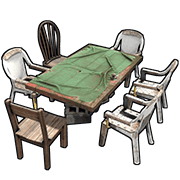 ah the seating
 -
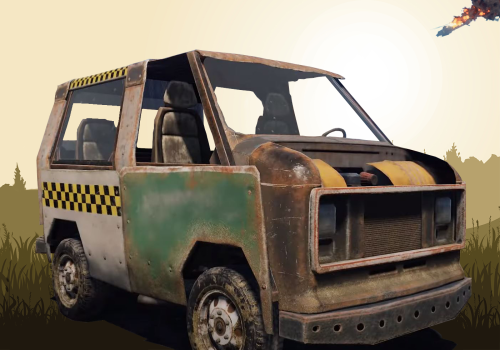
 regarding the licenseplates for now it counts as a normal roadsign so it can be used in crafting (roleplay element) the signal is a regular reskinned/named signal and works as intended (roleplay element) working on a series of plugins with usage of custom items which the plates is a part of
 -
 it will trigger on any Bradley spawned
 -
Version 1.0.2
704 downloads
Sharks are hungry they eat anything, and when u kill and open up their belly you can find all sorts of items maybe a supplysignal. 3 loot profiles and a chance to get a couple of license plates. Features : Simple 3 category loot lists through config. 50% chance to get license plates otherwise a couple of roadsigns. Compatible with gather multiplier plugins (will cancel the injected items from being multiplied). Option to give a supply signal on each shark corpse. Configurable categories color and name. Set the max and minimum when using gathermultiplier like GatherManager and Zlevels Permissions : sharkloot.chat : Permission to use the /sharkloot commands Commands : /shark info : Shows plugin info/version/author (Or any info edited in the language file). /shark loot : Sums up the loot that would possibly be injected in the shark. Configuration : max supply signals and max plates will cap the amount of them you would get when using gather multiplier plugins. { "Plugin Settings": { "Debug (true/false)": false, "Show Chat messages": true, "Prefix": "[<color=orange>Shark Loot</color>] : ", "Add a supply signal to loot": true, "max supply signals": 1, "max Plates (roadsigns & License plates": 3 }, "Junk Items Custom category name": "Regular", "Junk Category color": "green", "min Junk Items": 1, "max Junk Items": 3, "Junk Items": [ "speargun.spear", "speargun", "smallwaterbottle", "sign.wooden.small", "tarp", "beachtowel", "boogieboard" ], "Clothing Items Custom category name": "Dive Gear", "Clothing Category color": "#4A95CC", "min Clothing Items": 1, "max Clothing Items": 3, "Clothing Items": [ "diving.fins", "diving.mask", "diving.tank", "diving.wetsuit" ], "Car Parts Custom category name": "Car Tuning", "Car Parts Category color": "red", "min Car Items": 1, "max Car Parts": 3, "Car Parts": [ "carburetor1", "crankshaft1", "piston1", "sparkplug1", "valve1", "carburetor2", "crankshaft2", "piston2", "sparkplug2", "valve2", "carburetor3", "crankshaft3", "piston3", "sparkplug3", "valve3" ] } Localisation : English language file included to use a different language just make a new file in the language folder. { "FoundSignal": "You found {0} Shark Reward Signal the shark didn't digest yet", "Info": "\nWhen chopping up the shark corpse you can get various items that the shark had for dinner\n<color=green>Available Commands</color> :\n<color=green>/shark info</color> : Shows info on version/author and commands\n<color=green>/shark loot</color> : Lists what you can find in a sharks belly", "InvalidInput": "<color=red>Please enter a valid command!</color>", "ItemsFound": "Items found inside sharks", "Version": "Version : V", "NoPermission": "<color=green>You do not have permission to use this command!</color>", "DroppedSignal": "You found {0} Shark Reward Signal but it dropped as your inventory was full" }Free -
glad u like it future updates will most likely have a cap set through config for each egg type so regular eggs could be set to max 5 bronze 3 silver 2 gold 1 incase users want to have a gather multiplier cap set diffrently
