

-
Posts
1,522 -
Joined
-
Last visited
-
Days Won
43
Content Type
Profiles
Warranty Claims
Downloads
Forums
Store
Services
Downloads Plus Support
DOWNLOADS EXTRA
Reels
Support Center
Everything posted by Krungh Crow
-
known issue since rust sucks removing items during removal. cases when npc are killed (generic) : example cargo ship or bad navmesh respawning Same for lootspawners. More plugins means more items
-
 looking into it
 -
i added the fix cause it was breaking the skins for several plugins for a long time. It is obsolete now and apperantly fixed so its removed.
-
that's fine now you'll see splitting the bones results in having no skinned bones after splitting since that is not handled by stackmodifier. his plugin was breaking the shit hence i added it.
-
stackmodifier breaks the skins thats why there is a splitfix built in. doubt that sulfur has a skin cause when it has no skins my plugin does nothing and returns null
-
prob one of the many npc plugins not removing their inv correctly
-
 nvm responding to the wrong plugin
 -
side note when its 1k hp its most likey the fixed hp i built that on to have at least 1k hp when a bradley spawns as 0 hp
-
and what is the hp set on monumentbradley ?
-
you know there is a cooldown option
-
any other bradley plugin setting hp will override it... too many bradleyplugins spamming the hp differences bug out the hp. the hp setting has not be changed only disabled when other plugins make their apc diff health
-

does it work with only bone market mod?
Krungh Crow replied to Darius Kokoszko's Support Report in Support
sure it just not doing any fishbone stuff -
such an unique name i have the same pluginname here and shit nice combo of pumpkinhead/graves TheWalkingDead plugins
-
Version 1.0.10
399 downloads
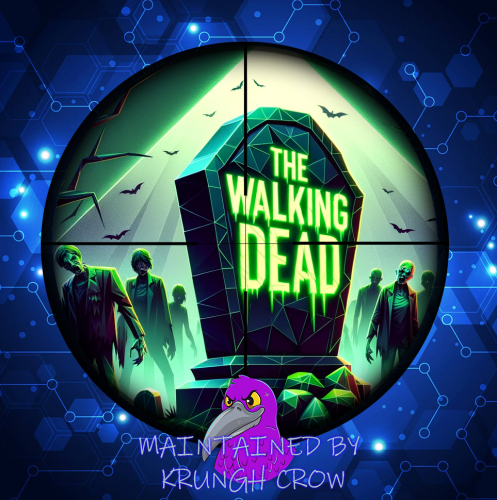
The "Walking Dead" plugin was developed to add an extra challenge to the Rust game world. It introduces zombies into the game, which appear when specific scientists are defeated. Upon their demise, a gravestone spawns, begins to smoke, and zombies emerge. Updating to version 1.0.8 requires to generate a new cfg file !!! Features and Configurations: The plugin allows for the activation of zombies in the game world when certain scientists are defeated. The plugin's configuration includes settings for various NPC types, including the number of zombies to appear, the duration of the smoke effect after the NPC's death, and whether this feature should be enabled. The plugin also enables the creation of smoke effects and gravestones at the NPC death locations to enhance the atmosphere. Zombie entities are randomly placed around the NPC's death location to make the gameplay varied and exciting. There is an automatic cleanup function that removes NPC bodies after a short delay to maintain server performance. Default Configuration: The default configuration includes predefined settings for various NPC types and their zombie parameters. For example, you can set how many zombies should appear, how long the smoke effect should last, and whether the feature should be active for specific NPCs. The default configuration also includes predefined smoke and zombie prefabs. { "NPCConfig": { "scientistnpc_patrol": { "SpawnChance": 50.0, "MinZombies": 1, "MaxZombies": 3, "SmokeDuration": 10.0, "CooldownTime": 5.0 }, "scientistnpc_junkpile_pistol": { "SpawnChance": 0.0, "MinZombies": 1, "MaxZombies": 3, "SmokeDuration": 10.0, "CooldownTime": 60.0 }, "scientistnpc_peacekeeper": { "SpawnChance": 0.0, "MinZombies": 1, "MaxZombies": 3, "SmokeDuration": 10.0, "CooldownTime": 60.0 }, "scientistnpc_excavator": { "SpawnChance": 0.0, "MinZombies": 1, "MaxZombies": 3, "SmokeDuration": 10.0, "CooldownTime": 60.0 }, "scientistnpc_full_any": { "SpawnChance": 0.0, "MinZombies": 1, "MaxZombies": 3, "SmokeDuration": 10.0, "CooldownTime": 60.0 }, "scientistnpc_full_lr300": { "SpawnChance": 0.0, "MinZombies": 1, "MaxZombies": 3, "SmokeDuration": 10.0, "CooldownTime": 60.0 }, "scientistnpc_full_mp5": { "SpawnChance": 0.0, "MinZombies": 1, "MaxZombies": 3, "SmokeDuration": 10.0, "CooldownTime": 60.0 }, "scientistnpc_full_pistol": { "SpawnChance": 0.0, "MinZombies": 1, "MaxZombies": 3, "SmokeDuration": 10.0, "CooldownTime": 60.0 }, "scientistnpc_full_shotgun": { "SpawnChance": 0.0, "MinZombies": 1, "MaxZombies": 3, "SmokeDuration": 10.0, "CooldownTime": 60.0 }, "scientistnpc_heavy": { "SpawnChance": 0.0, "MinZombies": 1, "MaxZombies": 3, "SmokeDuration": 10.0, "CooldownTime": 60.0 }, "scientistnpc_oilrig": { "SpawnChance": 0.0, "MinZombies": 1, "MaxZombies": 3, "SmokeDuration": 10.0, "CooldownTime": 60.0 }, "scientistnpc_roam": { "SpawnChance": 0.0, "MinZombies": 1, "MaxZombies": 3, "SmokeDuration": 10.0, "CooldownTime": 60.0 } }, "SmokeEffect": "assets/prefabs/ammo/40mmgrenade/40mm_grenade_smoke.prefab", "GravestonePrefab": "assets/bundled/prefabs/autospawn/collectable/stone/halloween/halloween-stone-collectable.prefab", "EnableGravestone": true, "GravestoneDecayTime": 300.0, "EnabledCooldown": false, "EnabledChance": true, "EnableCustomLoot": true, "ScarecrowWearTemplates": [ { "MaxHealth": 500.0, "Wear": [ { "Shortname": "hoodie", "SkinID": 3081364092 }, { "Shortname": "pants", "SkinID": 0 } ], "Loot": [ { "Shortname": "rifle.ak", "Amount": 1, "DropChance": 100.0, "SkinID": 0 }, { "Shortname": "rifle.lr300", "Amount": 1, "DropChance": 50.0, "SkinID": 0 }, { "Shortname": "gears", "Amount": 10, "DropChance": 20.0, "SkinID": 0 } ] }, { "MaxHealth": 1000.0, "Wear": [ { "Shortname": "hoodie", "SkinID": 2476205125 }, { "Shortname": "pants", "SkinID": 3081367067 } ], "Loot": [ { "Shortname": "rifle.ak", "Amount": 1, "DropChance": 10.0, "SkinID": 0 }, { "Shortname": "rifle.lr300", "Amount": 1, "DropChance": 100.0, "SkinID": 0 }, { "Shortname": "metalpipe", "Amount": 10, "DropChance": 20.0, "SkinID": 0 } ] } ] } Installation and Usage: - Upload the "Walking Dead" plugin to your Rust server and place it in the appropriate folder. - Restart the server or manually reload the plugin. - Customize the configuration to your preferences to define the desired zombie effects and NPC types. - Enjoy the game and experience the added excitement when NPCs are defeated, and zombies appear. This plugin offers a unique and thrilling addition to the Rust game world by enriching the survival experience with unexpected challenges and encounters with the undead. "Walking Dead" can make the gameplay on your Rust server more exhilarating and add a new dimension to survival. API: (bool) Interface.CallHook("CanSpawnWalkingDeadNPC" , entity , info); (void) Interface.CallHook("OnWalkingDeadNpcKilled" , zombie , info); (bool) IsWalkingDeadNpc(ScarecrowNPC zombie) Current Maintainer : Krungh CRow.$8.50 -
its more a thing to find what plugin you have that allready does this since it is not normal behaviour
-
its a hook inside a plugin that does actions when a item is dropped
-
a plugin is doing that OnitemDrop
-
this is default rust behavior drops items from container as a drop bag
-
despawn timers are not added i don't despawn them inside the plugin those are vanilla values
-
for battle royal zones ? nope
-
Changed Status from Pending to Closed
-
 your loothandler does that
 -
 thats is how the unity standards are this cannot be higher each coding has its limits and that digit is having its cap
 -
 not planned since npc get altered after spawning what can be done with the native plugins And currently not interested myself into using other plugins to run the npc (not even optional) A new plugin is in the making but most likely will not be released soon.
 -
current version a reload would fix that (still addressing this issue) you can temporarily add this to automate it after a restart (till i can fix it)
