
Jump to content

Krungh Crow

Creator
  • Posts

    1,496
  • Joined

  • Last visited

  • Days Won

    43

Everything posted by Krungh Crow

  1. shop - able to set colors for background text buttons - better ImageLibrary updated to GUI - currencys (eco/rp/scrap or other items) through cfg - Option to Craft the uncraftable and other items - Better catagory GUI layout next to each other instead down in a list - Customisable catagory's - bigger item/command images - preferably each item in a panel where u could edit anchors of text/button/image positions which then can be used for all items and commands
  2. Krungh Crow

    Better Quiz

    very interested. are you planning to add economics / serverrewards support and customisation of colors and a background image ?
  3. if mistyped in cfg it reverts back to the standard config created by plugin initial install. might have a look at that and just let it give a error in console without reverting back. and on plugin reload it doesnt close the UI making the items dissapear in the UI. for the rest it works great ill leave the requests for additions on a later stage
  4. it uses the outfit of the player incl skins. for bug exploits i did not add the option to copy inventory of the player. the walker is a exact copy incl name outfit/skins only it has mellee weapon equiped. u can see if its a walker due the "walker" tag it has infront of the player name
  5. Krungh Crow

    Wipe Settings

    nice one why is it zipped tho ?
  6. Krungh Crow

    HuntsMan

    hard to do and not really worth it its possible but still looking into coding it correctly its half done. npc part is allready coded in now for the mono behaviour
  7. ye i did simulair hp str on the BackToTheWild plugin but with animals ^^
  8. yes great idea see if we can make that happen
  9. Version 1.0.3

    666 downloads

    A configurable UI with wipe/purge info to save your admins some work Optional dependencies : GUIAnnouncements Features : Set info about wipe time/day and purge time/day in a UI Panel Setup Colors used and a Top banner image Welcomes the player using his/her name automaticly Automaticly displays the settings inside the UI from CFG file Option to have it use a GUIAnnouncement message when purge is active or not. Both with a seperate timed interval.(to activate either set it to true/false and reload plugin for now) GuiAnnouncements are randomised from the lists (depended if the pre/during mode is set to true) This is not a purge plugin but a info panel still have to activate your purge!!! Permissions : purgeinfo.info : To give players permission to use the UI panel command Commands : /purge info : To open the informational UI panel. Configuration : Notes : You still have to manualy enable disable the Announcements to true/false and reload the plugin (this is not automated) { "GUI Info Settings": { "Banner Image": true, "Banner Image Url": "https://i.ibb.co/6YbWnxW/purge-info.png", "Banner Image Transparrency (0-1)": 0.9, "Welcome text color (RGBA)": "1 1 1 1", "Version text color (RGBA)": "1 1 1 1", "Wipe text color (RGBA)": "1 1 1 1", "Purge text color (RGBA)": "1 1 1 1", "Info Text color (RGBA)": "1 1 1 1", "Info Text size (Default = 18)": 16, "Close Button Text": "Close this window", "Close Button color (RGBA)": "0 0 0 0.85", "Close Button Text color (RGBA)": "1 1 1 1" }, "Wipe Info Settings": { "Wipe cycle (weekly biweekly monthly": "Biweekly", "Wipe day (mon tue fri etc..": "Thursdays", "Wipe time (example 19:00)": "19:00 UTC" }, "Purge Info Settings": { "Purge day (mon tue fri etc..": "Wednesday", "Purge start time (example 19:00)": "19:00 UTC", "Purge end time (example 18:00)": "18:00 UTC" }, "Info Block": { "Info text": "Your purge/wipe info can be placed here use \n to go to the next line" }, "Announcements": { "Use Pre Purge GUIAnnouncements": false, "Pre Purge GUIAnnouncements Cycle time (minutes)": 10.0, "Use During Purge GUIAnnouncements": false, "During Purge GUIAnnouncements Cycle time (minutes)": 10.0 }, "GUIAnnouncements messages": { "Pre Purge Announcement messages": [ "test : for the PurgeInfo plugin (pre purge trigger)", "test2 : For testing the PurgInfo plugin timing (pre purge trigger)", "test3 : Another test for PurgeInfo plugin timing (pre purge trigger(wip))" ], "During Purge Announcement messages": [ "test4 : for the PurgeInfo plugin (during purge trigger)", "test5 : For testing the PurgInfo plugin timing (during purge trigger)", "test6 : Another test for PurgeInfo plugin timing (during purge trigger(wip))" ] } } localisation : English language file included to use a different language just make a new file in the language folder. { "InvalidInput": "<color=red>Please enter a valid command!</color>", "Prefix": "[<color=green>PurgeInfo</color>] " }
    Free
  10. Krungh Crow

    HuntsMan

    added the spawnamount having some computer issues so somehow it took the unfinished future coding in previous 1.0.3 version this has been removed in 1.0.4 making them throw grenades and mellee will be looked upon
  11. Krungh Crow

    HuntsMan

    i will check that ,it will require a diffrent npc type and can be either ranged or mellee so most likely need to add the scarecrow . thx for the suggestion
  12. a Discordwipe plugin - Detects mapwipes - Blueprint wipes - player capacity - map size - map name - seed - prints out a configurable message to discord - No extra api's required it should be run by itself optional to set a Purge notification set in cfg start/end
      • 1
      • Like
  13. 2. you can do this inside the cfg to give the tags a color (hex codes should work also) "PVPKills": "<color=red>KillerBee</color>",
  14. the plugin has been patched for the NPCKit issue pls redownload current version
  15. just tested it and spawned some random npc in and it worked normaly . NpcKits aplyed to the spawned npc's Did u update NPCKits and checked if profiles are set tot true again ?
  16. ill have a look if i can replicate it too
  17. this aplies to all npc or just the walkers from this plugin ?its ment to block the kits from the NPCKits to be aplyed to the walkers.
  18. the inventory belt and wear items stay on the body (unless using RestoreUponDeath) it is for now to avoid duping just cloning the outfit and adding the name to the spawned NPC. the new npc will not be able to get clothing looted just a pregenerated vanilla inventory or whatever you may set with any loot plugin.
  19. Krungh Crow

    Garage

    will be changed when the bigger update is finished
  20. Krungh Crow

    HuntsMan

    Version 1.5.3

    4,907 downloads

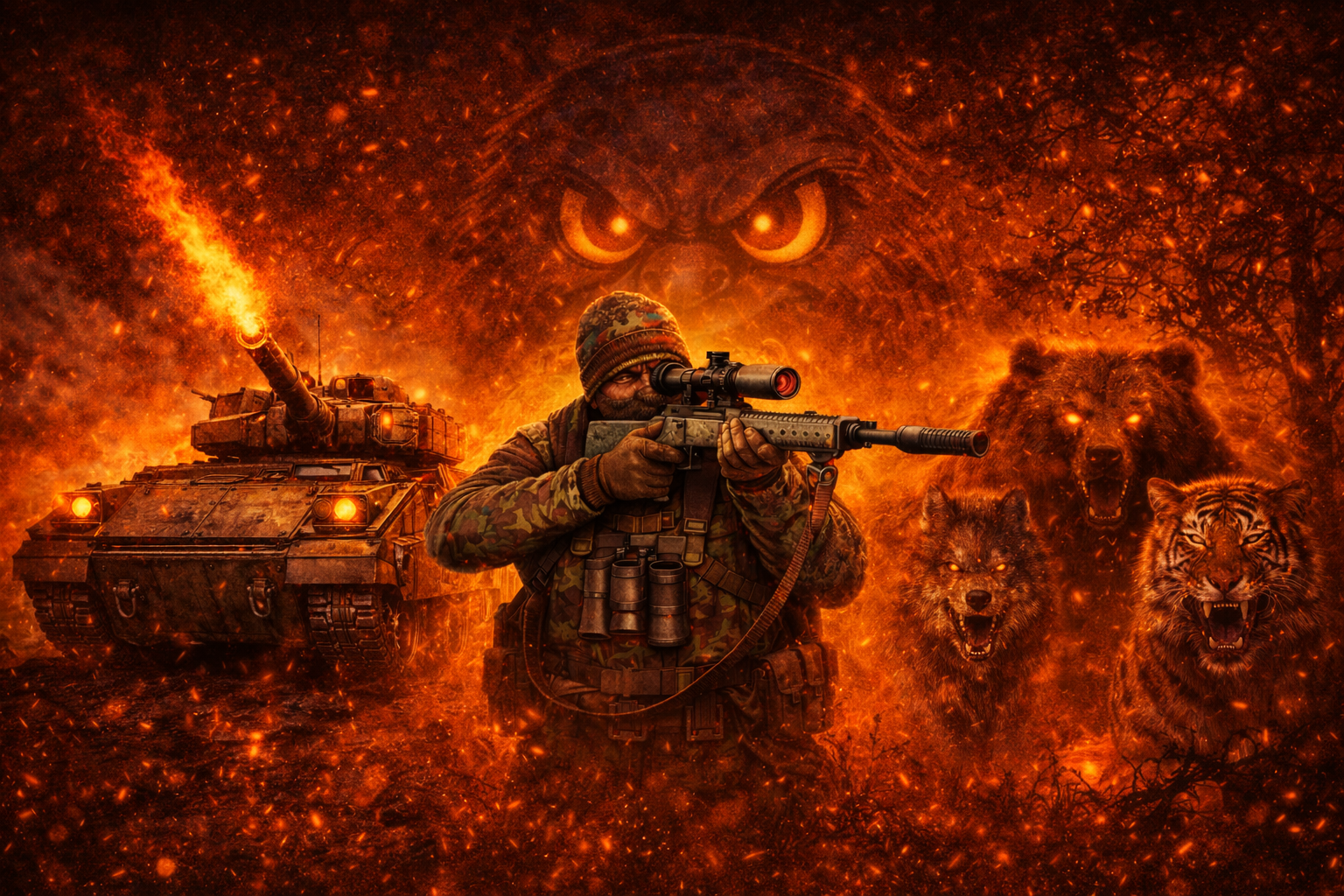
    When hunting and the Huntsman catches you killing Game outside hunting season it will come after you Optional dependencies : Rustkits BetterNpcNames BotReSpawn NEW Features : A set chance spawning a HuntsMan when hunting for Game (animals) (any value between 0-1) Can assign a kit or a hardcoded outfit. Compatible with NPCKits (NPCKits will not override Huntsman NPC outfits/kits) Setup roam/spawn/damage and health of the HuntsMan. Options to make the Hunter drop his backpack (loottable included) Compatible with the ChickenBow plugin to disable a huntsman spawning when killing those chickens(make sure to reload ChickenBow after updating HuntsMan) Edit each animal to be able to trigger the HuntsMan true/false Support for BasePet's like Frankenstein so they can trigger huntsman aswell for their backpack drops Support for BotReSpawn to use a custom made profile to spawn the HuntsMan (> v1.3.3) Permissions : huntsman.cantrigger : To trigger the event Commands : /hminfo : Shows plugin info/version/author Configuration : To make a item spawn as a blueprint add .bp behind the shortname (for example ammo.pistol.bp) Probability from value 0 to 1 is the spawn chance of any item Usage of custom naming is now possible (> v1.4.0) Example of custom items like the ExtendedRecycler plugins recycler item. { "probability": 0.6, "shortname": "box.repair.bench", "name": "Recycler", "skin": 1594245394, "amountMin": 1, "amount": 1 }, When using BotReSpawn to spawn the Huntsman : It will use all settings from the custom profile that is made with BotReSpawn (Data Folder) spawn range , max roam ,HP etc. etc. In the BRS profile set the suicide timer high so that HuntsMan.cs can set the suicides (Lifetime) The name of the npc will be named by HuntsMan.cs so you can name it in BRS as a placeholder Profile name to be used is best to avoid spaces and Uppercase in the name Example below to set a list of skins : { "probability": 1.0, "shortname": "pickaxe", "name": "", "Skin list": [ 3163818649, 1962043729 ], "amountMin": 1, "amount": 1 }, Example config belows : { "Use Debug": true, "BotRespawn Settings": { "Use BotReSpawn": false, "BotReSpawn profile name": "huntsman" }, "Animals to trigger HuntsMan": { "Alpha Animal": true, "Omega Animal": true, "Bear": true, "Polar Bear": true, "Boar": true, "Chicken": true, "Stag": true, "Wolf": true, "Wolf2": true, "Crocodile": true, "Panther": false, "Snake": false, "Tiger": false }, "Hunter Settings": { "Custom Hunter Name": "HuntsMan", "spawn chance (1-100%)": 100.0, "Spawn Amount": 1, "spawn radius": 15, "Health": 250, "Max Roam Distance": 20, "Damage multiplier": 0.6, "Lifetime (minutes)": 10.0, "Use kit (clothing)": false, "Kit ID": [ "huntsman" ], "Show messages": false, "Hunters drop a Backpack with loot": true, "Spawn Min Amount Items": 12, "Spawn Max Amount Items": 14, "Loot Table": [ { "probability": 1.0, "shortname": "ammo.pistol", "name": "", "Skin list": [], "amountMin": 128, "amount": 256 }, { "probability": 1.0, "shortname": "ammo.pistol.fire", "name": "", "Skin list": [], "amountMin": 128, "amount": 256 }, { "probability": 1.0, "shortname": "ammo.rifle.explosive", "name": "", "Skin list": [], "amountMin": 128, "amount": 256 }, { "probability": 1.0, "shortname": "ammo.rifle.hv", "name": "", "Skin list": [], "amountMin": 128, "amount": 256 }, { "probability": 1.0, "shortname": "ammo.rifle.incendiary", "name": "", "Skin list": [], "amountMin": 128, "amount": 256 }, { "probability": 1.0, "shortname": "ammo.shotgun", "name": "", "Skin list": [], "amountMin": 128, "amount": 256 }, { "probability": 1.0, "shortname": "ammo.shotgun", "name": "", "Skin list": [], "amountMin": 128, "amount": 256 }, { "probability": 1.0, "shortname": "explosive.timed", "name": "", "Skin list": [], "amountMin": 1, "amount": 5 }, { "probability": 1.0, "shortname": "explosives", "name": "", "Skin list": [], "amountMin": 200, "amount": 200 }, { "probability": 1.0, "shortname": "pistol.m92", "name": "", "Skin list": [], "amountMin": 1, "amount": 1 }, { "probability": 1.0, "shortname": "shotgun.spas12", "name": "", "Skin list": [], "amountMin": 1, "amount": 1 }, { "probability": 1.0, "shortname": "pickaxe", "name": "", "Skin list": [ 3163818649, 1962043729 ], "amountMin": 1, "amount": 1 }, { "probability": 1.0, "shortname": "hatchet", "name": "", "Skin list": [], "amountMin": 1, "amount": 1 }, { "probability": 1.0, "shortname": "can.beans", "name": "", "Skin list": [], "amountMin": 3, "amount": 5 }, { "probability": 1.0, "shortname": "can.tuna", "name": "", "Skin list": [], "amountMin": 3, "amount": 5 }, { "probability": 1.0, "shortname": "black.raspberries", "name": "", "Skin list": [], "amountMin": 3, "amount": 5 }, { "probability": 0.0, "shortname": "box.repair.bench", "name": "Recycler", "Skin list": ["1594245394"], "amountMin": 1, "amount": 1 }, { "probability": 0.6, "shortname": "hmlmg", "name": "", "Skin list": [], "amountMin": 1, "amount": 1 }, { "probability": 0.6, "shortname": "supply.signal", "name": "", "Skin list": [], "amountMin": 1, "amount": 1 } ] } } Localisation : English language file included to use a different language just make a new file in the language folder. { "Prefix": "[<color=green>HuntsMan</color>] : ", "info": "\nThe [HuntsMan] Gives u the luck (or not) to spawn a Hunter that wants to kill you for killing Wild Game during offseason", "Hunter_Spawned": "You killed the {0} now pay the price !!!!", "Hunter_Spawned_Backpack": "{0} Dropped his Backpack !" } API : bool IsHuntsmanNpc(global::HumanNPC npc) void OnHuntsmanSpawned(global::HumanNPC npc) void OnHuntsmanKilled(global::HumanNPC npc) Example call : object OnEntityDeath(global::HumanNPC npc, HitInfo info) { if (npc == null) return null; if (HuntsMan.Call<bool>("IsHuntsmanNpc", npc)) { Puts($"Target : {npc} net.ID : [{npc.net.ID}] Event : HuntsMan NPC"); } return null; } void OnHuntsmanSpawned(global::HumanNPC npc) { if (npc == null) return; timer.Once(1f, () => { Puts($"{npc} spawned (HuntsMan)"); });//delayed to make sure npc is fully initialised } void OnHuntsmanKilled(global::HumanNPC npc) { if (npc == null) return; Puts($"{npc} got killed (HuntsMan)"); }
    Free
  21. @thepiercedweirdo made it compatible with npckits
  22. i will discuss this thx for the report
  23. added playernames and clothing to be equiped on the walkers
  24. Krungh Crow

    Garage

    yes ill try to add that. I started to rewrite the plugin but it is a big plugin so it will take some time to finish and add new additions

About Us

Codefling is the largest marketplace for plugins, maps, tools, and more, making it easy for customers to discover new content and for creators to monetize their work.

Downloads
2.3m
Total downloads
Customers
10.7k
Customers served
Files Sold
154.8k
Marketplace sales
Payments
3.3m
Processed total
×
×
  • Create New...

Important Information

We have placed cookies on your device to help make this website better. You can adjust your cookie settings, otherwise we'll assume you're okay to continue.