


-
Posts
1,522 -
Joined
-
Last visited
-
Days Won
43
Content Type
Profiles
Warranty Claims
Downloads
Forums
Store
Services
Downloads Plus Support
DOWNLOADS EXTRA
Reels
Support Center
Everything posted by Krungh Crow
-
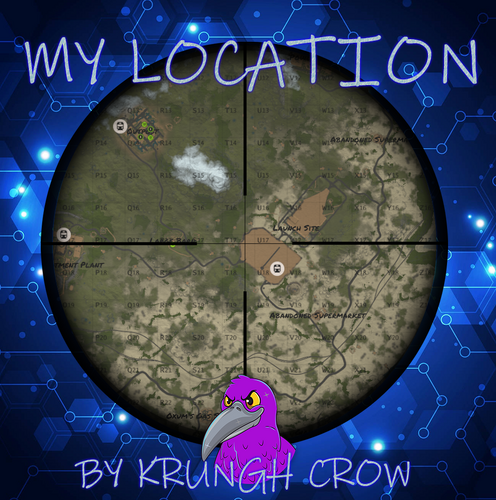
Version 1.0.3
446 downloads
simple console log plugin to find online/sleeprs/your own location and prints it to console and logfile. Features : no config no permissions (Have to be a admin) Prints it to console. Prints it to a Logfile. Player name and steam id are now printed (New v1.0.2) Chat Commands : /position : Prints your position to chat and to console. /position.all : Prints all online players with position and Grid to console. /position.sleepers : Prints all sleepers location and Grid to console. Console Commands : position.all : Prints all online players with position and Grid to console. position.sleepers : Prints all sleepers location and Grid to console. Logfiles : Online players : Oxide --> Logs --> MyLocation(folder) --> mylocation_online.txt Sleepingplayers : Oxide --> Logs --> MyLocation(folder) --> mylocation_sleepers.txt Localization : English language file included to use a different language just make a new file in the language folder. { "All": "Printed all online players and current locations to console", "NoPermission": "<color=green>You do not have permission to use that command!</color>", "NoSleepersFound": "No sleepers found!", "Personal": "Printed to console\n{0} location = {1} Grid : {2}", "Sleepers": "Printed all sleeping players and current locations to console", "Commands": "Current commands to use :\n/position : Your position\n/position.all : Online players\n/position.sleepers : All sleepers" }Free -
Changed Status from Not a Bug to Closed
-
Changed Status from Pending to Closed Changed Fixed In to Next Version
-
 like done in AdvertMessages ?
 -
 Not as of yet i can make a listed section to share a listed responce (general responce) if the prefabs are placed.
- 2 comments
-
- 1
-

-
- #krunghcrow
- #gametip
- (and 3 more)
-

2.1.0 no longer compatible with Legendary Beast Plugin
Krungh Crow replied to MelodyZE's Support Report in Support
correct unless i can see if the spawned animal is from legendary beasts plugin there is no way to skip it I do the same creating legendary animals wit combination of this and AlphaAnimals plugin -
Version 2.0.0
26 downloads
Send Gametip messages on a timed interval to online players, and recieve queued Gametips. Features: Simple configuration. Sends Gametip messages on a configurable timed interval and duration (seconds). Can use a permission to ignore a player to get the messages. API support for other plugins to use its simplified queue system. Support for SignArtist, NTeleportation , TownTeleport Vanilla messages are built in set gametip.server_event_tips to false in your servers setup to better use the vanilla event notifications Support has been added to show deepsea events (2.0) Permissions Exclude: Global Timed Random messages randomtipsplus.exclude : To exclude the player from getting the Random Global Gametips sent by this plugin. Permissions Triggers: Assign these to make the players recieve messages on each function randomtipsplus.hackcrate : When starting to hack a Hackable crate. randomtipsplus.vehiclestart : When player starts a modular car randomtipsplus.substart : When player starts a solo or duo submarine. randomtipsplus.boatstart : When player starts a motorrowboat or a rhib randomtipsplus.tugboatstart : When player starts a tugboat randomtipsplus.minihelistart : When a player starts a minicopter randomtipsplus.scraphelistart : When player starts a scraphelicopter randomtipsplus.excavator : After player fuells the Excavator randomtipsplus.signartist : After player uploaded a image to a sign randomtipsplus.toolcupboard : When player places a Toolcupboard randomtipsplus.recycler : When player finishes recycling randomtipsplus.sleepingbag : When player placed a sleepingbag/bed/towel New Permissions added in 2.0 randomtipsplus.attackhelistart : Starting a attackheli randomtipsplus.motorbikestart : starting a motorbike randomtipsplus.bicyclestart : started peddeling a bike randomtipsplus.snowmobilestart : started a snowmobile Permissions NTeleportation : randomtipsplus.nteleportationhome : On using /home commands randomtipsplus.nteleportationtpa : On using /tpa command randomtipsplus.nteleportationtpat : On using /tpat command randomtipsplus.nteleportationtpb : On using /tpb command randomtipsplus.nteleportationtpc : On using /tpc command randomtipsplus.nteleportationtpr : On using /tpr command randomtipsplus.nteleportationtown : On using /town command randomtipsplus.nteleportationoutpost : On using /outpost command randomtipsplus.nteleportationbandit : On using /bandit command randomtipsplus.nteleportationisland : On using /island commands Permissions TownTeleport : randomtipsplus.townteleportotp : On using /otp command randomtipsplus.townteleportbtp : On using /btp command randomtipsplus.townteleportttc : On using /ttc command Configuration Main : Debugg : Is disabled by default but can be activated if needed Show Messages is set to false by default so it will not run the standard messages on plugin install. If you don't want to use a prefix, then you can leave it empty. Global Tip Duration : Lifetime of the Global random sent messages Warning tips (RED) have a max lifetime of 5 seconds Messages : have a 2 line size , (/n) and (<color=orange>[view webpage]</color>) can be used Text is always sent as UPPERCASE. Configuration Vanilla : Only a true or false setting. Save Warning : Gives a warning each time the server saves to all players Messages can be changed in the language file Configuration Event : Various settings on certain triggers Includes triggers on placing Bags and Toolcupboards Configuration Teleports : (Important) if not using this feature then leave both Use NTeleportation triggers & Use TownTeleport triggers false so the plugin unsubscribes the hooks used for these (performance) { "Use Debug": false, "Show Messages": true, "Prefix": "[Your Server] ", "Interval (seconds)": 60, "Global Tip Duration (seconds)": 15.0, "Show as warning (max 5 sec)": false, "Messages": [ "Join our Discord ,Click <color=orange>[view webpage]</color> button.", "We run several cool Plugins !", "Grab one of our kits using /kit .", "<color=red>Color</color> code is supported" ], "QueuedPopups": { "Use QueuedPopups (if installed)": true, "Duration (seconds)": 15.0, "Icon Sprite": "assets/icons/info.png", "Background Color (RGBA)": "0 0 0.65 0.6", "Text Color (RGBA)": "1 1 1 1", "Icon Color (RGBA)": "1 1 1 1", "Height (Pixels)": 38.0, "Font Size": 14 }, "Vanilla Events": { "Save Warning": true, "Attack Helicopter": true, "Airdrop": true, "Bradley": true, "Cargoship": true, "CH47": true, "Excavator": true, "Small oilrig": true, "Large oilrig": true, "Mining Quarry": true, "Deepsea": true }, "Event Settings": { "Excavator fuelling": { "Use Profile": false, "Tip Duration (seconds)": 5.0, "Show as warning (max 5 sec)": false, "Messages": [] }, "Hack Lock": { "Use Profile": true, "Tip Duration (seconds)": 5.0, "Show as warning (max 5 sec)": false, "Messages": [ "Started your hack", "Good luck getting nice loot." ] }, "Recycler panel close": { "Use Profile": true, "Tip Duration (seconds)": 10.0, "Show as warning (max 5 sec)": false, "Messages": [ "Thank you for recycling" ] }, "Bag placement": { "Use Profile": true, "Tip Duration (seconds)": 5.0, "Show as warning (max 5 sec)": false, "Messages": [ "Your bed has been made." ] }, "Toolcupboard placement": { "Use Profile": false, "Tip Duration (seconds)": 5.0, "Show as warning (max 5 sec)": false, "Messages": [] }, "Vehicle Start": { "Use Profile": true, "Tip Duration (seconds)": 5.0, "Show as warning (max 5 sec)": false, "Messages": [ "Vroom vroom" ] }, "Boat Start": { "Use Profile": false, "Tip Duration (seconds)": 5.0, "Show as warning (max 5 sec)": false, "Messages": [] }, "Submarine solo Start": { "Use Profile": false, "Tip Duration (seconds)": 5.0, "Show as warning (max 5 sec)": false, "Messages": [] }, "Submarine duo Start": { "Use Profile": false, "Tip Duration (seconds)": 5.0, "Show as warning (max 5 sec)": false, "Messages": [] }, "Tug Boat Start": { "Use Profile": false, "Tip Duration (seconds)": 5.0, "Show as warning (max 5 sec)": false, "Messages": [] }, "Mini Copter Start": { "Use Profile": false, "Tip Duration (seconds)": 5.0, "Show as warning (max 5 sec)": false, "Messages": [] }, "Scrap Heli Start": { "Use Profile": false, "Tip Duration (seconds)": 5.0, "Show as warning (max 5 sec)": false, "Messages": [] }, "SignArtist Paint finished": { "Use Profile": false, "Tip Duration (seconds)": 5.0, "Show as warning (max 5 sec)": false, "Messages": [] }, "Attack Heli Start": { "Use Profile": false, "Tip Duration (seconds)": 5.0, "Show as warning (max 5 sec)": false, "Messages": [] }, "Motorbike Start": { "Use Profile": false, "Tip Duration (seconds)": 5.0, "Show as warning (max 5 sec)": false, "Messages": [] }, "Bicycle Start": { "Use Profile": false, "Tip Duration (seconds)": 5.0, "Show as warning (max 5 sec)": false, "Messages": [] }, "Snowmobile Start": { "Use Profile": false, "Tip Duration (seconds)": 5.0, "Show as warning (max 5 sec)": false, "Messages": [] } }, "Use NTeleportation triggers": false, "Use TownTeleport triggers": false, "NTeleportation (/home)": { "Use Profile": false, "Tip Duration (seconds)": 5.0, "Show as warning (max 5 sec)": false, "Messages": [] }, "NTeleportation (/tpr)": { "Use Profile": false, "Tip Duration (seconds)": 5.0, "Show as warning (max 5 sec)": false, "Messages": [] }, "NTeleportation (/tpa)": { "Use Profile": false, "Tip Duration (seconds)": 5.0, "Show as warning (max 5 sec)": false, "Messages": [] }, "NTeleportation (/tpb)": { "Use Profile": false, "Tip Duration (seconds)": 5.0, "Show as warning (max 5 sec)": false, "Messages": [] }, "NTeleportation (/tpc)": { "Use Profile": false, "Tip Duration (seconds)": 5.0, "Show as warning (max 5 sec)": false, "Messages": [] }, "NTeleportation (/town)": { "Use Profile": false, "Tip Duration (seconds)": 5.0, "Show as warning (max 5 sec)": false, "Messages": [] }, "NTeleportation (/outpost)": { "Use Profile": false, "Tip Duration (seconds)": 5.0, "Show as warning (max 5 sec)": false, "Messages": [] }, "NTeleportation (/bandit)": { "Use Profile": false, "Tip Duration (seconds)": 5.0, "Show as warning (max 5 sec)": false, "Messages": [] }, "NTeleportation (/island)": { "Use Profile": false, "Tip Duration (seconds)": 5.0, "Show as warning (max 5 sec)": false, "Messages": [] }, "NTeleportation (/tpat)": { "Use Profile": false, "Tip Duration (seconds)": 5.0, "Show as warning (max 5 sec)": false, "Messages": [] }, "TownTeleport (/otp)": { "Use Profile": false, "Tip Duration (seconds)": 5.0, "Show as warning (max 5 sec)": false, "Messages": [] }, "TownTeleport (/btp)": { "Use Profile": false, "Tip Duration (seconds)": 5.0, "Show as warning (max 5 sec)": false, "Messages": [] }, "TownTeleport (/ttc)": { "Use Profile": false, "Tip Duration (seconds)": 5.0, "Show as warning (max 5 sec)": false, "Messages": [] } } Localization : English language file included to use a diffrent language just make a new file in the language folder. { "AttackHeli": "The attack heli is patrolling the sky.", "Bradley": "A Bradley started roaming the roads.", "CargoPlane": "Airdrop inbound !", "CargoShip": "The Cargoship Has Entered the Waters.", "CH47": "A ch47 started its round.", "Excavator": "The Excavator just started digging !", "OilSmall": "Small Oilrig just came online !", "OilLarge": "Large Oilrig just came online !", "Quarry": "Someone started running a quarry!", "ServerSave": "Saving server entity's You might experience some lag !", "NotActive": "N/a Tell admin to check cfg", "OnDeepSeaOpened": "The Deep Sea has opened its waters.", "OnDeepSeaClosed": "The Deep Sea has closed its waters." }$8.50 -
 This plugin will get some love soon
- 232 comments
-
- 3
-
-

-
- #bradley
- #krunghcrow
- (and 4 more)
-
this is at the startup , this should not be the problem of the crash but a result of a incomplete startup i will build in a delay and check if startup is completed changing animal variables. Do make sure the animal spawnrates are not high since some servers cannot cope with a big animal population (hardware)
-
yes to have each node type assigned you have to enable the permissions to trigger
-
Changed Status from Pending to Closed
-
any plugin sending stuff to chat and maybe gametips is not allowed . (however i do see even official servers running plugins like timed interval messages so i cannot tell you if it would be allowed or not)
-
{ "Show Messages": false, "Prefix": "[YourServer]", "Interval (seconds)": 600, "Messages": [ "Join our Discord ,Click <color=orange>[view webpage]</color> button.", "We run several cool Plugins !", "Grab one of our kits using /kit .", "<color=red>Color</color> code is supported" ], "Event Settings": { "Hack Lock": { "Use Profile": false, "Messages": [] }, "Test Trigger": { "Use Profile": false, "Messages": [] } } } Would be something like this ?
-
yes that can be triggered. placing foundations would be spammy so in that there would be need a cooldown on trigger added for single limited triggers it would not be needed (will test some out soon)
-
that can be done have to add built in timers so it does not trigger on each action .no eta on implementation ,maybe add a queing system at some point since gametips does not have allot of features out of the box
-
 Failed to compile: XPerience.cs(10565,32): error CS0131: The left-hand side of an assignment must be a variable, a property or an indexer from todays rust / oxide update
 -
which rewards ? Are those from any bradley or the new roaming bradleys before wipes ?
-
Version 2.0.0
746 downloads
Send Gametip messages on a timed interval to online players Features : Simple configuration. Sends Gametip messages on a configurable timed interval and duration (seconds). Can use a permission to ignore a player to get the messages. API support for other plugins to use its simplified queue system. Supports the QueuedPopups message system. (Requires the QueuedPopups plugin) Permissions : randomtips.exclude : To exclude the player from getting the Gametips sent by this plugin Configuration : Show Messages is set to false by default so it will not run the standard messages on plugin install. If you don't want to use a prefix , then you can leave it empty. { "Prefix": "[Krungh Crow] ", "Interval (seconds)": 60, "Enable Debug": false, "QueuedPopups": { "Duration (seconds)": 10.0, "Icon Sprite": "assets/icons/info.png", "Background Color (RGBA)": "0 0 0.65 0.6", "Text Color (RGBA)": "1 1 1 1", "Icon Color (RGBA)": "1 1 1 1", "Height (Pixels)": 38.0, "Font Size": 14 }, "Messages": [ "Join our Discord, click <color=orange>[view webpage]</color> button.", "We test several cool new plugins!", "Some spawns like animals and their stats can be set high.", "<color=red>Bradley Tiers</color> is tested here.", "Hitting barrels/nodes/trees or item pickup can trigger events, like npc animal bomb spawning." ] } API : void TIP(BasePlayer player, string message, float dur , bool warning) example call RandomTips?.Call("TIP", player, "Your text here", 6f ,true);Free -
-
Failed to call hook 'OnEntitySpawned' on plugin 'PumpkinHead v1.1.5'
Krungh Crow replied to byond1991's Support Report in Support
Changed Status from Pending to Closed Changed Fixed In to 1.1.6 -
Changed Status from Pending to Closed Changed Fixed In to 1.1.6
-
Failed to call hook 'OnEntitySpawned' on plugin 'PumpkinHead v1.1.3'
Krungh Crow replied to The Friendly Chap's Support Report in Support
Changed Status from Pending to Closed -
is the bradley customised at launchsite or player bought through a plugin ?
-
 "Last Ditch Effort Rocket Amount": 0, "Last Ditch Effort Grenade Amount": 5, "Last Ditch Effort MLRS rocket Radius": 15, "Last Ditch Effort MLRS rocket Amount": 0, "Last Ditch Effort Hard Mode : targets player location": false