
Jump to content

Krungh Crow

Creator
  • Posts

    1,496
  • Joined

  • Last visited

  • Days Won

    43

Everything posted by Krungh Crow

  1. Ye i thought of making it payd for a small fee but there are enough plugins u need to pay for
  2. i have been checking the easyest way to grant a loottable for each tier. Most optimal is to remove all crates when spawned in radius of the bradley then spawn new ones by the plugin so it is linked to the Tier. Otherwise it would be a Global lootprofile to use in all spawned 'bradley_crate' Ill have a puzzle...
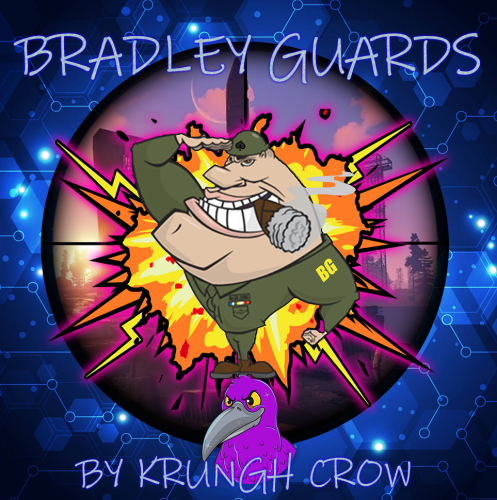
  3. Its a simplified tiered bradleyplugin using the rusts mechanics as mutch as possible so there is less to break on the long run ^^
  4. so far i am adding A behaviour to simulate accuracy per Tier (succesfull tests) Damage scale per Tier (succesfull tests) more debugs eco and SR rewards wont be hard to code so that is in the works too Loottable per tier will allso be added eventualy Maybe call for extra npc when bradleyguards are triggered ? some side events during the attack some npc to spawn using BradleyGuards? Gibs and toohot can be added too
  5. noted
  6. that is wat adding more crates does but i can understand what you are pointing out
  7. like lootprofiles ?
  8. yes that is possible with scaling damage will be added in one of the future updates allong with eco/SR rewards support
  9. yeah my Admin made them i love it
  10. this should be fixed in v1.0.2
  11. ye somehow huntsman has to be reloaded the ID´s are not catching
  12. just add `cardtable` as item in the shop its a Rust Item so it can be placed in shop
  13. ooh nice idea so a new profile like a Boss bear with a min req of HP and Strength ? same for wolf since they Alpha predators
  14. Version 2.0.6

    7,112 downloads

    Features : Complete rewrite (v2.0.0) Spawns Configurable tiered bradleys Easy configuration and setup Can add or remove tiers (v2.0.0) BradleyGuards and BradleyOptions will disable their HP and Cratedrop settings automaticly (Krungh Crow versions). Spawn and Kill Messages Option to make a vanilla bradley spawn instead of a Tiered one at random. Set a extra reward in the form of Economics or ServerRewards Reworked Tiered loot systems v2.0.0 Message cooldownsystem. New API for other developers is made available (v2.0.0) Support for AlphaLoot (v2.0.0) Support for UINotify & Notify / GUIAnnouncements /QueuedPopups Support for Economics, ServerRewards, SKillTree and XPerience, Permissions : bradleytiers.use : To be able to use the /bt info chatcommand. bradleytiers.admin : To spawn tiered bradleys. Commands : /bt info : Displays the available tiers on the server (v2.0.0). /bt spawn <Tier> : Admin permission is needed. Consolecommands : bt.spawn <steamId> <tiername> : Spawns a tiered bradley around the players location API : object CanUpdateToBradleyTier(BradleyAPC bradley) void OnBradleyTiersSpawned(BradleyAPC apc , string tierName) void OnTieredBradleyDeath(BradleyAPC bradley , HitInfo info , string tierName) object IsTieredBradley(BradleyAPC bradley) string GetBradleyTier(BradleyAPC bradley) ulong GetBradleyPurchaserId(BradleyAPC bradley) bool IsPurchasedBradley(BradleyAPC bradley) Dictionary<NetworkableId , ulong> GetAllPurchasedBradleys() Dictionary<string , object> GetBradleyTierData() void OnBradleyTierPurchased(player , bradley , tier.Name) Example best API usage for CanUpdateToBradleyTier : // store your bradley before the spawning private readonly HashSet<BradleyAPC> _invasionBradleyRefs = new HashSet<BradleyAPC>(); // your method of after spawning private readonly HashSet<ulong> _invasionBradleys = new HashSet<ulong>(); // Inside your method BEFORE !!! your spawning private YourMethod() { //.... code var brad = GameManager.server.CreateEntity(BRADLEY_PREFAB , finalPos , Quaternion.identity , true) as BradleyAPC; //.... code _invasionBradleyRefs.Add(brad); brad.Spawn(); //.... rest of your code to set variables if (brad.net != null) { _invasionBradleys.Add(brad.net.ID.Value); } } // Place this inside your plugin code. private object CanUpdateToBradleyTier(BradleyAPC bradley) { if (bradley == null) return null; if (_invasionBradleyRefs.Contains(bradley)) return false; if (bradley.net != null && _invasionBradleys.Contains(bradley.net.ID.Value)) return false; return null; } Configuration : Want a certain item to spawn as a blue print just add .bp behind its shortname ! Example of custom items like the ExtendedRecycler plugins recycler item. Language API : { "BradleyInitiate": "Careful! This is a {tierName} Bradley APC!", "InvalidInput": "<color=red>Please enter a valid command!</color>", "Info": "<color=green>Bradley Tiers v{0}</color>\nWe have the following Tiers :\n", "KillNotification": "<color=orange>{0}</color> Destroyed a {1} BradleyApc", "NoPermission": "<color=green>You do not have permission to use that command!</color>", "SpawnMessage": "A {0} Bradley has spawned around {1}", "KillRewardMain": "You destroyed a {0} BradleyApc and received: {1}", "RewardEcon": "<color=green>${0} Economics</color>", "RewardSR": "<color=orange>{0} RP</color>", "RewardSeparator": " , ", "NoRewards": "no extra rewards.", "NoRoadPoint": "<color=red>No valid road point found within range.</color>", "BuyUsageHeader": "<color=orange>How to spawn a Bradley:</color>", "BuyUsageLine": "/bt buy {0}", "SpawnHeader": "Spawn a Bradley on the nearest road <color=orange>(Admin permission)</color>\n", "SpawnCommands": "/bt spawn {0}", "ConfigNotLoaded": "<color=red>Config not loaded. Check server console for errors.</color>", "RewardSkillPoints": "<color=orange>{0} skill points</color>", "RewardXperience": "<color=orange>{0} exp</color>" }
    Free
  15. Ye if not reloaded chickenbow it uses the native ids not the ones from mono ?
  16. if (animal is Chicken) { if (ChickenBow != null && ChickenBow.Call<bool>("IsSpawnedChicken",animal.net.ID) == true) { BlockSpawn = true; } else { BlockSpawn = false; } } if (BlockSpawn) { Puts($"{info.InitiatorPlayer.displayName} shot down a ChickenBow Chicken and a HuntsMan was skipped"); return; } had to do it diffrently and added this under my variables bool BlockSpawn; uploading the Huntsman patch now and make sure to reload ChickenBow too
  17. cheers releasing updates for backtothewild and huntsman later today
  18. its a real item like a large furnace is its just not added ingame so mechanics are fully rust. This just makes it craftable with a command
  19. u can add `cardtable` (actual item name) to your loottable My plugin using the unimplemented item for players to be able to craft it. can be recycled and even picked up normaly..allso tested with removertool It is a actual item in the rust files which is not used ingame (officialy) no red text seen when i spamm tested crafting and picking it up
  20. Version 1.0.2

    1,413 downloads

    Craft, place and pickup you would any other deployable item. Features : Backpack safe Using Rusts Buildingblock mechanics Set a crafting cost through configuration Craft the Poker Table using a simple chat command with permission aslong you have the materials in your inventory. Craft is cancelled when not enough inventory space Can be recycled for wood and metal fragments Can be used with RemoverTool Permissions : pokertables.use : To be able to use chatcommands and craft the Poker Table Commands : /poker info : Prints craftingcosts, commands and plugin info to chat /poker craft : Crafts you the Poker Table (providing you have the required materials) Configuration : { "Main config": { "Debug": true, "Chat Prefix": "[<color=yellow>Poker Tables</color>] ", "Crafting Costs": { "scrap": 100, "wood": 1000, "metal.fragments": 100, "tarp": 1 } } } Localisation : English language file included to use a diffrent language just make a new file in the language folder. { "Craft": "You need more resources:\n{0}", "CraftingCost": "<color=green>Materials needed to craft the Poker Table</color> :", "Info": "\n<color=green>Available Commands</color>\n<color=green>/poker info</color> : Shows info on version/author and commands", "InfoCraft": "<color=green>/poker craft</color> : To craft the Poker Table", "InvalidInput": "<color=red>Please enter a valid command!</color>", "InventoryFull": "You need at least 1 more slot in your inventory,canceling the craft", "Succesfull": "You succesfully crafted a Poker Table for 6 players", "Version": "Version : V", "NoPermission": "<color=green>You do not have permission to use that command!</color>" }
    Free
  21. i decompiled the rustfiles but i am not entirely sure to call for them
  22. have to look at `MenuTip`
  23. Version 1.1.0

    576 downloads

    Crafting of Stationary Paper with new skins for organisiation and a locked `Admin Note` Features : Vanilla Notes get a new skin when crafted Craft different stationary papers each with their own skin and name Admin Note cant be rewritten or crafted if a player doesn't have the stationarypaper.admin permission assigned (to avoid abuse) Set a crafting price (wood for now) the Admin Notes are free to craft by admins Chat notification when not enough wood to craft in your inventory Craft canceling if no free inventory space Popup with costs when crafted (custom items don't show in notifications when crafting) Can be added to kits Backpacks safe (Bank does not support custom item names) Permissions : stationarypaper.admin (to be able to craft the admin note) stationarypaper.normal (To craft the notes for vanilla price : 10 wood) Commands : /note info : for a full listing of Configuration setup and commands /note admin : Crafts a Admin Note (locked for editing) /note bomb : Crafts a Bomb Letter (Does not explode) /note crow : Crafts a Crow Note /note information : Crafts a Info Note /note love : Crafts a Love Letter Configuration : { "Main config": { "Debug": false, "Chat Prefix": "[<color=purple>Stationary Paper</color>] " }, "Crafting Costs": { "Wood ammount": 100 } } Localisation : English language file included to use a diffrent language just make a new file in the language folder. { "NoteCrafted": "You succesfully crafted a <color=orange>{0}</color>", "Info": "\n<color=green>Available Commands</color> :\n<color=orange>/note info</color> : Shows info on version/author and commands", "InfoAdmin": "<color=orange>/note admin</color> : Crafts a Admin Note", "InfoBomb": "<color=orange>/note bomb</color> : Crafts a Bomb letter (does not explode)", "InfoCrow": "<color=orange>/note crow</color> : Crafts a Crow Note", "InfoInfo": "<color=orange>/note information</color> : Crafts a Info Note", "InfoLove": "<color=orange>/note love</color> : Crafts a Love Letter", "InvalidInput": "Please enter a valid command!", "InventoryFull": "You need at least 1 more slot in your inventory,canceling the craft", "Version": "Version : V", "NoPermission": "You do not have permission to use that command!" } Skins are uploaded with : Totally worth it
    Free
  24. ye normaly u can set a skin for example rock like it should be a rock skin now it is saying `custom item`

About Us

Codefling is the largest marketplace for plugins, maps, tools, and more, making it easy for customers to discover new content and for creators to monetize their work.

Downloads
2.3m
Total downloads
Customers
10.7k
Customers served
Files Sold
154.8k
Marketplace sales
Payments
3.3m
Processed total
×
×
  • Create New...

Important Information

We have placed cookies on your device to help make this website better. You can adjust your cookie settings, otherwise we'll assume you're okay to continue.