

-
Posts
1,085 -
Joined
-
Days Won
19
Content Type
Profiles
Warranty Claims
Downloads
Forums
Store
Services
Downloads Plus Support
DOWNLOADS EXTRA
Everything posted by Raul-Sorin Sorban
-
 Hey, this should now be fixed!
 -
Added!
-
.thumb.png.144bf0e8de79ab4c3f2404ebe745437b.png) If the map moves, the Lootables.Ext prefabs will not move, it's not relative to the entire map, that's just Rust doing you dirty and highly doubt there's a way around that... If they do map changes that even slightly move things around on the same map seed, it's out of my reach unfortunately. But defined custom prefabs (with the addon plug) will stay exactly where you put them, so they might be looking off if the map shifted, but that's the map, and not the custom prefabs.
If the map moves, the Lootables.Ext prefabs will not move, it's not relative to the entire map, that's just Rust doing you dirty and highly doubt there's a way around that... If they do map changes that even slightly move things around on the same map seed, it's out of my reach unfortunately. But defined custom prefabs (with the addon plug) will stay exactly where you put them, so they might be looking off if the map shifted, but that's the map, and not the custom prefabs. -
(1)(2)(1).thumb.png.5a66f3c79205edcb03200165026adc80.png) To change that logo, go to oxide/temp/ruster_watermark and update it how you like
To change that logo, go to oxide/temp/ruster_watermark and update it how you like- 13 comments
-
- 1
-

-
- #rusternet
- #rust
- (and 9 more)
-
For this kind of thing, to ensure they're always in the same spot is to use Lootables.Ext, which is designed to always spawn invisible but interactive prefabs that you can create no matter the map change. They can be unique or you may set a name for each of them if you'd like to share the same lootable preset.
-
 I'll consider this in the future. At the moment the system's optimised to work at one time.
 -
It's just one at a time for now.
-
 Certified hood classic. I love how the UI blends in so well and the actual usage is very snappy. Absolutely money worth!
 -
Version 1.0.8
182 downloads
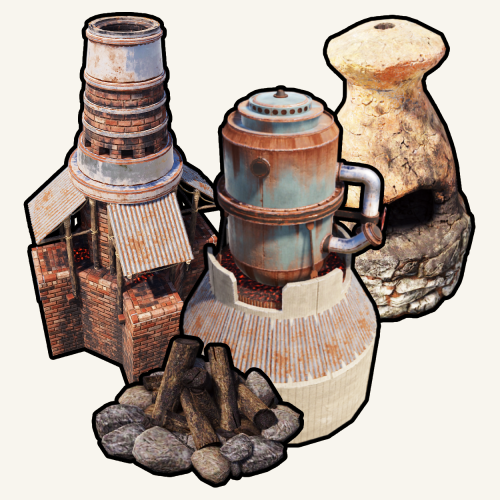
Portable Furnaces provides you and your server's population a whole new level of fun and experience. Use any furaces from any spot on the map! FEATURES Use /furnace (by default, can modify in the config) to open up your private furnace. Use /setfurnace (by default, can modify in the config) to change your private furnace type. Group-based cooldown support in the config. Friendly integration with NoEscape by Calytic with configurable rules of behavior. Chat message custom icon Steam ID. 4 different types of ovens: Campfire, Furnace, Large Furnace and Small Oil Refinery. Phrase support. PERMISSIONS PortableFurnaces.use: To allow anyone to open up their furnace. COMMANDS (CONFIGURABLE) Following commands are chat and console commands. furnaces: Prints currently selected furnace and the according indexes for the furnaces to use setfurnace with. furnace: Opens up your current portable furnace. setfurnace: Removes and drops all previous furnace items before setting the type to ROADMAP All done. If you have any suggestions, please let me know in the Discussions tab or interact with me directly on my Discord server: CONFIG DISCLAIMER The yellow and green buttons while using the Furnaces in the GIF, does not come with the plugin. That's another plugin called Quick Sort by MONaH.$4.99 -
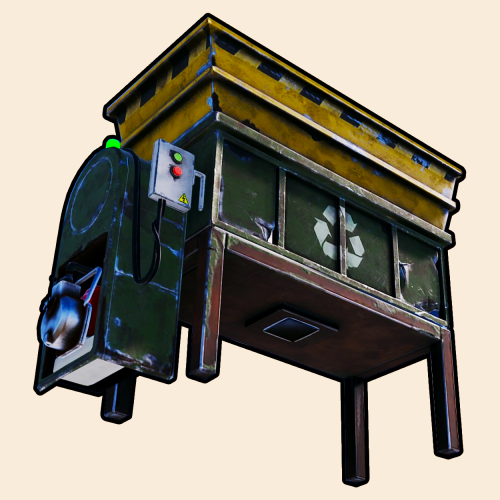 Update's out
 -
I also added quality support, default is 0.5, but you can set it to higher/lower based on groups as well.
-
Great idea! Sure thing. I'll add it based on groups.
-
.thumb.gif.d17619639442f8fcee4c0974e23e8302.gif) Hey there. I'm not sure as I don't own that one. The one I initially integrated is the one from uMod.
Hey there. I'm not sure as I don't own that one. The one I initially integrated is the one from uMod. -
.thumb.png.a160bf3196a76bb71a7a123111378e46.png) Sure
Sure -
Oh I didn't realize it till now that Oxide changed it so it only accepts lower-case permissions. 10/10 smort. This happens all accross my plugins so, that's dope. Pushing an update now.
-
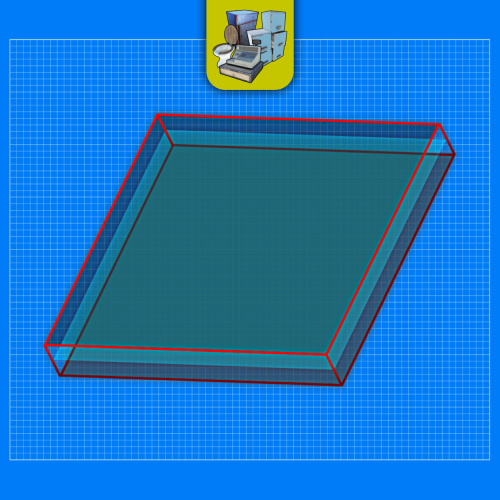 I can add a system where it clears the prefabs for you on map change but that can create accidental deletions. I'd rather avoid that and have the owners do manage that themselves.
 -
It never gets deleted if you don’t remove it.
-
Hey, sorry bout that Just plenty to ensure that everything's working right.
-
Version 2.11.2
1,212 downloads
Prefab creator that directly works with Static Lootables in order to create custom lootable definitions for your servers! This plugin provides more than there already is. [!] Known Issue When placing points that are (almost) perfectly vertical in all points (bottom points align with the top ones), the prefab gets applied flipped in the horizontal axis. Currently investigating this. Watch the tutorial down below to get an insight of how this works! It's simple, follow the instructions in chat designed to quickly help you integrate it in your server. Open the editor; Press [Reload] while looking at an object; If Lootables.Ext is loaded, the [PRO] section will show up, click on "Create Prefab"; Follow the instructions in chat & go wild; Press [Use] while looking at your newly created prefab; Set it up as a regular prefab; Voila!$5.26 -
That's because of the latest update, basically pressing E would trigger multiple times on the same button press. Button swallowing ensures that it's pressed just once.
-
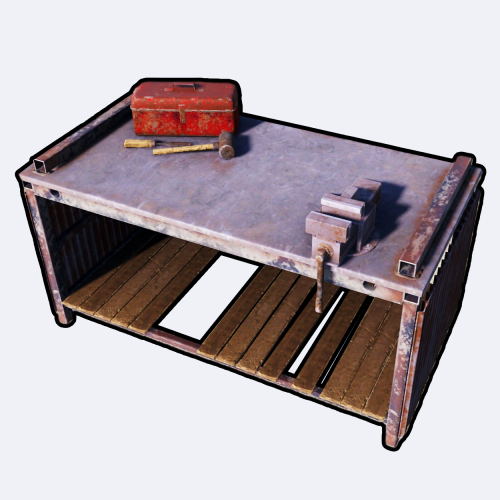 Do you mean separate to the one that's in the config? Because that config command is the chat and console command. I replied to this on Discord, although I don't plan on having UI on this plugin.
 -
Version 1.0.8
370 downloads
Portable Repair Bench provides you and your servers' population cool-down-based Repair Benches accessible from anywhere in the world. FEATURES Use /rbench (by default, can modify in the config) to open up your private repair bench. Group-based cooldown support in the config. Friendly integration with NoEscape by Calytic with configurable rules of behavior. Chat message custom icon Steam ID. Phrase support. ROADMAP All done. If you have any suggestions, please let me know in the Discussions tab or interact with me directly on my Discord server: PERMISSIONS PortableRepairBench.use: To allow anyone to open up their repair bench. COMMANDS (CONFIGURABLE) Following commands are chat and console commands. rbench: Opens up your own personal portable repair bench. CONFIG DISCLAIMER The yellow and green buttons while using the Repair Bench in the GIF, does not come with the plugin. That's another plugin called Quick Sort by MONaH.$4.99 -
.thumb.gif.dace9cf8da786b850716fa7ea62e5a83.gif) It seems like you modified the Oxide root path my plugin is using. I'll have to check what's that about.
It seems like you modified the Oxide root path my plugin is using. I'll have to check what's that about.- 37 comments
-
- 1
-
-
- #raulssorban
- #raul sorban
- (and 7 more)





.thumb.png.33346561fd8ce85b482bbc270307bb8b.png)
