


-
Posts
221 -
Joined
-
Days Won
1
Content Type
Profiles
Warranty Claims
Downloads
Forums
Store
Services
Downloads Plus Support
DOWNLOADS EXTRA
Reels
Everything posted by ViolationHandler.exe
-

Option to view NPC inventory
ViolationHandler.exe replied to GooberGrape's Support Report in Support
I'll try to look into compatibility issues with Windows servers once I get home, I think sometimes they lack a DLL which can cause issues, but not sure in this case. -
Option to view NPC inventory
ViolationHandler.exe replied to GooberGrape's Support Report in Support
Ohhhh, okay, yea if the bots have unique names it's probably easier, I was thinking you meant bots that are basically just numbered, but that makes more sense. Do you mind sharing which plugin you use for the NPCs? I think it may help in trying to add the feature. The downside to the way uMod one does it is that then you need to be constantly listening to the players input. That's why I have a toggle for creative, I could maybe integrate it into creative, though then you'd be required to turn on creative to view inventories via the way Inventory Viewer does it. -
Option to view NPC inventory
ViolationHandler.exe replied to GooberGrape's Support Report in Support
Changed Status from Pending to Work in Progress -
Option to view NPC inventory
ViolationHandler.exe replied to GooberGrape's Support Report in Support
Hmm, okay, I'm sorry that you're having these issues, I wish I could help more as of right now, but am out ATM, but am trying to help any way I can while out. I messaged the creator of Discord Extension in the meantime. I should be able to look further into it once I get home, but that will be a couple hours unfortunately. Could you DM me your config (without bot token) on CF or Discord? Should be able to find me in CF discord or can search "papilicker" on discord and add me. -
Option to view NPC inventory
ViolationHandler.exe replied to GooberGrape's Support Report in Support
Hmm, font looks funky too, what operating system is the server using? -
Option to view NPC inventory
ViolationHandler.exe replied to GooberGrape's Support Report in Support
Are the commands that work always the same commands? -
Option to view NPC inventory
ViolationHandler.exe replied to GooberGrape's Support Report in Support
Honestly it's weirder that only some of the commands work since they are all created the same way -
Option to view NPC inventory
ViolationHandler.exe replied to GooberGrape's Support Report in Support
Hmm, weird, not quite sure why that's happening unless the Discord Extension changed something since my download of it, but I wouldn't think it'd break anything even if he did. I can try and look into it and see what I find out about any possible changes to the extension. Thank you for reporting this! Edit: Doesn't seem like they changed anything on Discord Extension side, but still not quite sure why you're having that error to be honest, I just deleted my templates myself and reloaded the plugin with no issues -
CMD in discord for view inventory not showing
ViolationHandler.exe replied to GooberGrape's Support Report in Support
The part about discord core makes sense, he has a version on his GitHub that will work with the latest version of Discord Extension. In relation to the title of the support ticket, are you sure you gave the bot enough perms? It could also be rate-limiting the bot due to a lot of commands being created, try reloading the plugin if you haven't already. Also, if your bot is in more than 1 discord, you likely have to specify the discord id in the config to create commands in that discord. -
Option to view NPC inventory
ViolationHandler.exe replied to GooberGrape's Support Report in Support
hahaha fair enough, but I also gotta have a way to target them, so is there something you have in mind? I'm not sure how exactly you'd expect/want to be able to target an NPC over a player, as I wouldn't wanna populate the autocomplete with NPCs if someones just trying to find a player. But I also don't know how you'd target them any other way, the other issue is, even if they are listed in the auto complete, how would you really differentiate between which is which other than them having a different ID most likely? -
Option to view NPC inventory
ViolationHandler.exe replied to GooberGrape's Support Report in Support
I like the idea, but how would you want the person to be able to view that inventory? Meaning, how would you expect to be able to target X NPC over Y NPC? IE a command or something else? And would you expect this to work from discord as well, or just prefer to have it in-game (though this may depend on the previous question)? -
Version 2.0.6
766 downloads
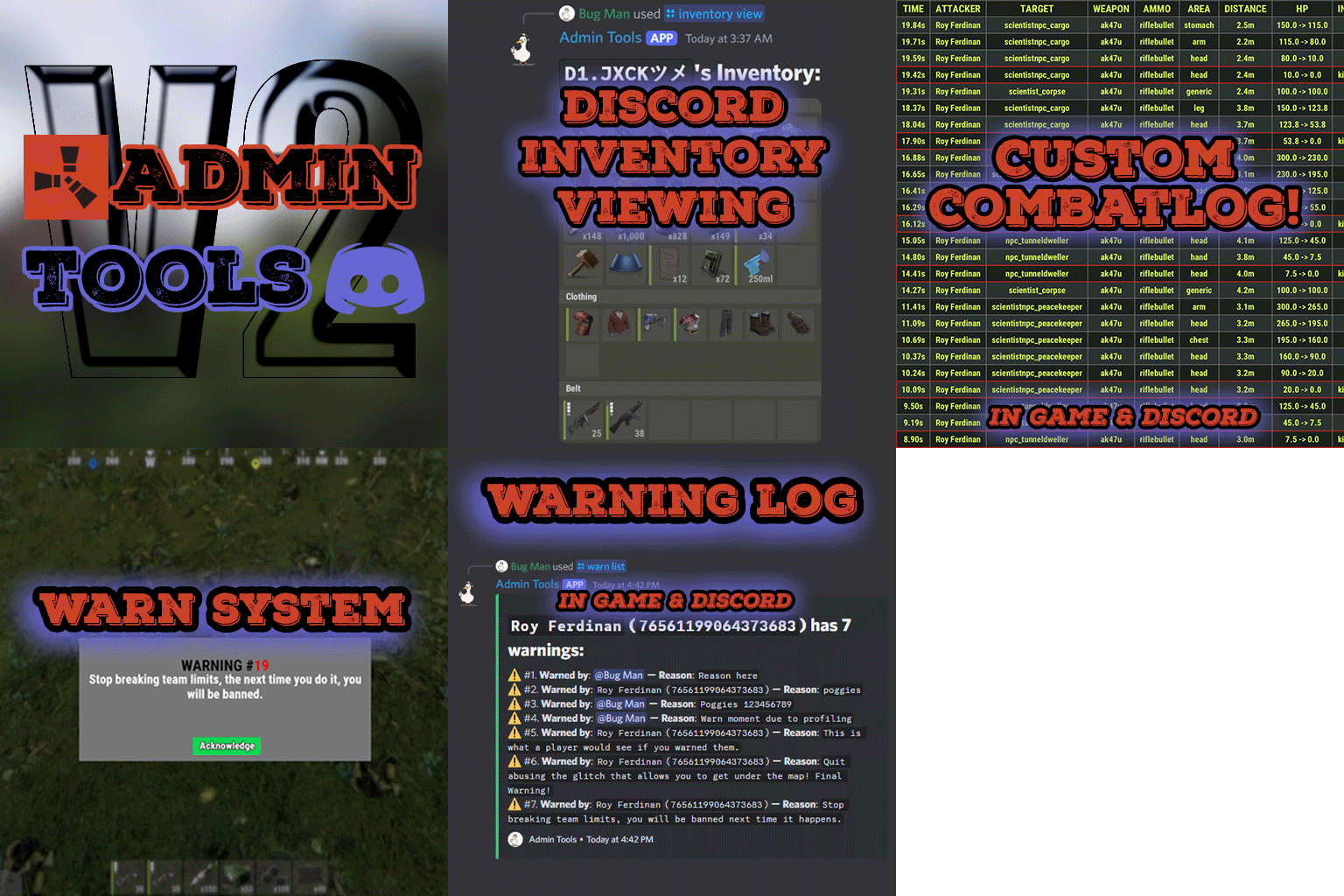
Admin Tools is an all-in-one plugin designed to make your job as a server owner/admin easier. This plugin has a wide range of features and commands that allow you to control your server easily, both in-game and via Discord. It also adds custom quality of life features exclusive to this plugin! ★ Inventory Viewing System - View an NPC or player's inventory in Discord and in-game ★ Multi-Server Support - Allows you to manage multiple Rust servers from a single bot ★ Custom Combatlog System - View a player's combatlog in Discord and in-game ★ Backpack Viewing System - View a player's backpack (uMod plugin) in Discord ★ Custom ID System - Get the ID of players on your server quick and easy, copy directly from chat ★ Warn System - Inform players of their wrongdoings and keep track of them (Warn Visuals: UI, Chat, Chat + Toast/Gametip) ★ Watchlist System - Lets you put suspicious players on a list for you to monitor, logs in-game and to discord ★ Server Command System - Reload/load/unload plugins and other console commands in Discord and in-game ★ F7 Report Logging System - Log F7 reports to discord with their combat log attached (if enabled) ★ and more! (Rest of features below) Please note, the Permissions UI Shown on screen towards the start of this video is FROM CARBON, NOT THE PLUGIN Please note, the Permissions UI Shown on screen towards the start of this video is FROM CARBON, NOT THE PLUGIN (Changed/Exclusive): * Timestamps for video in video's description - Make sure to up video quality if watching from this site. * Timestamps for video in video's description - Make sure to up video quality if watching from this site. ★ Permission System - Grant/revoke permissions to groups and players from Discord and in-game ★ Minecraft Creative System - While enabled, hold middle click to get the item you're looking at ★ Rename System - Rename the players who think they are funny (toggle in config) ★ Tempban System - Tempban players with no database required ★ Unique ID System - Find players even when they have the same or similar names -- Thanks to nivex ★ Kill, Wound, Revive & Respawn System - Kill, wound (down), revive and respawn players from Discord and in-game ★ Team Viewing System - View a player's team members from Discord and in-game Q: Does this plugin have a GUI or do its commands use GUI? A: No. The only UI in-game for this plugin is the warning screens. Please do not purchase this plugin thinking it has GUI for its commands, they are ALL commands entered into chat, Discord, or RCON. There are however, 'modals' for Discord, but nothing GUI based for within the game other than the warning screens displayed when '/warn'ing a user (which can be configured by the user). Q: How do I set up the bot? A: Set Up Instructions - If you miss any permissions, can always add them to the Admin Tools role in discord after you invite the bot. Q: Does this plugin link players to Rust? A: No. You can use the free plugin DiscordCore by MJSU if you would like to link your players. Q: Does this plugin log kills/PMs/F1 Spawn/chat? A: No. Admin Tools only logs the following if enabled: F7 Reports, Bans, commands from this plugin, and players who are watchlisted. You can always view a player's combatlog from discord though. You can use the free logging plugins DiscordLogger by MONoH or DiscordChat by MJSU depending on your goal. However, personally, I recommend against using logging functionality that would be occurring very frequently due to Discord's rate limiting. Though, DIscordLogger is made in a way that combines messages if possible to prevent limiting. Q: Can this log to multiple Discord servers? A: YES. All you need to put for logging to multiple servers is the channel ID you want to log to in the list of channel IDs in the config. Q: Does this plugin ONLY work with Discord Extension 3.0.0+? A: YES. You need to download the 3.0.0+ version from GitHub, it is linked at the top (and right here) as a required dependency. Any version prior to 3.0.0 will not work with this plugin, but any version 3.0.0 and later will. Q: Will this work on a shared hosting server? A: Yes, BUT you will not be able to take advantage of the threading done within the plugin. It should still work fine, but when you're on a shared host, you may only have access to a single core/thread (not positive on which) and as a result the threading I am doing in the plugin will just be ran on the main thread. As a result some of the discord functionality (ie: image generation) may affect the server as its now running on the main thread (what the server uses to run the game on) instead of a separate thread which would normally not affect the server. The image generation stuff (backpack and inventory) is normally pretty quick depending on number of items and pictures being used/sent, and can be between 100-250ms to generate on my server, however that was while no players were on. Q: How do I fix this error Response Code: Forbidden Discord Error Code: 50001 Discord Error: Missing Access ? A: All you need to fix this issue is MFA/2FA on the account used to create the bot. This issue is caused by Discord requiring your account to have either MFA or 2FA due to the bot being in a Community Discord server. After you add 2FA/MFA this error will go away. Q: Renaming isn't working, how do I fix this? A: The issue is likely that you don't have it enabled in the config, make sure to enable it in the config, its above the warning options and the discord API options. Q: My commands aren't appearing, how do I fix this? A: You can do the following in an attempt to try and force the bot to update its commands: Discord > Server Settings > Integrations > Admin Tools Bot > Toggle one of the checkboxes it shows in either Roles & Members or Channels > Save > Undo toggle > Save again. Q: Does this work with Rustcord? A: Yes, however you need this version here by MJSU as it has been updated to work with DiscordExtension 3.0.0+ versions. Q: How do I set up Multi-Server Support? A: Do as follows: Enable the bool (true/false) config option for multi-server system. Fill and keep the list of servers order the same if possible between configs (not required, but recommended). Use the /server command in discord to swap to the server you want to start listening to/sending commands to. On first use of command, it will error in all but one server console (tries to reply to a message more than once), that is expected and doesn't do that after that first command. It is used to set it up. If you want the activity information to change when swapping servers, make sure to enable that functionality in the config. Special thanks to Nivex for both creating and allowing me to use the method used to generate unique IDs for players. For support, please make a support ticket or join the Cobalt Studios Discord.$29.99 -
 For future reference, I recommend opening a support ticket, but could you explain what seems to be the issue you're having?
 -
plugin need to be fixed after new wipe
ViolationHandler.exe replied to xAlloshFN's Support Report in Support
Changed Status from Pending to Closed Changed Fixed In to 0.0.4 -
plugin need to be fixed after new wipe
ViolationHandler.exe replied to xAlloshFN's Support Report in Support
What exactly seems to be the issue with it? Could you send your config? Edit: Seemingly you may be using one of the following config settings: "Remove gibs from inflatable things (Innertube/boogie board)." "Remove gibs from entities when using a hammer to demolish them." config setting, will find a new way to patch it and will update, if theres something else that is also breaking for you lemme know, but I will check the rest of the config settings too and confirm its just that one. In the future, please give the developers of the plugins you own more information about what exactly is broken if you want a quicker solution, as otherwise they have to sift through and search their entire plugin for what could be the cause of the issue is "fix it pls" is not sufficient. -
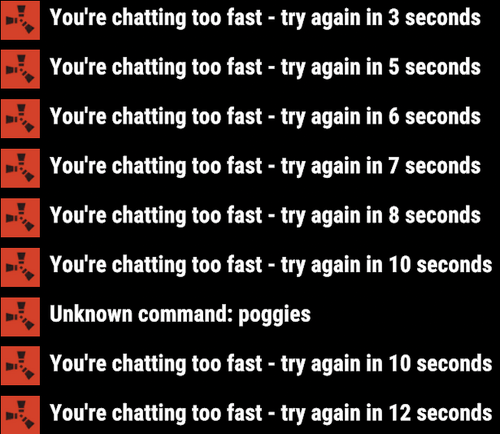 @Gust Thank you for reporting! I will take a look into this and update ASAP! Edit: Latest version fixes it thank you again for reporting this!
 -
What exactly seems to be the issue with it? Mine compiles fine, but I guess I haven't tested it in-game yet, but I don't see any reason why it wouldn't be working. Could you explain what problems you're having with it?
-
Stalls server when placing ammo in vehicle
ViolationHandler.exe replied to SlayersRust's Support Report in Support
Changed Status from Pending to Closed -
 Wouldn't miniguns cause issues with the UI? More specifically when you click on a minigun given that it has 2 options rather than one (unload minigun and drop)?
 -
Stalls server when placing ammo in vehicle
ViolationHandler.exe replied to SlayersRust's Support Report in Support
Of course and no problem lol, I can't allow that type of bug in a plugin I gotta fix that kind of shit immediately -
Stalls server when placing ammo in vehicle
ViolationHandler.exe replied to SlayersRust's Support Report in Support
This is now fixed in latest version THANK you for reporting this! -
Stalls server when placing ammo in vehicle
ViolationHandler.exe replied to SlayersRust's Support Report in Support
Changed Fixed In to 0.0.3 -
 Thanks for reporting! I am currently taking a look and will update once I've fixed it || Edit: Now fixed in latest version (0.0.3) Thank you for reporting this!
 -
Stalls server when placing ammo in vehicle
ViolationHandler.exe replied to SlayersRust's Support Report in Support
Thank you for reporting! I think the newer Rust update may have fucked it up, I will update it ASAP once I fix it! -
Honestly great question lol, I'd say the configurability of it since that command removes gibs from everything. Otherwise it likely does the same thing, but to get the same effect you'd have to do it for every player (but again, without configurability).


