
-
Posts
221 -
Joined
-
Days Won
1
Content Type
Profiles
Warranty Claims
Downloads
Forums
Store
Services
Downloads Plus Support
DOWNLOADS EXTRA
Reels
Everything posted by ViolationHandler.exe
-
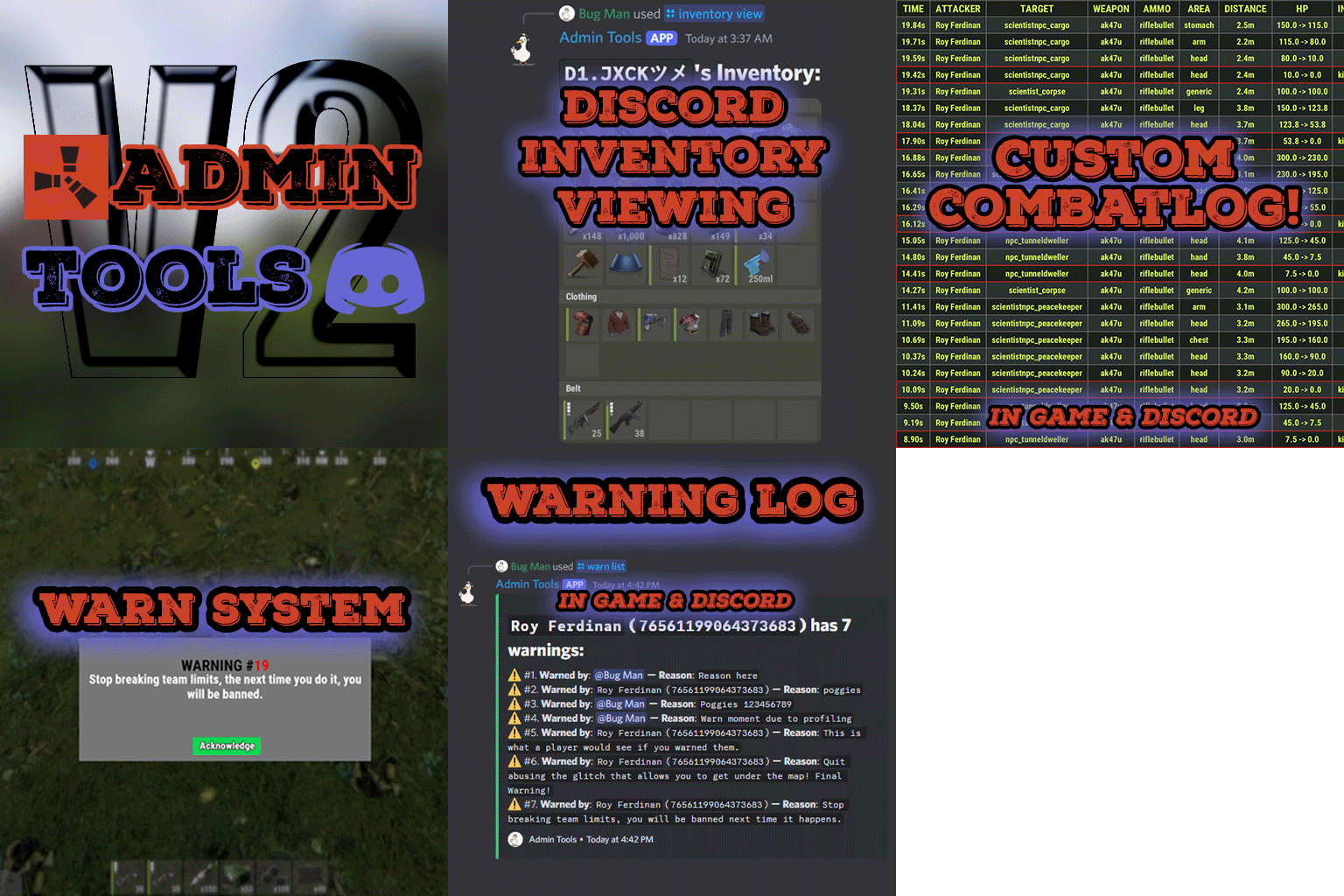 Estimate was a bit off, but update is officially out, took a bit longer than I expected, but hope its to everyone's liking
 -
Howdy, Currently there is an issue currently relating to Ubuntu servers specifically I believe regarding displaying fonts that aren't actually installed onto the machine. This poses an issue due to the fact that the fonts folder is typically a read-only folder, meaning the plugin will not be able to add the fonts to said folder, resulting in not being able to properly display the font. (Or at least this is what I've come to understand about the font folder within Ubuntu, maybe even specifically server Ubuntu formats) I have a new version that should be posted either today or tomorrow that works around this issue since I couldn't find a way to get the font to work correctly with the font it's intended to use. This, unfortunately, means it won't look as close to the original inventory in-game, but should still work and look pretty decent, only change is font. I have tried to make it as easy to work with as possible, though I have limited it to be only accessible through the server console due to not wanting it to be changed often (since realistically it shouldn't need to be unless you want to try and use your own custom fonts by trying to install fonts to your font directory yourself somehow). I also include a default suggested font and size for optimal size in relation to the intended look, though feel free to use whatever sizes you want (though do note that the code within the plugin prevents the text from getting bigger than the boxes its within). Once the update goes live, you can type `font help` into your console and it will display a help message explaining its use. I have sent a version to the only other person I know having this issue and from what I've seen/heard from him, there's been no issues so far. This next update will also have more than just the font fix. Example Photo (Using recommended font values with font fix, similar, but not perfect sadly): - ViolationHandler.exe
-

cant get permissions UI to open?
ViolationHandler.exe replied to Crossfire's Support Report in Support
Changed Status from Pending to Not a Bug -
cant get permissions UI to open?
ViolationHandler.exe replied to Crossfire's Support Report in Support
That is a Carbon admin panel, so unfortunately it is not part of my plugin, though if you want a UI permission plugin, the plugin by Steen (Permissions Manager) works great from my last experience with it. If you want that specific UI, then you'll need to swap to Carbon instead of Oxide (assuming you're using Oxide). -
Changed Status from Work in Progress to Fixed Changed Fixed In to 1.0.8
-
Changed Status from Pending to Not a Bug
-
Could you explain exactly what you'd expect to happen for those who are given said permission? I ask because the way it works currently is its changing how the code of the game works and essentially removing the portion of the code that says to make gibs basically. The only way I can think of your request would be to make it so if the person with said permission destroys something the gibs don't appear, but the gibs wouldn't appear for ALL players. Meaning, if player X who has permission destroys some object, ALL players in the area would not see gibs, furthermore, if player Y who DOES NOT have permission destroys some object, everyone in the area WOULD see gibs INCLUDING player X who has the no gib permission. Hence why I'm not positive if you'd want that and why I'm asking what you'd expect to occur.
-
Changed Status from Pending to Work in Progress
-
Sorry for the delayed reply, school has been kicking my ass, and actually delayed this message itself lol, had to take a final mid response. I can DM you a version to see if that fixes your issue and then go from there, thanks for the report! My guess is compatibility issue along with a poorly named thing on my end.
-
 Apologies, I don't get notifications for discussion messages unless pinged, I could technically do this would via doing the same thing I did with TPC, though its less ideal the more often its called I think. I'll write it down to possibly add in the future!
 -
Apologies, for whatever reason I don't think there's a way to get notifications for discussion messages, so thanks for the ping! As of right this moment, no it doesn't support multiple servers in the way you're thinking most likely, but 20 may be on the high end even when supported tbh, I haven't tested it with that many servers, but it should work. I would probably still recommend to split it among 2 or more bots still so it's less of a load. In its current state, it technically could support 20 servers, but I think it'd require 20 different discord servers to correctly function lol mainly because it wasn't even a thought at the start, so it wasn't made in a way to support it. I do plan on supporting multiple servers though, the functionality is basically entirely done in my local version, but I need to fix one of the features I added along side it before I update it on the site, as it would interact poorly in its current coded state (just due to multi-server support). It shouldn't be too hard of a fix though, I plan to update the plugin early December with these new changes This update is sorta large, hence its length between last update, I hope it adds some more features you guys like!
-
Having Issues with Admin Tools plugin
ViolationHandler.exe replied to JoshParker23's Support Report in Support
Changed Status from Not a Bug to No Response -
Feel free to use for update and change version number. BuildingSkins.cs
-
me
-
This feels misleading, mainly the first sentence given that everyone has their own definitions of established. I think this should be re-worded to be accurate unless you plan on making that actually a function that isn't behind a paywall. The bypassing initial approval currently is only possible when you purchase the Creator Pro subscription to the site. If eventually there are creators that can do this without this paywall, sure, the legal message there makes sense, however, I still think there needs to be something either added or changed in that message. Explicitly state that creators who PURCHASE the creator pro subscription are ALSO allowed to bypass the initial approval.

-
 Mines fine: That looks like something to do with potentially file access rights/your host not allowing you to do what its trying to do. I'd contact your host tbh
 -
The thing is, if you are given a product, you own the license for that product, it acts as if you purchased it, there's basically no way to determine if a product was gifted or purchased currently. It says purchase date is the day you gifted them the product I believe, but you can change the date, I've been trying to put the gifted copies many days prior to release of plugin to know whos gifted and whos not lol
-
I suggested this one as well, but then had someone bring up the point of people who got the product from another site and are just getting it here due to owning it elsewhere (and thus would have received it for free) and would affect the review weighing process then.
-
I think if the front page featured ones were taller and the images on your profile were the same size as they are on homepage of site it'd be okay tbh, or at least much better. I designed my icons for the homepage, then went to my profile and realized they were too wide and had to re-do it. I think the main issue is the fact you basically HAVE to design around these things.
-
I've been complaining about this for months, issue is I don't know what would be the best solution for it. I've suggested a couple things, but I think each has its own downside. My idea was as follows: Likely there is something better, but figure then it allows people to have longer sales, but as a result of the longer sale they need to wait longer to put it up for sale again. This would at least prevent abusing the system to some degree. I think the scaling system will likely be the best option overall from what I've heard though, just maybe not these exact values.
-
Yeaaa, don't know how I feel about that one lol, lemme go buy a plugin rq and then go trade it with someone else's plugin until I get all of the plugins on CF
-
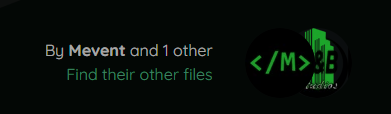
Well, since this applies to both customers and creators, here's my list: Change: If you've changed your name ever on CF, when you view your own profile through the drop down in the top right it will always default to the old name of your profile. When you upload a plugin for the first time and want to put a dependency or something it works with, you can only put 1. Furthermore when trying to put it on sale, it will remove the sale as soon as you submit it and will need to re-add the sale. Coupons are unique and cannot have more than 1 of them. Ex: If person A has cupon poggers, person B cannot have a coupon with that name. When you add photos/gifs to a plugins thumbnails it auto puts them in the second slot 90% of the time, however with gifs its a little bit different and does some slightly different behavior. As mentioned by others, search improvements. When searching make the first result be the combined text of the search if theres a plugin that directly matches, if possible. Strikethrough in text is improperly applied when the font size is not default size and then scaled up. Meaning if you apply strikethrough to a text thats 30 font, it will be applying it as if the strikethrough was being applied to a default font size text. Creators can review their own product. (though since the reviews are reviewed this isn't a massive deal yet). When a customer buys your products and has more than 1 product in their cart, you get a notification for 1 product but they have purchased more than 1. You have to check the Provider Dashboard to find out what they bought. Fix review star calculation, it still calculates percentages with hidden/non-accepted reviews resulting in percentages being more than 100% when added together, and in some cases up to 200%. Remove the messages that imply the automatic renewing of feature files will take place but won't actually take place. Furthermore, add a toggle button to select to renew when purchasing. Fix dependencies (whether required or not) disappearing from your plugin description. I've had to fix it twice within the span of 3 fucking days... (Seems fixed) Add: An option in the support section that is 'Suggestion' that way we can properly mark suggestions. Support for scheduled plugin updates. Ex: Wipe is coming and you have the fixes already prepared for force-wipe, but you don't want to update and have half of your customers update and complain it doesn't work. You can upload your update, and schedule a time for it to "release" to the public, that way you don't have to worry about being there exactly when wipe happens. Allow non-curators to edit their messages they add to their plugins. Explicitly state in the purchases of a product that a file was GIFTED as opposed to actually purchased by a person. Meaning, when you're viewing who has purchased your product it states if it was a gifted copy (from the author). Add the functionality to react to DM messages like how you can react to files and messages on forum posts. Add functionality to show when a person who has your product wishlisted then purchases the file vs someone just regularly purchasing it. Add ability to review Creators instead of just their files. This would be a review of them as a whole and would include their Support, plugin maintenance, etc. Make it easier to view whos an Author on a plugin when more than one. Make it so you can click "X other" and have a dropdown appear with the names of who else is an author. Allow ability to click their name to go to profile as well. Make "X other" bold too so it indicates you can click it like the name. Photo below of what I am referring to. Curator Only: Add a visual to the pending files that shows a file is under review, preventing the need to click into it to find out. If possible, have it be a different color when its YOU reviewing the file vs another user. If any of these have been fixed already, please let me know and I will strikethrough it. Edit: Will edit to add more ideas when they pop up.
-
Could you elaborate on #3? I don't fully understand what you mean.
-
You can basically do all of that, just kinda not easily lol
-
My players have this exact same issue on latest version (2.0.9) as well. Though I personally do not. This only occurred AFTER I had reloaded the plugin after being asked to reload it to get the new skins. Any reloading after said first reload has not helped. This is due to your use of static variables most likely, though I am not sure why I was not affected by it, if you force your plugin to recompile you can fix this problem, or at least I believe you can as it fixed my player's issues. I have admin perms (auth level 2, am ownerid'd) but my players do not.