

-
Posts
221 -
Joined
-
Days Won
1
Content Type
Profiles
Warranty Claims
Downloads
Forums
Store
Services
Downloads Plus Support
DOWNLOADS EXTRA
Reels
Everything posted by ViolationHandler.exe
-
 Sure, that seems doable. Will likely just be 1 config option that is something along the lines of "Number of clan members required to set a clan home" and -1 and 0 would be no requirement (which would be default option)
 -
To confirm, you're asking for a setting to configure the number of players a clan needs before a clan would be allowed to set a clan home? Example: The clan "POG" has 3 members, but the minimum is is 5 players, so they CANNOT set a clan home. Example 2: The clan "POGGERS" has 12 players, so they CAN set a home. Is this correct?
-
Version 1.0.10
108 downloads
Clan Homes allows your players to set one or more clan homes for their clan! This plugin was designed for configurability, with this permission and config system you and your players can control every aspect. Note: this plugin requires a Clan plugin to function. ★ Optional Multi-Home System - Allow players to set a single clan home or multiple ★ Cooldown System - Fully configurable cooldowns based on permissions you create in the config ★ Teleport Configuration System - Configure what is and isn't allowed when teleporting to the clan home(s) ★ Easy Cancel System - Easily cancel your teleport home by typing /ch c or /tpc (works with NTeleportation) ★ Notify System - Notify your clan mates where the new clan base is (if enabled by clan leader) ★ and more! (Rest of features below) ★ Custom Permission System - Allow your clan leaders to choose what roles in the clan can set the clan home(s) ★ Blacklist System - Prevent setting clan homes on a configurable list prefabs ★ Home Limit System - Limit the number clan homes, number of times a clan home can be teleported to, and or the number of home teleports each permission has ★ Clan Member Threshold - Prevent the ability to set clan home if the clan does not meet the configurable number of members required Q: Does this work with X clan plugin? A: Most likely yes. If your plugin is compatible with K1llY0u's clan plugin, it will be compatible with this plugin. If its not listed in the "Works With " section, feel free to ask in the Discussions section and @ me with the message so I get a notification. For support, please make a support ticket and include any pertinent info (like how to recreate/what you were doing at the time) and any errors that occur.$11.99 -

Having Issues with Admin Tools plugin
ViolationHandler.exe replied to JoshParker23's Support Report in Support
Changed Status from Pending to Not a Bug -
Changed Status from Pending to No Response
-
Having Issues with Admin Tools plugin
ViolationHandler.exe replied to JoshParker23's Support Report in Support
If nothing appears it means you have a version prior to 3.0.0. If you don't download it manually from that GitHub it won't be the correct version. Furthermore, you could be using Sturdy/BippyMiester's pterodactyl egg and if you have DiscordExtension selected in the start up page (towards the bottom) this I'll fuck it up too as it's downloading the one from uMod and overwriting whatever you had in there before. My suggestion would be to check if you have a DiscordExtension toggle/button thing in your startup page (assuming you use pterodactyl) and disable it. Then shut down server, add the DLL from the GitHub link in the DEPENDS ON section on the plugin page to the server, and then start server back up. If you have any questions or issues along the way or afterwards, let me know! -
 I thought about doing that too, but would need to re-write basically all of the commands, plus it wouldn't know which players to populate for the autofill either if you did it that way
 -
Can you open a support ticket so we don't fill up the discussion tab? In the mean time, can you do de.version in your rcon console and tell me the output?
-
Assuming you mean Rust servers, it doesn't exactly work with multiple servers like that. If you'd want to use it with multiple servers you'd either need to have separate discord servers for each Rust server, or a separate bot for each Rust server which would get tricky interacting with. I could try and find a way for you to go between each server you have set up for it, but it would be its own command for you to swap from X server to Y server to Z server, etc.
-
A few queries on discord commands
ViolationHandler.exe replied to Smithy's Support Report in Support
Changed Status from Pending to Not a Bug -
Have you already tried re-downloading the file and putting it in again? I just downloaded it from the site and it compiled fine. Edit: seems you're on Oxide most likely, let me attempt to get the newest version (I believe I have it already, but am making sure). Edit 2: I still seem to have no issues with it on Oxide, is there something you've changed? Or are you on Staging or? Edit 3: Can't be staging otherwise would fail to compile for pooling reasons.
-
A few queries on discord commands
ViolationHandler.exe replied to Smithy's Support Report in Support
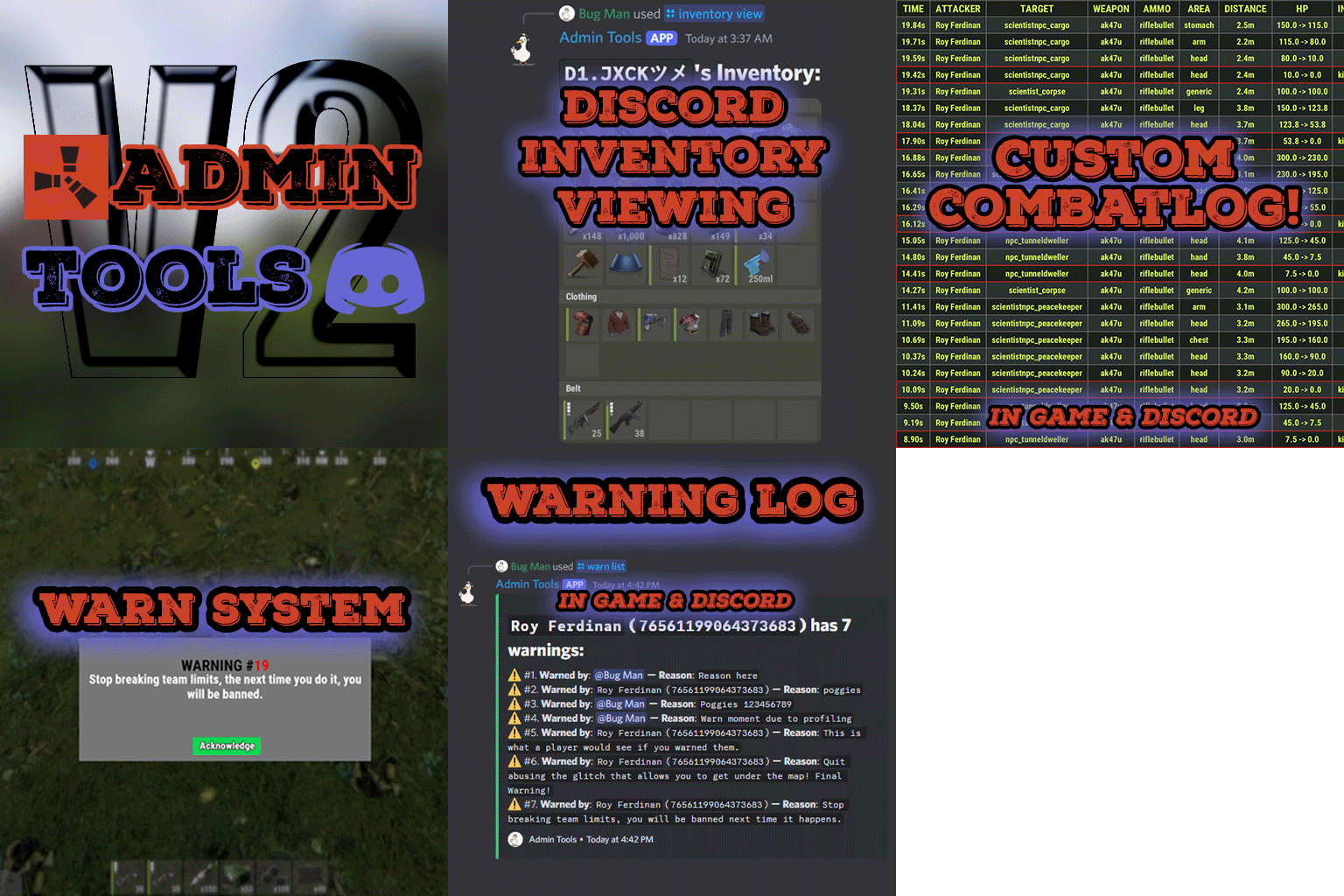
Ah, okay, wasn't sure if you were having issues with it or something, wanted to make sure. I could probably make something that allows you to send messages to chat from discord, ideally I'd like it to be picked up by the chat logging done on most plugins logging chat, but we'll see if its possible or not. Glad to hear, I tried to make it mostly all-in-one since if it was truly all in one it'd be massive, which it sorta already is pretty big (14k lines, mostly discord implementations though), so I'll have to keep that in mind. The next update will actually have both a discord version and a non-discord version in case people want to not have the discord dll (this would mean no discord functionality, but all in-game functionality) and will be much smaller too. -
A few queries on discord commands
ViolationHandler.exe replied to Smithy's Support Report in Support
Currently it does not respond to discord with what it says back, I have yet to create a way to do so as I want it to be performant and haven't thought of a good way yet other than patching the logging to console. So as of now, yes that is how its meant to be. I would like to add that functionality in the future, however, currently I haven't found the best way to do so. Also, the prefix stuff doesn't work because they are all application commands, as they allow for autocomplete and make it easier to interact with the commands (at least imo). No, chat messages are not meant to be sent to discord, there's an FAQ on that one actually: Not sure what you're asking/saying with the line about having all commands set to a role ID, could you explain what you mean? -
Option to view NPC inventory
ViolationHandler.exe replied to GooberGrape's Support Report in Support
Changed Status from Work in Progress to Closed Added functionality in 1.0.6 version. Changed Fixed In to 1.0.6 -
Not a bad idea imma make one
-
CMD in discord for view inventory not showing
ViolationHandler.exe replied to GooberGrape's Support Report in Support
Changed Status from Work in Progress to Closed Changed Fixed In to 1.0.5 -
CMD in discord for view inventory not showing
ViolationHandler.exe replied to GooberGrape's Support Report in Support
Changed Status from Pending to Work in Progress -
CMD in discord for view inventory not showing
ViolationHandler.exe replied to GooberGrape's Support Report in Support
Update: These errors were a result of a bad Discord Extension version (one that was originally listed in the DEPENDS ON section). If you have these errors, please download the latest release in the DEPENDS ON section of the plugin. After stopping server and putting in the new DLL, the plugin should have no errors relating to modals and should work fine. -
Option to view NPC inventory
ViolationHandler.exe replied to GooberGrape's Support Report in Support
Update: These errors were a result of a bad Discord Extension version (one that was originally listed in the depends on section). If you have these errors, please download the latest release in the DEPENDS ON section of the plugin. After stopping server and putting in the new DLL, your plugin should have no errors relating to modals and should work fine. -
A Few Issues - Interactions and Bot is Thinking
ViolationHandler.exe replied to SteelLegion's Support Report in Support
Changed Status from Work in Progress to Closed Changed Fixed In to 1.0.5 -
A Few Issues - Interactions and Bot is Thinking
ViolationHandler.exe replied to SteelLegion's Support Report in Support
Update: These errors were a result of a bad Discord Extension version. If you have these errors, please download the latest release in the DEPENDS ON section of the plugin. After stopping server and putting in the new DLL, your plugin should have no errors relating to modals and should work fine. Edit: for anyone who is looking here and wondering, I worked with them through discord and we figured out the issue that way. -
A Few Issues - Interactions and Bot is Thinking
ViolationHandler.exe replied to SteelLegion's Support Report in Support
Changed Status from Pending to Work in Progress -
A Few Issues - Interactions and Bot is Thinking
ViolationHandler.exe replied to SteelLegion's Support Report in Support
Ah, well this plugin relies on 3.0.0, but I'm not positive who made ClansDiscord, but if it was MJSU, there's likely a version that'd work on his GitHub, otherwise not positive. And hmm, darn, was hoping it'd be a Windows server lol, the other guy was having issues on a Windows server. If it's the same bot for all 3 plugins that may affect it, but you stated above that you tried doing it with another separate bot, so can't really be that. I don't see any reason the other plugins would affect this plugin unless they were using the same bot and had the same command. I only ever had the already acknowledged error stuff when I had the plugin in 2 servers with the same bot and was using commands, that's why I asked originally too. I should be able to help more once I get home (likely a little over an hour from now), then I can actually look through the plugin and the interactions more thoroughly. Edit: Question for you, which modding framework do you use? Oxide or Carbon? -
A Few Issues - Interactions and Bot is Thinking
ViolationHandler.exe replied to SteelLegion's Support Report in Support
And I assume you updated the bot token in the config and reloaded the plugin? Always gotta cover all the bases to be sure lol sorry if it's a dumb question. Also in response to the latest message, do you by chance use a Windows Server as your OS? Someone else had the same issues with with modals like you have in those errors, wondering if there's some funkiness with different operating systems -
A Few Issues - Interactions and Bot is Thinking
ViolationHandler.exe replied to SteelLegion's Support Report in Support
Do you have the plugin in more than 1 Rust server?