
Monster
-
Posts
1,103 -
Joined
-
Last visited
-
Days Won
10
Content Type
Profiles
Warranty Claims
Downloads
Forums
Store
Services
Downloads Plus Support
DOWNLOADS EXTRA
Everything posted by Monster
-
Version 1.0.4
358 downloads
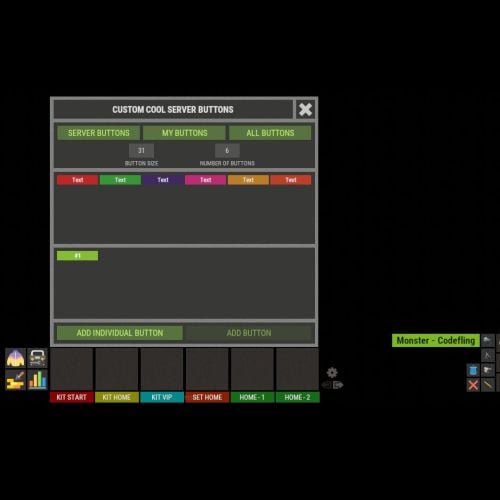
XFastButtons - custom buttons for your server. - Optimization of the interface for different monitor resolutions. - Storing player data in - oxide/data/XDataSystem/XFastButtons - There is a lang ru/en/uk/es. - Sound effects when interacting with the menu. - Various settings for buttons. [ Font, Text, Command, Image, Color, Size, Coordinates, Parent Layer ] - A handy list of buttons under the slots. - Easy and fast selection of coordinates. [ AnchorMin, AnchorMax, OffsetMin, OffsetMax ] - Customize the list of server images. [ For server logo, etc. ]. - Customize the image list. [ For button creation by the player. ]. - Customize the list of button colors. [ For button creation by the player. ]. - The player can hide server/my buttons using the settings menu. - The player can create his own buttons and place them on the screen as he wishes. - Ability to limit the number of buttons created by a player. - Ability to create buttons with commands (chat and console) that have multiple arguments. [ /kit vip, /home 1, /sethome 1 - etc. ] - Ability to edit already created buttons. - Ability to delete created buttons. - Ability to undo changes. [ Convenient preview while editing/creating a button. ]. - Ability to create any number of server(admin) buttons by permissions. - Ability to hide/show buttons when the player interacts with containers or mounted prefabs(chair, transport, etc.) [ Configure in config. ]. - By default, the plugin has a few customized buttons, a list of images, and a list of colors. Permissions xfastbuttons.settings - access to basic settings. xfastbuttons.use - access to create/edit/delete buttons. [ Regular players cannot create/edit/delete server(admin) buttons in any way! ] Config { "General setting": { "Maximum number of buttons a player can create": 6, "Maximum number of individual buttons a player can create": 5, "List of containers - buttons will react to open/close container. [ Leave the list empty to extend this to all containers. Or set null to disable this feature. ]": null, "List of mountable prefabs (chair, transport, etc) - buttons will react to interaction with the prefab. [ Leave the list empty to apply this to all prefabs. Or set null to disable this feature. ]": [ ......... ], "List of server buttons - [ You can only configure parameters - Text, Command, Color, Font ]": [ ......... ], "List of server buttons by permissions - [ You can only configure parameters - Text, Command, Color, Font ]": { ......... }, "List of individual server buttons - [ You can configure all parameters ]": [ ......... ], "List of individual server buttons by permissions - [ You can configure all parameters ]": { ......... } }, "GUI setting": { "Color_background_1": "0.517 0.521 0.509 1", "Color_background_2": "0.217 0.221 0.209 1", "Close button (icon) color": "1 1 1 0.75", "Server image list - [ These images are not available to players ]": { ......... }, "Image list - [ These images are available for players to select ]": { ......... }, "List of button colors": [ ......... ] } }$18.99 -
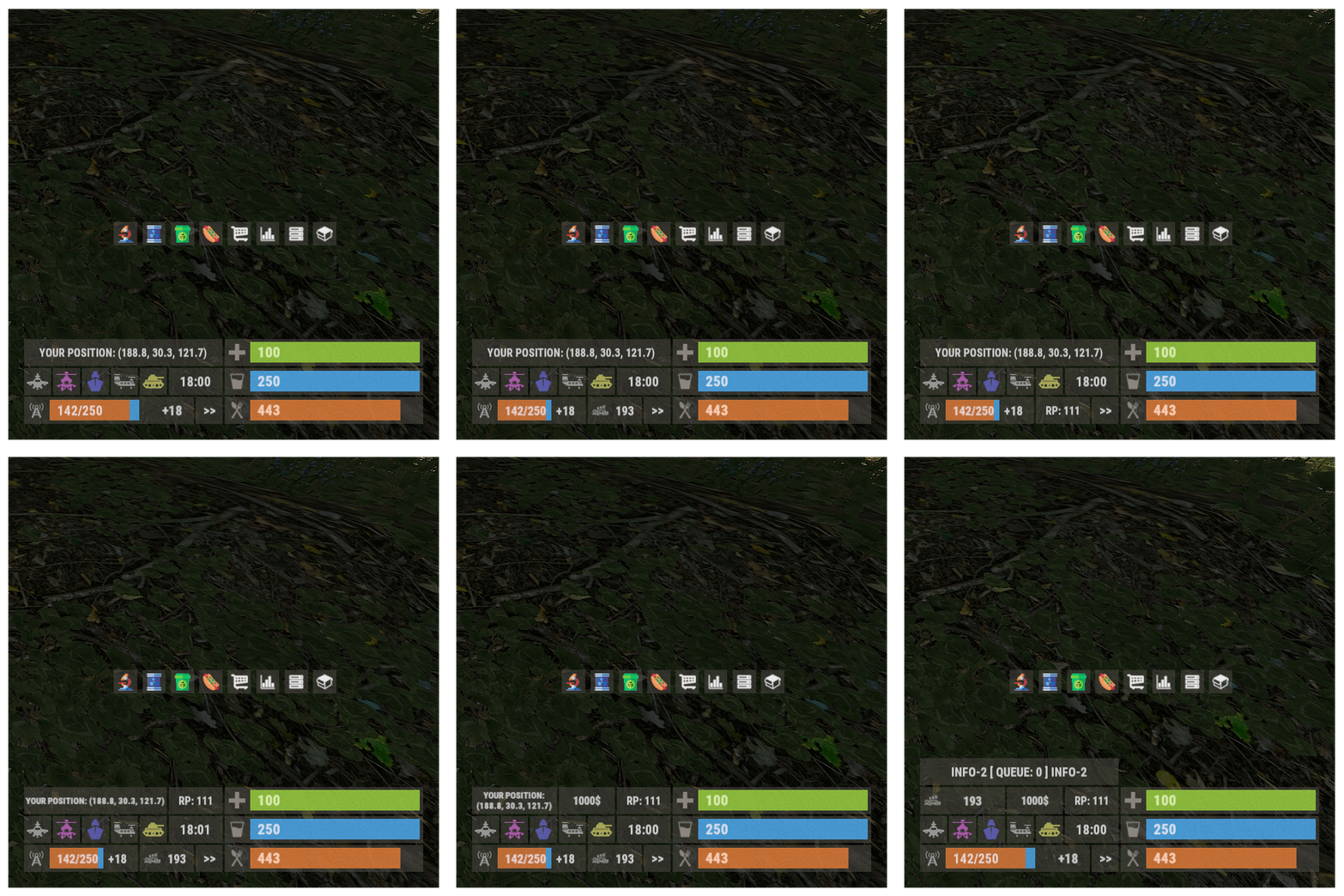 Hi. Sorry it took so long, but the developer of the SkillTree plugin hasn't added the required APIs yet.
- 103 comments
-
- 1
-

-
- #panel
- #infopanel
- (and 5 more)
-
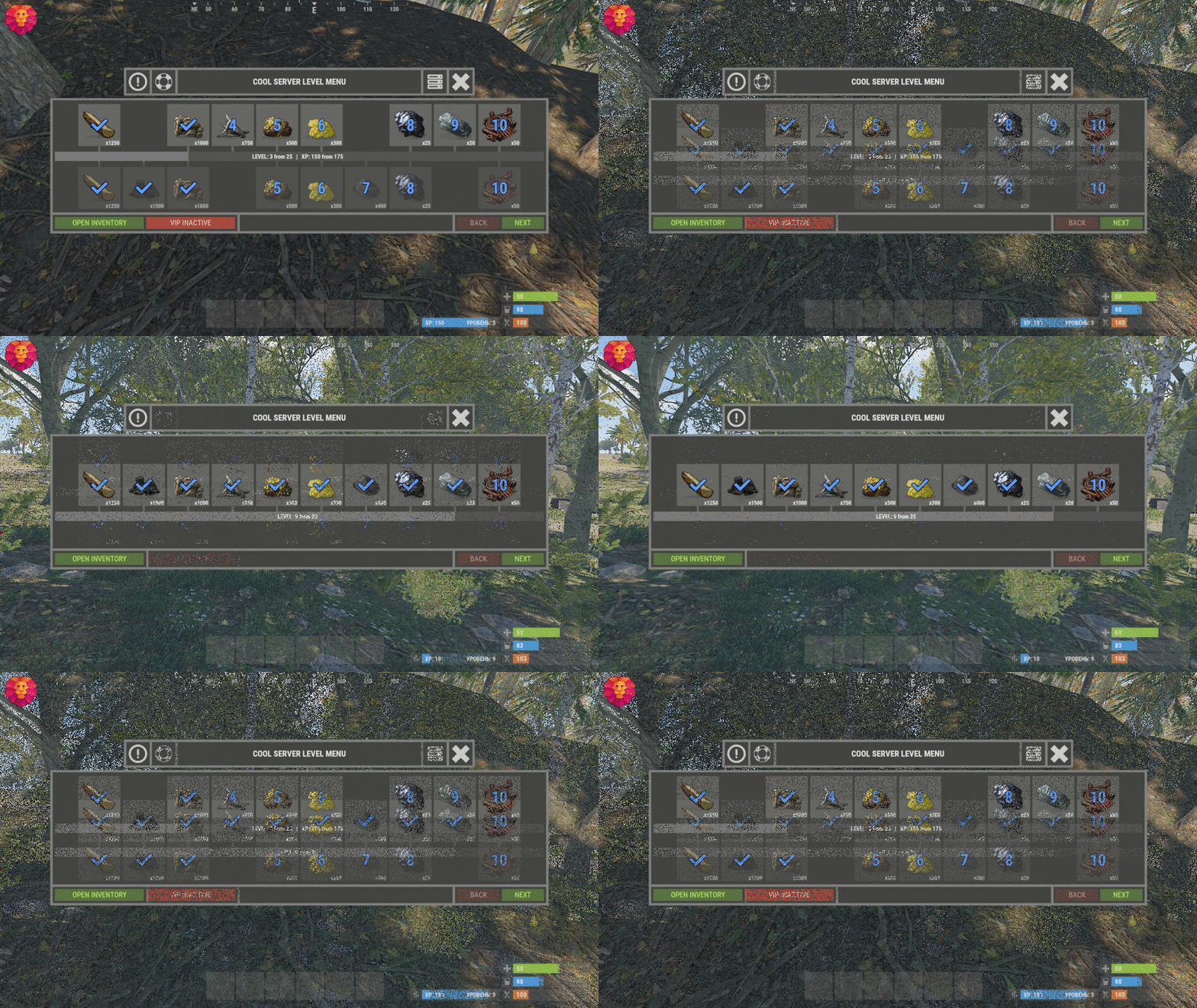 This needs to be changed in the plugin code. Write to me in private messages.
 -
 AnchorMin = "0 0.85", AnchorMax = "1 0.85", OffsetMin = "0 -25", OffsetMax = "0 25" In the code there are these two lines with coordinates, you can change them.
 -
In the process of updating.
- 103 comments
-
- 1
-
-
- #panel
- #infopanel
- (and 5 more)
-
You can only delete manually. Player progress: level and XP are in one file.
-
 This applies to any plugin, if you bought it, please post from the account you bought it from. Or create a chat room with you and the person who bought the plugin. I'm already tired of piracy, it's the same thing every day..... And messages from the account where there is a purchase, help to filter.
 -
SkillTree XP - already has a mini panel that displays level and XP. It will be enough to customize the UI of the two plugins. (I can help with that) Or I can implement level and XP display in XPanelPlus using API.
- 103 comments
-
- 1
-
-
- #panel
- #infopanel
- (and 5 more)
-
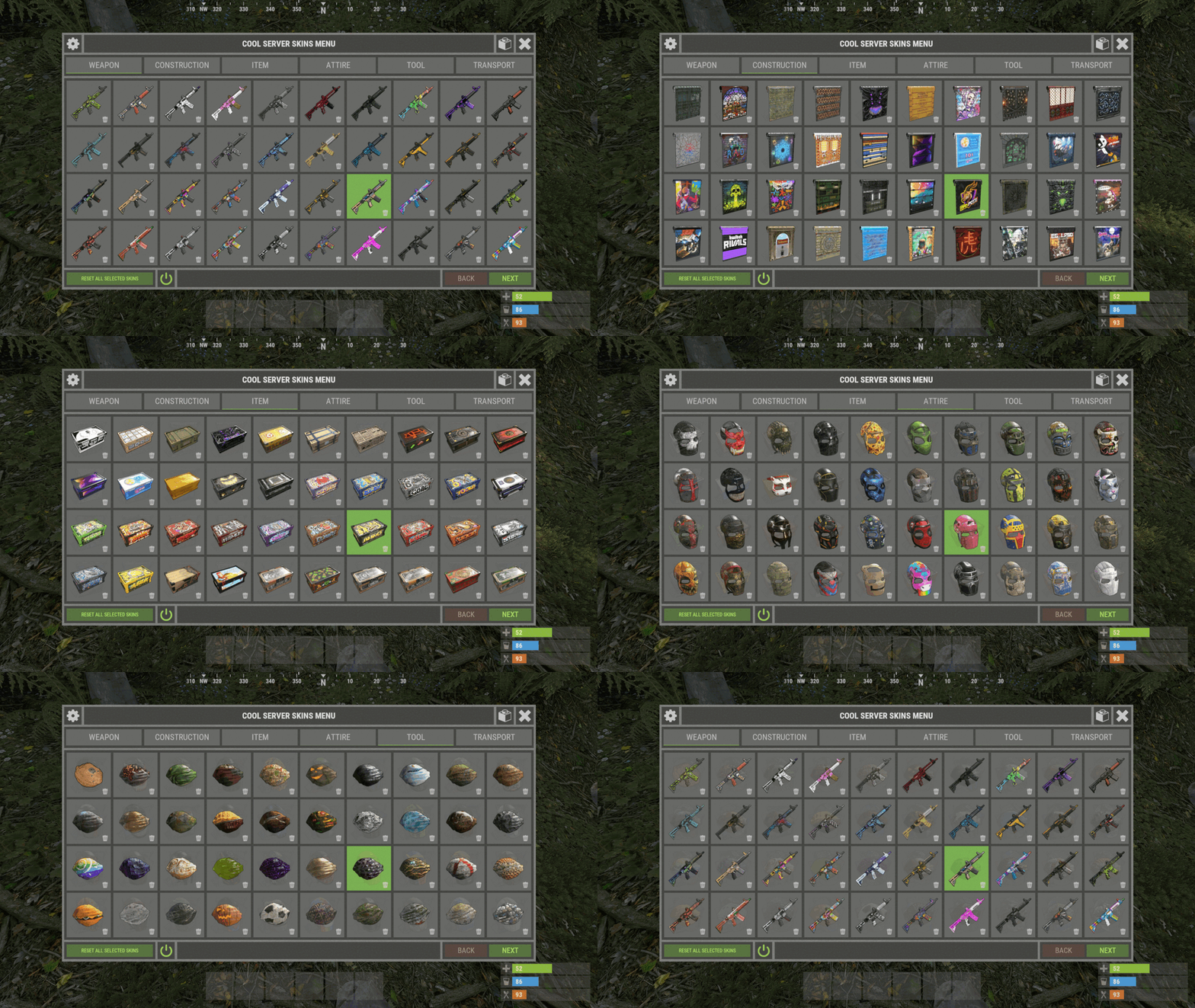
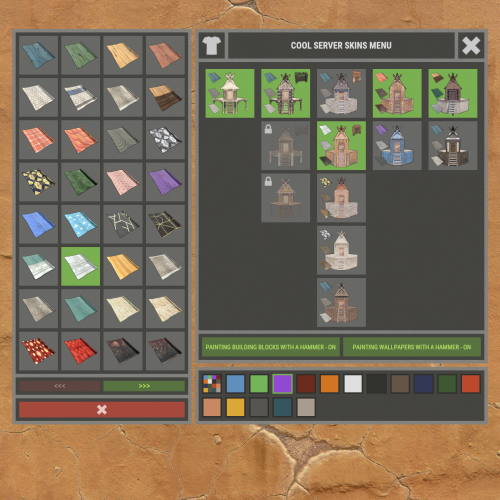 Open the config, disable 'Automatically add actual skins', change the gingerbread skin to 2. It will work for some, it won't work for others.
 -
The update patch broke this. And without the plugin, gingerbread doesn't work.
-
Version 1.0.4
26 downloads
XFarmRoom - farm room of ores for your server. Good donate for players. - Optimization of the interface for different monitor resolutions. - Storing player data in - oxide/data/XDataSystem/XFarmRoom - There is a lang ru/en/uk/es. - Sound effects when interacting with the menu. - In the room is forbidden: pick up prefabs that are in the room, install anything in the room, damage the room, use console/chat commands ( customizing commands in the config ). - Teleport from a room to the place you teleported from. [ Teleportation from the room works correctly when: leaving the room, death, disconnecting from the server, unloading the plugin, restarting the server ] - A player is automatically teleported out of the farm room if his permission to access the farm room is revoken away. - Setting the CD to teleport into a room. [ Permission can be granted to disable the CD.] - Automatically clear data after a wipe. [ Configure in config ] - Ability to display room spawn points on the map. [ Administrator only ] - Ability to set a limit of simultaneously active(occupied rooms) for optimization. - Ability to customize how many items a player can take into a room. - The player chooses his own ores from the available ones to mine. [ For example: the player has all ores available, but in the UI menu he selects a stone and mines only it ] - Ores can be given out individually, any number on command. [ For example: for sale in the store ] - The ability to make the ores unlimited for the player. [ Permissions and number of ores are configurable in the config. Ores can be updated once every N seconds or once per wipe ] - Room prefabs are spawn without third party plugins. - Notifications to chat when grant and revoke permission/group with permission to access farm room functionality. Permissions xfarmroom.use - access to the room/commands. xfarmroom.nocdtp - allow teleporting into a room without a CD. Commands /roomtp - to join the room. /roomleave - to leave the room. /roomspawns - display spawn points of farming rooms. [ Administrator only ] xfarmroom_give_ore <SteamID> <ore - [ sulfur-ore | metal-ore | stone-ore ]> <amount - [ 10 | -10 ]> - give ores to the player. xfarmroom_clear_ore <SteamID> - reset the player available ores to zero. API bool API_PlayerInRoom(ulong userID) - return TRUE/FALSE if the player is in the room. Config { "General settings": { "Button placement. [ True - 1 | False - 2 ]": true, "Option to update available ores. ( only with permission to update ). [ True - once per wipe | False - once every N seconds ]": false, "Clear the data after a wipe": true, "Limit the number of items that can be taken into a room": true, "Use UI button to leave the room": true, "Every how many sec. update the number of available ores. ( it is checked only when the player tries to/falls into the room )": 3600, "How many maximum simultaneously active rooms can there be. ( for optimization )": 10, "How many maximum items can be taken into a room": 6, "Room teleportation break sec.": 90, "Chat prefix": "<size=12><color=#FFFFFF50>[</color> <color=#00FF0050>XFarmRoom</color> <color=#FFFFFF50>]</color></size>\n", "Notify the player when he has been granted or revoked away access to the farm room functionality": false, "SteamID profile for custom avatar": 0, "List of allowed console commands in farm room": [ "global.farm_ore" ], "List of allowed chat commands in farm room": [ "roomtp", "roomleave" ] }, "Permission - number of ores. [ Only the value and permission can be changed ]": { "xfarmroom.300": { "sulfur-ore": 300, "metal-ore": 300, "stone-ore": 300 }, "xfarmroom.100": { "sulfur-ore": 100, "metal-ore": 100, "stone-ore": 100 } } }$18.99