
Jump to content

Monster

Creator
  • Posts

    1,103
  • Joined

  • Last visited

  • Days Won

    10

Everything posted by Monster

  1. Monster

    XStatistics

    You don't have to pay anything. Write to me in a PM, it is written in the description.
  2. Version 1.0.1

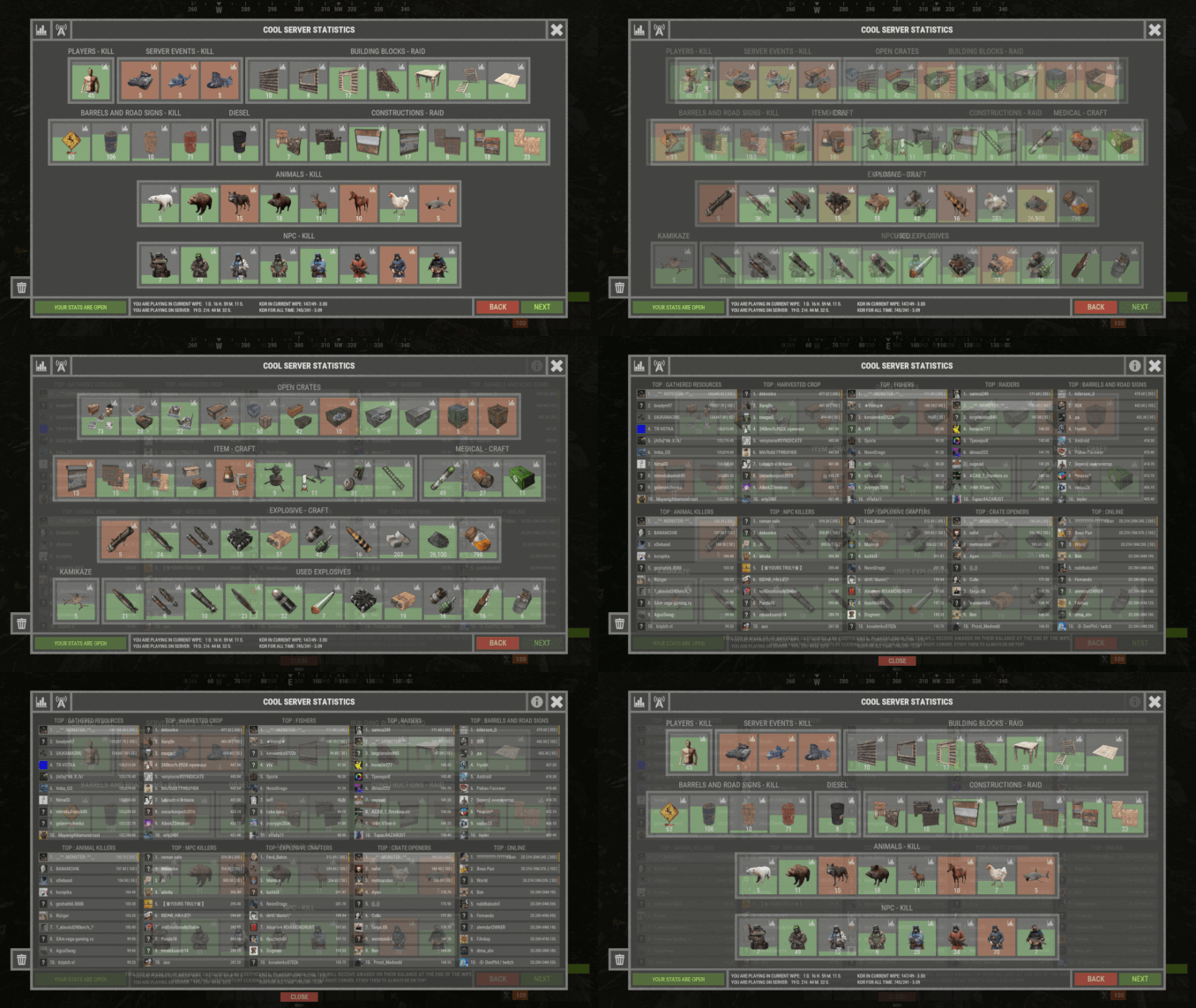
    14 downloads

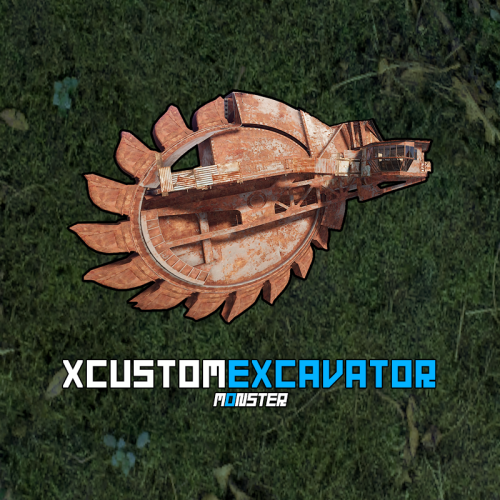
    Take full control of excavators on your Rust server with XCustomExcavator. This powerful plugin lets admins fine-tune excavator functionality, ensuring an optimized experience for players. Adjust mined resources, tweak interface settings, and enjoy multi-language support and robust data storage. Custom settings and progress are preserved after restarts. Seamlessly handle multiple excavators and integrate smoothly with your server. Key Features Multi-Language Support: Switch plugin language with ease. Available in EN, RU, UK, and ES. Interface Optimization: Adjusts for different monitor resolutions. Persistent Data Storage: Excavator data saved in oxide/data/XDataSystem/XCustomExcavator. Progress saved after server restarts. Sound Effects: Enjoy interactive menu sounds. Multi-Excavator Support: Works seamlessly with multiple excavators on the map. Customizable Resources: Modify resources including shortname, amount, custom name, permission, and skin. Unlimited Resources: No limit on the number of resources. Chat Integration: View excavator information in chat. User-Friendly Resource Selection: Features like check button, distance to button, permission checks, and more. Error Notifications: Informs you of configuration mistakes. -> In the code you can switch the plugin language - LanguageEnglish = true <- Permissions xcustomexcavator.use - access to UI usage/resource selection. xcustomexcavator.info - chat information. xcustomexcavator.admin - administrator mode. Commands /einfo, /exinfo, /excavatorinfo - information about excavator in chat. [ Commands can be changed in the config. ] xcustomexcavator_unload - unload the plugin without consequences. [ For those cases when the plugin will be unloaded and will not be used for some time. ] API bool IsValidIndex(int index) - check if the resource index is valid. 1. string GetResourceCustomName(int index) - get the custom name of the resource. 2. string GetResourcePermission(int index) - get the resource permission. 3. ulong? GetResourceSkinID(int index) - get the skin of the resource. 4. string GetResourceAmountString(int index) - get a formatted string of the resource amount. 5. string GetResourceDisplayName(int index) - get the formatted name of the resource. ( For 1-5. If index is invalid, null will be returned. ) Hooks object OnExcavatorResourceSetUI(ExcavatorArm excavator, int index, ulong skinID, BasePlayer player) - called when player tries to select a resource in UI. Returning non null will prevent this action! Config { "General settings": { "SteamID profile for custom avatar": 0, "Chat prefix": "<size=12><color=#FFFFFF50>[</color> <color=#00FF0050>XCustomExcavator</color> <color=#FFFFFF50>]</color></size>\n", "List of commands to view information about the Excavator": [ "einfo", "exinfo", "excavatorinfo" ] }, "GUI settings": { "Color_background_1": "0.517 0.521 0.509 0.95", "Color_background_2": "0.217 0.221 0.209 0.95", "Color_background_3": "0.527 0.531 0.519 1", "Button color (icons)": "1 1 1 0.75", "Block color": "0.517 0.521 0.509 0.5", "Default block color": "0.417 0.521 0.409 0.5", "Color of the active button next": "0.35 0.45 0.25 1", "Color of the inactive button next": "0.35 0.45 0.25 0.4", "Text color of the active button next": "0.75 0.95 0.41 1", "Text color of the inactive button next": "0.75 0.95 0.41 0.4", "Color of the active button back": "0.65 0.29 0.24 1", "Color of the inactive button back": "0.65 0.29 0.24 0.4", "Text color of the active button back": "0.92 0.79 0.76 1", "Text color of the inactive button back": "0.92 0.79 0.76 0.4" }, "HQM": { "Shortname of the resource to be mined": "hq.metal.ore", "Amount of resource that will be mined - one barrel diesel": 100.0, "Custom item name": null, "Permission": null, "Item skin": 0 }, "Sulfur": { "Shortname of the resource to be mined": "sulfur.ore", "Amount of resource that will be mined - one barrel diesel": 2000.0, "Custom item name": null, "Permission": null, "Item skin": 0 }, "Stone": { "Shortname of the resource to be mined": "stones", "Amount of resource that will be mined - one barrel diesel": 10000.0, "Custom item name": null, "Permission": null, "Item skin": 0 }, "Metal": { "Shortname of the resource to be mined": "metal.fragments", "Amount of resource that will be mined - one barrel diesel": 5000.0, "Custom item name": null, "Permission": null, "Item skin": 0 }, "List of mined resources": [ ... ] }
    $24.99
  3. Monster

    XSkinMenu

    Don't use "Caps Lock". Add me on Discord: monster__dev
  4. Monster

    XSkinMenu

    Discord: monster__dev
  5. I don't see you buying the plugin. For questions on the technical part, you need to open a support request for this plugin.
  6. Monster

    XPanelPlus

    It doesn't return a level. It needs GetXPStats, which was added recently at my request. I'll get to a plugin update at some point and add that.
  7. Monster

    XPanelPlus

    Discord - monster__dev
  8. Monster

    XPanelPlus

    951, 958, 970 - these lines of code contain the coordinates of the buttons.
  9. Grant permission. The "gear" icon should appear to the right of the "belt" quick slots.
  10. Monster

    XCustomGenes

    Version 1.0.4

    119 downloads

    XCustomGenes is a versatile gene editor plugin offering a user-friendly UI, multilingual support, sound effects, and robust features for editing or deleting genes through chat commands or the UI, with options for payment integration using in-game currency. -> In the code you can switch the plugin language - LanguageEnglish = true <- Features Optimization of the interface for different monitor resolutions. There is a lang ru/en/uk/es. Sound effects when interacting with the menu. User-friendly UI gene editor. To change/delete genes, player/administrator can use: chat commands or UI editor. Ability to change/delete genes on a selected item, as well as on all items in inventory simultaneously. Ability to make gene changing/deletion paid. Balance of any plugin or Scrap can be used as currency. Various chat messages. Protection against incorrect input of genes. The administrator can quickly give himself seeds with the right genes using the UI editor. Permissions xcustomgenes.use - access to menu / access to genes editing. xcustomgenes.admin - access to admin functionality. Commands /g, /gene, /genes - to open the menu. [ Commands can be changed in the config. ] /genes item genes(xxxxxx) - to change/delete genes on the selected item. /genes all genes(xxxxxx) - to change/delete genes on all items in inventory simultaneously. xcustomgenes_give steamID shortname genes(xxxxxx) amount skinID - to give seeds with genes to the player. [ Arguments - genes, amount, skinID - is not a mandatory. ] Config { "General settings": { "SteamID profile for custom avatar": 0, "Chat prefix": "<size=12><color=#FFFFFF50>[</color> <color=#00FF0050>XCustomGenes</color> <color=#FFFFFF50>]</color></size>\n", "List of commands to open the menu": [ "g", "gene", "genes" ], "Gene list for quick selection": [ "GGGGYY", "GGGYYY", "GGYYYY", ... ] }, "GUI settings": { "Color_background_1": "0.517 0.521 0.509 0.95", "Color_background_2": "0.217 0.221 0.209 0.95", "Button color (icons)": "1 1 1 0.75", "Block color": "0.517 0.521 0.509 0.5" }, "Payment settings": { "Use payment": false, "True - plugin with balance | False - scrap": false, "Price formation - [ True - per stack | False - per seeds ]": true, "Price": 10.0, "Price - gene delete": 2.0, "Plugin name": "Economics", "Method name(API) - Balance": "Balance", "Method name(API) - Withdraw": "Withdraw", "Method(API) data type - [ 0 - int | 1 - float | 2 - double ]": 0 } }
    $18.99
  11. Monster

    XStorageUP

    Message me in discord - monster__dev
  12. I'm not quite sure what needs to be moved. private class Data - In code, you can change the default values for new players in this class. But the number of buttons can be changed by the players themselves. This is something I plan to add in one of the updates.
  13. You wrote the solution yourself - use one color. The plugin does not affect it in any way.
  14. Monster

    XStatistics

    There are a lot of things you can customize in the plugin. Default configuration is set to minimum, customized configuration can be received in PM after plugin purchase. assets/bundled/prefabs/autospawn/resource/loot/loot-barrel-1.prefab - loot-barrel-1 - is the short name. Support resource mining raits and other things that this plugin increases.
  15. Monster

    XKits

    Version 1.0.1

    21 downloads

    XKits - offers a beautiful menu of kits for your server, offering a seamless experience for players to access and manage their kits. What about giving kits to players? The plugin features its own system for granting kits, both temporarily and permanently. It can operate entirely on a permissions system. You can easily combine both options for flexibility. Key Features: Language Support: Switch plugin language in the code - LanguageEnglish = true. Interface Optimization: Adjusts for different monitor resolutions. Data Storage: Player data is stored in oxide/data/XDataSystem/XKits. Multi-language Support: Available in Russian, English, Ukrainian, and Spanish. Sound Effects: Adds sound effects when interacting with the menu. Optimized UI Timer: Enhanced UI update timer for better performance. CoolDown Reset: Automatic reset of CoolDown after server wipe. Easy Kit Management: Create, edit, and view kits, cooldowns, limits, items, blueprints, modules, genes, chances, and slots in the UI. UI Kit Editor: Edit kit items and seed/clone genes directly within the UI. Inventory Protection: Prevents misplacement of items in the Wear/Belt container. Chat Customization: Customize avatar and prefix for chat messages. Default Kits: Set default kits for new players and a list of kits available immediately. Kit Deletion: Specify the duration before a kit is deleted, ideal for events. Usage Limits: Set a limit on how many times a kit can be taken (e.g., 5 uses in total). CoolDown Setting: Set a CoolDown period for each kit. Inventory Check: Clears player inventory before giving a kit and checks for available space. Kit Availability: Displays kit settings, including deletion time, CoolDown, and maximum number of uses, in view all kits mode. Automatic Kit Selection: Players can independently select/change their kits from the available ones. Custom Kit Images: Default size is 230x544, adjustable in configuration. Custom images available for an additional fee. Permissions xkits.use - access to menu. xkits.admin - access to admin functionality. xkits.showall - access to the ability to view all kits. xkits.ignorecd - allow to ignore CoolDown. Commands /k, /kit, /kits - to open the kits menu. [ Commands can be changed in the config. ] /k kitName, /kit kitName, /kits kitName - to take a kit. [ Commands can be changed in the config. ] /kit.admin givekit kitName - give a kit to the inventory of the player you are looking at. (Admin permission) xkits_admin_kit_ccmd give steamID kitName seconds - give kit to a player. [ You can change the seconds and thus change the date of deleting the kit from the player. 0 - the kit will always be available to the player. seconds: 1000 or -1000. Automatically converted to Unix-time. ] xkits_admin_kit_ccmd remove steamID kitName - remove a kit from a player. [ The kit will no longer be available to the player. ] xkits_admin_kit_ccmd givekit steamID kitName - give a kit to the inventory of the player. API bool API_GivePlayerKit(BasePlayer player, string giveKitName, bool dropMessage = false) - give a kit to the inventory of the player. [ dropMessage - display in the console the number of items that did not fit in the inventory. ] bool IsKit(string kitName) - check if a kit exists. double GetKitCooldown(string kitName) - get kit CoolDown. (sec.) double GetDeleteKitUnixDate(string kitName) - get date of kit deletion. (Unix-time) string GetKitImageURL(string kitName) - get link to the image of the kit. string GetKitPermission(string kitName) - get permission of the kit. int GetKitAmountOfUses(string kitName) - get number of uses of the kit. void PlayerTimerRemove(BasePlayer player) - remove player from UI update timer. (Useful for custom menu) Hooks object CanTakeKit(BasePlayer player, string takeKitName) - is called when a player tries to take a kit. Return not null will prevent this action. object CanGiveKit(BasePlayer player, string giveKitName) - is called when trying to give a kit to the player inventory using the API. Return not null will prevent this action. Config { "General settings": { "SteamID profile for custom avatar": 0, "Chat prefix": "<size=12><color=#FFFFFF50>[</color> <color=#00FF0050>XKits</color> <color=#FFFFFF50>]</color></size>\n", "List of kits that will be available to the player at all times - [ Will be given to the player ]": [], "List of commands to open the menu": [ "k", "kit", "kits" ] }, "GUI settings": { "Color_background_1": "0.517 0.521 0.509 0.95", "Color_background_2": "0.217 0.221 0.209 0.95", "Color_background_3": "0.217 0.221 0.209 1", "Button color (icons)": "1 1 1 0.75", "Block color": "0.517 0.521 0.509 0.5", "Color of the active button next": "0.35 0.45 0.25 1", "Color of the inactive button next": "0.35 0.45 0.25 0.4", "Text color of the active button next": "0.75 0.95 0.41 1", "Text color of the inactive button next": "0.75 0.95 0.41 0.4", "Color of the active button back": "0.65 0.29 0.24 1", "Color of the inactive button back": "0.65 0.29 0.24 0.4", "Text color of the active button back": "0.92 0.79 0.76 1", "Text color of the inactive button back": "0.92 0.79 0.76 0.4", "MainIMG_OffsetMin": "16.5 -99.55", "MainIMG_OffsetMax": "-16.5 117.25", "InfoIMG_OffsetMin": "10 35", "InfoIMG_OffsetMax": "106.2 -35" } }
    $33.99
  16. Monster

    XAutoKits

    Version 1.0.1

    17 downloads

    XAutoKits - offers a beautiful menu of auto kits for your server, offering a seamless experience for players to access and manage their kits. What about giving kits to players? The plugin features its own system for granting kits, both temporarily and permanently. It can operate entirely on a permissions system. You can easily combine both options for flexibility. Key Features: Language Support: Switch plugin language in the code - LanguageEnglish = true. Interface Optimization: Adjusts for different monitor resolutions. Data Storage: Player data is stored in oxide/data/XDataSystem/XAutoKits. Multi-language Support: Available in Russian, English, Ukrainian, and Spanish. Sound Effects: Adds sound effects when interacting with the menu. Optimized UI Timer: Enhanced UI update timer for better performance. CoolDown Reset: Automatic reset of CoolDown after server wipe. Easy Kit Management: Create, edit, and view kits, cooldowns, items, modules, and more in the UI. UI Kit Editor: Edit kit items directly within the UI. Inventory Protection: Prevents misplacement of items in the Wear/Belt container. Chat Customization: Customize avatar and prefix for chat messages. Default Kits: Set default kits for new players and a list of kits available immediately. Kit Deletion: Specify the duration before a kit is deleted, ideal for events. CoolDown Setting: Set a CoolDown period for each kit. Inventory Check: Clears player inventory before giving an autokit. Kit Availability: Displays kit settings, including deletion time and CoolDown, in view all kits mode. Automatic Kit Selection: Players can independently select/change their automatic kit from the available ones. Custom Kit Images: Default size is 230x544, adjustable in configuration. Custom images available for an additional fee. Permissions xautokits.use - access to menu. xautokits.admin - access to admin functionality. xautokits.showall - access to the ability to view all kits. xautokits.ignorecd - allow to ignore CoolDown. Commands /ak, /autokit, /autokits - to open the autokits menu. [ Commands can be changed in the config. ] /autokit.admin setkit kitName - set the kit to the player, you are looking at. (Admin permission) xautokits_admin_kit_ccmd give steamID kitName seconds - give kit to a player. [ You can change the seconds and thus change the date of deleting the kit from the player. 0 - the kit will always be available to the player. seconds: 1000 or -1000. Automatically converted to Unix-time. ] xautokits_admin_kit_ccmd remove steamID kitName - remove a kit from a player. [ The kit will no longer be available to the player. ] xautokits_admin_kit_ccmd set steamID kitName - set the kit to player. [ The player inventory will be cleared. ] API bool API_SetPlayerKit(BasePlayer player, string setKitName) - set the kit to player. [ The player inventory will be cleared. ] bool IsAutoKit(string kitName) - check if a kit exists. double GetKitCooldown(string kitName) - get kit CoolDown. (sec.) double GetDeleteKitUnixDate(string kitName) - get date of kit deletion. (Unix-time) string GetKitImageURL(string kitName) - get link to the image of the kit. string GetKitPermission(string kitName) - get permission of the kit. void PlayerTimerRemove(BasePlayer player) - remove player from UI update timer. (Useful for custom menu) Hooks object CanUseAutoKit(BasePlayer player, string setKitName) - is called when a set is kit to a player after respawning. Returning non null will prevent this action. object CanSetAutoKit(BasePlayer player, string setKitName) - is called when a set is kit to a player using the API. Returning non null will prevent this action. Config { "General settings": { "SteamID profile for custom avatar": 0, "Chat prefix": "<size=12><color=#FFFFFF50>[</color> <color=#00FF0050>XAutoKits</color> <color=#FFFFFF50>]</color></size>\n", "The name of the default kit for new players": "", "List of kits that will be available to the player at all times - [ Will be given to the player ]": [], "List of commands to open the menu": [ "ak", "autokit", "autokits" ] }, "GUI settings": { "Color_background_1": "0.517 0.521 0.509 0.95", "Color_background_2": "0.217 0.221 0.209 0.95", "Color_background_3": "0.217 0.221 0.209 1", "Button color (icons)": "1 1 1 0.75", "Block color": "0.517 0.521 0.509 0.5", "Color of the active button next": "0.35 0.45 0.25 1", "Color of the inactive button next": "0.35 0.45 0.25 0.4", "Text color of the active button next": "0.75 0.95 0.41 1", "Text color of the inactive button next": "0.75 0.95 0.41 0.4", "Color of the active button back": "0.65 0.29 0.24 1", "Color of the inactive button back": "0.65 0.29 0.24 0.4", "Text color of the active button back": "0.92 0.79 0.76 1", "Text color of the inactive button back": "0.92 0.79 0.76 0.4", "MainIMG_OffsetMin": "16.5 -99.55", "MainIMG_OffsetMax": "-16.5 117.25", "InfoIMG_OffsetMin": "10 35", "InfoIMG_OffsetMax": "106.2 -35" } }
    $27.99
  17. Monster

    XPrison

    DiscordMessages plugin installed?
  18. Monster

    XStatistics

    There will be no problems with the setup if you know how to customize the configuration. Categories/subcategories are fully customizable, so there are no limitations in customization. Statistics can be cleared both automatically and manually. Or never clear them.
  19. Monster

    XSkinMenu

    There are different commands for this in the description.
  20. Monster

    XSkinMenu

    This is not possible. I recommend using the minimum number of skins from the workshop, or none at all.
  21. Monster

    XSkinMenu

    There are definitely no simultaneous kits and skins on permissions. But there is a VIP/Admin list of skins by permission. ( skins will be deleted from a player without permission ) Well, and skin kits. ( Default and personal )
  22. Monster

    XSkinMenu

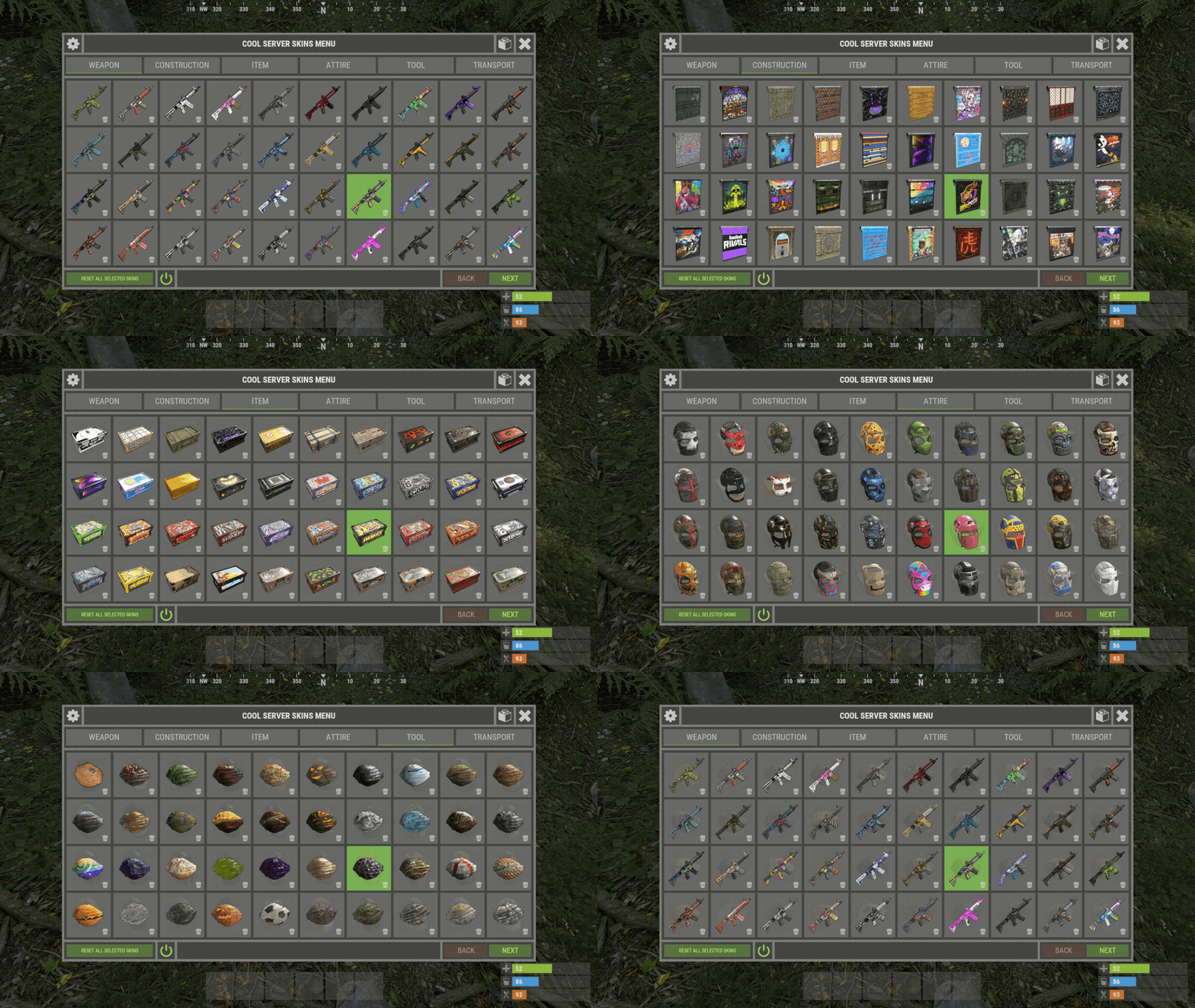
    This screenshot shows the default settings. New players will have these settings.
  23. Monster

    XSkinMenu

    Yes. And - "Category settings - [ Item shortname | Default item skin ]"

About Us

Codefling is the largest marketplace for plugins, maps, tools, and more, making it easy for customers to discover new content and for creators to monetize their work.

Downloads
2.4m
Total downloads
Customers
10.8k
Customers served
Files Sold
156.4k
Marketplace sales
Payments
3.3m
Processed total
×
×
  • Create New...

Important Information

We have placed cookies on your device to help make this website better. You can adjust your cookie settings, otherwise we'll assume you're okay to continue.