

Monster
-
Posts
1,198 -
Joined
-
Last visited
-
Days Won
10
Content Type
Profiles
Warranty Claims
Downloads
Forums
Store
Services
Downloads Plus Support
DOWNLOADS EXTRA
Reels
Support Center
Everything posted by Monster
-
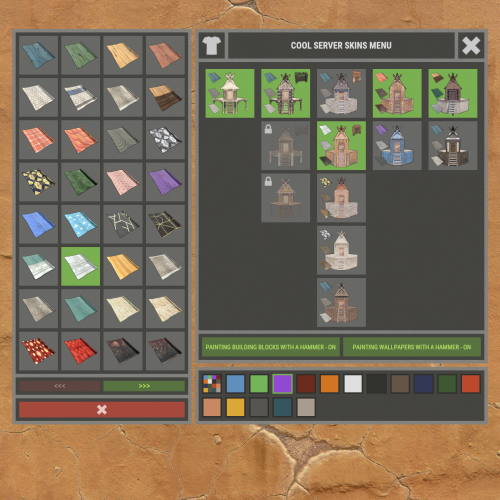 @JimDeadlock Through the cupboard, start painting house.
 -
Config --> "Automatically add new items to the configuration": true,
-
Changed Status from Pending to Closed Changed Fixed In to Next Version
-
Version 1.5.0
190 downloads
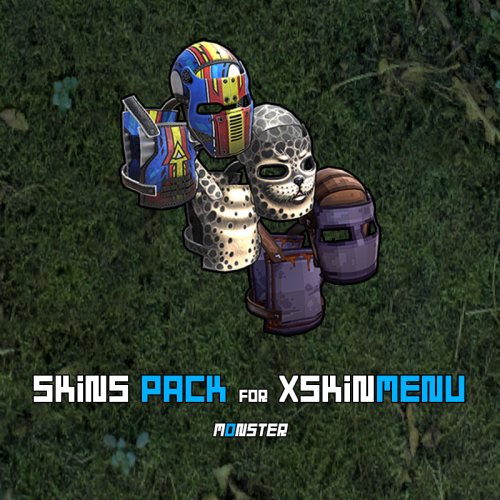
This is not a plugin! This is a Community Skins Pack for the XSkinMenu plugin in .json format. - You can also use this skins Pack in other plugins. This Pack will be actively supported and updated. New skins will be gradually added to it, and broken or removed skins will be deleted. We are aware of and remember Facepunch new rules, which prohibit us from giving players free access to Facepunch content. Therefore, this Pack will help you quickly and efficiently replace paid content from Facepunch. What will happen if skins from this Pack are approved and added to the game? - No problem! The XSkinMenu plugin automatically checks and removes such skins from the main Skins.json file. How do I use this skins Pack? - Installing this skins Pack takes less than a minute, and we have two options for doing so. - Go to the root folder of the plugin data --> oxide/data/XDataSystem/XSkinMenu: Option 1. Unload the XSkinMenu plugin. Download this Pack and replace the contents of the main Skins.json file with the contents of this skins Pack. Load the XSkinMenu plugin. ( This option is ideal for those who do not add/remove skins. ) Option 2. Simply download this Pack and move the file to the root folder of the plugin data. Use the console command "xskin_import_file FileName" (where FileName is the name of the downloaded file). The plugin will automatically read the Pack file, check the validity of the skins, and add them to the main Skins.json file. The plugin ignores duplicate skins/items. Therefore, after updating this Pack (or when installing the Pack for the first time) and performing Option 2, only those skins that are not yet in the main Skins.json file will be added. - When this Pack is updated, repeat one of the options again. You should know and remember that community skins are not cached in the game client and are not loaded instantly like Facepunch content. Each player will need some time to download community skins to their PC. (Skins are downloaded automatically after interacting with the XSkinMenu plugin UI.) Once these community skins have been downloaded to the players PC, they will be able to use them quite quickly in the future, as the skins files will already be on their PC and can be quickly cached by the game client. Also, a very large number of community skins (especially 10,000 or more) can have a negative impact on the performance of your server and your players clients. However, this Pack contains less than 10,000 skins (namely ~4,700 skins as of today) and they have all been checked, so there will be no problems.$11.49- 6 comments
-
- 2
-

-

-
- #xskinmenu
- #skin
- (and 9 more)
-
@Elrow__ Припускати ви можете все, що завгодно. Зачекайте кілька днів і буде оновлення.
-
Changed Status from Pending to Closed
-
Changed Status from Pending to Closed Changed Fixed In to 1.6.4
-
Changed Status from Pending to Closed Changed Fixed In to 1.0.3
-
Changed Status from Pending to Closed Changed Fixed In to 1.0.4
-
Changed Status from Pending to Closed Changed Fixed In to 1.0.6
-
Changed Status from Pending to Closed Changed Fixed In to 1.6.3
-
Changed Status from Pending to Closed Changed Fixed In to 1.4.1
-
It's very simple. You need to add this item to the configuration. Or wait for the plugin update, which will be available soon. Everything will be added automatically (If you have the parameter enabled in the configuration).
-
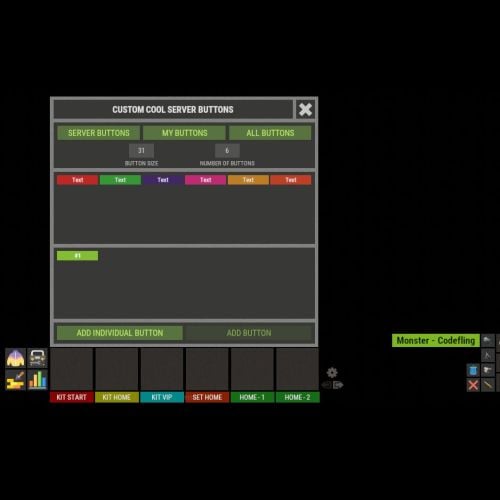 @PumpkinKing The plugin does not support this. I will add support for the userID placeholder.
 -
No problems found. Next time, please check the information from the players before opening a support ticket.
-
By default, the plugin does not include skins. You have two options: 1. Enable approved skins, and the plugin will automatically add all approved skins. (Remember Facepunch's rules.) 2. Manually add skins from the Steam Workshop. How can I quickly add skins from the workshop? Open this page: https://steamcommunity.com/workshop/browse/?appid=252490&browsesort=trend§ion=collections There are thousands of collections here and hundreds of thousands of skins in them. Choose the ones you like, for example: https://steamcommunity.com/sharedfiles/filedetails/?id=3457930042 Just type this command into the server console: xskin_c addcollection 3457930042
-
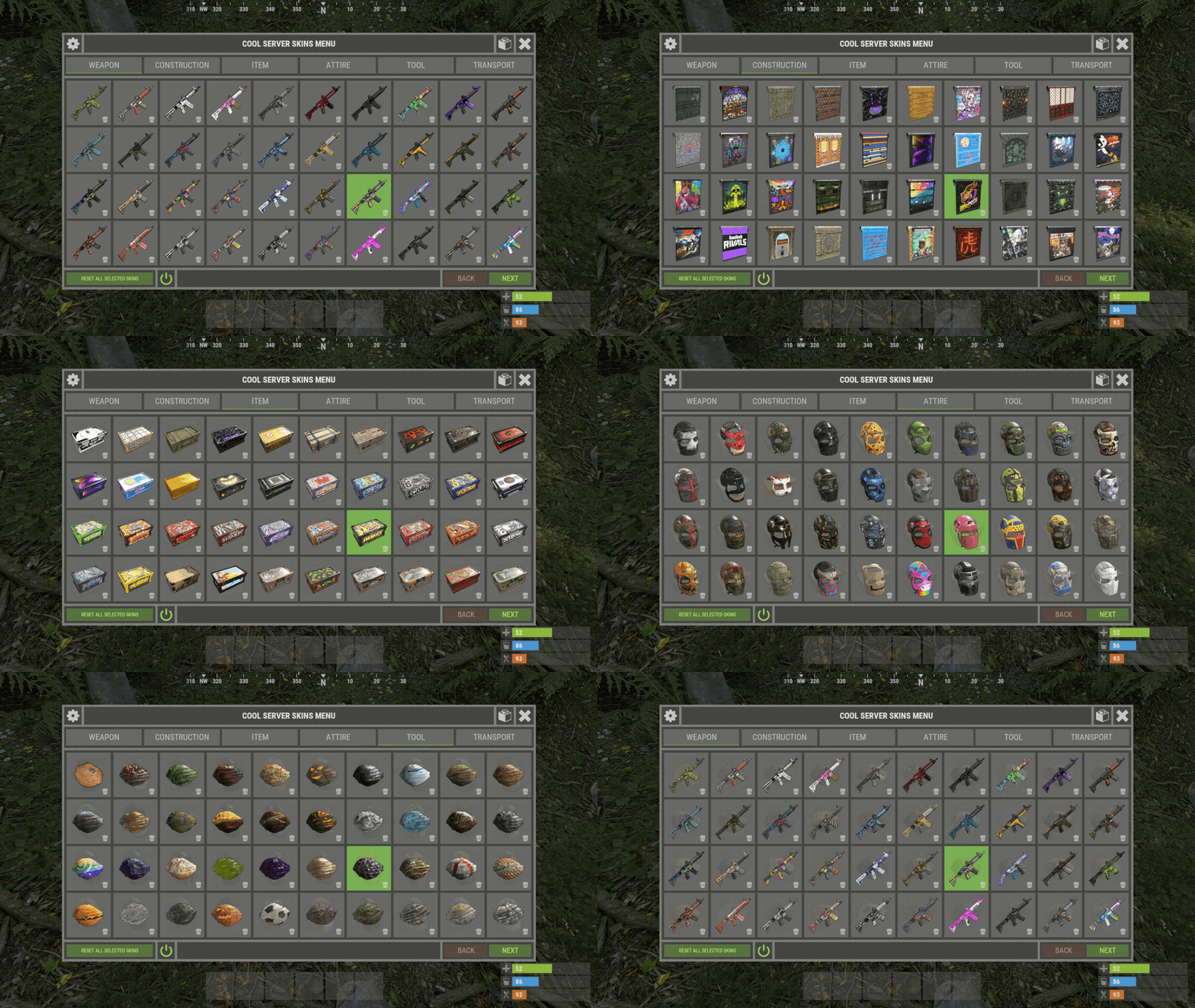 @Tnyrio22 Next time, please open a support ticket for the plugin. This is not a problem with the plugin or server. This issue depends on the game client. Most likely, the skin loading queue is active on the client. Icons are loaded first, followed by textures. That is why you can see the icons, but not the textures yet. perf 6 - F1 (client console): To find out if there is a skin download queue.
 -
There is a suspicion that your server simply cannot receive a response from StaemAPI. Or it may not even be sending a request. And the 4 skins that have timed out do not exist in the workshop.
-
I was able to add this collection without any problems. Did you insert the Steam API key into the plugin configuration?
-
Changed Status from Pending to Fixed Changed Fixed In to Next Version