
xXBIGSPENDERXx's Wishlist
-
$25.49
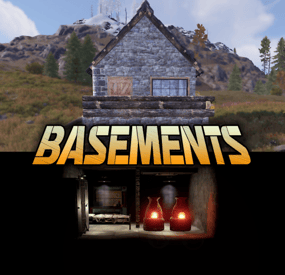
Basements
Basements lets players build underground rooms beneath their bases. Place a hatch on your foundation and dig straight down into a hidden basement with walls, ceilings, and full building privileges. Great for stashing loot, setting up secret bunkers, or just adding extra space.
Readme Link - Click Here for Instruction and Documentation
👆Highly recommend reading the FAQ section!
BUILD
Build basements easily from your tool cupboard. Just place an entrance to get started.
EXPAND
Expand your basement by drilling underground. But don't forget to bring a headlamp - its dark down there!
TRAVERSE
Place multiple entryways, building out your labyrinth of tunnels beneath your base.
DECORATE
All deployables, electricity, and storage items can be placed in your basement. Take advantage of your new space!
RAID
Nothing is safe in Rust, including your basement. If all the entrances are destroyed, then the basement is too. Any loot below will float to the surface. Protect the entrance at all costs!
API METHODS (For Plugin Developers)
// Returns true if the given entityId is part of a basement. bool IsBasementEntity(ulong entityId) // Returns the building ids of the basements connected to a given surface building id. uint[] GetBasementBuildingIds(uint surfaceBuildingId) // Returns the building ids of the surface buildings connected to a given basement building id. uint[] GetSurfaceBuildingIds(uint basementBuildingId) Extension Plugins
These are free plugins that add additional functionality to Basements.
BasementsManager
Provides a UI for admins to view and manage the basements on the server. Useful for debugging & fixing issues. Use with the /bm command, requires the basements.admin permission to use.
BasementsManager.cs
-
$35.00
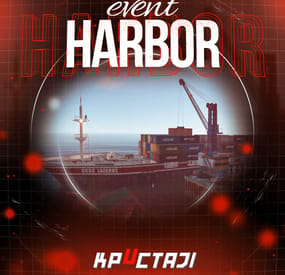
Harbor Event
Creates a unique event at the Harbor monument for players to participate in for rewards. Players must battle numerous NPCs and APCs to access the puzzle to open the loot room!
Description
This event started off as a warning on the chatbox about the ships coming soon to dock in Port, loaded with precious cargo. After the period has passed, a ship appears in one of the locations at Harbour that are accessible from the map, where the crane loads the container.
The loading area is protected by one Tank and 7 NPCs by default. The container door is locked, you must push a button from inside the cranes cockpit to open the door. Inside the container, there is a default security camera, locked box, 2 DMS, 2 Elite, and 2 Military boxes.
The locations and loot from all crates/NPCs can be configured within configurations, and unwanted crates/NPCs added or removed. Also, ships will generate the default ship loot, e.g. The config file allows to modify tank as well as loot inside of the ship.
When the event occurs, the map displays the markers (configured in the config file). All players that are inside the event area will have a timer counting down the amount of time until the event ends.
Dependencies Required
NpcSpawn
Dependencies (optional, not required)
True PVE PveMode GUI Announcements Notify Discord Messages AlphaLoot CustomLoot NTeleportation HeliControl Economics Server Rewards IQEconomic Kits
Chat commands (only for administrators)
/harborstart – starting of the event
/harborstop – ending of the event
/harborpos – determining the position and rotation coordinates for changing the location of NPCs and crates.It should write in the configuration (Attention! The event must be started, the current position of the administrator in relation to the cargoship is read)
Console commands (RCON only)
harborstart – starting of the event
harborstop – ending of the event
Plugin Config
en - example of plugin configuration in English ru - example of plugin configuration in Russian
Hooks
void OnHarborEventStart() – called when the event starts
void OnHarborEventEnd() – called when the event ends
void OnHarborEventWinner(ulong winnerId) – called at the end of the event, where the winnerId is the player who did more actions to complete the event
My Discord: KpucTaJl#8923
Join the Mad Mappers Discord here!
Check out more of my work here!
-
$29.90
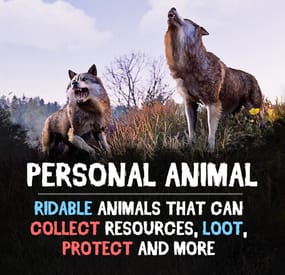
Personal Animal
Bring these intelligent animal companions to your server! They can fight, gather resources, carry supplies, and even be ridden. Choose from various customizable animals: bear, boar, chicken, deer, wolf, crocodile, panther, tiger, cow, bull, calf, sheep, lamb, rabbit, squirrel or frog!
Features:
✔️ Resource Gathering & Looting
• Collect essential resources like wood, stone, and ore.
• Automatically gather resources within 50 meters using auto-pickup.
• Loot crates and boxes for valuable items.
✔️ A True Companion
• Command your animal to attack enemies, structures, or objects.
• Ride your animal for faster travel.
• Store items in the animal’s inventory (configurable up to 36 slots).
• Keep your companion healthy with a nutrition system that restores health.
Total Customization & Control
🎯 Animal Settings
• Select your preferred animal: Bear, Boar, Chicken, Deer, Wolf, Crocodile, Panther, tiger, cow, bull, calf, sheep, lamb, rabbit, squirrel, or frog.
• Configure max health, respawn time, and combat abilities.
• Adjust damage rates, player interactions, and looting permissions.
🛠️ User-Friendly Controls & UI
• Assign commands with a customizable buttons.
• Display 3D arrows over targets for better visibility.
• Fully customize the GUI layout, colors, and refresh rate.
• Blacklist specific items from your animal’s inventory bag.
🍖 Feeding System
• Enable nutrition settings to maintain your animal’s health.
• Configure health restoration values for different food items.
Useful Commands:
✅ /panimal – Spawn or despawn your animal.
✅ /panimal follow – Have your animal follow you.
✅ /panimal health – Check your animal’s current health.
✅ /panimal auto-pickup enable/disable – Turn resource auto-collection on or off.
✅ /panimal where – Locate your animal on the map.
📸 See It in Action! Watch the Video
📃 Configuration:
{ "Controls setup": { "Which button will assign tasks to the animal, attack / collect, etc. (MIDDLE_MOUSE, SECOND_MOUSE, E, RELOAD, SPRINT)": "MIDDLE_MOUSE", "Range of action of the assignment button": 25.0, "Display 3D arrows over a target?": true, "Arrow display duration": 2 }, "GUI setup": { "How many seconds to update the GUI?": 6, "Panel layer (Hud, Overlay, Overall, Hud.Menu, Under)": "Overlay", "Panel position": { "type": "RectTransform", "anchormin": "1 1", "anchormax": "1 1", "offsetmin": "-170 -104", "offsetmax": "-10 -10" }, "Second position of the panel (used if the player has a personal bot)": { "type": "RectTransform", "anchormin": "0.0 0.0", "anchormax": "1.0 1.0", "offsetmin": "0.0 0.0", "offsetmax": "0.0 0.0" }, "1 panel color": "#7f8c8d", "2 panel color": "#bdc3c7", "Health bar color": "#2ecc71", "Shortcut buttons": [] }, "Setting up personal animals by permission": { "personalanimal.wolf": { "The name of the animal to be selected through the command when spawning": "wolf", "Animal type (bear, boar, chicken, stag, wolf, polar-bear)": "wolf", "Maximum health": 200, "Animal spawn cooldown": 10.0, "Addons setup": { "Enable the ability to ride an animal?": true, "Add a bag to an animal to store resources?": true, "Number of available slots in the bag (maximum 36)": 12 }, "Functions setup": { "Can the animal attack objects?": true, "Can an animal loot boxes?": true, "Can the animal pick up resources?": true, "Does the animal have to defend itself?": true, "Should the animal protect the owner?": true, "Can an animal collect resources within a radius of 50 meters? (/panimal auto-collect)": true }, "Damage, interactions and loot setup": { "Animal damage rate": 2.0, "Damage rate receive for an animal": 1.0, "Can the animal damage players?": true, "Can players damage the animal?": true, "Despawn animal corpse after death?": false, "Setting up resource pickup rates": { "stones": 5.0 }, "Black list of items that cannot be put in the bag": [ "rocket.launcher" ] }, "Nutrition setup": { "Turn on the animal feeding system?": true, "Setting health for food eaten": { "corn": 5.0 } } }, "personalanimal.bear": { "The name of the animal to be selected through the command when spawning": "bear", "Animal type (bear, boar, chicken, stag, wolf, polar-bear)": "bear", "Maximum health": 200, "Animal spawn cooldown": 10.0, "Addons setup": { "Enable the ability to ride an animal?": true, "Add a bag to an animal to store resources?": true, "Number of available slots in the bag (maximum 36)": 12 }, "Functions setup": { "Can the animal attack objects?": true, "Can an animal loot boxes?": true, "Can the animal pick up resources?": true, "Does the animal have to defend itself?": true, "Should the animal protect the owner?": true, "Can an animal collect resources within a radius of 50 meters? (/panimal auto-collect)": true }, "Damage, interactions and loot setup": { "Animal damage rate": 2.0, "Damage rate receive for an animal": 1.0, "Can the animal damage players?": true, "Can players damage the animal?": true, "Despawn animal corpse after death?": false, "Setting up resource pickup rates": { "stones": 5.0 }, "Black list of items that cannot be put in the bag": [ "rocket.launcher" ] }, "Nutrition setup": { "Turn on the animal feeding system?": true, "Setting health for food eaten": { "corn": 5.0 } } }, "personalanimal.boar": { "The name of the animal to be selected through the command when spawning": "boar", "Animal type (bear, boar, chicken, stag, wolf, polar-bear)": "boar", "Maximum health": 200, "Animal spawn cooldown": 10.0, "Addons setup": { "Enable the ability to ride an animal?": true, "Add a bag to an animal to store resources?": true, "Number of available slots in the bag (maximum 36)": 12 }, "Functions setup": { "Can the animal attack objects?": true, "Can an animal loot boxes?": true, "Can the animal pick up resources?": true, "Does the animal have to defend itself?": true, "Should the animal protect the owner?": true, "Can an animal collect resources within a radius of 50 meters? (/panimal auto-collect)": true }, "Damage, interactions and loot setup": { "Animal damage rate": 2.0, "Damage rate receive for an animal": 1.0, "Can the animal damage players?": true, "Can players damage the animal?": true, "Despawn animal corpse after death?": false, "Setting up resource pickup rates": { "stones": 5.0 }, "Black list of items that cannot be put in the bag": [ "rocket.launcher" ] }, "Nutrition setup": { "Turn on the animal feeding system?": true, "Setting health for food eaten": { "corn": 5.0 } } }, "personalanimal.chicken": { "The name of the animal to be selected through the command when spawning": "chicken", "Animal type (bear, boar, chicken, stag, wolf, polar-bear)": "chicken", "Maximum health": 200, "Animal spawn cooldown": 10.0, "Addons setup": { "Enable the ability to ride an animal?": true, "Add a bag to an animal to store resources?": true, "Number of available slots in the bag (maximum 36)": 12 }, "Functions setup": { "Can the animal attack objects?": true, "Can an animal loot boxes?": true, "Can the animal pick up resources?": true, "Does the animal have to defend itself?": true, "Should the animal protect the owner?": true, "Can an animal collect resources within a radius of 50 meters? (/panimal auto-collect)": true }, "Damage, interactions and loot setup": { "Animal damage rate": 2.0, "Damage rate receive for an animal": 1.0, "Can the animal damage players?": true, "Can players damage the animal?": true, "Despawn animal corpse after death?": false, "Setting up resource pickup rates": { "stones": 5.0 }, "Black list of items that cannot be put in the bag": [ "rocket.launcher" ] }, "Nutrition setup": { "Turn on the animal feeding system?": true, "Setting health for food eaten": { "corn": 5.0 } } }, "personalanimal.stag": { "The name of the animal to be selected through the command when spawning": "stag", "Animal type (bear, boar, chicken, stag, wolf, polar-bear)": "stag", "Maximum health": 200, "Animal spawn cooldown": 10.0, "Addons setup": { "Enable the ability to ride an animal?": true, "Add a bag to an animal to store resources?": true, "Number of available slots in the bag (maximum 36)": 12 }, "Functions setup": { "Can the animal attack objects?": true, "Can an animal loot boxes?": true, "Can the animal pick up resources?": true, "Does the animal have to defend itself?": true, "Should the animal protect the owner?": true, "Can an animal collect resources within a radius of 50 meters? (/panimal auto-collect)": true }, "Damage, interactions and loot setup": { "Animal damage rate": 2.0, "Damage rate receive for an animal": 1.0, "Can the animal damage players?": true, "Can players damage the animal?": true, "Despawn animal corpse after death?": false, "Setting up resource pickup rates": { "stones": 5.0 }, "Black list of items that cannot be put in the bag": [ "rocket.launcher" ] }, "Nutrition setup": { "Turn on the animal feeding system?": true, "Setting health for food eaten": { "corn": 5.0 } } }, "personalanimal.polarbear": { "The name of the animal to be selected through the command when spawning": "polarbear", "Animal type (bear, boar, chicken, stag, wolf, polar-bear)": "polar-bear", "Maximum health": 400, "Animal spawn cooldown": 10.0, "Addons setup": { "Enable the ability to ride an animal?": true, "Add a bag to an animal to store resources?": true, "Number of available slots in the bag (maximum 36)": 12 }, "Functions setup": { "Can the animal attack objects?": true, "Can an animal loot boxes?": true, "Can the animal pick up resources?": true, "Does the animal have to defend itself?": true, "Should the animal protect the owner?": true, "Can an animal collect resources within a radius of 50 meters? (/panimal auto-collect)": true }, "Damage, interactions and loot setup": { "Animal damage rate": 2.0, "Damage rate receive for an animal": 1.0, "Can the animal damage players?": true, "Can players damage the animal?": true, "Despawn animal corpse after death?": false, "Setting up resource pickup rates": { "stones": 5.0 }, "Black list of items that cannot be put in the bag": [ "rocket.launcher" ] }, "Nutrition setup": { "Turn on the animal feeding system?": true, "Setting health for food eaten": { "corn": 5.0 } } } }, "List of prefabs that the animal can loot (useful if the animal attacks loot instead of looting it)": [ "foodbox", "vehicle_parts" ] }
-
$20.00$15.00Water Treatment Showdown Event
By Yac Vaguer in Plugins
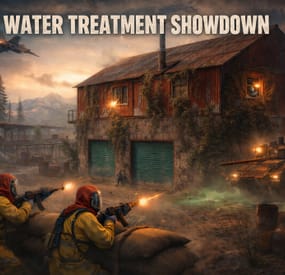
Water Treatment Showdown Event
Operation Cobalt Siege. A timed fight over the Water Treatment Plant that ends with the monument getting nuked, whether your players got out or not.
Runs on Oxide and Carbon.
What actually happens on your server
Every two hours by default, the plugin announces unusual activity at Water Treatment. Two minutes later the monument turns hostile.
Cobalt guards take up positions across the yard. Snipers with scoped M39s hold the high ground. A Bradley APC starts its patrol route. Zombies fill the main building, and if you leave the setting on, the building takes a visible explosion on spawn and the sprinklers kick in. SAM sites cover the airspace so nobody solves this from a minicopter.
The loot is military crates, elite crates and one hackable crate. Starting the hack is the point of no return: the noise calls in a patrol helicopter, and now your players are fighting a Bradley, a heli and whatever NPCs are left, all at once, on a clock.
Four minutes after somebody loots the hackable crate, an F15 comes in and drops the nuke. If nobody finishes in time, the event's own timer does it instead. Either way the monument gets hit with an MLRS barrage and then sits irradiated for five minutes. Anyone still inside picking up loose loot takes rads for it.
That last part is the reason I keep the event on my own server. The evacuation window turns a won fight into a decision, and players get greedy.
Difficulty tiers
One config field, four presets: Easy, Normal, Hard, Nightmare.
The tier multiplies NPC count, NPC health, NPC damage, Bradley HP and every reward payout by the same number (0.75, 1.0, 1.35, 1.75). Normal is 1.0, so an existing config behaves exactly as it did before tiers existed.
The tier is frozen when an event starts. If you reload config mid-event to change it, the running event finishes on the numbers it spawned with, and the new tier applies to the next one.
PVE support
Two options, and you pick one. Never both.
PveMode by KpucTaJl is the fuller integration (Recommended).
SimplePVESphere is the lighter option. A sphere, an owner, done.
If both are configured, PveMode wins and SimplePVESphere is ignored. The plugin logs which one it picked.
Leave both off and the event is straight PvP over a shared monument, which is what most vanilla-ish servers want.
Rewards
Economics, ServerRewards RP and SkillTree XP. You can run all three at once if that's your setup.
Each backend gets its own payout table with four entries: looting the hackable crate, destroying the Bradley, downing the patrol helicopter, killing an NPC. The difficulty tier scales all of them. Everything is disabled by default, so installing the plugin does not quietly start printing currency.
Loot control
Works with AlphaLoot and CustomLoot. Pick one.
AlphaLoot needs nothing configured on this side. Leave every "Use Custom loot plugin?" key false and it fills the event's crates from the profile matching each crate prefab, exactly as it does everywhere else on your map. One gotcha worth knowing: the elite crate's prefab lives under underwater_labs/, so its AlphaLoot profile is underwater_labs/crate_elite, not crate_elite. Edit the wrong one and you'll swear the event is ignoring you.
If you want the event paying differently from the rest of the world, point a crate at a prefab nothing else on your map spawns and give that prefab its own AlphaLoot profile. AlphaLoot matches on prefab, so sharing one means sharing the table.
Turning CustomLoot on while AlphaLoot is installed does not blend the two. CustomLoot wins and AlphaLoot's work is discarded with no error in the log.
Every crate type and every NPC type takes a CustomLoot profile name if you want your own tables. Guards, snipers, zombies, military crates, elite crates and the hackable crate each have their own slot, so you can hand-tune the hackable crate and leave the rest on Rust defaults.
The hackable crate also takes an optional bonus item: a shortname, an amount, a skin ID, a display name and a drop chance. Added on top of whatever table produced the rest of the crate. This is how you seed a custom skin or a server-specific item as the reward for finishing the event.
NPC tuning
Guards and snipers each have a full settings block: name, health, roam range, chase range, sense range, attack range multiplier, target memory duration, damage scale, aim cone scale, vision cone and whether it's checked at all, movement speed, radio chatter on or off, stationary or roaming, and corpse removal.
Loadouts are explicit. Clothing and belt items by shortname, with skin IDs, weapon mods and ammo type. Defaults ship the guards in road sign armour with a flashlight LR300 and an F1, and the snipers with a 16x scoped M39. Kit plugin support is there too, though it costs performance and the config says so.
Zombies get a count and a loot profile.
Bradley and the helicopter
The Bradley has its own health, the number of crates it drops, whether the crate fire keeps burning, whether gibs stick around, and its coax bullet damage. It patrols a waypoint route rather than sitting still.
The patrol helicopter is the newest addition. It spawns when the hackable crate hack starts, not on a timer, so it always lands on top of the fight rather than in a quiet moment. Count, health and crate drops are configurable, and you can turn it off entirely if your player base is small.
Notifications
Chat or GUIAnnouncements, chosen in config. Chat messages take a prefix, prefix colour and size, body colour and size, and a Steam icon ID.
There's also a Discord webhook for the event log, off by default.
Commands
Chat, requires watertreatmentevent.admin:
/wtestart starts the event now /wtestop stops a running event and re-arms the automatic schedule /wte.admin opens the admin panel Console, requires the permission or server admin:
wtestart [steamID] starts the event. The optional Steam ID pre-assigns event ownership to an online player, which is useful for testing PVE rules without having to shoot your way to ownership first wtestop wte.admin wte.nuke skips straight to the finale on a running event. This is the fastest way to check that your radiation and cleanup settings behave, without waiting out a full forty minute cycle wte.selfcheck Permission
watertreatmentevent.admin
For plugin developers
Two hooks fire:
void OnWaterTreatmentEventStart(Vector3 center, float radius) void OnWaterTreatmentEventEnded(Vector3 center, float radius) Both carry the event centre and the configured zone radius, so a leaderboard or a zone plugin can react without having to guess where the monument is.
Two API methods:
bool IsWaterTreatmentEventActive() void ResetWaterTreatmentEventInterval() ResetWaterTreatmentEventInterval restarts the countdown to the next automatic event, which event manager plugins use to stagger events so two don't fire at once.
Configuration you'll probably touch first
"Event Start every [sec]": 7200.0, "Duration of the event [sec]": 2400.0, "Run the event ONLY manually with the commands": false, "Warning time before the Event Spawn [sec]": 120.0, "Time after player loot the hackable crate to end the event and drop the nukes [sec]": 240.0, "Difficulty Tier (Easy, Normal, Hard, Nightmare)": "Normal", "Radius of the event zone in meters (PVE sphere and map marker)": 120.0, "Add Radiation when the F15 drop the nuke": true, "How long the radiation stays in the event area after the nuke [sec]": 300.0, "Clean the area of other NPCs before the event starts": false That last one is worth knowing about if you run BotReSpawn or BetterNpc. Turn it on and anything inside the event zone that this plugin did not spawn gets removed just before the event's own NPCs arrive, along with leftover NPC corpses and loot bags. Player corpses and player backpacks are never touched. It's off by default because most servers don't need it.
-
$34.99
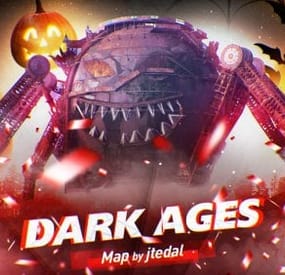
Dark Ages (Halloween map)
Great custom map with a large size but also a high density of water. The history of the map creation is timed to coincide with the Halloween update of the game Rust 2022. On the map you can find iconic locations from various movies and games
For which plugins do I provide configuration files?
Defendable Bases BetterNpc BossMonsters
Description
Size: 4000к
Prefab Count: ~54к
Custom monuments:
Railway Depo Gornizon Pumpkin Sphere Outpost / Bandit Camp (Combined together and decorated in the Halloween style) Amusement Park Camp Crystal Lake Haddonfield Frankenstein's Castle Several places for the building of base
Standard monuments:
Radtown (NEW) Launch Site Train Yard Excavator Harbor [2/2] Military Base Military Tunnel Arctic Base Junkyard Water Treatment Plant Airfield Lighthouse Satellite Dish Stables [2/2] Oil Rigs [2/2] Underwater Labs Jungle Ziggurat Jungle Ruins Check out more of my work here!
- #halloween
- #building
- (and 23 more)