Depends on
Required for this file to work correctly.
Works with
Optional integrations and compatible files.


About Water Treatment Showdown Event
Water Treatment Showdown Event
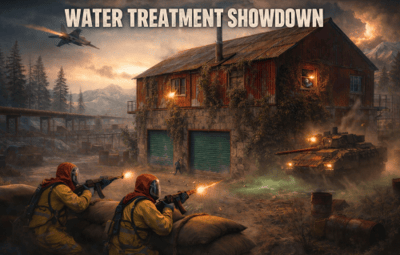
Operation Cobalt Siege. A timed fight over the Water Treatment Plant that ends with the monument getting nuked, whether your players got out or not.
Runs on Oxide and Carbon.
What actually happens on your server
Every two hours by default, the plugin announces unusual activity at Water Treatment. Two minutes later the monument turns hostile.
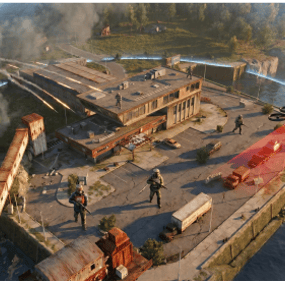
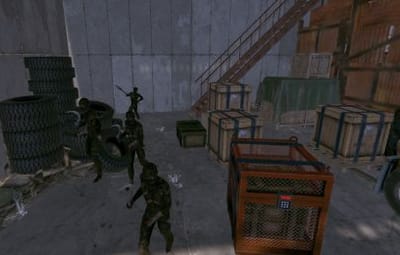
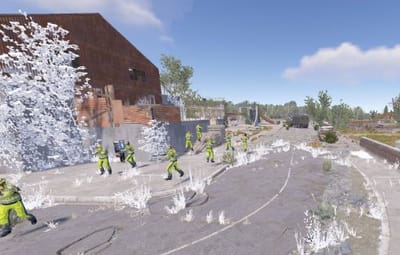
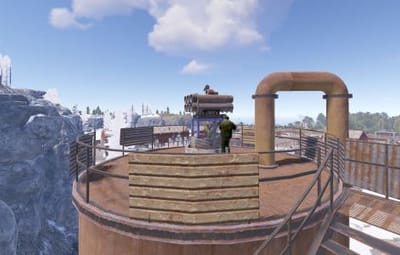
Cobalt guards take up positions across the yard. Snipers with scoped M39s hold the high ground. A Bradley APC starts its patrol route. Zombies fill the main building, and if you leave the setting on, the building takes a visible explosion on spawn and the sprinklers kick in. SAM sites cover the airspace so nobody solves this from a minicopter.
The loot is military crates, elite crates and one hackable crate. Starting the hack is the point of no return: the noise calls in a patrol helicopter, and now your players are fighting a Bradley, a heli and whatever NPCs are left, all at once, on a clock.
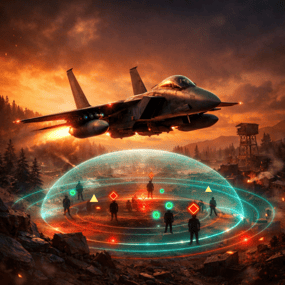
Four minutes after somebody loots the hackable crate, an F15 comes in and drops the nuke. If nobody finishes in time, the event's own timer does it instead. Either way the monument gets hit with an MLRS barrage and then sits irradiated for five minutes. Anyone still inside picking up loose loot takes rads for it.
That last part is the reason I keep the event on my own server. The evacuation window turns a won fight into a decision, and players get greedy.
Difficulty tiers
Four tiers: Easy, Normal, Hard, Nightmare. List the ones you want in the tier pool and each automatic event picks one at random. Put a single tier in the list for a fixed difficulty, or run wtestart <tier> to pick one by hand.
Two tables set what a tier does. The Combat Multiplier scales NPC count, health and damage, the Bradley and the patrol helicopter (defaults 0.75, 1.0, 1.35, 1.75). The Reward Multiplier scales payouts on its own (0.9, 1.0, 1.15, 1.3), so a harder tier doesn't have to pay proportionally more. Hard and Nightmare add SAM sites, and Nightmare drops a second hackable crate.
The tier is frozen when an event starts. If you reload config mid-event to change it, the running event finishes on the numbers it spawned with, and the new tier applies to the next one.
PVE support
Two options, and you pick one. Never both.
PveMode by KpucTaJl is the fuller integration (Recommended).
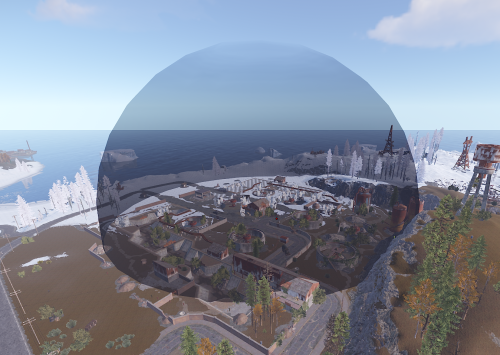
SimplePVESphere is the lighter option. A sphere, an owner, done.
If both are configured, PveMode wins and SimplePVESphere is ignored. The plugin logs which one it picked.
Leave both off and the event is straight PvP over a shared monument, which is what most vanilla-ish servers want.
Rewards
Economics, ServerRewards RP and SkillTree XP. You can run all three at once if that's your setup.
Each backend gets its own payout table with four entries: looting the hackable crate, destroying the Bradley, downing the patrol helicopter, killing an NPC. The difficulty tier scales all of them. Everything is disabled by default, so installing the plugin does not quietly start printing currency.
Loot control
Works with AlphaLoot and CustomLoot. Pick one.
AlphaLoot needs nothing configured on this side. Leave every "Use Custom loot plugin?" key false and it fills the event's crates from the profile matching each crate prefab, exactly as it does everywhere else on your map. One gotcha worth knowing: the elite crate's prefab lives under underwater_labs/, so its AlphaLoot profile is underwater_labs/crate_elite, not crate_elite. Edit the wrong one and you'll swear the event is ignoring you.
If you want the event paying differently from the rest of the world, point a crate at a prefab nothing else on your map spawns and give that prefab its own AlphaLoot profile. AlphaLoot matches on prefab, so sharing one means sharing the table.
Turning CustomLoot on while AlphaLoot is installed does not blend the two. CustomLoot wins and AlphaLoot's work is discarded with no error in the log.
Every crate type and every NPC type takes a CustomLoot profile name if you want your own tables. Guards, snipers, zombies, military crates, elite crates and the hackable crate each have their own slot, so you can hand-tune the hackable crate and leave the rest on Rust defaults.
The hackable crate also takes an optional bonus item: a shortname, an amount, a skin ID, a display name and a drop chance. Added on top of whatever table produced the rest of the crate. This is how you seed a custom skin or a server-specific item as the reward for finishing the event.
NPC tuning
Guards and snipers each have a full settings block: name, health, roam range, chase range, sense range, attack range multiplier, target memory duration, damage scale, aim cone scale, vision cone and whether it's checked at all, movement speed, radio chatter on or off, stationary or roaming, and corpse removal.
Loadouts are explicit. Clothing and belt items by shortname, with skin IDs, weapon mods and ammo type. Defaults ship the guards in road sign armour with a flashlight LR300 and an F1, and the snipers with a 16x scoped M39. Kit plugin support is there too, though it costs performance and the config says so.
Zombies get a count and a loot profile.
Bradley and the helicopter
The Bradley has its own health, the number of crates it drops, whether the crate fire keeps burning, whether gibs stick around, and its coax bullet damage. It patrols a waypoint route rather than sitting still.
The patrol helicopter spawns when the hackable crate hack starts, not on a timer, so it always lands on top of the fight rather than in a quiet moment. It has the same settings as the Bradley: amount, main and tail rotor health, crate drops, crate fire, gibs, bullet damage and max speed, and it follows your Combat Multiplier table. You can turn it off entirely if your player base is small.
Notifications
Chat or GUIAnnouncements, chosen in config. Chat messages take a prefix, prefix colour and size, body colour and size, and a Steam icon ID.
There's also a Discord webhook for the event log, off by default.
Commands
Chat, requires watertreatmentevent.admin:
-
/wtestartstarts the event now -
/wtestopstops a running event and re-arms the automatic schedule -
/wte.adminopens the admin panel
Console, requires the permission or server admin:
-
wtestart [tier] [steamID]starts the event. The optional tier (Easy, Normal, Hard, Nightmare) sets the difficulty for that one event. The optional Steam ID pre-assigns event ownership to an online player, which is useful for testing PVE rules without having to shoot your way to ownership first wtestopwte.admin-
wte.nukeskips straight to the finale on a running event. This is the fastest way to check that your radiation and cleanup settings behave, without waiting out a full forty minute cycle wte.selfcheck
Permission
watertreatmentevent.admin
For plugin developers
Two lifecycle hooks fire:
void OnWaterTreatmentEventStart(Vector3 center, float radius)
void OnWaterTreatmentEventEnded(Vector3 center, float radius)
Both carry the event centre and the configured zone radius, so a leaderboard or a zone plugin can react without having to guess where the monument is.
When a player loots the hackable crate, this one fires too:
void OnWaterTreatmentEventWon(BasePlayer winner, double durationSeconds)winner is the player who looted the crate. durationSeconds is the time since the event NPCs and Bradley spawned. It doesn't fire when the event times out.
Two API methods:
bool IsWaterTreatmentEventActive()
void ResetWaterTreatmentEventInterval()
ResetWaterTreatmentEventInterval restarts the countdown to the next automatic event, which event manager plugins use to stagger events so two don't fire at once.
Configuration you'll probably touch first
"Event Start every [sec]": 7200.0,
"Duration of the event [sec]": 2400.0,
"Run the event ONLY manually with the commands": false,
"Warning time before the Event Spawn [sec]": 120.0,
"Time after player loot the hackable crate to end the event and drop the nukes [sec]": 240.0,
"Difficulty Tiers (Easy, Normal, Hard, Nightmare)": ["Normal"],
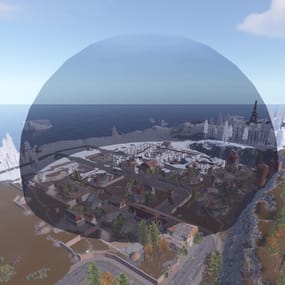
"Radius of the event zone in meters (PVE sphere and map marker)": 120.0,
"Add Radiation when the F15 drop the nuke": true,
"How long the radiation stays in the event area after the nuke [sec]": 300.0,
"Clean the area of other NPCs before the event starts": false
That last one is worth knowing about if you run BotReSpawn or BetterNpc. Turn it on and anything inside the event zone that this plugin did not spawn gets removed just before the event's own NPCs arrive, along with leftover NPC corpses and loot bags. The sweep keeps going until the event ends: BetterNpc is paused at the plant, and outside scientists that spawn in the zone are removed. Player corpses and player backpacks are never touched. It's off by default because most servers don't need it.