

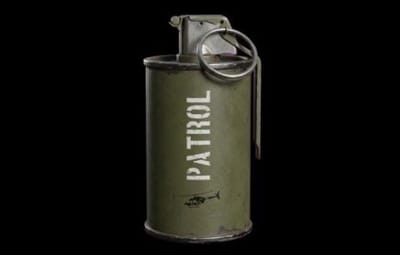
About SimplePatrolSignal
Overview
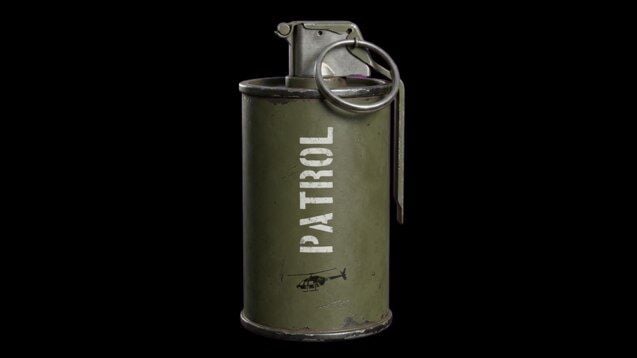
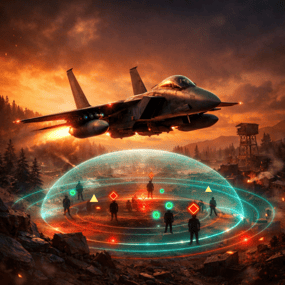
SimplePatrolSignal turns the vanilla supply signal into a button that calls a real Patrol Helicopter to your location. The heli arrives, fights you for the configured duration, drops crates when you kill it, and cleans up after itself. Multiple players can have their own active patrols at the same time. Tiers, custom skins, loot integration, PvE protection, NPC reinforcements, leaderboards, Discord notifications, the whole package.
Features
- Summon patrol helicopters by throwing or dropping a special supply signal
- Up to 3 concurrent patrols by default, fully configurable
- Tier system: each signal skin maps to its own helicopter profile (health, rotor health, crate count, rocket timing, bullet damage, gun range, duration, loot table)
- 3 ready-to-use tiers shipped on Steam Workshop: Silver Elite, Arctic Frost, Inferno Boss
- Optional signal drops in vanilla world crates (per-tier drop chances, disabled by default)
-
Tier selection by short alias on
/helisignaland/givehelisignal - Full integration with AlphaLoot, CustomLoot, Loottable
- PvE protection via PveMode, SimplePVE, or SimplePVESphere
- Optional PvP zone via ZoneManager
- NPC reinforcements via NpcSpawn or BetterNpc
-
Persistent leaderboard with
/patroltopand/patrolstats - Discord webhook notifications (called, killed, expired) with embeds and grid coordinates
- VIP perks: cooldown bypass and optional tier override
- Debug log line per spawn so admins can verify a tier's overrides are applied
Tier system
Each entry in Patrol Helicopter Settings → Patrol Tiers maps a supply-signal skin ID to a helicopter profile. Any field set to null inherits the base value from Patrol Helicopter Settings. Set only what you want to override.
Each tier also accepts a short Code alias used by the commands.
Workshop tiers shipped with the plugin
| Tier | Code | Skin ID | Workshop |
|---|---|---|---|
| Silver Elite |
silver
|
3708182660 | Subscribe |
| Arctic Frost |
arctic
|
3708182822 | Subscribe |
| Inferno Boss |
inferno
|
3708182743 | Subscribe |
To activate a tier, add its skin ID to Supply Signal Settings → Skin IDs so the plugin recognizes it when thrown. The matching tier entry under Patrol Tiers is already populated with sensible defaults on fresh installs (existing v2.1.0 installs get them auto-migrated on next plugin load).
Example: enable all three tiers + base
"Supply Signal Settings": {
  "Skin ID (used when Skin IDs list is empty)": 3702876293,
  "Skin IDs (random pick - overrides Skin ID when non-empty)": [
    3702876293,
    3708182660,
    3708182822,
    3708182743
  ]
},
"Patrol Helicopter Settings": {
  "Patrol Tiers (skin id -> per-tier overrides)": {
    "3708182660": {
      "Display Name": "Silver Elite",
      "Code (short alias for commands, empty = not selectable by code)": "silver",
      "Helicopter Health (null = inherit)": 15000.0,
      "Number of Crates (null = inherit)": 5,
      "Time Before Rockets (null = inherit)": 4.0,
      "Bullet Damage (null = inherit)": 15.0
    },
    "3708182822": {
      "Display Name": "Arctic Frost",
      "Code (short alias for commands, empty = not selectable by code)": "arctic",
      "Helicopter Health (null = inherit)": 25000.0,
      "Main Rotor Health (null = inherit)": 900.0,
      "Tail Rotor Health (null = inherit)": 450.0,
      "Number of Crates (null = inherit)": 8,
      "Time Before Rockets (null = inherit)": 3.0,
      "Bullet Damage (null = inherit)": 20.0,
      "Gun Max Target Range (null = inherit)": 250.0
    },
    "3708182743": {
      "Display Name": "Inferno Boss",
      "Code (short alias for commands, empty = not selectable by code)": "inferno",
      "Patrol Duration (seconds, null = inherit)": 900.0,
      "Helicopter Health (null = inherit)": 40000.0,
      "Main Rotor Health (null = inherit)": 1200.0,
      "Tail Rotor Health (null = inherit)": 600.0,
      "Number of Crates (null = inherit)": 12,
      "Time Before Rockets (null = inherit)": 2.0,
      "Bullet Damage (null = inherit)": 28.0,
      "Gun Max Target Range (null = inherit)": 300.0
    }
  }
}
Calling a specific tier
/helisignal silver
/helisignal arctic
/helisignal inferno
/helisignal                  // base signal (no tier specified)
/givehelisignal Bob 1 inferno
/givehelisignal Bob 5        // 5 base signals (no tier = base)
Direct skin IDs work too: /helisignal 3708182660.
Signals as crate loot
Disabled by default. When enabled, each spawn of an allowlisted vanilla world crate rolls each tier's drop chance independently and inserts up to Max Signals Per Crate signals on top of the existing loot. Patrol-owned crates are skipped, so this only seeds world loot, not the heli's own drops.
Default config
"Crate Loot Drops": {
  "Enabled": false,
  "Crate Prefabs To Seed": [
    "crate_elite",
    "crate_normal",
    "crate_normal_2",
    "heli_crate",
    "bradley_crate"
  ],
  "Max Signals Per Crate": 1,
  "Tier Drop Chances (skin id -> percent 0-100)": {
    "3702876293": 5.0,
    "3708182660": 2.0,
    "3708182822": 1.0,
    "3708182743": 0.25
  }
}
The drop only succeeds if the skin is recognized as a patrol signal, so it must be the base Skin ID or appear in Skin IDs. If you add a new tier here but forget to allowlist its skin, the drop will silently no-op.
Chat commands
| Command | Permission | Description |
|---|---|---|
/helisignal [tier]
|
simplepatrolsignal.give
|
Get a heli signal. No tier = base. With a tier code (silver, arctic, inferno) you get that specific tier.
|
/helisignal despawn
|
simplepatrolsignal.despawn
|
Remove your own active patrol. |
/helisignal despawn <steamid>
|
simplepatrolsignal.admin
|
Remove another player's active patrol. |
/givehelisignal <player> [amount] [tier]
|
simplepatrolsignal.give
|
Give signals to another player. Optional amount (default 1) and tier code. |
/patroltop [kills|damage|crates]
|
none | Show the server leaderboard. |
/patrolstats [player]
|
none | Show patrol stats for yourself or another player. |
Console commands
| Command | Permission | Description |
|---|---|---|
helisignal [tier]
|
simplepatrolsignal.give
|
F1 console, gives yourself a signal of the requested tier (or base). |
helisignal despawn [steamid]
|
simplepatrolsignal.despawn / .admin
|
Despawn your own patrol, or another player's with the steamid arg. |
givehelisignal <player> [amount] [tier]
|
simplepatrolsignal.give
|
RCON-friendly version of the chat command. |
patrol.leaderboard.reset
|
simplepatrolsignal.admin
|
Wipe persistent leaderboard data (season reset). |
Permissions
| Permission | Grants |
|---|---|
simplepatrolsignal.give
|
Use /helisignal and /givehelisignal (any tier).
|
simplepatrolsignal.despawn
|
Despawn your own active patrol. |
simplepatrolsignal.admin
|
Despawn other players' patrols, reset the leaderboard. |
simplepatrolsignal.vip
|
Bypass cooldown plus optional tier override (configured under VIP Settings).
|
simplepatrolsignal.nocooldown
|
Bypass cooldown only. |
Throwing a signal has no permission check. Anyone holding a signal item (looted, traded, gifted, gambled, dropped from a crate) can throw it. The gate is on acquisition, not on use.
Configuration overview
Top-level config sections, with the most useful settings highlighted:
-
Supply Signal Settings, the base skin ID, the interception allowlist (
Skin IDs), warmup duration, drop marker, approach effect. - Patrol Helicopter Settings, base health (10000), patrol duration (600s), bullet damage (20), interest zone radius (250m), max concurrent patrols (3), per-player cooldown, NPC reinforcements, aggressive mode targeting, debug mode, and the Patrol Tiers dictionary.
- Crate Loot Drops, optional signal drops in vanilla world crates (disabled by default).
- Loot Settings, container drop chances and quantities for each crate prefab the heli spawns.
- Loot Override Settings, AlphaLoot / CustomLoot / Loottable preset names, plus the prefab list those overrides apply to.
- VIP Settings, cooldown bypass and optional tier override for VIPs.
- PvE Mode Settings, register the patrol with PveMode, SimplePVE, or SimplePVESphere.
- PvP Zone Settings, optional ZoneManager integration so the patrol's interest zone is a PvP zone.
- Leaderboard Settings, persistent stats with configurable top-N display.
- Discord Settings, webhook URL, embed colors, thumbnails, role mention on call.
- Crate Scatter Settings, clamp dropped crates inside the patrol zone.
Debug mode
Set Patrol Helicopter Settings → Debug Mode to true and every patrol spawn logs a [spawn-tier] line showing the resolved health, rotor health, crate count, time-before-rocket, bullet damage, gun max range, duration, and loot profile names actually being used. Useful to confirm a tier's overrides are being applied without grepping the code path.
Workshop signal skins
Default base skin: 3702876293
Tier skins:
- Silver Elite, 3708182660
- Arctic Frost, 3708182822
- Inferno Boss, 3708182743
Compatibility
- Oxide and Carbon
- NoEscape (optional, blocks signal use during raid/combat block)
- AlphaLoot / CustomLoot / Loottable (optional, for crate loot)
- PveMode / SimplePVE / SimplePVESphere (optional, for PvE protection)
- ZoneManager (optional, for PvP zone)
- NpcSpawn / BetterNpc (optional, for ground reinforcements)
None are required. The plugin no-ops gracefully when an integration is missing.