

HunterZ
-
Posts
365 -
Joined
-
Last visited
-
Days Won
3
Content Type
Profiles
Warranty Claims
Downloads
Forums
Store
Services
Downloads Plus Support
DOWNLOADS EXTRA
Reels
Everything posted by HunterZ
-
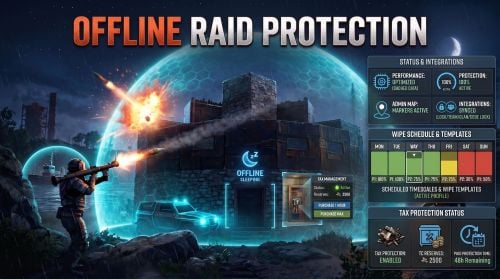 There was a recent support request on it that I had left open but Edwin closed. We both commented on the challenges here: https://codefling.com/files/sc/29830-minutessincelastattacktoprotect/#findComment-147692 For me it comes down to this stuff being abusable in either direction, so we currently err on the side of the defender.
 -
Yep, I explicitly blacklist high walls/gates and traps/turrets so that people can't use them for blocking off monuments etc. Blacklist also takes precedence over whitelist, so I keep my whitelist updated with all items.
-
 Regarding https://codefling.com/files/support/18638-dynamic-pvp/ : To solve the server owner's problem quickly, I added support for specifying SkinIDs in the config file. However, Dynamic PVP already provides hooks to ask other plugins whether it's allowed to create an event zone. It would have been better for Harbor Event to catch this hook and use it to tell Dynamic PVP to not allow a cargo ship to receive PVP zones.
 -
 I haven't seen that one. I started on it after receiving reports from my players that their corpses were inaccessible because they got thrown from a horse through a cliff prefab or the terrain. I then decided to clean it up and release it after seeing many server owners report player corpses falling through the ground.
 -
This is the purpose of the "Scale of damage depending on the current hour of the real day" config option. Note that 0.0 means no damage, and 1.0 means full damage.
-
Version 1.3.0
280 downloads
Features: Saves corpses, dropped item bags, and Bradley / Patrol Helicopter debris from spawning under places where they shouldn't. Prevents players from dropping held item and/or backpack when they die where they shouldn't. Why: I started developing this in response to player reports of being unable to retrieve their loot after being fatally thrown from horses into cliffs, under terrain onto junkpiles, etc. Since then, I've seen many reports from other server owners of corpses / loot bags falling out of the world when they shouldn't, so I decided to clean it up and release it to help the community. Details: Handles players falling out of the bottom of the world, but also corpses, body bags, and loot bags spawning under cliffs onto terrain or other cliffs, under terrain onto junkpiles, etc. Simulates bouncing an entity off of the nearest ceiling/sky and dropping it back down; if the result is higher than its starting location, it gets elevated ("bounced"). Handles obscure cases like respecting terrain ignore triggers, ignoring sticky ceiling prefabs, etc. Permissions: playersafetynet.report permission is required to use psn.report command from player F1 console. Commands: psn.report in player F1 console (with permission) or server console/RCON produces a table of statistics summarizing the plugin's activity: [Player Safety Net] PlayerSafetyNet statistics: HookAndPrefab |Ignored|Unmoved|Bounced ---------------------------------------+-------+-------+------- DroppedItemContainer:item_drop | 0| 1| 0 DroppedItemContainer:item_drop_backpack| 0| 3| 11 NPCPlayerCorpse:murderer_corpse | 0| 2| 0 NPCPlayerCorpse:scientist_corpse | 0| 5| 0 Configuration: Functionality and logging are both configurable: { "Prevent held item/backpack drops on player bounce": true, "Bounce players on terrain violations": true, "Cancel terrain violations on bounce": true, "Bounce BaseCorpse entities on spawn": true, "Bounce DroppedItem entities on spawn": false, "Bounce DroppedItemContainer entities on spawn": true, "Bounce HackableLockedCrate entities on spawn": false, "Bounce HelicopterDebris entities on spawn": true, "Bounce HorseCorpse entities on spawn": false, "Bounce LivestockCorpse entities on spawn": true, "Bounce LockedByEntCrate entities on spawn": true, "Bounce LootableCorpse entities on spawn": true, "Bounce NPCPlayerCorpse entities on spawn": true, "Bounce PlayerCorpse entities on spawn": true, "Log bounces": true, "Suppress bounce for entity prefabs": [ "item_drop_buoyant" ], "Suppress logging for entity prefabs": [] } Entities: Description of the various entity types that can be bounced: BaseCorpse: Non-lootable corpses DroppedItemContainer: Body bags and blue loot bags HackableLockedCrate: Cargo/Chinook/Oilrig hackable crates HelicopterDebris: Bradley and Patrol Helicopter debris HorseCorpse: Horse corpses LivestockCorpse: Cow and sheep corpses LockedByEntCrate: Bradley, Patrol Helicopter, and Satellite crates LootableCorpse: Lootable corpses from something other than horses, NPCs, or players NPCPlayerCorpse: NPC corpses PlayerCorpse: Player corpses TimedUnlootableCrate: Satellite crates (removed by Facepunch in Sep 2026 force update)Free -
Changed Status from Work in Progress to Fixed
-
Thanks! You tested this on your server? What is the reason for calling the end logic for `OnArmoredTrainStartMoving`? I don't know much about how the Armored Train plugin works - is it only a PvP event while the train is stopped?
-
Changed Status from Pending to Work in Progress Changed Fixed In to Next Version
-
You can DM it to my discord, which is linked in my profile
-
@Adem needs to add more info to Armored Train's API documentation. It only lists methods but not parameters or return values. I don't have enough info to know how to determine when a player is in an Armored Train PVP zone.
-
Changed Status from Closed to Fixed
-
Raid insurance lol
-

Version 1.0.1
103 downloads
Adds a Magic Panel display containing a Power Plant grid power status icon. Features: Harmony-based for performance (server calls plugin on power grid level changes). Only requests a Magic Panel HUD update on relevant state changes changes for performance. Caches Magic Panel parameters to avoid memory churn. Config file supports full image panel settings per power grid phase, allowing for per-phase icons, colors, etc. { "Panel Settings": { "Dock": "center", "Width": 0.02, "Order": 9, "BackgroundColor": "#FFFFFF08" }, "Panel Layout By Power Grid Phase": [ { "Image": { "Url": "https://i.postimg.cc/pd1PBZ1w/powerplant0.png", "Enabled": true, "Color": "#FFFFFF0F", "Order": 0, "Width": 1.0, "Padding": { "Left": 0.05, "Right": 0.05, "Top": 0.05, "Bottom": 0.05 } } }, { "Image": { "Url": "https://i.postimg.cc/xdF9PR4V/powerplant1.png", "Enabled": true, "Color": "#FFFFFF7F", "Order": 0, "Width": 1.0, "Padding": { "Left": 0.05, "Right": 0.05, "Top": 0.05, "Bottom": 0.05 } } }, { "Image": { "Url": "https://i.postimg.cc/mr6TSw5G/powerplant2.png", "Enabled": true, "Color": "#FFFFFF7F", "Order": 0, "Width": 1.0, "Padding": { "Left": 0.05, "Right": 0.05, "Top": 0.05, "Bottom": 0.05 } } }, { "Image": { "Url": "https://i.postimg.cc/QMnjqbyD/powerplant3.png", "Enabled": true, "Color": "#FFFFFF7F", "Order": 0, "Width": 1.0, "Padding": { "Left": 0.05, "Right": 0.05, "Top": 0.05, "Bottom": 0.05 } } }, { "Image": { "Url": "https://i.postimg.cc/W3FTYkQf/powerplant4.png", "Enabled": true, "Color": "#FFFFFF7F", "Order": 0, "Width": 1.0, "Padding": { "Left": 0.05, "Right": 0.05, "Top": 0.05, "Bottom": 0.05 } } } ] }Free -

rror while compiling OfflineRaidProtection
HunterZ replied to Smokeymell's Support Report in Support
Changed Status from Pending to Not a Bug -
rror while compiling OfflineRaidProtection
HunterZ replied to Smokeymell's Support Report in Support
New version requires August force update -
Changed Status from Closed to Fixed
-
Can you test with 1.6.1?
-
Changed Status from Pending to Work in Progress Changed Fixed In to 1.6.1
-
.thumb.png.0e42390395ae9806e806d846a69945e9.png) Seems that this author has gone AWOL and abandoned all their stuff. Someone who just bought this map posted on discord that it's broken.
Seems that this author has gone AWOL and abandoned all their stuff. Someone who just bought this map posted on discord that it's broken. -
 Probably a backend problem, but this isn't showing an Offline Raid Protection 1.5.2 update that was released 8 hours ago on Codefling.
 -
You've done the right thing by opening a support request on its CF page. You might also try joining the creator's discord from the bottom of the description page. Worse comes to worst, you can request a refund from CF, but I think they usually want you to give the creator a week to respond.
-
Plaster this announcement all over the website instead of just on Discord where nobody who needs to see it is seeing it: https://discord.com/channels/653208449542389760/686125315872784394/1529432512517115995
-
Changed Status from Work in Progress to Fixed Changed Fixed In to 1.4.0

