

HunterZ
-
Posts
365 -
Joined
-
Last visited
-
Days Won
3
Content Type
Profiles
Warranty Claims
Downloads
Forums
Store
Services
Downloads Plus Support
DOWNLOADS EXTRA
Reels
Support Center
Everything posted by HunterZ
-
Changed Status from Work in Progress to Fixed Changed Fixed In to 1.2.0
-
Changed Status from Work in Progress to Fixed Changed Fixed In to 1.2.0
-
Changed Status from Work in Progress to Fixed
-
Changed Status from Pending to Work in Progress
-
Changed Status from Pending to Work in Progress
-
Changed Status from Pending to Work in Progress
-
Changed Status from Pending to Work in Progress
-
Changed Status from Pending to Work in Progress
-
Would also like to see modular boat protection - and both of these should be separated from other vehicle types since you can put deployables on them.
-
Changed Status from Work in Progress to Fixed Changed Fixed In to 1.9.0
-
Yes, I'm planning to add support for showing the entire Deep Sea as PVP in the next day or two. I may try to add the ability to auto detect that and altitude exclusions from True PVE. Safe zone indication worked for me in the Deep Sea safe zone. Make sure to turn off vanish as part of your testing, as the game may not apply safe zone status when you're vanished. I'm confused that you're enabling Dynamic PVP's Deep Sea events if you plan to have the entire Deep Sea be a PVP area. This seems like a needless hit to server performance.
-
Changed Status from Pending to Work in Progress
-
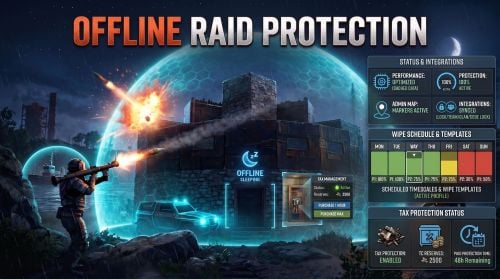 Yes, someone on my server spent all their boom trying to raid an offline neighbor the other day and didn't get anywhere lol
 -
Here is an unofficial fix for the toasts. You will need to apply it in a different place depending on whether you're using Carbon or Oxide, because for some reason Edwin maintains two entirely separate copies of the code in the .cs file static System.Action ShowGameTipAction(BasePlayer player, string msg) { return () => { // if (player is not null) // player.SendConsoleCommand(COMMAND_SHOWGAMETIP, msg); if (player) player.SendConsoleCommand( "gametip.showtoast", 1, msg, string.Empty, false); }; } If you don't like the toast banner being red, change the 1 to a 0 (normal blue toast) or a 3 (short blue toast).
-
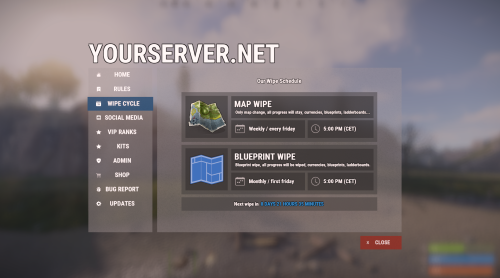 This is marked as not compatible with Carbon. Is this an oversight, or should I avoid this as a Carbon user? Edit: I see your notes above but am confused. Kits runs fine on my server - what is the other dependency that doesn't work on Carbon?
 -
Changed Status from Pending to Fixed Changed Fixed In to 2.0.1
-
Thanks, I'll take a look. Probably Oxide is behind Carbon on C# compiler version or something.
-
Changed Status from Work in Progress to Fixed Changed Fixed In to 2.0.0
-
Did it ever show a chat message? I only noticed a banner message. The problem seems to be that `gametip.showgametip` is no longer functional - I suspect it was disabled when the new global notification sounds were added. Probably ORP should instead call `player.ShowToast()`, but note that the `GameTip.Styles.Error` style has also been disabled.
-
Yeah I noticed that toasts don't work, so I enabled the codelock sound for now. I've been meaning to take a look at the code but haven't gotten around to it yet.
-
After testing this some more, I think what's going on is that it's requiring all online players to vote, regardless of the threshold. I reduced the threshold to 66.67, and it was still failing even with 5 of 6 online players voting.
-
This is still acting a bit weird lol The global message says more votes are cast than needed, while the command response says another vote is needed. Both of these are wrong because only 9 people are on, and I don't have the threshold set at 100%.
-
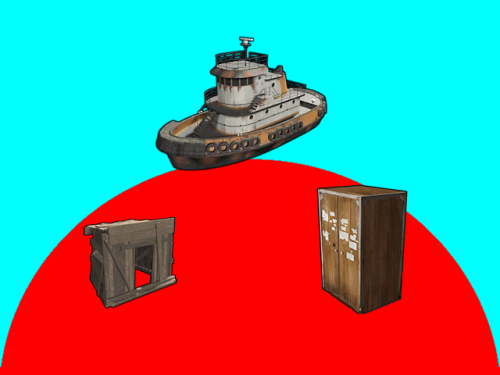 There are a few major problems, which was highlighted by someone already attempting to implement this: It's highly exploitable, especially since there's no true way to track ownership of a base - or especially a tugboat PBPZ's code architecture wasn't designed with player toggling in mind, so it ends up being a heavy operation on the server, and has a lot of nasty corner cases where things could get confused PBPZ creates PVE exclusion bubbles around bases. TruePVE will not apply its PVE rules to interactions that occur between a player/object and another player/object if they're both in a PVE exclusion state.
 -
Another weird state - showed 1/3 votes right away, and didn't kill heli on reaching 3/3: Reloaded the plugin to force a data file write, and got this: { "activeHelis": { "510246": false }, "playerVotes": [ "76561199132038841", "76561197996887338", "76561198017061212" ] } "Percentage of vote's required [0 - 100]" is set to 75.0 Edit: Someone on my server says it now shows 4/5 for them, while it says 4/4 for two other players - super confusing lol.
-
 It's running on my server and I'll keep an eye on it.
- 462 comments
-
- 1
-

-
- #statistics
- #leaderboard
- (and 12 more)

