
-
Posts
976 -
Joined
-
Days Won
5
Content Type
Profiles
Warranty Claims
Downloads
Forums
Store
Services
Downloads Plus Support
DOWNLOADS EXTRA
Reels
Everything posted by Mabel
-
Changed Status from Pending to Closed
-
The latest version added permissions, that is just telling you it's updated the config to add them you can find the permissions in the config file now, example in the update notes if you don't wish to use permissions just leave the field blank in the config
-
Ok I will test and let you know
-
Hello, could you add support for Abandoned Bases plugin, to exclude the plugin working when players enter the zone OnPlayerEnteredAbandonedBase(BasePlayer) OnPlayerExitAbandonedBase(BasePlayer)
-
Version 1.0.5
976 downloads
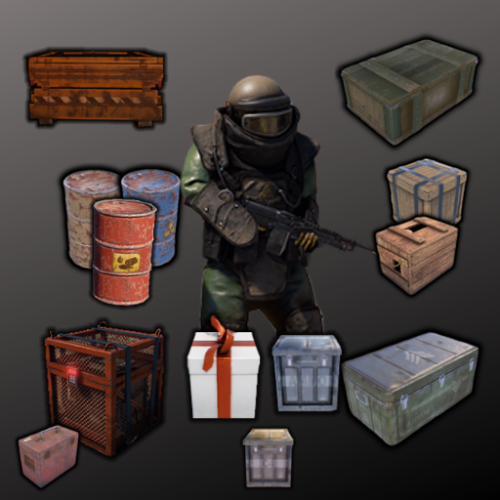
The NPC Gifts plugin provides a system where players can receive random gifts upon killing NPCs. The gifts are spawned as containers, and there are customizable settings for cooldowns, spawn chances, and permissions. Features Randomly spawns gifts when players kill NPCs. Customizable cooldowns to prevent gift spamming. Different container types with individual spawn chances. Permission-based access to specific container types. Configurable messages for chat and game tips. Configuration Options Cooldown Settings: Cooldown Duration Minutes: The duration before a player can receive another gift after killing an NPC. Message Settings: Enable Chat Message: Whether to send a chat message to the player when they receive a gift. Enable Game Tip Message: Whether to show a game tip message to the player when they receive a gift. Container Settings: Enabled: Whether this container type is enabled. Container Prefab: The prefab path for the container to spawn. Spawn Chance: The chance (between 0 and 1) that this container will spawn when an NPC is killed. Permission: The permission required for a player to receive this container type. Loot Table Name: The name of the loot table to use for this container. If left empty, the default loot table is used. Min Items: The minimum number of items to spawn in the container. Max Items: The maximum number of items to spawn in the container. Adding/Editing Containers Enable/Disable Containers: Set the Enabled field to true or false to control whether the container is used. Adjust Spawn Chances: Modify the Spawn Chance to change how often a container is spawned. A value of 0.5 means there's a 50% chance. Set Permissions: Specify a Permission for each container. Ensure these permissions are registered and granted to the appropriate players or groups. Set Loot Table Name: This filed is only required if using the Simple Loot Table Plugin, left blank will use the servers default loot tables Set Min/Max Items: These Fields are only required for users of the Simple Loot Table Plugin, they will not adjust the min/max values of your server loot table Permissions Register Permissions: The plugin will automatically register permissions based on the configuration. Grant Permissions: Use the following commands to grant permissions to players or groups: oxide.grant user <username> <permission> oxide.grant group <groupname> <permission> Example: oxide.grant user Mabel npcgifts.example1 Console Commands npcgifts_wipe - clears the cooldown data file Default Configuration { "Cooldown Settings": { "Cooldown Duration Minutes": 60 }, "Message Settings": { "Enable Chat Message": false, "Enable Game Tip Message": true }, "Container Settings": [ { "Enabled": true, "Container Prefab": "assets/prefabs/misc/xmas/sleigh/presentdrop.prefab", "Spawn Chance": 0.5, "Permission": "npcgifts.example1", "Loot Table Name": null, "Min Items": 0, "Max Items": 0 }, { "Enabled": true, "Container Prefab": "assets/prefabs/missions/portal/proceduraldungeon/xmastunnels/loot/xmastunnellootbox.prefab", "Spawn Chance": 0.5, "Permission": "npcgifts.example2", "Loot Table Name": null, "Min Items": 0, "Max Items": 0 }, { "Enabled": true, "Container Prefab": "assets/prefabs/misc/xmas/giftbox/giftbox_loot.prefab", "Spawn Chance": 0.5, "Permission": "npcgifts.example3", "Loot Table Name": null, "Min Items": 0, "Max Items": 0 } ], "Version": { "Major": 1, "Minor": 0, "Patch": 4 } } Default Language: { "ChatMessage": " :dance: Congratulations <color=#abf229>{0}</color> You Received A Gift From <color=#abf229>{1}</color> :dance:", "GameTipMessage": "Congratulations <color=#abf229>{0}</color> You Received A Gift From <color=#abf229>{1}</color>" }Free -
we did just wipe with a new map, maybe it was a issue with the previous map, i will keep checking if i see the error again i will let you know Thanks for your time
-
Typically it doesn't give me any errors now
-
 Ok, I will update it later
- 32 comments
-
- 1
-

-
- #population
- #server
- (and 7 more)
-
Config attached Map is Procedural i am on the latest oxide version "Oxide.Rust Version: 2.0.6057" LaunchPad.json
-
Failed to call hook 'OnPlayerInput' on plugin 'LaunchPad v1.2.0' (NullReferenceException: Object reference not set to an instance of an object) at Oxide.Plugins.LaunchPad.OnPlayerInput (BasePlayer player, InputState input) [0x002d4] in :0 at Oxide.Plugins.LaunchPad.DirectCallHook (System.String name, System.Object& ret, System.Object[] args) [0x001e7] in :0 at Oxide.Plugins.CSharpPlugin.InvokeMethod (Oxide.Core.Plugins.HookMethod method, System.Object[] args) [0x00079] in :0 at Oxide.Core.Plugins.CSPlugin.OnCallHook (System.String name, System.Object[] args) [0x000d8] in :0 at Oxide.Core.Plugins.Plugin.CallHook (System.String hook, System.Object[] args) [0x00060] in :0 Failed to call hook 'OnPlayerInput' on plugin 'LaunchPad v1.2.0' (NullReferenceException: Object reference not set to an instance of an object) at Oxide.Plugins.LaunchPad.OnPlayerInput (BasePlayer player, InputState input) [0x002d4] in :0 at Oxide.Plugins.LaunchPad.DirectCallHook (System.String name, System.Object& ret, System.Object[] args) [0x001e7] in :0 at Oxide.Plugins.CSharpPlugin.InvokeMethod (Oxide.Core.Plugins.HookMethod method, System.Object[] args) [0x00079] in :0 at Oxide.Core.Plugins.CSPlugin.OnCallHook (System.String name, System.Object[] args) [0x000d8] in :0 at Oxide.Core.Plugins.Plugin.CallHook (System.String hook, System.Object[] args) [0x00060] in :0 Getting this console spam when player places a pad the pads are working but every time a player places one we see this error
-
 Appreciate your fast response, if you need any more info on the issue or any testing just let me know
 -
Still getting this same issue, the players have to leave after being granted the permission before there added to the data i did some testing and the issue is when issuing it through a group for example the players unlock its use through completing x amount of raids, they are added to the group with the permission for the plugin, but when they use the commands it throws the previous error and they can not use it until they rejoin but if i grant the permission directly to the player they are able to use it without the need to rejoin
-
Yes, like I've said it does not add it in the newly generated config, it just the same config as v1.0.0 if you look in the .cs you will see its missing from the default config so it can't generate a config with that option
-
Hello, with your new update there is no new config option for the amount of damage its missing `Config["WrongGuessDamage"] = wrongGuessDamage;` in the cs file so no option is added to the new config also can you add support for pve servers to apply the damage to the player for failed attempt Thank you
-
 My original suggestion was more about the limits applying to the whole team and not extending it per team member EX: entity x is limited to 100, weather its a solo player or team of 6 they can still only place the limit of 100, this is what i am looking for
- 81 comments
-
- 2
-
-
- #limit
- #advanceentitylimit
- (and 21 more)
-
Does it support teams/clans? That's a big problem with all the other entity limits plugins, there based on individual players so the limits can be exploited by teams. if it supports teams I will purchase it as it's much needed for us and probably many other servers Thanks
- 81 comments
-
- 2
-
-
- #limit
- #advanceentitylimit
- (and 21 more)
-
appreciate it, Thank you
-
 show the command you used, it does work i use it, it should look like this
 -
ok thanks ok, thank you it doesn't seem to add them in the data until they re-join once the permission is granted they have use of the commands but it doesn't change there amount fired and you get that error in console until they re-join and are added to the data, then they can fire there set amount without error
-
You can already do this with a console command inventory.giveto <steamID> <item.shortname> <amount> <skinid>
- 154 comments
-
- 1
-
-
- #red button
- #button
- (and 2 more)
-
seem with the new update players now have to leave and rejoin before they can use it or you get the following error
-
The protection values for npc clothing combinations have 0 function, whatever value you have set makes no difference also while having the following settings it affects players still even though it shouldn't be, which is giving incorrect damage and combat logs but they should not be affected
-
 Can we have it not create groups when using the config option it fills up the perms manager of groups we are not using Thanks